
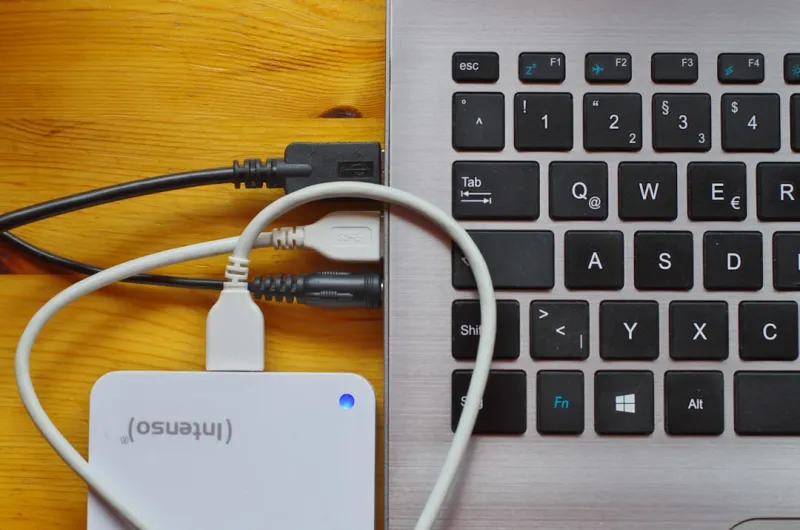
When I first upgraded my rig in the early 2020s, the hype around NVMe SSDs was deafening, and I, like most power users, jumped on the bandwagon without a second thought. Fast forward to 2026, and I’ve learned that a well‑balanced storage strategy still needs a robust hard drive backbone. My workflow—mixing 8K video editing, massive data‑science datasets, and a personal media library—demands both the lightning speed of SSDs for active projects and the sheer capacity, affordability, and reliability of modern hard drives for archival purposes. In this article I’ll unpack why hard drives remain a cornerstone for power users, how to choose the right form factor, and the subtle shifts in technology that make today’s drives more compelling than a decade ago. Whether you’re building a future‑ready workstation or fine‑tuning an existing setup, understanding the nuanced role of HDDs can be the difference between a smooth workflow and constant storage headaches.
The Evolution of HDD Technology in 2026
Hard drives have come a long way since the early 2000s, and the advances we see today are often overlooked in the SSD‑centric narrative. In 2026, manufacturers have introduced areal density breakthroughs that push storage capacities beyond 30 TB per platter, while maintaining the classic 7200 RPM spin speed that balances performance and power consumption. Innovations like Heat‑Assisted Magnetic Recording (HAMR) and Shingled Magnetic Recording (SMR) have become mainstream, delivering higher densities without sacrificing data integrity. Moreover, the introduction of dual‑actuator designs—once a niche feature—has reduced average seek times, making bulk sequential writes feel significantly faster. These technical strides mean that a $150 20 TB drive can now outperform a $250 HDD from just a few years ago, and the improved firmware algorithms reduce the risk of read‑write errors that plagued older models. For a power user like myself, these refinements translate into a storage tier that’s both cost‑effective and trustworthy for those massive, rarely‑touched archives that form the backbone of my digital ecosystem.
Why Hard Drives Still Matter for Power Users in 2026
Even as SSDs dominate the market, the economics of storage still favor hard drives for bulk data. A single 20 TB HDD costs a fraction of what a comparable SSD would, allowing me to allocate budget toward higher‑end GPUs and CPUs—critical for AI‑assisted development tasks. The longevity factor also plays a role; HDDs, when properly maintained, can retain data for decades without the wear‑leveling concerns inherent to flash memory. This makes them ideal for offline backups, long‑term media archiving, and the massive logs generated by continuous integration pipelines. If you’re curious about the broader context, check out Why Hard Drives Still Matter for Power Users in 2026, which delves deeper into the cost‑performance curve and the environmental benefits of extending the useful life of magnetic storage. In my daily routine, I keep active project files on a blazing‑fast NVMe, while a pair of high‑capacity HDDs serve as the silent custodians of everything else, ensuring I never have to compromise on speed or storage size.
Strategic Tiered Storage: Pairing SSDs and HDDs Effectively
Implementing a tiered storage architecture is less about buying the flashiest components and more about aligning each drive’s strengths with specific workload patterns. For example, my 2 TB NVMe handles the operating system, applications, and the scratch space for video rendering, delivering sub‑millisecond access times that keep the CPU fed with data. Meanwhile, a 12 TB 7200 RPM HDD acts as the primary repository for raw footage, which I rarely edit directly but need to access quickly when pulling clips into a timeline. A secondary 20 TB archival drive stores completed projects and raw datasets, connected via a USB‑4 external enclosure for easy transport between workstations. By using a modern file‑system like NTFS with tiering support, Windows can automatically migrate infrequently accessed files to the slower tier, freeing up fast space without user intervention. This approach mirrors the principles outlined in Building a Future‑Ready Power‑User PC in 2026, where the emphasis is on harmonious component synergy rather than raw specs alone.
Choosing the Right HDD Form Factor for Your Build
When selecting a hard drive, the form factor—3.5‑inch versus 2.5‑inch—has practical implications for airflow, power draw, and case compatibility. The 3.5‑inch variants still dominate the desktop market, offering higher capacities and better sustained write speeds due to larger platters. However, the 2.5‑inch models have made a comeback, especially in compact builds where space is at a premium. Modern 2.5‑inch drives now sport the same areal density as many 3.5‑inch units, meaning you can achieve 10‑TB capacities in a slimmer package, albeit with slightly lower throughput under heavy load. For my workstation, I opted for a hybrid approach: a pair of 3.5‑inch drives for bulk storage, mounted on a dedicated HDD cage with vibration‑dampening brackets, and a 2.5‑inch SSD for ultra‑fast caching. The decision hinges on your case layout, power supply capacity, and whether you prioritize maximum capacity per bay or a streamlined, quieter profile. Regardless of the choice, be sure to verify that your motherboard’s SATA ports can handle the cumulative data flow without bottlenecking the system’s overall performance.
Mitigating the Risks: Data Integrity and Backup Strategies
No matter how advanced the technology, hard drives are still subject to mechanical wear and unforeseen failures. In 2026, smart monitoring tools like SMART‑plus and AI‑driven predictive analytics have become more accessible, alerting users to impending issues before they cause data loss. I routinely schedule daily incremental backups to a secondary HDD and perform weekly full backups to an external NAS equipped with RAID‑6 for redundancy. The added layer of cloud sync for critical files provides an off‑site safety net, adhering to the 3‑2‑1 backup rule: three copies of data, on two different media, with one off‑site location. When a drive starts reporting re‑allocated sectors, I don’t gamble—my policy is to clone the drive using a bit‑for‑bit imaging utility, then replace the failing unit. By integrating these practices, you can preserve the advantages of HDD capacity while minimizing the associated risks, ensuring that your storage ecosystem remains resilient under the most demanding workloads.
The Role of HDDs in Emerging Technologies like AI and Large‑Scale Simulation
AI models in 2026 generate terabytes of training data daily, and while the inference phase thrives on high‑speed NVMe, the training data pipelines lean heavily on massive, inexpensive storage. Companies now deploy petabyte‑scale HDD farms, using parallel read/write techniques to feed GPUs efficiently without incurring prohibitive SSD costs. As a power user experimenting with custom AI models, I store raw datasets—image libraries, sensor logs, and simulation outputs—on a cluster of 18 TB HDDs, leveraging a software‑defined storage layer that balances load across drives. This setup allows me to scale storage organically; adding a new drive expands capacity without re‑architecting the entire system. The economics are stark: a comparable SSD array would cost multiple times more and generate significantly more heat, complicating the cooling design. Thus, for data‑intensive tasks that don’t demand nanosecond latency, HDDs remain the pragmatic choice, enabling developers to push the boundaries of AI without breaking the budget.
Future‑Proofing Your Storage: Anticipating the Next Wave of HDD Innovation
Looking ahead, the hard‑drive industry is betting on even higher areal densities and the integration of optical tracking layers to further increase capacity while maintaining energy efficiency. Some vendors are experimenting with multi‑actuator configurations that essentially double the read/write heads, cutting seek times dramatically. Although these technologies are still emerging, they promise to narrow the performance gap between HDDs and SSDs for bulk workloads. As a seasoned builder, I keep an eye on these trends and select drives with firmware that supports future upgrades, such as the ability to enable advanced caching algorithms via a simple BIOS update. Additionally, opting for modular drive bays and universal mounting solutions ensures that tomorrow’s higher‑capacity models can slot into today’s chassis without a full system overhaul. This forward‑thinking mindset aligns with the broader vision laid out in our piece on Critical Tech Shifts Power Users Must Watch Now, emphasizing that adaptability, not just raw specs, defines a resilient power‑user setup.
Wrapping Up: Balancing Speed, Capacity, and Cost in 2026
In the end, the optimal storage strategy for a power user is a blend of the fast, the massive, and the reliable. NVMe SSDs deliver the responsiveness needed for real‑time editing and AI inference, but the sheer capacity and affordability of modern hard drives make them indispensable for archiving, backup, and large data pools. By thoughtfully tiering storage, staying vigilant with health monitoring, and choosing drives that are built for future expansion, you can create a workstation that not only meets today’s demanding workloads but also adapts to the technologies of tomorrow. As someone who lives at the intersection of content creation and high‑performance computing, I can attest that ignoring the humble HDD would be a misstep in any serious build. Embrace the complementary nature of these storage mediums, and your digital workspace will stay fast, organized, and ready for whatever 2026 throws at it.




