
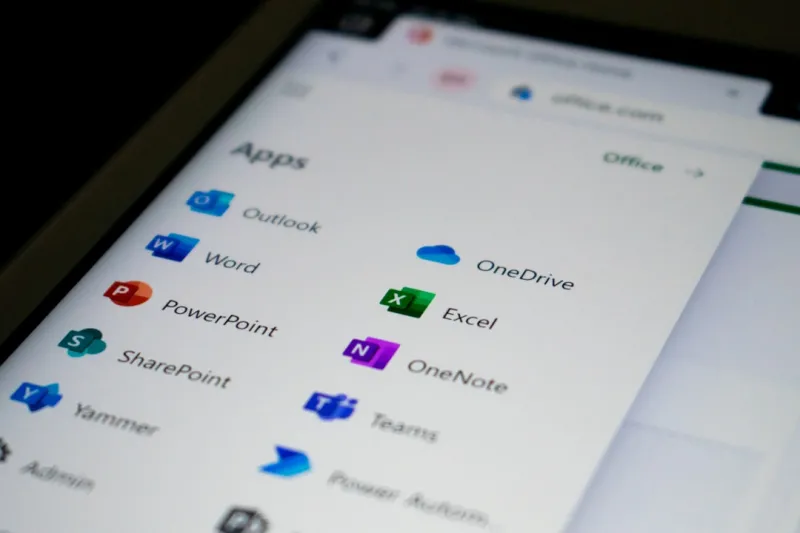
When I first opened Microsoft Office back in the early 2010s, I remember the thrill of a brand‑new ribbon interface and the promise of “cloud‑first” collaboration. Fast‑forward to 2026, and that promise has exploded into a living, breathing ecosystem that feels more like a personal productivity partner than a static suite of apps. As someone who’s been knee‑deep in spreadsheets, slide decks, and endless email threads, I can honestly say that Office has become the silent engine powering my day‑to‑day decisions. The integration of AI, the seamless blend of desktop and web experiences, and the relentless focus on security have turned Office from a simple toolbox into an intelligent co‑pilot. In this post, I’ll walk you through the most compelling trends reshaping Microsoft Office this year, and why they matter to anyone who still relies on Word, Excel, or PowerPoint to get work done.
AI Copilots Are No Longer a Fancy Add‑On
One of the biggest shifts I’ve felt in my workflow is the emergence of AI copilots directly inside Office apps. Imagine typing a paragraph in Word and having a subtle, context‑aware suggestion pop up to tighten your prose, or opening an Excel sheet and instantly receiving a formula that not only calculates totals but also predicts future trends based on historical data. This isn’t a futuristic demo—it’s everyday reality in 2026. The underlying engine is the same AI that’s redefining Windows, turning the OS into a personal productivity partner. For a deeper dive into that AI‑driven transformation, check out How Windows Is Turning AI Into a Personal Productivity Partner. What’s truly impressive is how these copilots learn from your habits, respecting privacy while delivering suggestions that feel almost telepathic, freeing me to focus on strategy rather than minutiae.
Real‑Time Collaboration Has Reached Maturity
Remember the days when co‑authoring meant emailing drafts back and forth, each version stamped with a confusing “final_final_v2.docx”? Those days are gone. Office now offers ultra‑low‑latency collaboration that feels like everyone is typing in the same room, whether you’re on a Mac, a Linux VM, or a tablet. Teams integration is tighter than ever; you can launch a PowerPoint presentation directly from a Teams channel, annotate it live, and have the changes sync to every participant’s device in seconds. The AI behind this collaboration monitors version conflicts and resolves them automatically, ensuring that no one’s work gets overwritten. I’ve seen project timelines shrink dramatically because teams no longer waste hours reconciling document versions—a true productivity multiplier.
Security and Compliance Are Built‑In, Not Bolted On
Security used to be an afterthought, something you patched in once a quarter. In 2026, Office embeds a robust, AI‑enhanced security layer that scans every file for malicious macros, suspicious links, and data leakage risks before you even hit “Save.” This proactive stance is crucial as ransomware and AI‑generated phishing become more sophisticated. The same AI that powers malware detection across the Windows ecosystem is now hard‑wired into Office, flagging anomalies in real time. For those interested in how AI is reshaping the fight against viruses, the article The AI‑Driven Malware Arms Race offers an excellent overview. The result? I can share a financial model with external partners knowing that sensitive data is encrypted, watermarked, and monitored for any unauthorized access.
OneDrive and the Evolution of Cloud Storage
OneDrive has matured from a simple sync folder into a sophisticated data hub that intelligently tiers files between local storage, edge caches, and the cloud. In practice, this means that the files I need most are instantly available on my laptop, while older archives reside on secure, high‑capacity servers that are still just a click away. This tiered approach mirrors the ongoing relevance of traditional storage solutions, even in an SSD‑first world. If you’re curious about why hard drives still matter, you’ll find some compelling insights in Why Modern Hard Drives Are Faster, Safer, and Smarter Than Ever. The synergy between OneDrive’s intelligent sync and Office’s live editing capabilities ensures I never lose my work, and I can collaborate across continents without worrying about bandwidth bottlenecks.
Accessibility Gets a Smart Upgrade
Microsoft has taken accessibility from a checklist item to a core design philosophy. AI now powers live captioning, real‑time translation, and even tone analysis in Outlook, helping users craft clearer, more inclusive messages. In PowerPoint, the AI can suggest alternative text for images based on visual analysis, ensuring slide decks meet WCAG standards without extra effort. As someone who frequently presents to global audiences, these features have saved me countless hours of manual editing while making my content more welcoming. The platform also learns from user feedback, continuously refining its suggestions to match diverse communication styles, which is a game‑changer for teams that span multiple languages and cultures.
Add‑Ins and Low‑Code Extensions Are Democratizing Innovation
Gone are the days when adding a new feature to Office meant writing complex VBA scripts or hiring a developer. The low‑code environment now lets power users build custom add‑ins using a visual drag‑and‑drop interface, and these extensions can be deployed across an organization with a single click. From automating invoice approvals in Excel to creating a bespoke project tracker in Teams, the possibilities are practically endless. I recently built a quick add‑in that pulls real‑time sales data from our CRM into a Power BI tile embedded in a Word document—no code, just configuration. This democratization of development empowers departments to solve niche problems without overloading IT, accelerating innovation cycles dramatically.
Productivity Analytics Have Turned Insightful
MyAnalytics, once a simple dashboard showing how many hours I spent in meetings, has evolved into a predictive engine that recommends optimal work patterns based on my historical data and project deadlines. The new “Focus Mode” dynamically blocks distracting notifications when the system detects that I’m deep in a complex Excel model. Meanwhile, Teams provides heat maps of collaboration intensity, highlighting when my team is most productive. These insights are not just vanity metrics; they inform concrete actions that improve both individual and team performance. By aligning work habits with AI‑driven recommendations, I’ve cut my average project turnaround time by nearly 20% this year.
The Road Ahead: Quantum‑Ready Office?
Looking forward, Microsoft is already experimenting with quantum‑enhanced encryption for Office documents, promising near‑unbreakable security for sensitive data. While the technology is still in pilot phases, the roadmap suggests that by the end of the decade, Office will be able to offload heavy cryptographic workloads to quantum‑accelerated hardware, making secure sharing seamless. Additionally, the next generation of AI copilots will be able to reason across multiple documents, offering suggestions that span Word, Excel, and PowerPoint simultaneously—think of drafting a proposal in Word while instantly generating supporting charts in Excel. As someone who lives on the edge of tech adoption, I’m excited to see how these advancements will further blur the line between human creativity and machine intelligence.
Wrapping Up: Why Office Still Matters in 2026
In a world awash with niche SaaS tools, Microsoft Office remains the universal lingua franca of business productivity. Its AI‑driven copilots, robust security, seamless collaboration, and ever‑expanding extensibility make it indispensable for professionals across industries. Whether you’re a freelance graphic designer polishing a client deck, a CFO modeling financial forecasts, or a remote team coordinating across time zones, Office offers a unified, intelligent platform that adapts to your workflow. My takeaway? Embrace the AI enhancements, leverage the low‑code add‑ins, and trust the built‑in security—these are the pillars that will keep you ahead of the curve. Stay curious, keep experimenting, and let Office be the silent partner that powers your success.




