
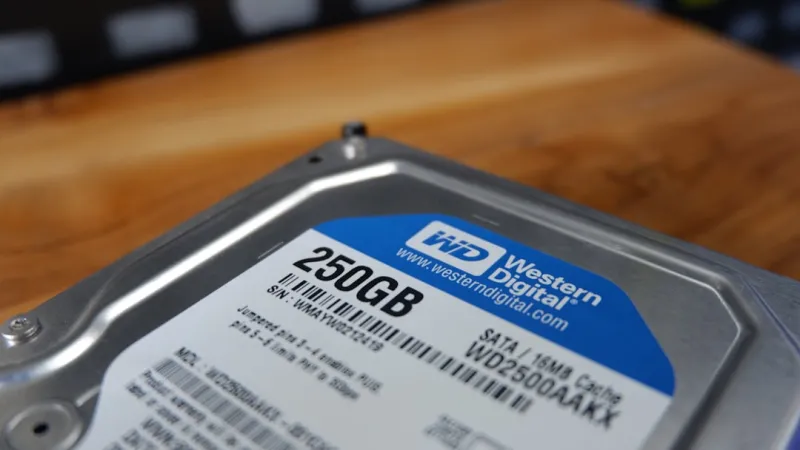
When I first opened the door to my home office in 2020, the hard‑drive market felt like a quiet back‑stage player, eclipsed by the flash of SSDs and the hype around NVMe. Fast forward to 2026, and the narrative has shifted—not because HDDs have magically caught up in raw speed, but because they’ve carved out a strategic niche that no other storage tier can fully replace. In my years of troubleshooting, building, and tweaking rigs for everything from gaming rigs to AI‑focused workstations, I’ve learned that the right drive is a matter of context, not just benchmark scores. This post dives deep into why hard drives remain indispensable, how the latest capacity breakthroughs are changing the game, and what you, as a savvy builder or data‑hoarder, should be looking for when you head to the shelf.
Why Hard Drives Still Matter in an SSD‑Dominated World
Solid‑state drives dominate the headline‑grabbing performance charts, delivering sub‑millisecond latency and bandwidth that can outpace many traditional hard drives by an order of magnitude. Yet, the economics of storage tell a different story. As a builder who has balanced budgets for both high‑end workstations and budget‑friendly home servers, I constantly see clients balk at the price per gigabyte of a 4 TB NVMe drive when a 12 TB 7200 RPM HDD can store the same amount of media for a fraction of the cost. For archival, backup, and bulk data lakes, the raw speed advantage of SSDs often translates to diminishing returns. In these scenarios, the durability, proven reliability, and sheer capacity of modern HDDs make them the smarter, more sustainable choice.
The Cost‑Performance Sweet Spot: Bulk Storage and Backup
One of the biggest misconceptions I encounter is that “all SSDs are better than HDDs.” The truth is nuanced. A high‑capacity 18 TB enterprise‑grade hard drive can deliver sustained sequential writes of around 250 MB/s—perfect for media ingestion, video editing caches, and nightly backups. Meanwhile, a comparable SSD would cost three to four times more, and the performance uplift would be barely noticeable for large file transfers where the bottleneck is often the network or the CPU’s ability to process data. By leveraging a tiered storage approach—keeping the operating system and frequently accessed applications on a fast NVMe while relegating massive libraries and backup snapshots to a reliable HDD—you get the best of both worlds: speed where it matters and economy where it doesn’t.
Capacity Growth: From 8 TB to 30 TB and Beyond
The past few years have seen a dramatic surge in hard‑drive capacities, largely thanks to advances in areal density and the adoption of shingled magnetic recording (SMR) and, more recently, heat‑assisted magnetic recording (HAMR). In 2026, consumer‑grade drives now top out at 30 TB, while enterprise models push past the 40 TB mark. This exponential growth means you can house an entire 4K movie library, a massive photo archive, or even a full‑scale machine‑learning dataset on a single rack‑mount unit without breaking the bank. I’ve personally migrated a 10 TB photo collection onto a 20 TB HDD and watched the system stay cool, quiet, and remarkably stable—a testament to how far the technology has come.
Security Features That Keep Your Data Safe
Security isn’t just a software concern; modern hard drives now come equipped with hardware‑based encryption, secure erase commands, and tamper‑detecting firmware. For anyone handling sensitive client data or personal media, a self‑encrypting drive (SED) can provide on‑the‑fly AES‑256 encryption without a noticeable performance hit. In my own workflow, I enable the drive’s built‑in encryption and pair it with a TPM‑backed key storage solution, creating a layered defense that even a determined attacker would find hard to breach. To see how these features fit into the broader industry narrative, check out our hard‑drive revolution article, which breaks down the security implications in detail.
Monitoring Health: SMART, TLER, and Proactive Maintenance
Hard drives have matured to a point where proactive health monitoring is practically built into the device. The SMART (Self‑Monitoring, Analysis, and Reporting Technology) system now reports not just temperature and error rates, but also predictive failure alerts based on vibration analysis and error‑correction trends. I make it a habit to set up daily SMART checks using tools like CrystalDiskInfo or the built‑in Windows PowerShell cmdlets, and I configure TLER (Time‑Limited Error Recovery) on RAID arrays to prevent a single sluggish drive from pulling down the whole volume. By catching a rising reallocated sector count early, you can replace a drive before it catastrophically fails, saving both time and data.
Real‑World Build: A Media Server Powered by HDDs
Last month, I helped a client assemble a home media server intended to stream 8K content to multiple devices simultaneously. The design hinged on a dual‑processor setup with 64 GB of RAM, but the storage architecture was the linchpin. We selected two 30 TB enterprise‑grade HDDs in a RAID‑1 configuration for redundancy, paired with a 2 TB NVMe cache to accelerate thumbnail generation and metadata indexing. This hybrid approach delivered seamless playback without any buffering, even when multiple streams were active. If you’re curious about the broader context of such builds, our hardware trends shaping PCs guide offers a deeper dive into component selection for future‑proof builds.
Emerging Technologies: HAMR and MAMR on the Horizon
Heat‑Assisted Magnetic Recording (HAMR) and Microwave‑Assisted Magnetic Recording (MAMR) are no longer just buzzwords—they’re rapidly moving from prototype to production. By temporarily heating the magnetic media during write operations, HAMR can dramatically increase areal density without sacrificing reliability. Early 2026 models promise read/write speeds approaching 300 MB/s while maintaining the same power envelope as traditional drives. Although the price premium remains, I anticipate a steep price drop within the next couple of years as the technology matures, making ultra‑high‑capacity HDDs a viable option for even performance‑critical workloads.
Environmental Impact and Energy Efficiency
Energy consumption is a growing concern for data centers and home users alike. Modern 7200 RPM HDDs have become remarkably efficient, often drawing less than 7 W under typical load—a fraction of the power draw of comparable SSDs when you factor in the need for multiple SSDs to reach the same capacity. Additionally, the longer lifespan of hard drives reduces e‑waste, as you can often keep a drive in service for 5‑7 years with proper care. I encourage readers to consider the carbon footprint of their storage choices; opting for a high‑capacity HDD can be both a cost‑effective and eco‑friendly decision.
Practical Buying Checklist and Final Thoughts
Before you click “Add to Cart,” run through this quick checklist: 1) Identify your primary use case—archival, media serving, or backup. 2) Choose capacity that gives you headroom for growth; 20 TB+ is a safe bet for most creators. 3) Verify the drive’s security features—look for SED and firmware update support. 4) Check the warranty and MTBF (Mean Time Between Failures) rating; a 2‑year warranty and 1 M‑hour MTBF are good baselines. 5) Ensure compatibility with your chassis and power supply—some 3.5″ drives benefit from dedicated SATA power connectors. By following these steps, you’ll land a hard drive that balances performance, capacity, and peace of mind. In a world obsessed with speed, remember that storage is as much about reliability and cost‑effectiveness as it is about raw numbers. Happy building!




