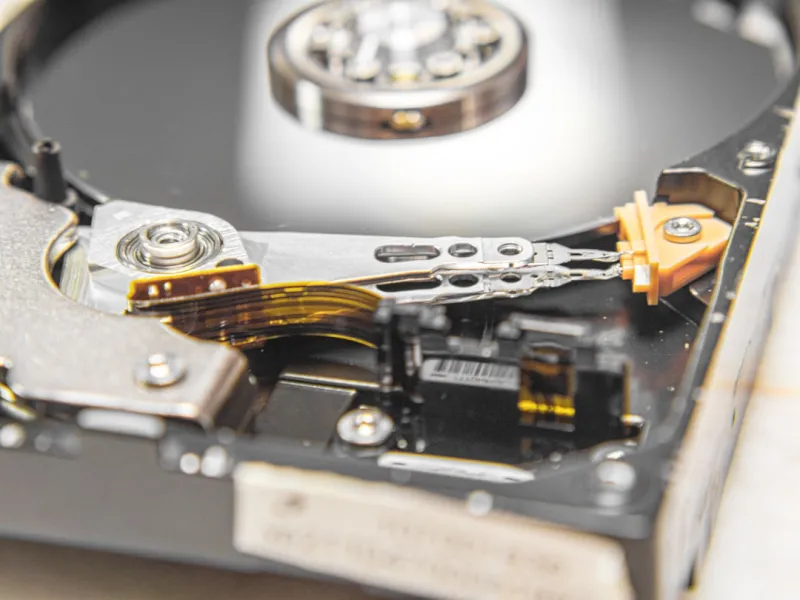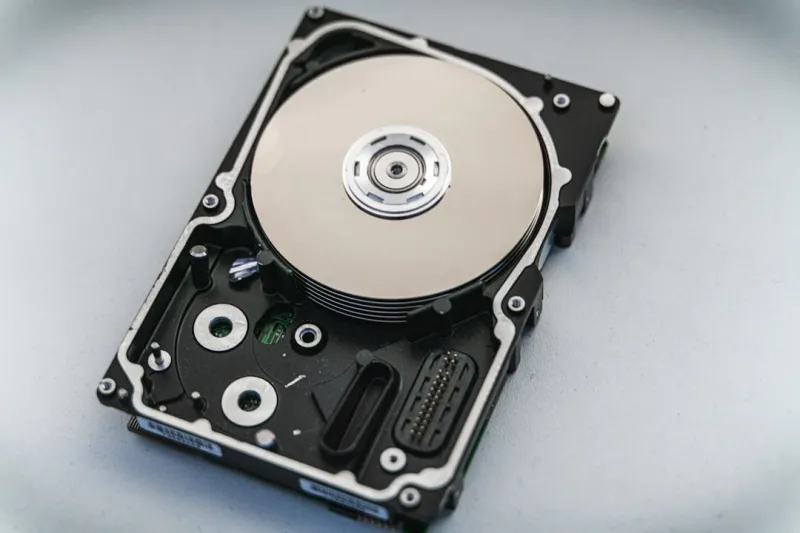
When most people think about storage in 2026, the first thing that springs to mind is the blinding speed of NVMe SSDs. Yet, as a longtime power‑user, I’ve learned that the humble spinning platter still has a pivotal role in a balanced workstation. The market’s hype around instant‑load applications often masks the reality that many workloads—massive video archives, raw sensor data, and long‑term backups—require raw capacity without the premium price tag of high‑end SSDs. This is why I keep a dedicated hard‑drive rack in my lab, not as a relic, but as a strategic component that complements my flash‑based speed. The nuance lies in understanding when latency matters versus when sheer volume does, and that decision shapes everything from my build philosophy to my daily workflow. If you’re curious how hard drives fit into a modern power‑user arsenal, check out Hard Drives in 2026: Why Power Users Still Need the Spinning Platters for a deeper dive.
Cost‑per‑Gigabyte: The Economic Engine of HDDs
In 2026 the price gap between SSDs and HDDs has widened dramatically, especially at the multi‑terabyte tier. While a 4 TB NVMe drive can cost upwards of $600, a comparable 8 TB SATA hard drive sits comfortably under $150. For power users who juggle 100 TB of 4K footage, raw audio stems, or scientific datasets, that difference translates into real budget flexibility. The economics also empower hobbyists to experiment with RAID arrays or large‑scale NAS setups without breaking the bank. Moreover, the predictable depreciation curve of HDDs—where capacity upgrades are inexpensive—means you can future‑proof your storage strategy over several upgrade cycles. This fiscal advantage is especially relevant when planning a workstation that must accommodate both high‑speed compute tasks and massive, less‑frequently‑accessed archives.
Performance Characteristics: When Speed Meets Scale
Understanding the performance profile of hard drives is essential for allocating tasks appropriately. HDDs excel at sequential reads and writes, making them ideal for streaming large video files or conducting bulk data migrations. Their slower random I/O, however, can become a bottleneck for database queries or operating system operations, which is why I keep my OS and frequently used apps on a PCIe 4.0 NVMe SSD. By pairing an SSD for latency‑sensitive workloads with an HDD for throughput‑heavy jobs, I achieve a harmonious balance. The drive’s built‑in cache—often 256 MB or more—acts as a modest accelerator, smoothing out short bursts of random access. Leveraging tools like Windows Storage Spaces or Linux LVM, I can fine‑tune tiered storage policies that automatically migrate cold data to the HDD tier, freeing up SSD space for the tasks that truly benefit from flash speed.
Reliability and Longevity: The Write‑Heavy Advantage
One surprising advantage of hard drives is their endurance under sustained write loads. Modern SSDs, despite their speed, are limited by write‑amplification and wear‑leveling algorithms, which can reduce lifespan in write‑intensive environments such as video rendering farms or continuous data logging. HDDs, by contrast, have virtually unlimited write cycles—limited mainly by mechanical wear. Manufacturers now quote MTBF (Mean Time Between Failure) figures well beyond 1 million hours for enterprise‑grade models, and built‑in error‑correcting codes (ECC) mitigate bit‑rot. For a power user like me who routinely writes terabytes of raw footage nightly, an HDD’s resilience can mean fewer drive replacements and a more predictable maintenance schedule. Of course, regular SMART monitoring is still vital, but the inherent durability of magnetic storage remains a compelling argument for its continued use.
Hybrid Storage Architectures: Tiered Strategies for Power Users
In practice, I design my machines around a hybrid storage architecture that leverages the strengths of each medium. The primary OS partition lives on a 1 TB NVMe SSD, delivering sub‑millisecond boot times and rapid application launches. A secondary 2 TB SSD handles active project files—think Photoshop layers, virtual machine images, and compile caches—where low latency directly impacts productivity. Finally, a 12 TB 7200 RPM hard drive serves as the vault for completed projects, raw footage, and archival backups. Software like Windows’ Storage Sense or macOS’ Optimized Storage can automatically offload rarely accessed files to the HDD tier, while third‑party tools such as FlexRAID or SnapRAID provide redundancy without sacrificing capacity. This tiered approach mirrors the strategy outlined in the Power‑User’s Blueprint for Building a Future‑Ready PC, where balancing speed, cost, and reliability is the cornerstone of any high‑performance build.
RAID and NAS: Scaling Storage for Collaboration
When the storage needs extend beyond a single workstation, RAID‑configured HDD arrays become indispensable. I often employ a 4‑drive RAID‑5 setup in a compact NAS, delivering both fault tolerance and near‑sequential performance that rivals a single high‑capacity SSD, but at a fraction of the cost per terabyte. RAID‑6 or RAID‑10 configurations add extra layers of redundancy, essential for collaborative environments where data loss is not an option. Modern NAS firmware now includes intelligent tiering, automatically moving hot files to an SSD cache while relegating colder data to the spinning disks. This synergy allows remote teams to stream 8K video from the same pool without choking the network. For power users looking to scale, the key is to choose drives with consistent spindle speeds and robust error handling, ensuring that the array remains stable under continuous, heavy workloads.
Emerging HDD Technologies: SMR, CMR, and HAMR
2026 brings several innovations that refresh the HDD landscape. Shingled Magnetic Recording (SMR) offers higher areal density by overlapping tracks, boosting capacity but imposing write‑amplification penalties that are mitigated through sophisticated caching algorithms. Conventional Magnetic Recording (CMR) remains the go‑to for workloads requiring frequent random writes, such as database logging or surveillance footage. The most exciting development is Heat‑Assisted Magnetic Recording (HAMR), which uses a tiny laser to momentarily heat the media, allowing for even tighter data packing. Early consumer‑grade HAMR drives now reach 20 TB and beyond, promising to keep HDDs relevant as data generation continues to explode. While these technologies are still maturing, understanding their trade‑offs helps power users select the right drive for specific tasks—SMR for archival, CMR for active projects, and HAMR for ultra‑high‑capacity needs.
Selecting the Right HDD: RPM, Cache, and Interface
Choosing a hard drive isn’t just about capacity; the specifics matter. RPM (Revolutions Per Minute) directly influences both sequential and random performance—7200 RPM drives strike a solid balance for most power‑user scenarios, while 10 000 RPM models provide a noticeable boost for intensive video editing or large database queries, albeit at higher power consumption and cost. Cache size, typically 64 MB to 256 MB, acts as a short‑term buffer that can smooth out random access spikes. When it comes to interface, SATA III remains the dominant conduit for HDDs, delivering up to 6 Gb/s, which is sufficient for the throughput limits of spinning media. Some newer enterprise drives now support NVMe over PCIe, unlocking higher bandwidth, but the price premium is steep. Aligning these specs with your workload ensures you get the best performance without overspending.
Maintenance Best Practices: Extending HDD Lifespan
Even the most robust hard drives benefit from proactive care. Regularly checking SMART attributes—especially reallocated sector count and spin‑up time—provides early warning of impending failures. Defragmentation, once a dreaded chore, is now a targeted optimization: running it quarterly on drives that host large, contiguous files can improve sequential read speeds. Environmental factors such as temperature and vibration also play a role; keeping drives within the 20‑30 °C range and securing them with anti‑vibration mounts reduces mechanical stress. Additionally, using a UPS (Uninterruptible Power Supply) safeguards against sudden power loss, which can corrupt data or damage the drive’s actuator. By integrating these habits into your routine, you can keep a multi‑terabyte HDD running reliably for years, complementing the faster but more wear‑sensitive SSDs in your system.
Future‑Proofing Your Storage Ecosystem
Looking ahead, the integration of AI workloads and massive model training datasets means storage demands will only intensify. By establishing a solid HDD foundation today, you create a flexible, cost‑effective reservoir for the petabytes of data that AI pipelines will generate tomorrow. Pairing this with a high‑performance SSD‑centric compute tier, as outlined in Unlocking AI Power: Building a Future‑Ready Workstation for 2026, ensures you’re prepared for both speed‑critical inference tasks and bulk data ingestion. The key takeaway is that hard drives, far from being obsolete, are evolving to meet the scale and reliability requirements of modern power users. Embrace them as a strategic component, and your workstation will remain both agile and economical for years to come.