When I first cracked open a tower back in the early 2000s, the idea of “AI‑powered” upgrades was something out of a sci‑fi novel. Fast‑forward to 2026, and the landscape has shifted so dramatically that every component now talks to the next, learning your workload patterns and self‑optimizing on the fly. As a veteran builder who’s soldered everything from legacy ISA cards to the latest PCIe 5.0 GPUs, I can tell you the most rewarding upgrades are the ones that let the machine anticipate your needs before you even fire up a program. In this post I’ll walk you through the hardware moves that truly matter today—CPU, GPU, RAM, storage, power, and cooling—while sprinkling in a few software tricks that turn a raw rig into a proactive partner. Buckle up; the upgrades you choose now will define how smooth your gaming, content creation, and AI‑assisted work sessions feel for years to come.
CPU: The Brain Gets Smarter, Not Just Faster
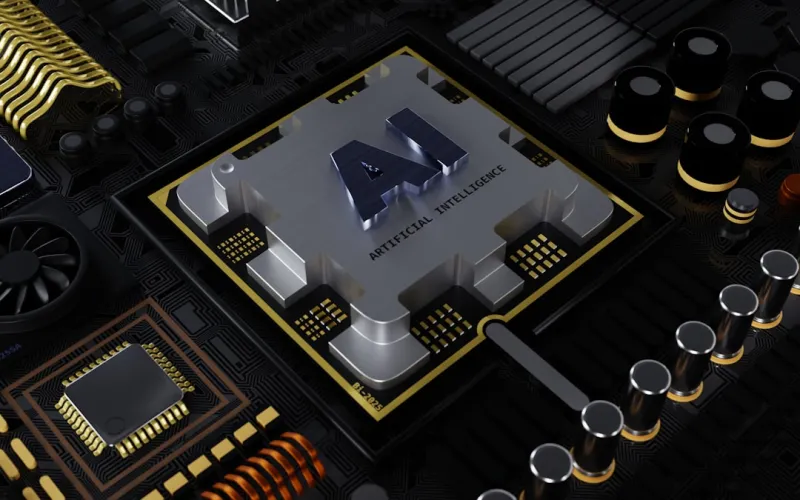
The central processing unit has evolved from a pure number‑crunching engine into a hybrid AI accelerator. Modern chips in 2026 sport a blend of high‑performance cores for legacy tasks and dedicated AI inference cores that handle everything from real‑time voice transcription to on‑the‑fly texture generation. When selecting a new CPU, look beyond clock speed and core count; examine the AI inference throughput and the integrated neural‑network engine specifications. Brands are now offering “AI‑optimized” profiles in BIOS that allocate power dynamically based on your workload, so a 12‑core processor can feel like a 20‑core machine when you’re running a large language model locally. Pair this with a motherboard that supports the latest DDR6 memory and PCIe 5.0 lanes, and you’ll have a platform ready to feed both traditional apps and next‑gen AI tools without bottlenecks.
GPU: Harnessing the Power of Dedicated AI Cores
Graphics cards have long been the go‑to upgrade for gamers, but in 2026 they’ve become the primary hub for AI acceleration. The newest RTX and AMD Radeon series embed tensor cores that accelerate deep‑learning inference at frame rates that were impossible a few years ago. If you’re aiming for 4K ray‑traced gaming, the performance boost is obvious, but the real hidden gold lies in workloads like video upscaling, AI‑enhanced photo editing, and real‑time analytics. Before you splurge, however, make sure your power delivery and cooling solution can handle the extra heat; AI cores can spike power draw by up to 30% under sustained loads. And if you ever run into hiccups, don’t forget to check out our guide on common video card problems—a lifesaver when a sudden artifact appears on your screen.
Memory: More Than Just Size—Latency Matters
DDR6 has finally become mainstream, offering bandwidth that can keep up with AI‑heavy GPUs and CPUs. While 32 GB was once the sweet spot for enthusiasts, 2026 workloads—especially those involving large language models or multi‑stream video editing—can chew through that quickly. I recommend targeting at least 64 GB of high‑speed DDR6, but don’t ignore latency. Lower CAS timings can shave precious milliseconds off model inference, which translates to smoother performance in both games and AI‑assisted applications. If your motherboard supports dual‑channel or quad‑channel configurations, populate the slots to maximize throughput. And remember, the memory controller on newer CPUs is far more tolerant of mixed‑speed kits, giving you flexibility if you’re repurposing older modules during a staged upgrade.
Storage: SSDs Rule, Yet Hard Drives Still Have a Role
NVMe SSDs dominate the primary drive market, delivering sub‑millisecond load times that make AI‑driven apps feel instantaneous. However, there’s still a place for traditional hard drives—especially for massive media libraries and backup archives. Modern 3.5‑inch drives now feature advanced caching algorithms and error‑correction that make them faster, safer, and smarter than their early‑2000s ancestors. If you’re wondering why you should keep a HDD in a “SSD‑first world,” check out our deep dive on hard drives still matter. By combining a lightning‑fast NVMe boot drive with a high‑capacity HDD for bulk storage, you get the best of both worlds: rapid application launch times and ample room for AI‑generated datasets without breaking the bank.
Power and Cooling: Feeding the AI Beast
AI‑centric components are power‑hungry, and the old rule of “bigger PSU is always better” no longer applies in a straightforward way. Modern 80 PLUS Platinum units now feature AI‑driven power management that predicts load spikes and adjusts voltage rails in real time, improving efficiency by up to 5% under mixed workloads. When sizing your PSU, factor in the additional draw from GPU tensor cores and CPU AI engines—typically an extra 150–250 W beyond traditional specs. On the cooling front, liquid coolers with smart pump control can modulate flow based on temperature sensors embedded in the CPU and GPU, keeping temps in the optimal 60‑70 °C range even during prolonged AI inference sessions. A well‑tuned cooling loop not only extends component life but also maintains the boost clocks that AI workloads rely on for peak performance.
Software: Let the OS Do the Heavy Lifting
Hardware upgrades only reach their full potential when the operating system knows how to use them. Windows in 2026 has embraced AI at the OS level, offering features that dynamically allocate resources, pre‑emptively load drivers, and even suggest hardware tweaks based on your usage patterns. Dive into the AI‑enhanced Windows article to see how the system’s personal productivity partner can automatically balance your GPU’s tensor cores between gaming and AI tasks, ensuring you never have to manually toggle settings. Coupled with AI‑aware drivers from NVIDIA and AMD, your upgraded rig will feel like a living, breathing assistant—optimizing performance, minimizing latency, and even alerting you to potential thermal issues before they become problems.
Peripheral Upgrades: The Final Piece of the Puzzle
Don’t overlook the impact of monitors, keyboards, and audio gear on the overall upgrade experience. Modern 4K OLED panels now incorporate AI upscaling, allowing lower‑resolution content to appear crisp without taxing your GPU. Pairing a high‑refresh-rate display with a GPU that has robust DLSS or FSR capabilities creates a buttery‑smooth visual experience even in AI‑intensive games. On the input side, keyboards with built‑in AI macro assistants can learn your keystroke patterns and suggest shortcuts, while Bluetooth headsets with AI noise cancellation ensure crystal‑clear communication during remote collaboration. These peripherals might seem like afterthoughts, but they amplify the benefits of your core hardware upgrades, turning a powerful machine into an intuitive, user‑friendly workstation.
Putting It All Together: Your 2026 Upgrade Playbook
Now that we’ve dissected each component, it’s time to translate knowledge into action. Start by mapping your current bottlenecks—whether it’s CPU AI inference, GPU tensor performance, or storage latency—and prioritize upgrades that address those pain points first. A balanced approach—CPU with AI cores, a GPU rich in tensor units, DDR6 memory, an NVMe boot drive paired with a high‑capacity HDD, and a smart PSU with AI‑managed power—will give you the most harmonious performance boost. For a step‑by‑step checklist that walks you through each decision, check out our definitive guide on upgrade your PC like a pro. Follow that playbook, and you’ll not only future‑proof your rig for the next wave of AI software but also enjoy a smoother, more responsive experience across every task you throw at it.