
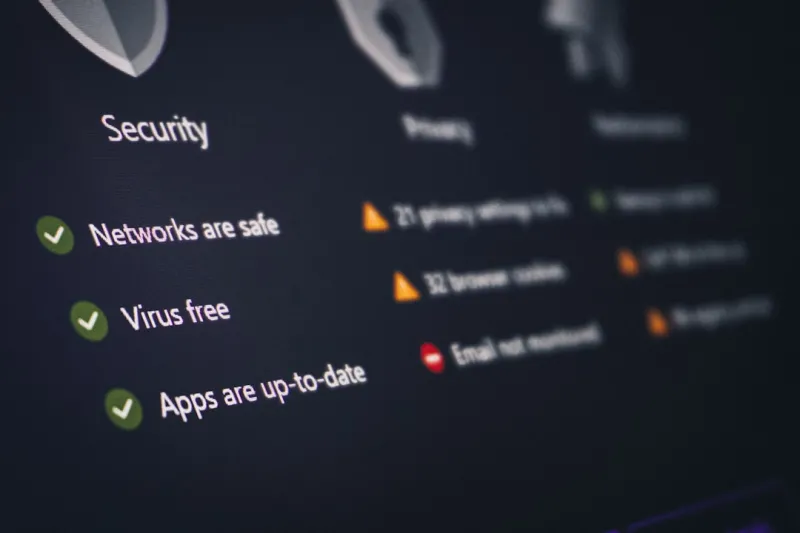
When I first started tinkering with computers, security was a checkbox—install an antivirus, update Windows, and call it a day. Fast forward to 2026, and the landscape looks nothing like the simple perimeter we once defended. AI is no longer just a buzzword; it’s the engine behind both the most sophisticated attacks and the most innovative defenses. As a veteran builder who has upgraded countless rigs, I’ve seen the shift from static signatures to adaptive, learning models that evolve in real time. This evolution means that every component, from the motherboard to the GPU, now carries an AI‑powered firmware layer that can be both a guardian and a gateway. In this post, I’ll walk you through the emerging threat vectors, the tools you need to harden a modern AI‑infused PC, and the mindset shift required to stay ahead of attackers who are leveraging the same technology you rely on for performance.
AI‑Powered Threats Are No Longer Science Fiction
Malware authors have embraced generative AI to automate code obfuscation, creating polymorphic payloads that change their appearance with each execution. In 2026, ransomware gangs deploy chat‑GPT‑style bots that can negotiate with victims in natural language, making extortion feel eerily personalized. Moreover, AI‑driven phishing campaigns can analyze a target’s social media footprint and craft emails that mimic a colleague’s writing style down to the colloquial quirks. The result is a surge in successful attacks that bypass traditional rule‑based defenses. Even hardware‑level exploits are evolving; researchers have demonstrated AI models that can predict vulnerable microcode paths in CPUs, allowing attackers to craft exploits that slip through firmware verification. As defenders, we must recognize that AI is a double‑edged sword, amplifying both attack speed and stealth, forcing us to adopt defenses that can learn, adapt, and respond in near real time.
The Rise of AI‑Assisted Defenses
On the flip side, security vendors are integrating deep learning into endpoint protection platforms, enabling them to detect anomalous behavior that signature‑based tools would miss. These solutions monitor system calls, memory usage patterns, and even user interaction rhythms to flag deviations that could indicate a compromise. For example, a sudden spike in GPU usage at 2 am on a workstation that typically idles can trigger an automated quarantine. In addition, AI‑driven SIEM (Security Information and Event Management) tools correlate logs across the enterprise, highlighting subtle indicators of lateral movement. What’s crucial for the average power user is to understand how to configure these tools without overwhelming false positives. Proper baselining, continuous learning, and regular model retraining are essential. By treating AI as a collaborative partner rather than a black box, you can harness its predictive capabilities while maintaining visibility into what the system deems suspicious.
Securing Your AI‑Enhanced PC
Every modern PC now runs firmware that includes AI modules for performance tuning, power management, and even predictive maintenance. While these features boost efficiency, they also expand the attack surface. To protect your rig, start by verifying the authenticity of all firmware updates—use signed binaries from the OEM and avoid third‑party flashing tools unless you’re certain of their provenance. Next, enable secure boot with a trusted platform module (TPM) to ensure only verified code runs at startup. For those who love to customize, consider hardening the BIOS/UEFI by disabling legacy boot modes and setting a strong supervisor password. Finally, keep an eye on emerging best‑practice guides like The Next Frontier: Securing Your PC in an AI‑Driven World, which offers a step‑by‑step checklist for balancing performance gains with airtight security. By treating your AI‑enabled hardware as a living system, you can stay ahead of attackers who aim to exploit the very same intelligence you’ve built in.
Passwordless Authentication and Biometrics
Passwords are fast becoming relics, especially as AI can crack weak hashes in seconds. In 2026, Windows and major OS vendors are pushing passwordless sign‑in using facial recognition, fingerprint sensors, and hardware‑backed security keys. These methods rely on cryptographic keys stored in the TPM, making them resistant to replay attacks. To adopt this model, enable Windows Hello and pair it with a FIDO2 security key for an extra layer of assurance. When you enable device encryption, the OS automatically ties the decryption key to your biometric data, ensuring that only you can unlock the machine. While convenient, remember to keep your biometric hardware firmware up to date—manufacturers are releasing patches to mitigate spoofing attacks that use AI‑generated deepfake masks. The shift to passwordless not only reduces the risk of credential stuffing but also aligns with zero‑trust principles, where each authentication event is continuously verified against contextual signals.
Zero Trust Architecture for the Home Office
Zero trust isn’t just an enterprise buzzword; it’s a practical framework for any connected environment, including your home office. The core idea is “never trust, always verify,” meaning every device, user, and service must prove its identity before accessing resources. Implement a VPN or a software‑defined perimeter that authenticates devices using certificate‑based methods. Pair this with micro‑segmentation: isolate IoT devices, smart speakers, and cameras on a separate VLAN from your work laptop. This containment prevents a compromised IoT gadget from reaching critical data stores. Additionally, enable conditional access policies that factor in device health—if your endpoint’s AI‑based performance monitor flags an abnormal CPU temperature, the network can automatically restrict its access until the issue is resolved. By layering identity verification, device posture checks, and network segmentation, you create a resilient environment that can withstand even AI‑augmented attacks.
IoT, Smart Homes, and AI‑Enabled Edge Devices
Smart thermostats, voice assistants, and even AI‑powered security cameras now run on mini‑PCs with on‑board neural processors. These edge devices often ship with default credentials and limited update mechanisms, making them prime targets for botnet recruitment. The first line of defense is to change every default password—yes, even the ones printed on the device label—and to enable automatic firmware updates whenever possible. If the vendor lacks a robust update pipeline, consider isolating the device on a dedicated subnet with strict egress controls. For enthusiasts building their own AI‑ready rigs, resources like Building AI‑Ready PCs: The 2026 Hardware Playbook provide guidance on selecting components that support secure boot and TPM integration, ensuring that the edge devices you add to your network inherit the same security guarantees as your main workstation.
A Practical Security Checklist
To bring all these concepts together, here’s a concise checklist you can run through weekly:
- Verify that all firmware (BIOS/UEFI, GPU, SSD) is signed and up to date.
- Enable secure boot with TPM enforcement.
- Activate passwordless authentication via Windows Hello and FIDO2 keys.
- Segment your network: create separate VLANs for work devices, IoT, and guest traffic.
- Deploy an AI‑enabled endpoint protection platform and fine‑tune its baselines.
- Review cloud‑based zero‑trust policies and adjust conditional access rules.
- Run a vulnerability scan on any AI‑driven GPU or RAM modules, referencing guides like Mastering RAM Troubleshooting in an AI‑Driven PC Era for deeper diagnostics.
By ticking off each item, you transform a sprawling, complex security posture into a manageable, repeatable process that scales with your AI‑enhanced hardware.
Tools, Services, and AI‑Powered Performance Upgrades
Choosing the right tools can make the difference between a reactive scramble and a proactive defense. Look for endpoint security suites that offer built‑in AI analytics dashboards, allowing you to visualize anomalous patterns at a glance. Cloud‑based XDR (Extended Detection and Response) platforms now integrate threat‑intelligence feeds that are automatically correlated with your local logs, reducing the time to detect a breach. For performance‑centric users, services like Future‑Proof Your PC: AI‑Powered Upgrade Strategies not only suggest hardware upgrades but also recommend security hardening steps specific to each component. When upgrading a GPU, for instance, the tool can flag firmware that lacks signed boot support and advise you on applying the necessary patches. By leveraging these AI‑enhanced solutions, you maintain a high‑performance workstation without compromising on the rigor of your security posture.
Looking Ahead: The Future of AI in Computer Security
The next few years will see AI moving from an assistive role to a decision‑making partner in security operations. Autonomous response systems will be able to isolate compromised segments, roll back malicious changes, and even negotiate with ransomware actors using natural language models. As a builder and security enthusiast, my advice is to stay curious and keep experimenting—set up a lab environment where you can safely test AI‑driven attack simulations and observe how your defenses react. Embrace a culture of continuous learning; the same AI that helps you squeeze extra frames per second from your GPU can also alert you to a subtle memory leak that could become an exploit vector. By integrating AI thoughtfully, you’ll not only safeguard your data but also future‑proof your PC against threats that we’ve yet to imagine.




