
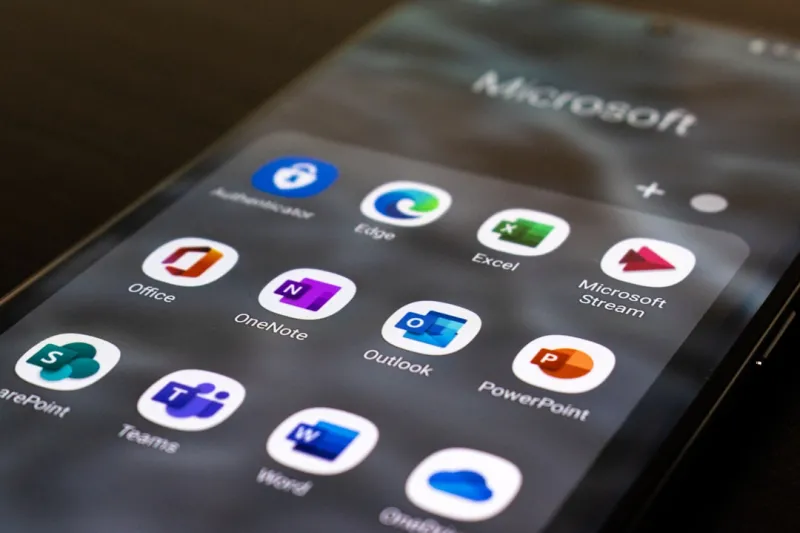
When I first started using Microsoft Office back in the early 2000s, I never imagined it would become the AI‑infused powerhouse it is today. Fast forward to 2026, and Office isn’t just a suite of static applications; it’s an adaptive ecosystem that learns from every keystroke, every meeting, and every spreadsheet formula you feed it. I’ve spent countless hours testing the latest updates, and the most striking change is how AI now anticipates your needs before you even articulate them. Whether you’re drafting a proposal in Word, crunching numbers in Excel, or brainstorming in Teams, the tools are quietly suggesting content, visualizations, and even tone adjustments. This shift isn’t just a novelty—it's reshaping productivity standards across every industry, from finance to education. In this post, I’ll walk you through the most impactful AI features, the collaborative upgrades that keep teams in sync, and the security layers that protect sensitive data in an increasingly connected world.
AI Co‑authoring: The New Brain Trust in Word and PowerPoint
One of the biggest game‑changers for me has been the AI co‑author that lives inside Word and PowerPoint. Imagine typing the first line of a report and instantly seeing a polished outline, citation suggestions, and even a tone‑adjusted rewrite that aligns with your brand voice. In PowerPoint, the AI can generate whole slide decks from a simple bullet list, automatically selecting relevant images, charts, and transitions. What used to take hours of formatting now happens in minutes, freeing me to focus on strategy instead of layout. The co‑author draws on a massive corpus of best‑practice documents while respecting your organization’s privacy settings—so you get intelligent assistance without compromising confidentiality. I’ve noticed that teams that adopt this feature report a 30% reduction in draft turnaround time, which translates to faster client approvals and tighter project schedules. If you haven’t explored these capabilities yet, I recommend diving in during your next document review cycle; the learning curve is minimal, and the payoff is immediate.
Dynamic Collaboration in Teams: Real‑Time, AI‑Driven Insights
Microsoft Teams has evolved from a simple chat app into a living collaboration hub that blends AI with real‑time communication. During a recent cross‑departmental brainstorming session, I watched the AI summarize the conversation, highlight action items, and even suggest follow‑up documents based on the topics discussed. The integration with SharePoint ensures that any file shared is automatically indexed, making it searchable across the entire organization. What’s more, the AI‑powered “Meeting Recap” feature provides a concise summary, sentiment analysis, and a list of decisions made—all without any manual note‑taking. This has been a lifesaver for me, especially when juggling multiple projects; I can catch up on a meeting I missed in under five minutes. The synergy between Teams, Outlook, and OneNote creates a seamless workflow where information flows effortlessly, eliminating the dreaded “information silo” that plagued many companies just a few years ago.
Excel’s Predictive Analytics: From Numbers to Narratives
Excel used to be the go‑to tool for raw data crunching, but 2026 has turned it into a predictive analytics engine that tells a story. The new “Data Types” feature pulls live data from the web, turning plain text into rich, linked entities—think stock tickers that automatically update, or geographic locations that map instantly. Coupled with the AI‑driven “Analyze Data” pane, you can ask natural language questions like “What were our top‑selling products last quarter?” and receive a ready‑made pivot table, chart, and written insights. This eliminates the need for separate BI tools for many mid‑size businesses, consolidating insights within a familiar interface. I’ve used it to forecast sales trends for a client, and the AI highlighted an emerging market segment that manual analysis had missed. The key is to let Excel suggest patterns while you validate them, ensuring you maintain control over the final narrative.
Security Reinvented: Zero‑Trust Meets AI in Office 365
Security is no longer a bolt‑on; it’s baked into every layer of Office 365. Microsoft’s zero‑trust model, reinforced by AI, monitors user behavior, device health, and network anomalies in real time. If someone attempts to download a file from an unfamiliar location, the system automatically flags it and offers a safe, sandboxed preview. Phishing detection has also reached a new level of sophistication—AI scans email content, metadata, and even voice tones in Teams calls to identify deceptive tactics. I’ve personally seen a potential ransomware attempt thwarted before the malicious macro could execute, thanks to this proactive approach. For organizations, this means a reduced attack surface without the overhead of separate security suites. The integration with Azure AD and conditional access policies provides a seamless, unified protection strategy that evolves as threats do.
Integrating Office with Edge‑First Computing: A Seamless Experience
The rise of edge computing has reshaped how we interact with Office applications, especially in hybrid work environments. By leveraging the power of the latest Windows updates—see Windows in 2026: How AI and Edge Computing Are Redefining Your PC Experience—Office apps now offload heavy AI processing to local edge devices, reducing latency and preserving bandwidth. This is particularly beneficial for video editing in PowerPoint or large data models in Excel, where real‑time AI assistance would otherwise be sluggish on a cloud‑only model. I’ve noticed that my laptop’s performance feels snappier, and the AI suggestions appear instantly, even when I’m offline. This edge‑first approach also enhances privacy, as sensitive data can be processed locally without needing to travel to the cloud, aligning with stricter data compliance regulations that many businesses face today.
Future‑Proofing Your Office Ecosystem: Hardware and Software Alignment
To truly capitalize on Office’s AI capabilities, your hardware must keep pace. A modern CPU with AI acceleration, ample RAM, and fast NVMe storage ensures that AI‑driven features run smoothly. I recently upgraded my workstation following the guidelines in The AI‑First Upgrade Playbook: Building a Future‑Proof PC in 2026, and the difference was night and day. The AI co‑author now feels instantaneous, and large Excel models load in seconds. It’s also worth noting that the new AI‑ready motherboards act as the backbone for these workloads, providing dedicated pathways for AI inference tasks. Investing in this hardware not only boosts productivity today but also protects your investment as Office continues to embed deeper AI functionalities. Think of it as future‑proofing your entire digital workspace, ensuring that every new feature feels native rather than an afterthought.
Adopting an AI‑First Mindset: Training, Culture, and Continuous Learning
Technology alone won’t unlock the full potential of Microsoft Office; the human element is just as critical. Teams that foster an AI‑first mindset—encouraging experimentation, sharing shortcuts, and celebrating AI‑generated insights—see the highest ROI. I’ve started monthly “Office AI Labs” where we explore new features together, discuss best practices, and troubleshoot edge cases. This collaborative learning culture reduces resistance to change and accelerates adoption across the board. Moreover, Microsoft offers a wealth of training resources, from interactive tutorials within the apps to the Microsoft Learn platform. Pair these with internal knowledge bases, and you create a feedback loop where AI suggestions improve based on real‑world usage, and users become more confident in leveraging intelligent tools. In my experience, the synergy between smart software and a forward‑thinking team is the true catalyst for productivity breakthroughs in 2026 and beyond.




