
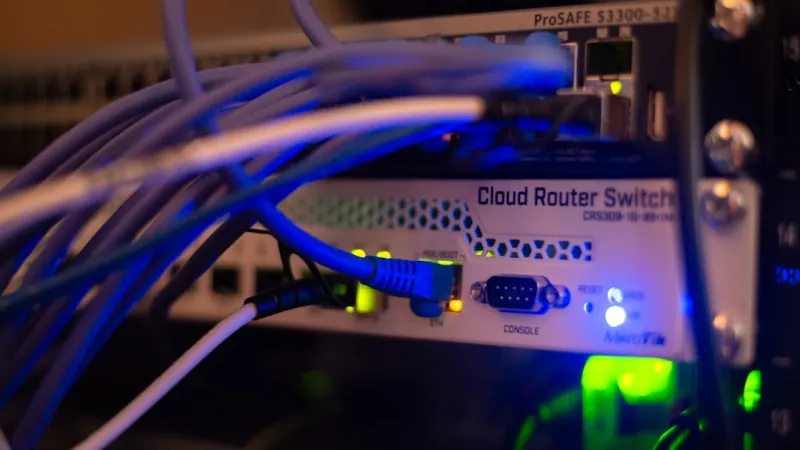
When I first set up a home lab back in 2018, the biggest headache was juggling a dozen cables, static IP tables, and an ever‑changing Wi‑Fi landscape. Fast‑forward to 2026, and the challenges have evolved into a full‑blown hyper‑connected ecosystem where every device—from a smartwatch to a GPU‑cluster—expects instant, reliable bandwidth. As a power‑user, I’ve learned that the secret to thriving in this chaos isn’t just buying the fastest NIC; it’s about designing a network architecture that anticipates growth, embraces automation, and safeguards data without sacrificing performance. In this post I’ll walk you through the strategies I rely on daily, from leveraging smart‑managed switches to integrating zero‑trust policies, so you can stay ahead of latency spikes and security alerts while keeping your workflow humming.
Start With a Layer‑Three Core That Grows With You
Most hobbyist setups stall at a simple gigabit router, but in 2026 that’s a bottleneck for any serious developer or creator. A true power‑user network begins with a robust Layer‑Three core switch that supports 10 GbE uplinks and dynamic routing protocols like OSPF or BGP. This core acts as the traffic director, intelligently balancing load across VLANs and ensuring that a sudden surge—say, when you spin up a new Docker swarm—doesn’t choke the entire LAN. I recommend provisioning at least two 10 GbE ports for redundancy, using link aggregation (LACP) to pool bandwidth. When you combine this with a modest software‑defined networking (SD‑WAN) appliance, you gain the flexibility to route traffic over both wired and wireless backhauls, effectively future‑proofing your infrastructure against the inevitable rise of multi‑gigabit ISP offerings.
Embrace Software‑Defined Networking (SDN) for Agile Control
SDN isn’t just for data centers; it’s a game‑changer for home labs and small offices alike. By abstracting the control plane from the hardware, you can program network behavior with simple scripts or a graphical interface, enabling rapid reconfiguration as projects evolve. In practice, I run an open‑source controller that auto‑assigns QoS policies based on device type—high‑priority tags for latency‑sensitive applications like remote rendering, and lower tiers for backup traffic. This granular control eliminates the guesswork of static QoS settings and lets you react in real time to performance anomalies. If you haven’t yet explored SDN, check out mastering the power‑user network for a deeper dive on how these tactics are reshaping power‑user workflows this year.
Secure the Edge With Zero‑Trust Principles
Traditional perimeter defenses crumble in a world where laptops, phones, and IoT sensors constantly roam between trusted and untrusted zones. Zero‑trust networking flips the script: every connection must verify identity and context before receiving any data. I implement this by deploying a lightweight identity‑aware firewall on the edge router, combined with certificate‑based mutual TLS for internal services. Even a rogue device that slips onto the Wi‑Fi can’t communicate without a valid cert, dramatically reducing the attack surface. Pair this with continuous monitoring tools that flag unusual lateral movement, and you’ll have a network that not only detects threats but stops them before they propagate. For a broader perspective on safeguarding data, see encryption essentials for power users, which outlines complementary strategies for data‑at‑rest and in‑transit.
Leverage Multi‑Gigabit Wi‑Fi 7 for Seamless Mobility
While wired links dominate the backbone, the modern power‑user still needs high‑speed wireless for laptops, tablets, and AR/VR headsets. Wi‑Fi 7, now standard in many 2026 routers, delivers up to 30 Gbps in ideal conditions using 320 MHz channels and Multi‑Link Operation (MLO). To extract its full potential, I set up dedicated SSIDs for different device classes, each with its own VLAN and QoS profile. A “Studio” SSID handles 8K video streams with low latency, while a “IoT” SSID isolates smart bulbs and sensors, preventing them from contaminating critical bandwidth. Positioning access points at ceiling level and using beamforming ensures consistent coverage, and enabling WPA3‑Enterprise with a RADIUS server adds that extra layer of authentication needed for zero‑trust enforcement on the wireless edge.
Integrate Network Automation With Your Development Workflow
As a developer, I treat my network as code—versioned, testable, and repeatable. Tools like Ansible and Terraform let me declare the desired state of switches, firewalls, and even cloud‑based VPNs in YAML or HCL files. When I spin up a new Kubernetes cluster, a single playbook provisions the necessary VLANs, assigns IP ranges, and rolls out the required security groups, all without manual intervention. This approach not only speeds up provisioning but also creates an audit trail, essential for compliance in 2026’s increasingly regulated environment. The result? A seamless handoff between infrastructure and application teams, where the network adapts instantly to new workloads, keeping latency low and throughput high.
Future‑Proof Your Cabling Infrastructure Today
Even the smartest switches can’t compensate for subpar cabling. In my experience, investing in Cat‑8 or fiber optic runs upfront saves countless headaches down the line. Cat‑8 supports 40 Gbps over 30 m, perfect for connecting high‑performance storage arrays or GPU rigs. For longer runs, single‑mode fiber with SFP+ modules offers virtually limitless bandwidth and immunity to electromagnetic interference—crucial in homes where power‑tools and wireless chargers share the same conduit. When laying cable, I always label both ends, document the path in a network map, and use cable management trays to maintain airflow. This disciplined approach prevents accidental unplugging and makes troubleshooting a breeze, ensuring the physical layer won’t be the weak link as your data rates climb.
Monitor, Analyze, and Optimize With Real‑Time Telemetry
A network you can’t see is a network you can’t improve. I rely on open‑source telemetry stacks—Prometheus for metrics, Grafana for dashboards, and Loki for logs—to capture every packet’s journey across the LAN. By visualizing latency heatmaps and bandwidth utilization per VLAN, I can spot congestion before it impacts productivity. Automated alerts trigger scripts that, for example, temporarily boost QoS for a live stream or shift non‑critical backup jobs to off‑peak windows. The key is to set thresholds that reflect real user experience, not just raw throughput numbers. Over time, this data becomes a gold mine for capacity planning, guiding you on when to upgrade uplinks, add additional edge switches, or even migrate certain services to a hybrid cloud environment.
Plan for the Next Wave: Edge Computing and AI‑Accelerated Tasks
2026 is the year edge AI leaves the lab and lands on every desk. Whether you’re running real‑time inference for video analytics or using a local LLM to assist code generation, the network must support ultra‑low latency and high‑throughput data pipelines. Deploying a dedicated edge compute node—think a compact server with an NVIDIA H100 or similar accelerator—requires dedicated 25 GbE or 40 GbE links to avoid bottlenecks. Pair this with a local inference cache that stores frequently accessed models, reducing the need for repeated data pulls from the cloud. By co‑locating compute and storage at the edge, you minimize round‑trip times, delivering a snappy user experience even when the ISP’s backbone is under heavy load. This architecture not only future‑proofs your setup for AI workloads but also aligns with the broader trend of processing data where it’s generated.
Wrap‑Up: Continuous Evolution Is the Only Constant
In the hyper‑connected world of 2026, a power‑user’s network can’t be a “set‑and‑forget” system. It must evolve alongside your workloads, security landscape, and the ever‑increasing speed of underlying hardware. By building a Layer‑Three core, embracing SDN, enforcing zero‑trust, and automating every change, you create a resilient foundation that scales gracefully. Combine that with future‑proof cabling, real‑time telemetry, and edge‑ready compute, and you’ll have a network that not only meets today’s demanding workflows but also stands ready for tomorrow’s breakthroughs. For more on how to weave these strategies into a cohesive plan, explore unlocking hyper‑connected performance—the ultimate playbook for power users who refuse to be left behind.




