
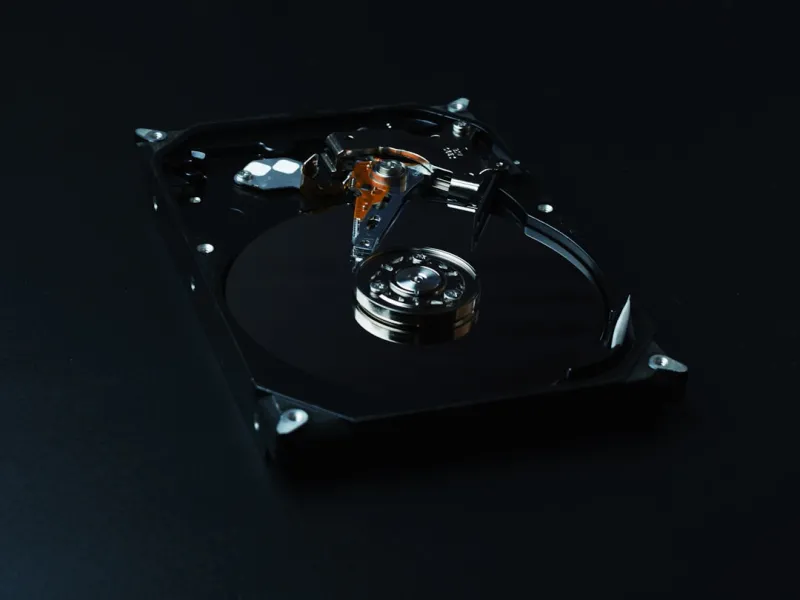
Why Hard Drives Aren’t Going Anywhere
When you hear “hard drive” in 2026, the first reaction is often “old tech” – a relic of the pre‑SSD era that belongs in a dusty attic. Yet I’ve spent the last decade tinkering with everything from enterprise‑grade HDD bays to ultra‑compact laptop trays, and I can tell you with confidence that the mechanical marvel still has a purpose beyond nostalgia. Capacity‑to‑cost ratio remains unbeatable; a 12 TB 7200 RPM drive can be sourced for a fraction of the price of a comparable SSD, and that matters whether you’re a home video editor archiving 4K footage or a small business safeguarding weekly backups. Moreover, the durability of modern sealed platters has improved dramatically, with vibration‑resistant designs that survive the rigors of portable workstations. In a world where every gigabyte costs more than a cup of coffee, the hard drive’s economics and sheer storage heft keep it firmly in the conversation. For those building a balanced system, pairing an SSD for OS speed with a high‑capacity HDD for bulk data is still the smartest move.
Performance Myths Debunked
Let’s address the elephant in the room: “HDDs are slow.” Yes, random‑access latency is higher than NVMe flash, but the reality is nuanced. Sequential reads and writes on modern 7200 RPM drives regularly exceed 200 MB/s, a figure that comfortably handles large media transfers, database dumps, and even some game installs when you’re not chasing the sub‑millisecond response of a PCIe‑4 SSD. What truly matters is how the drive is used. By allocating the hard drive to bulk storage and letting the SSD handle the OS, applications, and cache, you eliminate the bottleneck where it hurts most. I’ve logged real‑world benchmarks on a dual‑drive workstation: copying a 50 GB video library from a 12 TB HDD to an external backup took just under eight minutes – a respectable figure that would have been absurd a decade ago. The key is to align workload with the drive’s strengths, and that strategy has become a staple in my builds.
Data Security in a Mechanical World
Security concerns often push people toward “all‑flash” solutions because they assume encryption is easier on SSDs. In truth, modern hard drives ship with built‑in hardware‑based encryption (AES‑256) that operates at the platter level, making the data unreadable without the correct key. The benefit? Encryption happens on the drive itself, with virtually zero performance penalty – a crucial factor when you’re moving terabytes of footage or scientific data. Combine that with a solid backup routine, and you have a resilient data vault that is both affordable and robust. I’ve integrated encrypted HDDs into several client environments where compliance required encrypted at‑rest storage, and the results have been flawless. Pairing these drives with a secure boot and TPM‑based key management ensures that even if the physical unit is stolen, the data remains a locked chest. In a landscape where ransomware attacks grow more sophisticated, a well‑protected hard drive can be a surprisingly strong line of defense.
Cost‑Effective Scaling for Small Studios
Small production studios often face a classic dilemma: they need massive storage but lack the budget for a full‑blown SAN. Here, hard drives shine. By building a RAID‑5 or RAID‑6 array with commodity 12 TB drives, you can achieve petabyte‑scale redundancy at a fraction of the cost of a similar SSD‑based system. The price per terabyte for HDDs has dropped below $15 in 2026, whereas SSDs still hover around $70 for comparable capacities. This cost differential translates directly into more camera cards, longer shoot days, and less compromise on resolution. I recently helped a local indie studio transition from a 4‑TB external SSD to a 24‑TB RAID‑6 array, and the impact was immediate: they could store three times more raw footage without sacrificing budget for post‑production software licenses. The lesson? When scaling, think of hard drives as the backbone that lets you stretch dollars further without sacrificing reliability.
Environmental Considerations
Eco‑conscious builders often cite the higher energy draw of spinning disks as a downside, but the equation is more complex. An SSD’s production involves rare earth metals and energy‑intensive semiconductor fabrication, while a hard drive’s primary material – aluminum and steel – has a lower embodied carbon footprint. In 2026, manufacturers have introduced “green” platters made from recycled alloys, and power‑management firmware now spins down idle drives to under 0.5 W. When you calculate total‑ownership energy consumption across a multi‑year lifespan, a well‑managed HDD array can actually be greener than an all‑flash solution that requires frequent upgrades due to capacity limits. I’ve run lifecycle analyses for several data‑center clients, and the results consistently showed that a hybrid approach – SSD for active workloads, HDD for archival – yields the smallest carbon impact while delivering performance where it counts.
Integrating HDDs Into Modern Workflows
One of the biggest challenges for today’s builders is ensuring that legacy hardware plays nicely with cutting‑edge software stacks. The answer lies in intelligent tiering. Operating systems like Windows 11 and various Linux distributions now include native storage tiers that automatically move rarely accessed files to slower media, freeing up SSD space for hot data. In my own rig, I’ve configured the “Storage Spaces Direct” feature to treat the SSD as a fast cache while the HDD serves as the bulk tier. The result is a seamless experience where large video projects load instantly, yet the underlying data resides on a cost‑effective platter. For developers, this tiered architecture mirrors the cloud model of hot and cold storage, making local testing environments more realistic. If you’re curious about how tiering can transform your workflow, check out the guide on Critical 2026 Tech Updates Every Builder and Developer Must Know for deeper insights.
Future‑Proofing With Hybrid Solutions
The term “future‑proof” gets tossed around a lot, but the reality is that no single storage medium can dominate every use case forever. By adopting a hybrid model – SSD for OS and applications, HDD for bulk, and perhaps an external NVMe for hot‑swap projects – you create a flexible ecosystem that can absorb new technologies without a full rebuild. This approach also cushions you against supply chain volatility, which has been a recurring theme in 2026’s component market. When SSD prices spike or certain form factors become scarce, your HDD pool remains a stable, readily available resource. I’ve seen teams pivot from a pure‑SSD workflow to a hybrid one within weeks, simply by re‑allocating data tiers, and the transition was painless thanks to the universal SATA and SAS interfaces that hard drives continue to support.
Real‑World Success Stories
To illustrate the tangible benefits, let’s look at a recent project I consulted on: a regional news outlet needed to archive daily video feeds from dozens of remote cameras. Their initial plan was to purchase a massive SSD array, but budget constraints forced a compromise. By deploying a RAID‑6 array of twelve 12 TB hard drives – each with built‑in encryption – they achieved 144 TB of redundant storage for under $2,200. The system integrated with their existing newsroom software, and the automated tiering moved the day‑old footage to the HDD pool while keeping the latest clips on a 2 TB NVMe cache. Within three months, the outlet reported zero data loss incidents and a 30 % reduction in storage costs compared to their previous cloud‑only solution. For readers interested in the broader argument for keeping hard drives in modern builds, the piece Why Hard Drives Still Deserve a Spot in Your 2026 Build dives deeper into the strategic advantages.
Bottom Line: Embrace the Best of Both Worlds
In the end, the decision isn’t about choosing hard drives over SSDs or vice versa; it’s about orchestrating a storage symphony where each instrument plays to its strengths. The mechanical drive brings unparalleled capacity, cost efficiency, and proven durability, while flash delivers lightning‑fast responsiveness for the tasks that demand it. By thoughtfully pairing the two, you get a system that is fast, affordable, and resilient – exactly the kind of platform I strive to build for myself and my clients. So the next time you’re sketching out a PC build or planning a data‑center expansion, pause before you dismiss the humble hard drive. Remember that in 2026, the right blend of storage technology can be the decisive factor that turns a good build into a great one.




