
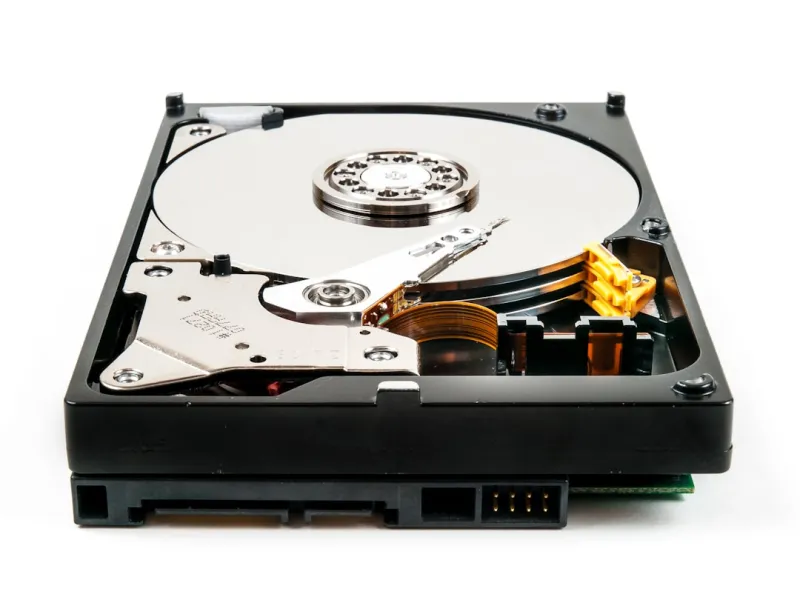
When I first tore apart a 2024 workstation, the humming of a 10 TB platter still sounded like a promise of endless space. Fast forward to 2026, and while NVMe flash has stolen the spotlight for speed, the hard drive remains the unsung hero of every power‑user rig I build. In my world of AI‑assisted development and massive media libraries, the choice isn’t about “SSD vs. HDD” – it’s about orchestrating a symphony where each storage tier plays its part. I’ve learned that the real power comes from understanding the nuances of rotational media, from the subtle jitter of a 7200 RPM spindle to the massive data pipelines that feed modern AI models. In this post, I’ll walk you through why hard drives are still a cornerstone for power users, how to choose the right one, and what emerging tech could reshape the landscape by the end of the decade.
Why Hard Drives Still Matter in a Flash‑Centric World
The first myth to bust is that SSDs have made hard drives obsolete. In 2026, the price per gigabyte for a high‑capacity SATA HDD hovers around a fraction of what you pay for an equivalent NVMe drive. For a power user juggling terabytes of raw video footage, scientific datasets, or AI training corpora, the economics simply don’t add up if you try to cram everything onto flash. A 12 TB 7200 RPM drive can store the same amount of data for less than a third of the cost of a 4 TB NVMe SSD. That budget elasticity lets you allocate more of your spend toward GPUs, CPUs, or even a second‑hand workstation that can run legacy software. Moreover, the durability of magnetic platters – when handled properly – often outlasts the write‑endurance limits of consumer‑grade SSDs, making HDDs a reliable vault for long‑term archives.
The Reliability Edge: Endurance vs. Wear
One of the biggest concerns for power users is data integrity over years of heavy use. SSDs, especially those based on QLC NAND, have finite program/erase cycles. In contrast, a well‑maintained hard drive can log billions of read/write operations without the kind of wear‑leveling fatigue that forces SSDs into premature retirement. I still keep a dedicated “write‑once” archive drive in my home office precisely because I know it will outlive the rest of my hardware. When you combine that with SMART monitoring and regular surface scans, the failure rate of modern 3.5‑inch drives is impressively low – often under 0.5 % per year for reputable brands. This reliability makes HDDs a natural choice for backup, cold storage, and any scenario where you need to retain massive datasets without the risk of sudden wear‑out.
Cold Storage and Massive Media Libraries
Think of your favorite 4K‑to‑8K video editor or the archivist curating years of raw footage. The sheer volume of uncompressed media can quickly exceed the capacity of even the fattest SSDs. Hard drives excel here, offering massive storage pools that are both cost‑effective and easily expandable. I’ve built a RAID‑5 array of 16 TB drives that serves as my primary media vault; it provides redundancy, read performance that rivals a modest SSD, and the peace of mind that losing a single platter won’t erase a night’s worth of work. When you factor in the low power draw of modern SATA HDDs, they become an energy‑friendly solution for 24/7 data lakes, especially when paired with a robust backup strategy.
Hybrid Workflows: Tiered Storage for Peak Performance
In my daily grind, I rarely run a single type of storage. Instead, I employ a tiered approach: the OS and most‑used applications live on a lightning‑fast NVMe drive, while project files and archives sit on high‑capacity HDDs. This hybrid setup lets me enjoy near‑instant boot times and app launches while still having a sprawling repository for everything else. Some motherboards now feature built‑in caching solutions that automatically promote frequently accessed HDD data to a reserved SSD cache, effectively creating a “smart” hybrid without manual intervention. The result? You get SSD‑level responsiveness for hot files and HDD‑level capacity for the rest, without paying a premium for a massive SSD. If you want to read more about how to design a power‑user PC that leverages such balance, check out Designing a 2026 Power‑User PC That Stays Ahead of the Curve.
Emerging HDD Technologies: HAMR, MAMR, and SMR
Hard drive manufacturers aren’t sitting still. Heat‑Assisted Magnetic Recording (HAMR) and Microwave‑Assisted Magnetic Recording (MAMR) are pushing areal densities beyond 4 TB per platter, promising even lower cost per gigabyte while maintaining or improving reliability. Meanwhile, Shingled Magnetic Recording (SMR) continues to dominate the ultra‑high‑capacity market, ideal for write‑once‑read‑many (WORM) workloads like archival backups. The trade‑off? SMR drives can suffer slower write performance for random workloads, but when you stage data in large sequential chunks – as most backup software does – the impact is negligible. Keeping an eye on these advances helps you future‑proof your storage strategy, ensuring that the next generation of HDDs can handle the data deluge from AI model training and massive simulation outputs.
Hard Drives in the AI‑Driven Power‑User Workflow
My latest AI projects involve feeding multi‑terabyte datasets into transformer models that train for weeks on high‑end GPUs. Storing the raw data on SSDs would be prohibitively expensive, so I rely on a combination of fast NVMe for active training slices and massive HDD arrays for the bulk dataset. The key is to design a workflow where the HDDs serve as a staging ground: data is pulled onto the NVMe cache, processed, then written back for long‑term retention. This model not only cuts costs but also reduces wear on flash media. For a deeper dive into the updates that power users need to stay ahead, see Critical Updates Every Power User Must Know.
Buying Guide: What Specs Really Matter?
When you’re ready to add a new hard drive to your rig, focus on three core specs: capacity, spindle speed, and cache size. For most power users, a 7200 RPM drive offers a sweet spot between performance and power consumption; 5400 RPM drives are fine for pure archival purposes but feel sluggish when accessed frequently. Look for a minimum of 256 MB onboard cache – larger caches can smooth out read‑write spikes, especially in RAID configurations. Interface matters too: SATA III remains the universal standard, but if your motherboard supports U.2 or SATA Express, you can squeeze a little extra bandwidth out of the drive. Lastly, choose a brand with a solid warranty (typically three to five years) and a proven track record for low failure rates; this pays dividends when you’re storing mission‑critical data.
Maintenance and Health Monitoring: Keeping Your Drives Happy
Even the most robust HDD will eventually show signs of wear. The first line of defense is SMART monitoring – most modern drives report temperature, reallocated sector count, and other health metrics. I run weekly checks using tools like CrystalDiskInfo or the built‑in Windows PowerShell cmdlets, setting alerts for any parameter that crosses a warning threshold. Regular defragmentation isn’t as critical as it once was, but for drives that host frequently accessed files, a quarterly defrag can improve read performance. Also, keep your drives cool: a well‑ventilated chassis and a modest fan dedicated to the HDD bays can extend lifespan by several years. If you ever suspect a drive is failing, clone it immediately to a fresh disk – the cost of a clone is trivial compared to the potential loss of months of work.
Future Outlook: The Hard Drive’s Role in 2026 and Beyond
Looking ahead, hard drives will remain a cornerstone of power‑user storage ecosystems for at least the next decade. The convergence of HAMR, MAMR, and increasingly efficient SMR designs means that capacity will keep rising while power draw and cost continue to fall. Coupled with smarter operating systems that can automatically tier data across SSDs, NVMe, and HDDs, you’ll see an even tighter integration where the user never needs to think about where a file lives – the OS does the heavy lifting. As AI workloads grow and 8K media becomes mainstream, the need for petabyte‑scale, affordable storage will only reinforce the hard drive’s relevance. So, whether you’re building a new workstation or upgrading an existing rig, remember that a well‑chosen hard drive is not a compromise; it’s a strategic asset that balances speed, capacity, and longevity for the power‑user of 2026.




