
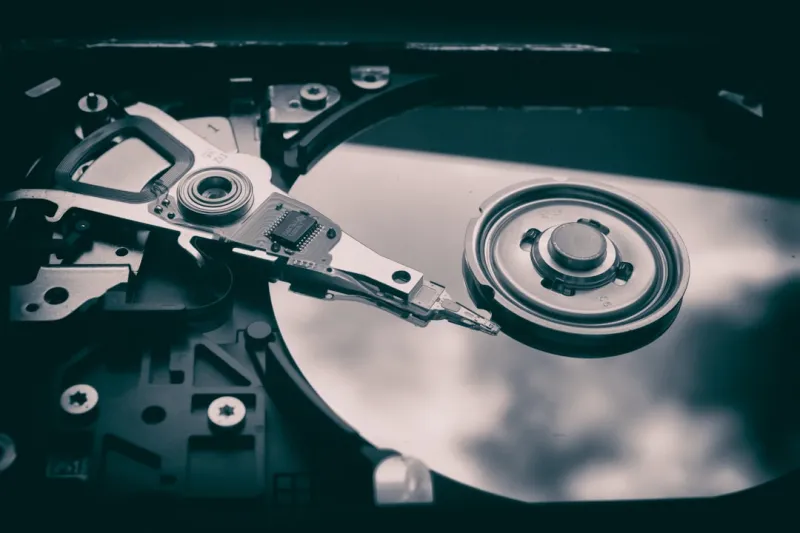
When I first cracked open a 2.5‑inch hard drive back in the early 2010s, the whirring spin‑up sounded like a promise of limitless storage. Fast‑forward to 2026, and the landscape is a kaleidoscope of SSDs, NVMe modules, and exotic technologies like HAMR (Heat‑Assisted Magnetic Recording). Yet, the humble hard drive refuses to disappear. For power‑users who juggle massive media libraries, archival datasets, and multi‑boot environments, the cost‑per‑gigabyte advantage of modern HDDs remains unbeatable. Understanding why a spinning platter still belongs in your rig means recognizing the balance between raw capacity, durability under constant writes, and the economics of long‑term storage. In this deep dive I’ll walk you through the strategic reasons to keep a hard drive in your arsenal, how to pair it with SSDs for optimal workflow, and the maintenance rituals that keep those platters humming for years.
Why Hard Drives Still Matter in 2026
Even as NVMe drives push read/write speeds past 10 GB/s, the sheer volume of data we generate—4K video, 8K footage, AI training sets—has outpaced the storage budgets of most enthusiasts. A 20 TB 3.5‑inch HDD now costs a fraction of a comparable SSD, delivering the same space for less than half the price. This price differential isn’t just about dollars; it’s about strategy. Power‑users often allocate SSDs for operating systems and active projects, while relegating HDDs to cold storage, backups, and large‑scale media archives. Moreover, the latest SMR (Shingled Magnetic Recording) and CMR (Conventional Magnetic Recording) hybrids mitigate performance penalties, allowing sequential writes at impressive rates while preserving random‑access efficiency for less demanding tasks. The result? A storage tier that lets you keep your creative output—raw footage, 3D renders, massive code repositories—within arm’s reach without breaking the bank.
Another compelling reason is the resilience of HDDs to write‑amplification wear. SSDs, though faster, have finite write cycles that can degrade under relentless 24/7 logging or surveillance workloads. Hard drives, with their magnetic domains, endure millions of writes without the dreaded “write‑endurance” warnings. This durability makes them ideal for server‑grade applications like video‑on‑demand caching, where continuous data ingestion is the norm. Plus, the physical nature of magnetic storage provides an extra layer of forensic security: data can be securely shredded or degaussed, ensuring that sensitive information doesn’t linger in obscure memory cells after a drive is retired.
Choosing the Right Drive for Power‑User Demands
Selecting the perfect hard drive isn’t a one‑size‑fits‑all decision. Start by evaluating the interface: SATA III still dominates the consumer market, offering 6 Gb/s bandwidth sufficient for most bulk‑transfer scenarios. However, if your motherboard supports SAS (Serial Attached SCSI) or the emerging SATA‑Express hybrid, you can squeeze extra throughput for RAID‑0 or RAID‑5 arrays. The next factor is rotational speed—7200 RPM drives provide a sweet spot between performance and noise, while 10,000 RPM models cater to those who demand near‑SSD latency for large sequential reads. When I build a workstation for video editing, I often pair a 10K‑RPM drive as a “scratch” disk, letting Premiere Pro cache temporary render files without choking the SSD’s write endurance.
Capacity planning is equally crucial. In 2026, a 16 TB or 20 TB HDD is no longer a novelty; it’s the standard for a single‑drive media vault. If you anticipate future growth—think AI model checkpoints or 8K raw footage—consider a multi‑bay enclosure supporting hot‑swap trays. This setup lets you expand storage without downtime, a principle I championed in my guide on Essential 2026 Updates Every Power User Must Master. Pair that with a robust RAID controller, and you gain both redundancy and performance scaling. Remember, the goal isn’t just raw space; it’s about creating a flexible architecture that can adapt as your data appetite evolves.
Don’t overlook the importance of encryption at the hardware level. Modern enterprise HDDs come equipped with TCG Opal 2.0 self‑encrypting drive (SED) capabilities, allowing you to lock down terabytes of data with a single password. For a power‑user juggling client contracts, source code, and personal media, this built‑in protection is a game‑changer. I recently wrote about Encrypt Like a Power User, highlighting how SEDs simplify compliance with GDPR‑style regulations without sacrificing performance. By enabling encryption at the drive firmware level, you avoid the CPU overhead of software‑based solutions, ensuring your SSDs stay fast while your HDDs stay secure.
Maintaining and Securing Your Data
Ownership of high‑capacity hard drives comes with a responsibility: proactive health monitoring. Tools like SMART (Self‑Monitoring, Analysis, and Reporting Technology) give you early warnings about reallocated sectors, spin‑up time anomalies, and temperature spikes. I set up automated alerts via PowerShell scripts that ping my phone when a drive’s health dips below 90 %. This habit, borrowed from my Decoding the Blue Screen guide, prevents catastrophic failures that could otherwise erase months of work. Regularly defragmenting a CMR‑based drive can also improve sequential read speeds, but be mindful: excessive defragmentation on SMR drives can lead to write amplification, so limit it to quarterly intervals unless you’re actively moving large blocks of data.
Backup strategies must be as layered as the storage tiers themselves. Adopt the 3‑2‑1 rule: three copies of your data, on two different media, with one offsite. For a power‑user, this often translates to an internal SSD for active work, a high‑capacity HDD for local backups, and a cloud bucket for disaster recovery. Using tools like rsync or robocopy with incremental snapshots ensures you capture only the changes, preserving bandwidth and storage. In addition, schedule a monthly full‑disk clone using cloning software that respects SED encryption keys, so you can restore an entire system in minutes if a drive suddenly goes silent.
Performance tuning is the final piece of the puzzle. Adjust your operating system’s write‑caching policies: enable write‑back caching for HDDs only when you have a reliable UPS (Uninterruptible Power Supply), as sudden power loss can corrupt the write cache. Likewise, configure the disk scheduler to “deadline” or “noop” when the drive is used primarily for large file transfers, reducing seek latency. In Linux, the hdparm -I /dev/sdX command reveals advanced power‑management settings you can tweak for quieter operation during night‑time rendering runs. These tweaks may seem minor, but over the course of a year they shave off hours of wait time and keep your rig humming like a well‑tuned engine.
Looking ahead, the next wave of storage innovation promises even denser magnetic media. HAMR drives, already in limited release, claim up to 30 TB per platter by briefly heating the magnetic surface during writes. While still pricey, early adopters—particularly those archiving scientific datasets—are seeing a dramatic reduction in floor space. Meanwhile, hybrid solutions that fuse a modest SSD cache with a massive HDD backend are gaining traction in high‑performance workstations, delivering SSD‑level responsiveness for frequently accessed files while preserving HDD capacity for the bulk. As a power‑user, staying aware of these trends ensures you can pivot your storage strategy before the market shifts, keeping your workflow lean and future‑proof.
Finally, embrace a mindset of continuous learning. The storage ecosystem evolves faster than most hardware categories, and the tools we rely on—diagnostic utilities, encryption standards, RAID firmware—receive updates that can unlock hidden performance gains. Subscribe to the Comp Doc Computers newsletter, participate in community forums, and revisit foundational guides like Operating Systems in 2026 to stay ahead of the curve. By treating your hard drives not as static relics but as dynamic components of a larger data strategy, you’ll extract maximum value, safeguard your creations, and keep your digital life running at warp speed.




