
In 2026, the conversation around computer networking has shifted from “getting online” to “optimizing the experience for every device, application, and workflow.” As a longtime power‑user tinkerer, I’ve watched the home lab evolve from a single router to a full‑blown micro‑data‑center, and the stakes have never been higher. Whether you’re rendering 8K video, training AI models on a local GPU, or juggling dozens of virtual machines, latency, bandwidth, and security are now the core metrics that dictate productivity. This article walks you through the hottest networking trends that are redefining power‑user setups, and why ignoring them could leave you stuck on yesterday’s performance curve.
Mesh Wi‑Fi 2.0: Seamless Coverage Meets Intelligent Routing
Mesh Wi‑Fi has graduated from a novelty to a necessity for anyone with multiple high‑performance workstations spread across a loft or a home office. The latest 2026 mesh nodes are equipped with tri‑band radios, Wi‑Fi 7 (802.11be) support, and built‑in AI that predicts traffic spikes before they happen. Unlike the clunky repeaters of a few years ago, modern mesh systems perform dynamic back‑haul selection, automatically shifting traffic to the fastest path between nodes. The result? Consistently sub‑10 ms latency for low‑latency gaming or real‑time AI inference, even when you’re ten rooms away from the primary gateway. Pairing a robust mesh with a high‑capacity ISP line ensures that your bandwidth isn’t just plentiful—it’s intelligently allocated where it matters most.
Edge Computing at the Desk: Bringing the Cloud Home
Edge computing isn’t just for large enterprises; it’s becoming a cornerstone of the power‑user workstation. By deploying a compact, rack‑mountable edge server—think a mini‑Supermicro chassis with a 10‑GbE NIC—you can run containerized workloads locally, dramatically reducing round‑trip time to the public cloud. In 2026, AI models can be off‑loaded to an on‑premise GPU cluster for inference while the bulk of training still lives in the cloud, creating a hybrid pipeline that’s both cost‑effective and lightning fast. The key is a low‑latency, high‑throughput network fabric that can juggle multiple 40 GbE links without choking. When you combine this with the AI Computing Mastery playbook, you’ll see how a well‑tuned edge can shave seconds off massive data processing tasks—seconds that add up to hours over a month.
5G Home Broadband and Fixed Wireless: The New ISP Frontier
Traditional fiber connections remain reliable, but 5G home broadband is rapidly catching up, offering multi‑gigabit speeds with the flexibility of a wireless antenna on your roof. The rollout of sub‑6 GHz and mmWave spectrum in residential zones means you can now achieve 2‑4 Gbps symmetric speeds without a trench‑dig. For power users in apartments or historic homes where fiber installation is impractical, a 5G router with carrier‑grade QoS becomes a game‑changer. It also provides a failover path; if your primary ISP experiences an outage, the 5G link can instantly pick up the slack, keeping your development pipelines and streaming services humming. When evaluating a 5G solution, look for devices that support network slicing—this lets you carve out a dedicated “low‑latency slice” for mission‑critical traffic, ensuring that your AI inference jobs never compete with household browsing.
Zero‑Trust Networking: Securing the Power‑User Perimeter
Security can’t be an afterthought, especially when your network now spans Wi‑Fi, wired, 5G, and edge nodes. Zero‑trust principles have moved from corporate data centers into the home office, requiring every device and connection to authenticate and be continuously verified. Modern routers now integrate built‑in identity‑aware firewalls that enforce per‑application policies, while network‑access‑control (NAC) solutions can quarantine a compromised laptop with a single click. Pair this with a Zero Trust for Power Users playbook to segment your lab network from IoT devices, ensuring that a compromised smart thermostat can’t pivot to your high‑value workstation. Regular firmware updates—another secret weapon highlighted in Why 2026 Updates Are a Power‑User’s Secret Weapon—are crucial, as they patch the ever‑growing attack surface introduced by new Wi‑Fi 7 and 5G standards.
Choosing the Right Hardware: Routers, Switches, and NICs
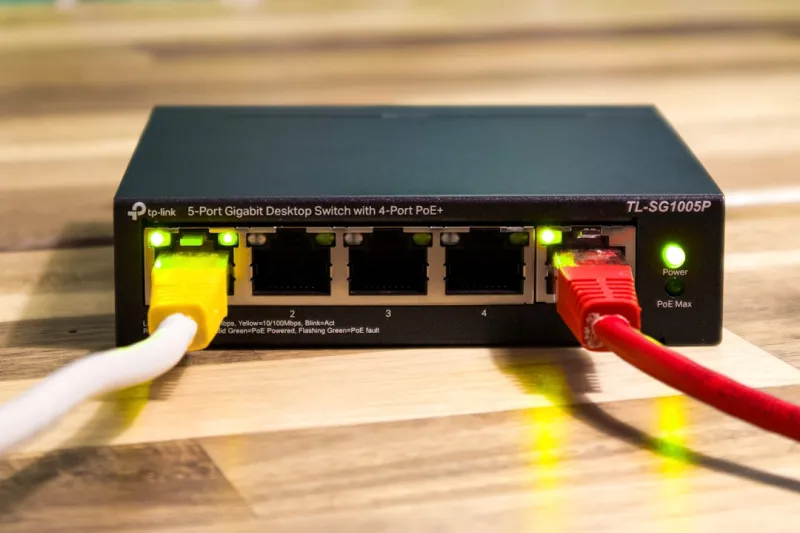
When you start building a network that rivals a small colocation, component selection matters. A tri‑band Wi‑Fi 7 mesh system is a solid foundation, but you’ll also need a managed switch with at least 10 GbE uplinks and PoE ++ for powering access points and edge servers. Look for switches that support LACP aggregation and RSTP to prevent loops as you scale. For your workstation, a 2.5 GbE or 5 GbE NIC provides ample headroom for local traffic, while a 25 GbE or 40 GbE NIC becomes essential when you’re moving terabytes of data to a NAS or edge node. Don’t overlook the importance of high‑quality cabling; Cat6a or better will future‑proof your wiring for the next few generations of Ethernet, and shielded twisted pair (STP) can reduce EMI in dense setups where multiple GPUs and power supplies generate electrical noise.
Software Stack: SD‑WAN, QoS, and AI‑Driven Traffic Shaping
The hardware is only half the story; the software that orchestrates it determines the real user experience. Software‑defined WAN (SD‑WAN) appliances let you create policy‑based routing rules that prioritize latency‑sensitive traffic—think remote desktop, Git pushes, or real‑time video feeds—over bulk transfers like software updates. Modern routers now embed AI engines that analyze traffic patterns in real time, automatically adjusting QoS profiles to prevent congestion before it occurs. When paired with a centralized monitoring dashboard, you can visualize per‑application bandwidth usage, set alerts for abnormal spikes (a potential security indicator), and even trigger automated remediation scripts. This level of intelligence mirrors what enterprises have done for years, but it’s now accessible to the home power user willing to invest a little time in configuration.
Practical Checklist: Building Your Own High‑Performance Network
Ready to translate theory into practice? Start by mapping every device that will touch your network—workstations, edge servers, NAS, smart speakers, and IoT sensors. Next, select a mesh Wi‑Fi system with Wi‑Fi 7 support and ensure it’s placed for optimal coverage; a good rule of thumb is one node per 2,000 sq ft. Deploy a managed 10 GbE switch as the backbone, and connect your edge server and primary workstation via 2.5 GbE or higher NICs. Enable zero‑trust policies on your router, segmenting the lab VLAN from the guest VLAN. Configure SD‑WAN rules to give priority to development traffic, and set up AI‑driven QoS if your router supports it. Finally, test latency with tools like iPerf3 and ping across all nodes; you should see sub‑10 ms internal latency and consistent throughput. For deeper guidance on assembling a future‑ready workstation, see Building a Future‑Ready Power‑User Workstation in 2026.
Looking Ahead: The Network of Tomorrow
The networking landscape will continue to evolve, with Wi‑Fi 8, terahertz (THz) wireless, and fully converged compute‑storage‑network fabrics on the horizon. As a power user, staying ahead means embracing modularity—design your network so you can swap out a mesh node for a newer standard without re‑architecting the entire topology. Keep an eye on emerging standards like OpenRoaming and the expanding ecosystem of AI‑enhanced routers that can predict and pre‑empt congestion before you even notice it. By treating your home network as a living, adaptable system rather than a static utility, you’ll ensure that every new GPU, storage array, or AI workload integrates smoothly, keeping you at the cutting edge of performance and security.




