
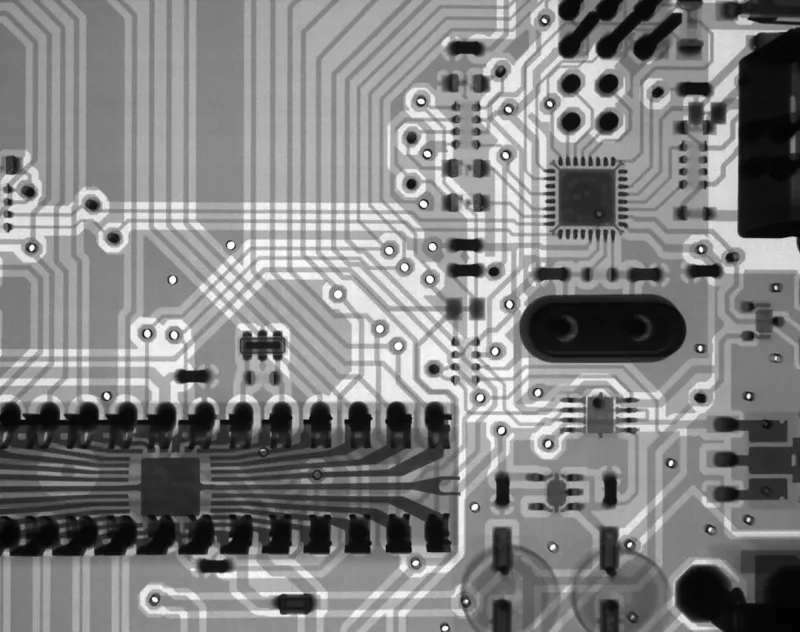
When I first cracked open a custom‑built rig back in 2015, the motherboard was a silent workhorse—something I barely thought about beyond “fit the CPU.” Fast‑forward to 2026, and the board has become the nervous system of every power‑user workstation, orchestrating AI‑accelerated workloads, PCIe 5.0 lanes, and even integrated power‑delivery that rivals dedicated modules. This shift forces us to treat motherboard selection with the same diligence we once reserved for CPUs or GPUs. In this article I’ll walk you through the decision‑making process that turned my hobbyist builds into bullet‑proof machines, highlighting why chipset generations, VRM design, and BIOS flexibility are now non‑negotiable factors for anyone who demands reliability and scalability.
The Chipset Evolution: More Than Just a Number
In 2026, the distinction between “mid‑range” and “enthusiast” chipsets has blurred, but the underlying architecture still dictates what you can realistically achieve. The latest Zen 4‑based platforms now ship with 24 PCIe 5.0 lanes, while Intel’s 14th‑gen “Meteor Lake” boards push 32 lanes with integrated AI accelerators. It’s not just about raw lane count; the chipset determines how many USB 4.0 ports you get, the latency of your NVMe drives, and the stability of your overclocking headroom. When I compare a board with a B660 chipset to an X790, the difference is stark: the latter offers native support for DDR5‑6000 memory, hardware‑level TPM 2.0, and a more robust power‑phase layout. Ignoring these nuances can bottle‑neck your workflow, especially when you’re running simultaneous rendering, data‑science models, and virtual machines. For a deeper dive on selecting the right board, check out Mastering Motherboard Selection for Power Users in 2026.
VRM Architecture: The Unsung Hero of Stability
Voltage Regulator Modules (VRMs) are the lifeblood of modern boards, and their quality directly impacts both performance and longevity. In my own builds, I’ve moved from basic 6‑phase designs to 14‑phase, high‑current VRMs with 80 PLUS Gold efficiency. This transition mattered when I started pushing CPUs past 5.5 GHz and running multi‑GPU configurations for AI inference. A robust VRM not only delivers clean power under load but also reduces thermal throttling, which can otherwise introduce jitter in time‑critical tasks like video editing or live streaming. Look for components like DrMOS, large copper heatsinks, and active cooling solutions. I’ve also begun monitoring VRM temperatures via BIOS and third‑party tools, a habit that has saved me from countless unexpected shutdowns. If you’re unsure about the right VRM spec for your needs, the Motherboard Playbook Every Power User Needs in 2026 breaks down the math in a digestible way.
Memory Compatibility: DDR5 Is No Longer Optional
DDR5 has finally shed its early‑adopter stigma and is now the de‑facto standard for high‑performance builds. However, not all DDR5 modules are created equal. I’ve learned to prioritize memory kits with tight timings (CL30‑CL32) and adequate per‑module capacity to take advantage of the board’s dual‑channel architecture. The synergy between the chipset’s memory controller and the RAM’s SPD profile can make a noticeable difference in synthetic benchmarks and real‑world workloads alike. In particular, my recent upgrade to a 64 GB kit of 7200 MT/s modules shaved nearly 3 seconds off a 3‑minute video render—a tangible win for any deadline‑driven creator. Remember to verify the board’s QVL (Qualified Vendor List) before purchase, and consider future‑proofing with 128 GB capacity if you anticipate scaling into AI model training.
Integrated Connectivity: From Wi‑Fi 7 to Thunderbolt 4
The modern motherboard is a hub of connectivity, and the built‑in options you choose can eliminate the need for add‑on cards. Wi‑Fi 7 is finally mainstream in 2026, offering up to 30 Gbps throughput with lower latency—a boon for cloud‑based rendering farms. Likewise, Thunderbolt 4 ports provide 40 Gbps data rates, which I rely on for fast external SSD workflows and daisy‑chaining high‑resolution monitors. When I first built a workstation for 8K video editing, the inclusion of dual Thunderbolt 4 ports saved me from purchasing a separate expansion card, keeping the internal layout cleaner and the airflow more efficient. Don’t overlook the value of integrated 2.5 GbE or even 10 GbE Ethernet, especially if you’re constructing a Future‑Ready Networking for Power Users environment where low‑latency, high‑bandwidth connections are a daily requirement.
BIOS Flexibility and Update Strategy
One of the most underrated aspects of a motherboard is its BIOS ecosystem. A well‑maintained firmware line can extend a board’s relevance for years, while a neglected one can turn a promising platform into a dead end. I’ve learned to favor manufacturers that offer a graphical UEFI interface with advanced features like memory overclocking profiles, fan curve customization, and direct voltage control. Moreover, the ability to flash BIOS without a CPU—via USB BIOS Flashback—has rescued me from compatibility issues when new CPUs dropped mid‑upgrade cycle. Keeping the BIOS current also patches security vulnerabilities, which ties into the broader theme of protecting a power‑user’s digital playground. For strategies on staying secure while maintaining performance, see my guide on Securing the Power User’s Digital Playground.
Power Delivery and Efficiency: The Silent Cost‑Saver
Energy efficiency is often overlooked in high‑performance builds, yet it directly influences operating costs and thermal headroom. Boards with 80 PLUS Platinum or Titanium power stages reduce waste heat, which in turn eases the load on your cooling solution and can lower your electricity bill—an important consideration for a workstation that runs 24/7. I’ve switched to boards that feature digital power regulation, allowing for precise current control and dynamic scaling based on workload. This granularity means my system can throttle down to a whisper during idle periods and instantly ramp up when I launch a heavy AI inference task, all without sacrificing stability. The combination of efficient VRMs and smart firmware translates into a quieter, more sustainable workstation, aligning with the modern power user’s focus on performance and responsibility.
Future‑Proofing: Modular Designs and Expandability
Even with today’s cutting‑edge features, the best motherboards are those that anticipate tomorrow’s demands. I prioritize boards that offer ample PCIe slots—preferably a mix of x16, x8, and x4—to accommodate future GPU upgrades, NVMe storage expansions, or niche cards like FPGA accelerators. Some manufacturers now include additional M.2 slots with thermal pads, ensuring you can add high‑speed SSDs without sacrificing cooling efficiency. Look for a robust VRM cooling solution that can handle additional power draw from future components, and consider boards that support “dual‑BIOS” for added safety. By planning for modular upgrades, you avoid the costly process of replacing the entire motherboard when a new standard emerges, keeping your investment viable well beyond the typical two‑year refresh cycle.
Putting It All Together: My Upgrade Playbook
After years of trial, error, and countless firmware updates, I’ve distilled my motherboard selection process into a simple checklist: 1) Identify the chipset that supports your CPU and desired PCIe lanes; 2) Verify VRM phase count and cooling solution; 3) Confirm DDR5 compatibility and QVL alignment; 4) Assess integrated connectivity (Wi‑Fi 7, Thunderbolt 4, Ethernet); 5) Evaluate BIOS features and update policy; 6) Ensure power efficiency meets your sustainability goals; 7) Plan for expandability with extra slots and M.2 support. By methodically ticking each box, you’ll build a system that not only meets today’s performance demands but also adapts to future workloads. For a more comprehensive guide on strategic upgrades, refer to Strategic PC Upgrades for Power Users in 2026. The result is a resilient, high‑throughput workstation that lets you focus on creation rather than troubleshooting.




