
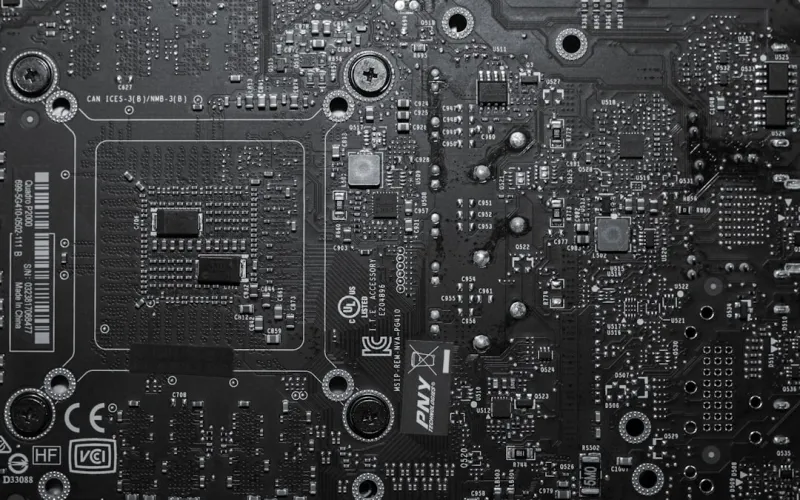
When I first cracked open a motherboard back in the early 2010s, the experience felt like peeling back the layers of a mystery box—circuitry, capacitors, and a handful of chips that seemed to whisper promises of raw power. Fast‑forward to 2026, and the motherboard has morphed into a sophisticated command hub, orchestrating everything from AI‑accelerated workloads to ultra‑low‑latency networking. As a power‑user who lives at the intersection of software optimization and hardware tinkering, I’ve learned that the board you choose can either catapult your workflow into the stratosphere or tether it to yesterday’s limits. In this deep dive, I’ll unpack the most consequential trends shaping modern motherboards, demystify the jargon that often clouds purchasing decisions, and give you a roadmap to future‑proof your rig without over‑engineering. Whether you’re building a workstation for real‑time video rendering, a lab rig for cybersecurity research, or a hybrid machine that doubles as a home server, the insights here will help you align your component choices with the performance demands of today and tomorrow.
The Evolution of Motherboard Architecture: From Static to Adaptive
Motherboards of the early 2020s were largely static platforms: a set of lanes, a fixed number of PCIe slots, and a handful of I/O ports that rarely changed after the initial release. By 2026, manufacturers have embraced adaptive architectures that can reconfigure lane allocation on the fly, thanks to advanced PCIe switches and firmware that intelligently prioritizes high‑throughput devices. This shift is more than a marketing buzzword—it directly impacts how you allocate resources for GPUs, NVMe storage, and specialized accelerators like Tensor cores. For example, a board with dynamic lane reassignment can shift bandwidth from a dormant M.2 SSD to an active GPU during intensive rendering sessions, eliminating bottlenecks that once plagued even the most robust rigs. As a power‑user, leveraging this flexibility means you can maximize your investment in high‑end components while keeping the system agile enough for future upgrades, a principle echoed in mastering the 2026 power‑user PC build guide.
Chipset and CPU Socket Trends: The Heartbeat of Compatibility
The chipset is the motherboard’s nervous system, translating the CPU’s demands into actionable signals for memory, storage, and peripherals. In 2026, we’re witnessing the convergence of two major trends: the rise of the LGA 1851 socket for the latest 13th‑gen Intel “Meteor” processors and the adoption of AMD’s AM5‑Plus platform, both of which support a broader array of I/O standards out of the box. What this means for you is a dramatically smoother upgrade path—no need to replace the entire board when moving to the next CPU generation, provided you stay within the same socket family. Moreover, modern chipsets now bundle native support for PCIe 6.0, USB 4.2, and DDR6 memory, reducing the reliance on add‑in cards. The real magic lies in the enhanced power management features: dynamic voltage scaling and integrated AI that predicts power spikes, ensuring stable operation under sustained loads. Understanding these nuances helps you avoid the dreaded “socket mismatch” pitfall and aligns your build with the longevity goals of a power‑user’s workflow.
PCIe 6.0 and Beyond: Unleashing Bandwidth for Next‑Gen Workloads
PCIe 6.0 arrived on the mainstream scene in early 2025, delivering a theoretical 64 GT/s per lane—double the bandwidth of PCIe 5.0 and a game‑changer for data‑intensive applications. Today’s motherboards leverage this with full x16 slot support for both GPUs and compute accelerators, meaning you can run a dual‑GPU setup for AI inference while simultaneously feeding a high‑speed NVMe array without hitting a ceiling. The real advantage, however, is in the flexibility of lane bifurcation: a single x16 slot can be split into two x8 connections, allowing you to connect two mid‑range GPUs or a GPU plus an FPGA accelerator. This granularity is essential for power‑users who juggle heterogeneous workloads—rendering, simulation, and real‑time analytics—on the same machine. Pair that with the emerging PCIe 6.0‑compatible SSDs, and you’re looking at sequential read speeds that eclipse traditional SATA arrays by an order of magnitude, a topic we explore in depth in Hard Drive Strategies Every Power User Needs in 2026.
Memory Support: DDR6 and the Quest for Low‑Latency Performance
Memory has always been the unsung hero of a high‑performance system, and 2026 brings DDR6 to the mainstream, offering up to 6400 MT/s speeds with tighter timings than DDR5. Modern motherboards now include dual‑channel DIMM slots that support up to 128 GB of DDR6, plus optional quad‑channel configurations for workstation‑grade rigs. The jump to DDR6 isn’t just about raw bandwidth; it dramatically reduces latency, a crucial factor for applications like low‑latency trading platforms, real‑time video compositing, and large‑scale scientific simulations. Additionally, many boards feature integrated ECC (Error‑Correcting Code) support even on consumer‑grade chipsets, blurring the line between prosumer and enterprise hardware. For power‑users, the ability to pair high‑speed DDR6 with a CPU that has a robust memory controller translates directly into smoother multitasking and faster data crunching, especially when running virtual machines or containers side‑by‑side.
Power Delivery and Efficiency: The Silent Engine
Power delivery has quietly become one of the most critical design considerations for modern motherboards. With GPUs now drawing upwards of 500 W under load and CPUs pushing 250 W envelopes, the VRM (Voltage Regulator Module) architecture must be both robust and efficient. In 2026, we see an industry shift toward 14‑plus‑phase power stages, using gallium‑nitride (GaN) MOSFETs that provide higher efficiency and lower thermal output than traditional silicon devices. This translates to cooler operation, quieter cooling solutions, and longer component lifespan. Moreover, many high‑end boards incorporate adaptive power tuning, where the firmware dynamically adjusts phase activation based on real‑time load, shaving off wasted wattage during idle periods. As a power‑user, this matters because it not only reduces your electricity bill but also stabilizes voltage rails for overclocking headroom, allowing you to push the limits of your CPU and GPU without hitting thermal throttling.
Integrated Networking: Wi‑Fi 7, 10 GbE, and Beyond
Networking capabilities have vaulted from an afterthought to a core feature on motherboards, especially as remote collaboration, cloud‑backed workflows, and high‑resolution streaming dominate the professional landscape. Today’s flagship boards ship with Wi‑Fi 7 (802.11be) modules delivering up to 30 Gbps raw throughput, combined with 2.5 GbE or even 10 GbE Ethernet ports built directly into the PCB. This integration eliminates the need for separate network cards, reducing latency and freeing up PCIe lanes for other critical devices. The real win for power‑users is the reduction in packet loss and jitter—essential for live video editing, VR development, and real‑time data ingestion from IoT sensors. Some motherboards also include dedicated hardware offload engines for VPN encryption and packet inspection, boosting security without compromising speed—a synergy that dovetails nicely with the security strategies discussed in the Encryption Essentials for Power Users article.
Security Features Built Into the Board: From TPM to Secure Boot
Security is no longer an add‑on; it’s baked into the silicon. Modern motherboards now come equipped with integrated TPM 2.2 modules, hardware root of trust, and secure boot keys that are immutable once programmed. This hardware‑level protection is complemented by firmware that can verify the integrity of BIOS updates via cryptographic signatures, effectively thwarting supply‑chain attacks that have plagued the industry in recent years. Additionally, many boards provide dedicated header pins for hardware‑based password managers and biometric authentication modules, allowing you to lock down the system at the BIOS level. For power‑users handling sensitive data—be it client information, proprietary code, or confidential research—these features provide a foundational layer of defense that software alone cannot guarantee. Coupled with OS‑level hardening, a secure motherboard is your first line of defense against modern malware and intrusion attempts.
Choosing the Right Board for Future‑Proofing: A Decision Framework
Selecting a motherboard in 2026 is akin to drafting a blueprint for a skyscraper; every structural decision impacts the building’s longevity. Start by mapping your workload matrix: do you need multiple high‑bandwidth PCIe slots, massive memory capacity, or top‑tier networking? Next, assess the expansion roadmap of your chosen CPU platform—will the socket support next‑gen chips beyond the current “Meteor” or “Zen 5” line? Look for boards that offer BIOS flashback, allowing you to update firmware without a CPU installed—a lifesaver when new CPUs launch. Consider the board’s cooling solution; heat sinks with integrated heat pipes and fan headers give you flexibility to manage thermals as you add power‑hungry components. Finally, verify that the manufacturer provides a clear warranty and a robust community of firmware developers—these ecosystems often extend the useful life of the hardware through custom BIOS tweaks and feature unlocks. By following this framework, you ensure that your motherboard remains a resilient backbone for evolving tech demands.
Closing Thoughts: The Motherboard as the Power‑User’s Secret Weapon
In the grand tapestry of a high‑performance PC, the motherboard is the quiet conductor that synchronizes every instrument. Its evolution over the past few years—dynamic lane allocation, DDR6 memory, PCIe 6.0, and integrated security—has elevated it from a mere carrier board to a strategic advantage for power‑users. My own builds have consistently demonstrated that investing in a forward‑thinking motherboard pays dividends in reduced upgrade friction, lower total cost of ownership, and, most importantly, the ability to tackle tomorrow’s workloads today. As you chart your next build or upgrade, let the motherboard be the cornerstone of your design philosophy, not an afterthought. For a deeper dive into why modern motherboards deserve a place at the top of your priority list, check out Why Modern Motherboards Are the Power‑User’s Secret Weapon. Happy building, and may your lanes always be full and your temps stay low.




