
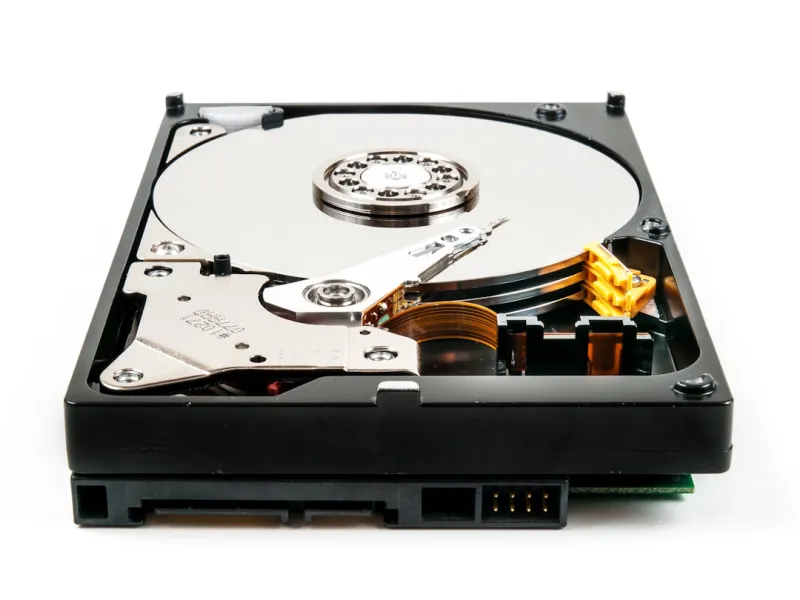
When I first laid hands on a spinning 7200 RPM drive back in the early 2000s, the hum of the platters was practically a badge of honor for any power‑user. Fast‑forward to 2026, and the conversation has shifted dramatically toward NVMe flash and hybrid storage stacks, yet the humble hard drive still commands a strategic role in modern rigs. In this deep dive, I’ll walk you through why, even in an era dominated by instant‑access SSDs, hard drives remain a cost‑effective cornerstone for massive data archives, media production pipelines, and AI training sets that demand petabytes of space without breaking the bank.
The Hard Drive Renaissance: Why Capacity Still Matters
One of the most compelling reasons hard drives are staging a comeback is sheer capacity. Today’s 20 TB and 30 TB HDDs are not only affordable but also deliver a density that even the most aggressive SATA‑III SSDs struggle to match at comparable price points. For creators who ingest 4K and 8K footage daily, or data scientists curating terabytes of raw sensor logs for AI models, the economics of storage become a decisive factor. A single high‑capacity drive can replace a rack of smaller SSDs, simplifying cable management and reducing power draw—an often‑overlooked advantage in thermally constrained workstations.
Balancing Speed and Storage: The Hybrid Approach
In practice, the smartest builds blend SSDs for the operating system and active projects, while relegating bulk archives to HDDs. This tiered strategy mirrors the principles I discuss in Upgrade Strategies for Power Users: Building a Future‑Proof PC in 2026, where the focus is on aligning each component’s strengths with workload demands. By placing the OS, applications, and frequently accessed files on a PCIe‑Gen5 NVMe drive, you achieve lightning‑fast boot times and near‑instant file access. Meanwhile, the massive, slower hard drive handles long‑term storage, backups, and data that doesn’t need the sub‑millisecond latency that SSDs provide. This hybrid model also extends the lifespan of your flash storage, as write‑amplification is dramatically reduced.
Reliability in the Age of Data‑Intensive AI
Hard drives have earned a reputation for being less reliable than their solid‑state cousins, but modern advances have narrowed the gap considerably. Manufacturers now employ technologies like helium‑filled enclosures, dual‑actuator designs, and advanced error‑correction algorithms that boost mean time between failures (MTBF) to impressive levels. When you’re training deep‑learning models on massive datasets, the ability to stream data continuously from a stable source becomes critical. In fact, many AI clusters still rely on HDDs for raw data shuffling, reserving SSDs for model checkpoints. The key is to implement robust RAID configurations—RAID‑6 for double‑parity protection is a popular choice—to safeguard against drive failures without sacrificing the sheer storage volume you need.
Performance Tweaks: Getting the Most Out of Your HDD
Even though hard drives can’t match SSDs in raw speed, there are several tuning techniques that can squeeze out extra performance. First, ensure your SATA ports are running at the full 6 Gbps rate; older legacy ports can bottleneck even the fastest 7200 RPM drives. Second, enable write caching in the OS settings, but pair it with a reliable UPS to prevent data loss during power outages. Third, consider partitioning the drive into separate zones for active and archival data—this reduces seek times for frequently accessed files. Finally, keep firmware up to date; manufacturers frequently release patches that improve vibration tolerance and error handling, which are especially valuable in multi‑drive enclosures where mechanical interference can degrade performance.
Thermal Management and Noise Considerations
One of the classic drawbacks of traditional hard drives is heat and acoustic noise, but modern chassis designs and smart fan curves have mitigated these concerns. In a high‑density workstation, place HDDs in dedicated drive bays equipped with vibration‑dampening mounts. Pair these with low‑profile, variable‑speed fans that only spin up under load, keeping the acoustic footprint low. If you’re building a silent studio for video editing, consider using a hybrid enclosure that isolates the drive’s vibrations from the rest of the system, preventing resonance that can affect both audio recording and the delicate platters inside the drive.
Future‑Proofing: Planning for the Next Wave of Storage
Looking ahead, the line between HDDs and SSDs is blurring thanks to emerging technologies like SMR (Shingled Magnetic Recording) and HAMR (Heat‑Assisted Magnetic Recording), which promise even higher densities without sacrificing reliability. As a power user, you should keep an eye on these developments and consider a modular storage approach. By using hot‑swap bays and standardized 2.5‑inch and 3.5‑inch form factors, you can upgrade to newer generation drives as they become available, ensuring your workstation remains competitive for years. This forward‑thinking mindset aligns with the principles outlined in Why AI Computing Is the New Power‑User Playbook, where adaptability is the cornerstone of sustained performance.
Security Implications: Protecting Your Data at Rest
Hard drives, especially those used for archival purposes, are prime targets for data theft if not properly encrypted. Hardware‑based self‑encrypting drives (SEDs) have become mainstream, allowing you to enable AES‑256 encryption with a simple BIOS toggle. Pair this with full‑disk encryption solutions like BitLocker or LUKS to ensure that even if the drive is physically removed, the data remains unreadable. For enterprises, consider implementing a centralized key management system that rotates encryption keys periodically—this adds an extra layer of protection against ransomware attacks that aim to exfiltrate or corrupt stored data.
Conclusion: The Hard Drive’s Role in a Balanced Ecosystem
In 2026, the narrative around storage isn’t “SSD vs. HDD” but rather “how to orchestrate both to achieve optimal performance, capacity, and cost efficiency.” As a long‑time power user, I’ve learned that the smartest rigs treat hard drives not as relics, but as strategic assets—massive, reliable reservoirs that complement the blistering speed of modern flash. By embracing hybrid architectures, employing robust RAID configurations, and staying vigilant on firmware, thermal, and security fronts, you can build a workstation that thrives under the demanding workloads of AI, media production, and beyond. The hard drive may no longer be the star of the show, but in the right hands, it remains an indispensable supporting actor in the performance‑driven theater of modern computing.




