
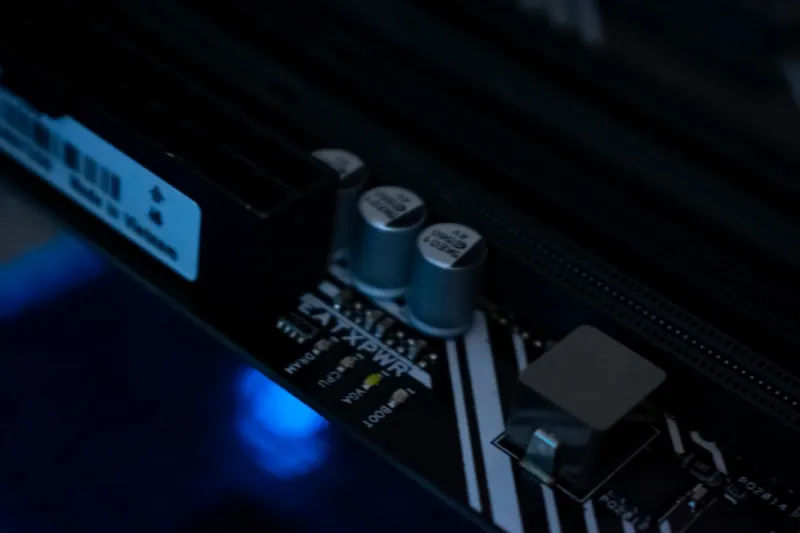
When I first started tinkering with desktops back in the early 2010s, the idea of a “future‑proof” build felt like chasing a unicorn. Fast forward to 2026, and the landscape has shifted dramatically—thanks to AI‑driven workloads, ever‑thinner security perimeters, and the relentless demand for higher frame rates in both work and play. That’s why today’s PC upgrade conversation isn’t just about swapping a faster GPU; it’s about re‑architecting the entire system to stay ahead of the curve. In my experience, the most rewarding upgrades start at the foundation: a motherboard that can handle PCIe 5.0, DDR5‑5600 memory, and enough power delivery to keep the next generation of GPUs humming without throttling. Pair that with a high‑quality power supply that offers 80 PLUS Platinum efficiency, and you’ve built a platform that can absorb the shock of tomorrow’s software spikes without breaking a sweat.
CPU Choices: Balancing AI Cores and Core Count
The processor market in 2026 is a playground of hybrid architectures. Intel’s 14‑core “Aether” series and AMD’s 16‑core “Zen 5” line both blend performance cores with AI‑specific accelerators, giving power users the flexibility to run large language models locally while still crushing traditional workloads. I’ve found that opting for a CPU with dedicated AI instructions—such as Intel’s AVX‑512‑VNNI or AMD’s Matrix Extensions—can shave seconds off model inference times, which adds up in a day of rapid prototyping. However, raw AI horsepower isn’t the sole factor; thermal design power (TDP) and cooling solutions matter just as much. A robust AIO liquid cooler or a custom loop ensures that those extra AI cores stay within thermal limits, preserving both performance and longevity. If you’re unsure which chip best fits your workflow, take a look at the detailed breakdown in our guide on building a future‑proof power‑user PC in 2026 for a side‑by‑side comparison.
Graphics Upgrades: More Than Just Pixels
Graphics cards have always been the star of any upgrade story, but in 2026 their role has expanded beyond gaming. Modern GPUs now incorporate tensor cores and ray‑tracing units that accelerate AI‑enhanced video editing, real‑time 3D rendering, and even scientific simulations. The latest “Lumen‑X” series from Nvidia and AMD’s “Radeon X‑Ultra” both deliver 40 TFLOPs of raw compute, but the true differentiator lies in driver stability and software ecosystem integration. When a GPU misbehaves—perhaps due to driver conflicts or power delivery hiccups—having a solid troubleshooting process saves countless hours. I recommend checking out our step‑by‑step playbook on when your GPU misbehaves before you consider a full replacement. Additionally, make sure your case provides ample airflow; high‑performance GPUs generate upwards of 300 W, and without proper cooling you’ll see throttling that negates the hardware’s potential.
Storage Strategies: Speed, Capacity, and Resilience
SSD technology has hit a sweet spot in 2026, with PCIe 5.0 NVMe drives delivering sequential read speeds beyond 14 GB/s and latency measured in microseconds. For power users juggling large datasets—think 4K video archives or massive AI training sets—splitting storage across multiple tiers is essential. A fast NVMe drive for OS and applications, paired with a larger SATA‑based SSD for project files, offers a balanced approach that maximizes both speed and cost efficiency. Don’t overlook data resilience either; RAID‑0 may tempt with raw performance, but RAID‑5 or ZFS‑based pools provide the redundancy needed to protect critical work. I’ve seen colleagues lose days of progress due to a single NAND failure, and a simple backup strategy with a network‑attached storage (NAS) device can prevent that nightmare. The key is to treat storage as an active participant in your workflow, not just a passive repository.
Power Delivery and Connectivity: The Unsung Heroes
Power supplies and motherboard I/O are often the quiet workhorses that dictate a system’s upgrade ceiling. In 2026, a 1000 W 80 PLUS Platinum PSU is no longer a luxury—it’s a baseline for rigs running multiple high‑end GPUs, AI accelerators, and dense storage arrays. Look for units with fully modular cables and robust voltage regulation modules (VRMs) that can handle the sudden spikes common in AI inference workloads. On the connectivity front, Wi‑Fi 7 and 10 GbE Ethernet have become the norm for low‑latency data transfer, especially when collaborating on large codebases or media assets. Upgrading to a motherboard with integrated Wi‑Fi 7 not only future‑proofs your rig but also eliminates the need for external adapters that can become bottlenecks. For those who crave the absolute lowest latency, consider a dedicated 10 GbE NIC paired with a managed switch that supports QoS, ensuring your data packets get priority over everyday traffic.
Cooling Solutions: Keeping the Beast Calm
Thermal management has grown into an art form as hardware pushes the envelope. While air coolers still hold their ground for mid‑range builds, high‑performance systems now benefit from hybrid cooling solutions—think a liquid‑cooled GPU paired with an AIO CPU cooler and strategically placed case fans that follow a positive pressure design. In my latest build, I opted for a 360 mm radiator mounted at the front, pushing cool air through the intake while exhausting warm air out the top. This configuration not only keeps temperatures in the low 30s °C under full load but also reduces acoustic noise, a crucial factor for anyone working from a home office. Don’t forget to use high‑quality thermal paste; a thin, even layer of a carbon‑based compound can improve heat transfer by up to 5 % compared to generic alternatives. Regularly cleaning dust filters and checking fan curves in the BIOS ensures your cooling loop stays efficient year after year.
Software Optimization: Extracting Every Watt
Hardware upgrades are only half the story; software tuning unlocks the real potential of a newly upgraded PC. In 2026, operating systems have become AI‑aware, offering dynamic power profiles that adapt to workload intensity. Windows 2026 Unleashed, for example, can automatically shift cores between performance and efficiency modes based on real‑time usage, saving both energy and heat. I recommend disabling unnecessary background services and leveraging tools like MSI Afterburner or AMD’s Radeon Software to fine‑tune clock speeds, fan curves, and voltage limits. For AI developers, ensuring that frameworks like TensorFlow and PyTorch are compiled against the latest CUDA or ROCm drivers can yield noticeable speedups. If you’re curious about how AI, security, and performance intersect at the OS level, our deep dive on Windows Unleashed provides the context you need to make informed decisions.
The Bottom Line: Upgrade with Purpose
At the end of the day, a successful PC upgrade isn’t about chasing the flashiest specs; it’s about aligning each component with your specific workflow and future goals. Whether you’re a content creator needing rapid render times, a developer experimenting with on‑device AI, or a gamer who also runs a home server, the right combination of CPU, GPU, storage, and cooling can transform bottlenecks into smooth, uninterrupted productivity. Take a moment to map out the tasks that currently slow you down, then prioritize upgrades that address those pain points first. Remember, a well‑balanced system will outlast a collection of mismatched high‑end parts, saving you both time and money. As we continue to push the boundaries of what a PC can do, staying informed and strategic about upgrades ensures you remain at the cutting edge of performance without compromising stability.




