
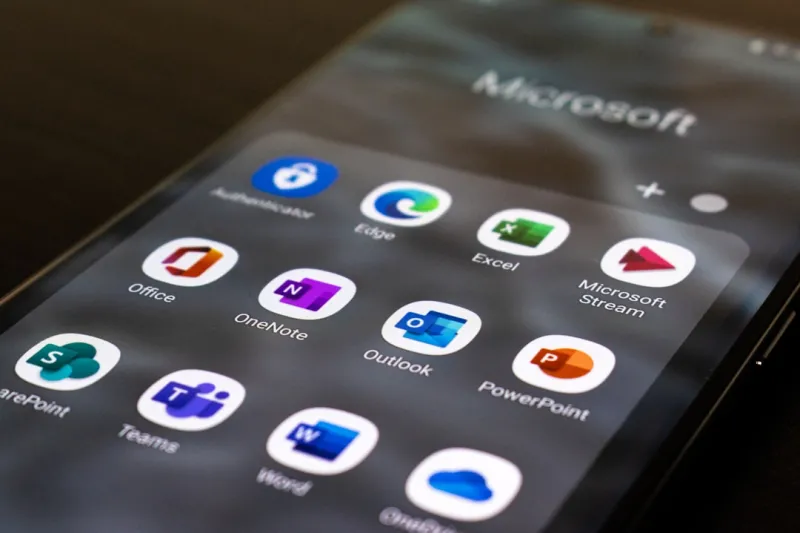
When I first cracked open Microsoft Office back in the early 2010s, the suite felt like a sturdy toolbox—reliable, but with a limited set of wrenches. Fast‑forward to 2026, and the toolbox has turned into a smart workshop, buzzing with AI, cloud sync, and collaborative magic that would have seemed like science fiction a decade ago. As a lifelong power‑user, I’m constantly probing the edges of what Office can do, looking for the shortcuts and hidden features that keep my workflow razor‑sharp. In this post, I’m pulling back the curtain on the most compelling updates that are reshaping the way we write, calculate, and present. Expect a mix of personal anecdotes, hard‑won tips, and a glimpse into the future of the suite that powers everything from boardroom decks to data‑driven research. Whether you’re a seasoned analyst or a budding creator, these insights will help you harness Office’s full potential and stay ahead of the curve.
The AI Revolution Inside Office
Microsoft’s biggest bet this year is the deep integration of AI across the Office family, and it’s paying off in ways that feel almost cinematic. Copilot, now a native assistant in Word, Excel, PowerPoint, and Outlook, isn’t just a fancy autocomplete; it’s an on‑demand research partner that can draft a report, suggest a pivot table, or even generate a slide deck outline from a single sentence. The AI models have been fine‑tuned for enterprise data security, meaning they respect your organization’s compliance policies while still offering that instant creativity boost. I’ve found the real-time AI suggestions in Word to be a game‑changer for drafting client proposals—just type the core idea, and Copilot spins a polished paragraph complete with citations. In Excel, the “Analyze Data” button now surfaces predictive trends and anomaly detection with a click, turning raw numbers into actionable insights faster than ever before.
Power‑User Workflow Secrets
While AI does a lot of heavy lifting, the true power‑user still leans on classic shortcuts, custom macros, and a disciplined file‑naming system. I swear by the Alt+Q shortcut to launch the “Tell me what you want to do” search bar; it’s my fastest route to hidden commands that don’t live on the ribbon. For those who love automation, VBA remains a steadfast ally, especially when paired with the new Office Scripts in Excel Online—think of them as JavaScript‑flavored macros that run in the cloud. I’ve built a script that pulls daily sales numbers from our ERP system, formats them, and emails a snapshot to the team without ever leaving Excel. And don’t underestimate the power of named ranges and structured references; they make formulas readable and future‑proof. As a side note, the recent updates to the Office add‑in platform now allow you to embed AI computing blueprint components directly into your documents, opening up a whole new realm of interactive, data‑driven reports.
Collaboration That Keeps Pace
Collaboration used to be a headache—multiple versions, email attachments, endless “which version is the latest?” loops. In 2026, Office’s cloud backbone has eliminated that friction. Real‑time co‑authoring in Word and Excel now supports up to 200 simultaneous editors, each seeing live cursor positions and change indicators. Teams integration is seamless: a single click from a document brings up a Teams chat pane, letting you discuss edits without ever leaving the file. Permissions are granular, thanks to Azure Active Directory’s conditional access policies, which means you can lock down a spreadsheet to read‑only for external partners while granting edit rights to internal analysts. I also appreciate the new “Version History” UI that lets you roll back to any saved point with a visual diff view—perfect for audit trails. For power‑users who juggle multiple projects, the ability to pin frequently used files to the Office start screen has become a daily productivity hack.
Deep‑Dive Into Excel
Excel remains the crown jewel of the Office suite, and the 2026 upgrades are nothing short of revolutionary for data crunchers. The introduction of dynamic arrays and the LET function has streamlined complex calculations, allowing formulas that once required nested IFs to be expressed in a single, readable line. The Power Query engine now supports AI‑driven data cleaning: you can ask the assistant to “remove duplicate rows with similar names” and it will suggest transformations based on patterns it detects. New data types—such as “Stocks” and “Geography”—are now enriched with live market data and mapping visuals, turning a plain table into an interactive dashboard with a few clicks. I’ve also taken advantage of the integrated “Data Types” that pull real‑time information from Microsoft’s Knowledge Graph, which is a massive time‑saver for financial modeling. Finally, the new “Scenario Manager” uses Monte Carlo simulations powered by the AI engine, giving you probabilistic forecasts without needing third‑party add‑ins.
Design‑Driven PowerPoint
PowerPoint’s evolution has been driven by one principle: make it easier for anyone to become a storyteller. The AI Designer now suggests entire slide layouts based on your content, automatically balancing text, images, and charts for visual impact. The “Presenter Coach” has been upgraded with real‑time feedback on pacing, filler words, and even audience sentiment analysis when you rehearse with a webcam. For the power‑user, the new “Slide Master AI” can generate a cohesive theme across dozens of slides, pulling brand colors from your company’s style guide and applying them consistently. I’ve also been experimenting with the embedded “Live Data” feature, which lets you embed an Excel chart that updates automatically as the source workbook changes—perfect for weekly status decks. And don’t overlook the new “Zoom” navigation tool, which lets you create non‑linear presentations that feel more like interactive experiences than linear slideshows.
Outlook Reimagined
Outlook has transformed from a simple email client into an intelligent hub that orchestrates your day. The AI‑powered “Focused Inbox” now learns not just which emails you read, but also which ones you act on, surfacing high‑priority messages before they clutter your view. The new “Meeting Insights” pane pulls in relevant documents, recent emails, and even a brief agenda draft based on the meeting subject line. I’ve started using the “Quick Steps” feature to automate multi‑action workflows—like moving an email to a project folder, creating a task, and sending a predefined reply—all with a single keystroke. Integration with Teams means that a Teams call can be scheduled directly from an email thread, with the meeting link auto‑populated. And for those who love to stay organized, the revamped “Categories” system now supports hierarchical tags, letting you color‑code and nest categories for granular email sorting.
What’s Next for Office
Looking ahead, Microsoft is betting on a tighter fusion of AI, cloud, and the traditional desktop experience. Upcoming releases promise “Contextual AI” that will anticipate the next step in your workflow—imagine drafting a proposal in Word, and the system automatically opens a related spreadsheet in Excel to pull in the latest metrics. The roadmap also includes deeper integration with Power Platform, allowing you to embed low‑code apps directly into Office documents. As a power‑user, I’m already experimenting with the beta “Office AI Canvas,” a space where you can blend text, data, and code snippets into a single interactive document. Keeping an eye on these developments is essential, and for a broader perspective on how AI is reshaping the tech landscape, check out the article on modern operating systems that outlines the underlying infrastructure powering these innovations.
Staying Ahead as a Power User
Mastering Microsoft Office in 2026 isn’t just about learning new features; it’s about cultivating a mindset that embraces continuous learning and automation. Subscribe to Microsoft’s Insider Program to get early access to experimental features, and don’t shy away from the community forums where power‑users share macro libraries and AI prompts. I recommend setting aside a weekly “Office Lab” hour where you explore a single new capability—be it a Copilot prompt, a custom script, or a new Teams integration—and then document the workflow in a shared OneNote notebook for the team. Pair this with the habit of reviewing the “Critical Tech Updates” blog series to stay on top of security patches that could affect your macros or add‑ins. By blending AI assistance, automation, and disciplined practice, you’ll turn Office from a suite of apps into a personal productivity engine that scales with the demands of modern work.




