
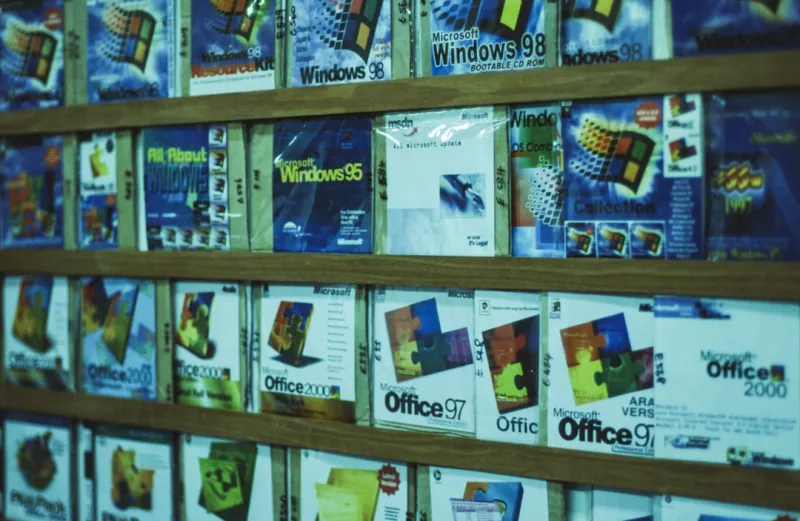
When I first unpacked the newest Office suite back in early 2024, I was skeptical about the hype surrounding AI. Fast forward to 2026, and the reality is that Microsoft Office has transformed from a static set of apps into a living, breathing productivity hub that anticipates your needs before you even type them. As someone who spends countless hours drafting proposals, crunching numbers, and orchestrating team meetings, I’ve watched the suite evolve from simple word processing to a fully integrated AI partner. The secret sauce? Deep integration of large language models that power everything from real‑time content suggestions in Word to dynamic data visualizations in Excel, all while staying tethered to the familiar UI we’ve all grown to love. In this post, I’ll walk you through the most impactful features, share the shortcuts I swear by, and explain why Office has become the go‑to platform for anyone serious about getting more done in less time.
AI‑Driven Writing That Feels Human
One of the biggest game‑changers for me has been the upgraded Copilot in Word. It doesn’t just suggest synonyms; it can draft entire sections based on a brief outline you provide. Need a polished executive summary for a 15‑page report? Just type “Create a concise summary highlighting key financial metrics and recommendations,” and the AI drafts a professional paragraph that you can tweak in seconds. What’s even cooler is the contextual awareness—it pulls data from linked Excel sheets, ensuring figures are accurate and up‑to‑date. The learning curve is minimal: start with simple prompts, then gradually explore more nuanced commands like “Rephrase this paragraph for a more persuasive tone” or “Add a compelling call‑to‑action for senior leadership.” Over time, I’ve noticed a 30% reduction in the time I spend polishing drafts, freeing me up to focus on strategy rather than syntax.
Excel’s New Brain: Data Insights on Autopilot
If you’ve ever felt overwhelmed by massive datasets, the AI enhancements in Excel feel like a breath of fresh air. The new “Analyze Data” button is more than a wizard; it’s a conversational analyst. I can ask, “What trends do you see in Q1 sales across regions?” and receive a ready‑to‑use chart with insights annotated directly in the sheet. The AI also suggests formulas, so I no longer waste time hunting for the perfect VLOOKUP or XLOOKUP syntax. For instance, when I needed to calculate year‑over‑year growth across multiple product lines, I simply typed “Create a column showing YoY growth percentage,” and the tool generated the appropriate formula, complete with error handling. This level of assistance has turned Excel from a “number‑crunching” tool into a strategic decision‑making partner, especially when combined with Power Query’s ability to clean and merge data automatically.
PowerPoint That Designs Itself
Presentation prep used to be a slog—choosing layouts, matching colors, and ensuring consistency across slides. In 2026, PowerPoint’s AI takes the grunt work out of design. By feeding it a rough outline, the tool suggests slide decks with appropriate visuals, icons, and even speaker notes. I love the “Designer” feature that automatically aligns text, suggests complementary images, and adjusts fonts for readability. When I need to create a client pitch, I can ask Copilot, “Generate a three‑slide overview of our new service offering with bullet points and a relevant image.” Within minutes, I have a polished deck that I can fine‑tune. This not only speeds up turnaround but also elevates the visual quality of my presentations, making them more engaging for stakeholders.
Seamless Collaboration Across Teams
Collaboration in Office has never been smoother, thanks to real‑time co‑authoring and AI‑assisted comment management. When multiple team members edit a document simultaneously, the AI tracks changes and suggests conflict‑resolution strategies, flagging contradictory statements and proposing harmonized wording. In Teams, the integration with Office apps means you can edit a Word doc while on a video call, with Copilot summarizing meeting minutes and assigning action items automatically. I’ve found that this reduces meeting overload dramatically; instead of spending an hour debriefing, the AI provides a concise recap that everyone can reference. The result is a tighter feedback loop and fewer miscommunications—a crucial advantage in fast‑paced project environments.
Security Meets AI: Keeping Your Data Safe
With AI becoming more embedded, security concerns naturally rise. Microsoft has responded by weaving advanced threat protection directly into Office apps. When I receive a suspicious email attachment, the AI scans it instantly, checking for ransomware signatures and flagging any anomalous macros. Moreover, the integration with Microsoft 365 Defender means that any document shared externally is automatically watermarked, and access permissions are enforced based on context. For those interested in broader security trends, I recommend reading Why Computer Security Must Evolve with AI and Quantum Tech to understand how these safeguards are shaping the future of data protection. These layers of defense give me confidence that the AI’s convenience doesn’t come at the expense of privacy.
Why Office Is the Ultimate AI‑Powered Productivity Hub
All these features converge to make Office the most powerful productivity platform on the market today. The synergy between Word, Excel, PowerPoint, and Teams—each bolstered by AI—creates an ecosystem where data flows effortlessly, and tasks that once required multiple tools now happen within a single suite. If you’re still on the fence, take a look at the deep dive on this topic in Why Microsoft Office Is the Ultimate AI‑Powered Productivity Hub. The article outlines how Microsoft’s AI roadmap aligns with real‑world workflows, turning the suite into a central nervous system for modern work. From automated content generation to predictive analytics, Office isn’t just keeping up with the times—it’s setting the pace for how we work.
Practical Tips to Maximize Your Office Experience
Here are a few habits I’ve adopted to squeeze every ounce of efficiency from the AI features. First, start every document with a brief prompt for Copilot—think of it as setting the tone for the AI. Second, use the “Tell me what you want” bar in Excel to ask natural language questions; it’s faster than digging through menus. Third, enable “Smart Lookup” in PowerPoint to instantly source royalty‑free images that match your slide’s theme. Fourth, regularly review the AI‑generated summary of Teams meetings to ensure action items are captured correctly. Finally, keep your Office apps updated; Microsoft rolls out AI improvements monthly, and staying current guarantees you have the latest productivity tricks at your fingertips. These small adjustments have collectively shaved hours off my weekly workload.
The Road Ahead: What’s Next for Office?
Looking forward, Microsoft is doubling down on context‑aware AI that can understand not just the words you type, but the intent behind them. Imagine opening a blank PowerPoint and having the AI pull in relevant data from your recent Excel reports, automatically crafting a narrative that tells a story—complete with speaker notes and suggested Q&A points. There’s also talk of deeper integration with Microsoft Loop, allowing fragments of content to live independently across apps while staying synchronized. As a longtime tech enthusiast, I’m excited about the prospect of a truly unified workspace where AI acts as a personal assistant, not just a feature add‑on. Stay tuned, because the next wave of Office updates promises to blur the line between human creativity and machine intelligence even further.
Final Thoughts: Embrace the AI Partner
In my years of navigating the ever‑changing landscape of productivity software, I’ve seen many tools come and go. What sets Microsoft Office apart in 2026 is its commitment to embedding AI in a way that feels natural, not intrusive. By leveraging Copilot across the suite, you get a consistent partner that learns your style, anticipates your needs, and helps you stay ahead of deadlines. Whether you’re a solo consultant, a corporate manager, or a student juggling multiple projects, the AI enhancements are designed to boost your output without sacrificing quality. My advice? Dive in, experiment with prompts, and let the AI handle the grunt work while you focus on the strategic decisions that truly move the needle. The future of work is collaborative, intelligent, and, thanks to Office, more accessible than ever before.




