
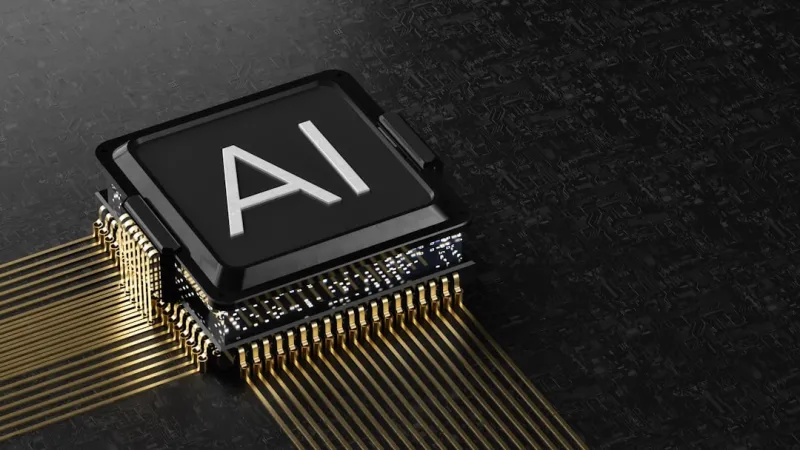
When I first cracked open a vintage ATX case back in the early 2000s, the idea of a computer that could “think” about its own performance was pure sci‑fi. Fast forward to 2026, and that fantasy has become the everyday reality of every enthusiast’s bench. AI is no longer a software add‑on; it’s woven into the silicon, the firmware, and even the power rails of modern rigs. As a veteran builder who’s survived three major GPU shortages and two generational CPU revolutions, I can tell you that the biggest shift isn’t just raw teraflops—it’s how intelligent controllers are optimizing every cycle, from workload distribution to thermal throttling. In this deep dive, I’ll walk you through the hardware trends that are redefining what it means to “build a PC” in an AI‑powered world, and why the decisions you make today will echo through the next decade of computing.
The AI‑Infused GPU Landscape
Graphics cards have always been the crown jewels of a high‑performance PC, but in 2026 they’ve earned a new title: autonomous compute hubs. Modern GPUs now embed dedicated neural‑processing cores that can offload AI inference tasks, reducing latency for everything from real‑time ray tracing to AI‑enhanced upscaling. This shift has forced manufacturers to redesign firmware that continuously learns the optimal balance between rasterization and AI workloads. For builders, the practical upshot is that you’ll see fewer driver roll‑backs and more “set‑and‑forget” stability—provided you understand the new diagnostic landscape. If you ever find yourself staring at a sudden spike in VRAM usage, my recent guide on GPU troubleshooting in an AI‑Powered PC era walks you through the smart‑sensor logs that were impossible a few years ago. Embracing these tools means you can squeeze out extra frames without sacrificing the AI enhancements that make today’s visuals pop.
Motherboards: The AI‑Driven Core
Think of a motherboard as the nervous system of your build, and in 2026 that system has been upgraded with a brain of its own. Modern boards now feature on‑board AI accelerators that monitor power draw, temperature gradients, and even peripheral latency, adjusting BIOS parameters on the fly. This dynamic tuning replaces the static “high‑performance” profiles we used to select manually. The result is a system that can intelligently overclock a CPU during a heavy render while dialing back voltage during idle to save energy. To understand how these changes affect component compatibility, check out Motherboards in 2026: The AI‑Driven Core of Modern PC Builds, which breaks down the new chipset families and what they mean for future‑proofing your rig.
Memory and Storage: AI‑Optimized Data Flow
AI isn’t just a feature of the GPU or motherboard; it’s now a fundamental part of how RAM and SSDs manage data. DDR6X modules are equipped with tiny inference engines that predict which memory pages will be accessed next, pre‑fetching them to reduce latency. On the storage side, NVMe drives incorporate machine‑learning algorithms that dynamically allocate wear‑leveling and garbage‑collection tasks based on usage patterns, extending drive life while maintaining blistering read/write speeds. For gamers and creators alike, this translates to smoother world streaming in open‑world titles and faster project load times in heavy‑duty applications. The key takeaway? When you’re selecting memory kits or storage solutions, prioritize models that advertise “AI‑enhanced caching” or “predictive pre‑fetch,” as they’ll deliver measurable performance gains over conventional parts.
Power Delivery and Cooling: Intelligent Management
Power supplies and cooling solutions have finally caught up with the AI surge, offering real‑time adaptive control that was once only possible in data centers. Modern PSUs now embed micro‑controllers that read workload forecasts from the motherboard and adjust rail voltages accordingly, minimizing ripple and improving efficiency under varying loads. Meanwhile, AI‑driven fans and liquid‑cool loops use temperature sensors paired with reinforcement‑learning algorithms to predict thermal spikes before they happen, ramping up cooling preemptively. This proactive approach not only keeps noise levels low but also extends component lifespan. Here’s a quick checklist to future‑proof your power and cooling plan:
- Look for “adaptive voltage regulation” in PSU specs.
- Choose fans or pumps that support “predictive thermal algorithms.”
- Verify that your motherboard’s firmware can communicate with these devices via SMBus.
Implementing these intelligent subsystems will ensure that your rig remains stable even as AI workloads become more demanding.
Building AI‑Ready PCs: A Strategic Playbook
If you’re wondering where to start, the best place is a holistic design mindset that treats AI as a first‑class citizen rather than an afterthought. My go‑to resource for this approach is the Building AI‑Ready PCs: The 2026 Hardware Playbook, which outlines a step‑by‑step methodology—from selecting a CPU with built‑in neural cores to integrating AI‑enhanced storage arrays. The playbook emphasizes modularity: choose a motherboard with spare AI‑accelerator slots, opt for a GPU that supports multi‑instance GPU (MIG) partitions, and pair them with a PSU that can dynamically allocate power based on AI workload predictions. By planning for expandability, you’ll avoid costly mid‑cycle upgrades and keep your system competitive as new AI features roll out.
Security in an AI‑Dominated Hardware Ecosystem
With great intelligence comes great responsibility, and the hardware security landscape has mutated to keep pace with AI’s ubiqueness. Firmware now includes self‑checking routines that use anomaly detection to flag unauthorized modifications, but this also means attackers are leveraging AI to craft more sophisticated exploits. To mitigate these threats, adopt a layered defense strategy:
- Enable hardware‑based root of trust (RoT) and secure boot on every build.
- Regularly update firmware that contains AI‑driven integrity checks.
- Use endpoint protection that can analyze AI‑generated telemetry for abnormal patterns.
By treating AI not just as a performance booster but also as a potential attack vector, you’ll safeguard your investment against the next generation of hardware‑level threats.
The Convergence of Software and Hardware AI
One of the most exciting trends in 2026 is the blurring line between software‑level AI assistants and hardware‑level optimization engines. Operating systems like Windows are now deep‑learning partners that anticipate user actions, pre‑loading applications and allocating resources before you even click. This symbiosis means that a well‑tuned hardware stack can unlock capabilities that software alone cannot provide. For example, an AI‑enhanced GPU combined with a predictive OS scheduler can deliver near‑instantaneous scene loads in VR environments, dramatically improving immersion. As builders, our role shifts from simply assembling parts to curating a harmonious ecosystem where firmware, drivers, and OS intelligence work in concert.
Final Thoughts: Embrace the Intelligent Build
Standing at the crossroads of raw compute power and autonomous optimization, today’s PC builder has a unique opportunity to craft machines that are not only faster but also smarter. My advice? Start with a motherboard that talks to your GPU, PSU, and cooling system using AI‑enabled protocols, then layer on components that advertise predictive performance features. Keep an eye on firmware updates—they’re the new BIOS flashes that keep your system ahead of the curve. By embracing the AI‑driven paradigm, you’ll future‑proof your rig, reduce maintenance headaches, and extract every ounce of performance the hardware can offer. So roll up those sleeves, fire up your favorite benchmarking suite, and watch as your AI‑enhanced build learns, adapts, and delivers—just the way we’ve always imagined the ultimate PC should.




