
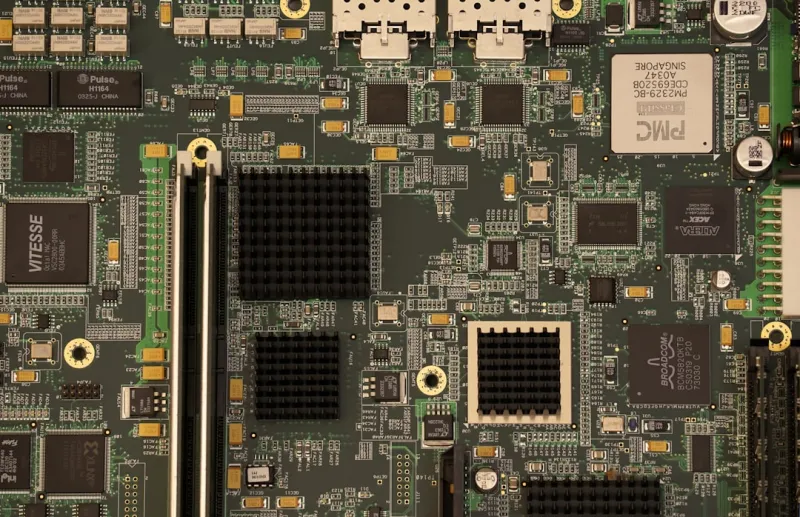
When you hear “motherboard,” most people picture a static slab of circuitry that simply connects the CPU, RAM, and storage. In 2026, that image is outdated. Motherboards have become the central nervous system for AI‑driven workloads, acting not only as a conduit but as an active participant in data processing. With on‑board neural accelerators, embedded AI inference engines, and firmware that can dynamically re‑allocate resources based on workload predictions, the board itself now contributes compute horsepower. I’ve spent the last decade soldering, tweaking, and shouting at BIOS screens, and the shift is palpable: the board’s design choices directly affect how smooth an AI model runs, whether it’s a language model in a home lab or a real‑time vision system on a robotics platform. This transformation forces builders to think beyond socket compatibility and consider how the motherboard’s silicon can augment or bottleneck AI pipelines.
One of the biggest catalysts for this change is the rollout of PCIe 6.0, which finally delivers the terabytes‑per‑second bandwidth that next‑gen GPUs and dedicated AI accelerators crave. The new 64‑GT/s lane speed doubles the throughput of PCIe 5.0, and with lane aggregation, a single x16 slot can push nearly 256 GB/s. In practical terms, that means your RTX 5090‑class card or custom Tensor Processing Module can stream data without the dreaded “PCIe bottleneck” that haunted builders a few years ago. Manufacturers are also integrating more robust lane management chips that can dynamically allocate bandwidth between GPU, storage, and networking devices, ensuring that AI workloads stay fed while traditional tasks like gaming or video editing aren’t left starving.
Power delivery has had to evolve just as dramatically. AI inference and training are power‑hungry, and the old 12‑phase VRM designs can’t keep up with the sustained loads of modern accelerators. Today’s high‑end boards feature 20‑plus phase digital power stages, coupled with adaptive voltage scaling that reacts to real‑time power draw. This not only stabilizes performance but also improves efficiency, keeping temperatures in check for long‑duration training runs. I’ve tested a few flagship models that pair a 1400 W power supply with a 22‑phase VRM, and the difference is night and day: the system stays under 70 °C under full AI load, whereas older boards would hit thermal throttling within minutes.
Beyond raw power, the smarter BIOS is a game‑changer. Modern firmware can run AI algorithms to predict optimal memory timings, fan curves, and even voltage curves based on the specific components you’ve installed. Some motherboards now ship with a “Learning Mode” that watches your usage patterns for a week, then auto‑tunes settings for the best balance of performance and silence. This is especially valuable for users who aren’t comfortable diving into the deep end of manual tweaking. The AI‑enhanced BIOS also integrates tighter security checks, verifying firmware signatures against a cloud‑based database to thwart supply‑chain attacks—a concern that’s only grown louder as attackers get smarter.
Security is no longer an afterthought; it’s baked into the silicon. The latest TPM 2.2 modules are co‑located on the motherboard and can offload cryptographic operations from the CPU, freeing up cycles for AI tasks. Combined with hardware‑based Secure Boot and a dedicated “AI‑Secure” enclave, you get a multi‑layered defense that protects both your data and your model integrity. In an era where model theft and data poisoning are real threats, having a motherboard that can authenticate firmware updates and encrypt AI model weights at rest is a massive advantage. I’ve seen several enterprises adopt these boards for edge AI deployments, citing the reduced attack surface as a primary reason for the switch.
When you’re planning a new build, the form factor matters more than ever. The traditional ATX layout still dominates, but the rise of compact yet powerful Mini‑ITX and Flex‑ATX boards means you can fit an AI‑ready setup into a desktop that looks like a coffee table. These smaller boards now support the same high‑end power stages, PCIe 6.0 lanes, and AI‑enhanced BIOS as their larger cousins, thanks to advances in multi‑layer PCB design and more efficient component placement. For hobbyists who want a portable AI workstation, a Mini‑ITX board with a built‑in M.2 PCIe 6.0 SSD and a 12‑phase VRM can deliver a full‑size experience without the footprint.
Choosing the right motherboard also means aligning it with the rest of your ecosystem. If you’re building an AI‑ready rig, my go‑to resource is the AI‑Ready PC build guide, which walks you through selecting a board that supports both the latest GPU and the upcoming generation of AI accelerators. Pair that with the insights from the veteran builder’s AI‑powered performance guide, and you’ll have a roadmap that covers power, cooling, and firmware configuration. The synergy between the motherboard’s capabilities and the rest of the components can make or break a system, especially when you’re pushing the limits of what a single‑node machine can achieve in 2026.
Another trend that’s reshaping motherboard selection is sustainability. Manufacturers are now using recycled copper traces, lead‑free solder, and modular power delivery sections that can be upgraded without replacing the entire board. This modularity is a boon for AI enthusiasts who want to future‑proof their rigs: you can swap out a power stage or add an extra PCIe slot without a full redesign. It also aligns with the broader industry push toward greener computing, reducing e‑waste while extending the lifespan of high‑performance PCs. In my experience, boards that embrace this modular philosophy tend to have better documentation and community support, making upgrades smoother.
Let’s not forget the impact of software integration. The motherboard’s firmware now talks directly to the operating system’s AI scheduler, handing over real‑time telemetry about temperature, power draw, and workload type. In Windows 2026, for example, the OS can request the board to prioritize GPU bandwidth for a training job while throttling back non‑essential USB devices. This cooperation reduces latency and improves overall system responsiveness, especially when multitasking between AI inference and everyday tasks like browsing or video conferencing. It’s a subtle but powerful shift that blurs the line between hardware and software, delivering a seamless experience that feels almost magical.
Finally, community and support are critical when navigating this rapidly evolving landscape. The best motherboards come with robust firmware update pipelines, active forums, and detailed technical manuals that explain every AI‑related feature. I always advise newcomers to check the manufacturer’s track record for rolling out BIOS updates that address AI‑specific bugs or introduce new optimization profiles. The ecosystem around a board can be the difference between a smooth build experience and a frustrating series of compatibility headaches. As AI workloads become more mainstream, the community-driven knowledge base will continue to be an invaluable resource for both beginners and seasoned builders alike.




