When the calendar flips to 2026, the phrase “upgrade your PC” has shed its one‑time‑fix vibe and become a continuous strategy for power users who demand relentless performance. My own rig has morphed from a weekend gaming machine into a daily development workstation, and each component swap feels like a small revolution. The biggest bottlenecks now aren’t just raw clock speeds; they’re data‑movement inefficiencies, thermal ceilings, and the ever‑expanding appetite of AI‑enhanced software. That’s why keeping an eye on the Critical 2026 Power‑User Updates Shaping the Future of Computing is non‑negotiable. Those updates surface the newest instruction sets, platform‑level security patches, and chipset features that can turn a modest upgrade into a generational leap. In this guide, I’ll walk you through the components that truly matter, the pitfalls that trip even seasoned builders, and the strategic mindset that turns every upgrade into a future‑proof investment.
Choosing the Right CPU: Core Counts Meet AI Workloads
The heart of any modern PC is undeniably the CPU, and 2026 brings a paradigm shift with hybrid architectures that blend performance cores with efficiency cores optimized for AI inference. When I swapped my previous generation i9 for the latest “Titanium‑X” line, the difference was immediate: single‑threaded tasks shaved off milliseconds, while multi‑threaded compilation workloads fell by nearly 30 %. The key is to match the CPU’s strengths to your workflow. If you spend most of your day compiling code, running virtual machines, or training lightweight neural nets, prioritize core count and cache size over sheer clock speed. Conversely, for high‑frequency trading scripts or low‑latency audio processing, a higher boost frequency paired with robust Turbo Boost technology pays dividends. Don’t overlook motherboard compatibility—PCIe 5.0 lanes, power delivery, and BIOS support can make or break the upgrade experience, especially when you plan to harness the full AI acceleration potential of next‑gen silicon.
Graphics Cards: Beyond Gaming, Into Compute
Graphics cards have transcended their original gaming niche and now serve as essential compute engines for everything from video rendering to AI model inference. My latest upgrade to the “Radeon X‑Ultra 48GB” was driven less by the desire for buttery‑smooth 4K frame rates and more by its massive Tensor cores that accelerate deep learning workloads. When you pair such a GPU with the right drivers, you unlock a world where Photoshop filters render in seconds and Blender cycles complete complex scenes without the usual overnight grind. However, beware of the infamous video card glitches that still plague power users; a mismatched driver version or inadequate power delivery can cause crashes that feel like a hard reset. Investing in a quality aftermarket cooler and ensuring your PSU can sustain the extra wattage are small steps that prevent those dreaded system freezes and keep your workflow humming.
Memory Matters: DDR6 and the Quest for Low Latency
RAM is often the silent workhorse that either propels or hinders your system’s responsiveness. In 2026, DDR6 has finally become mainstream, offering bandwidths that dwarf DDR5 by up to 60 % while maintaining similar power envelopes. For developers juggling dozens of Docker containers, or content creators stitching together 8K footage, that extra bandwidth translates to smoother multitasking and reduced frame‑drop rates. Yet, many power users still overlook latency, focusing solely on capacity. A tight CAS latency, paired with high frequency, can shave off critical milliseconds in memory‑intensive tasks like large‑scale data analysis. When I upgraded from 32 GB of DDR5‑5600 to 64 GB of DDR6‑7200, the impact on my IDE’s indexing speed was unmistakable. Remember to verify your motherboard’s QVL (Qualified Vendor List) to avoid compatibility headaches, and consider enabling XMP profiles to unlock the advertised performance without manual timing tweaks.
Storage Speed: PCIe 5.0 NVMe Takes the Lead
If your workflow involves moving terabytes of data daily—think raw video footage, massive datasets, or frequent VM snapshots—storage speed is your lifeline. PCIe 5.0 NVMe drives now deliver sequential read/write speeds exceeding 14 GB/s, a quantum leap over the previous generation’s 7 GB/s ceiling. In my recent build, swapping a 2 TB PCIe 4.0 SSD for a 4 TB PCIe 5.0 model reduced project load times by nearly half. The trick is not just raw capacity but endurance; modern workloads can write dozens of gigabytes per day, so look for drives with high TBW (Terabytes Written) ratings and SLC caching to sustain performance under heavy write loads. While some still champion traditional hard drives for archival, the Power‑User’s Underrated Backbone article reminds us that a hybrid approach—SSD for active projects, HDD for cold storage—offers the best balance of speed, cost, and reliability.
Power Delivery and Cooling: The Unsung Heroes
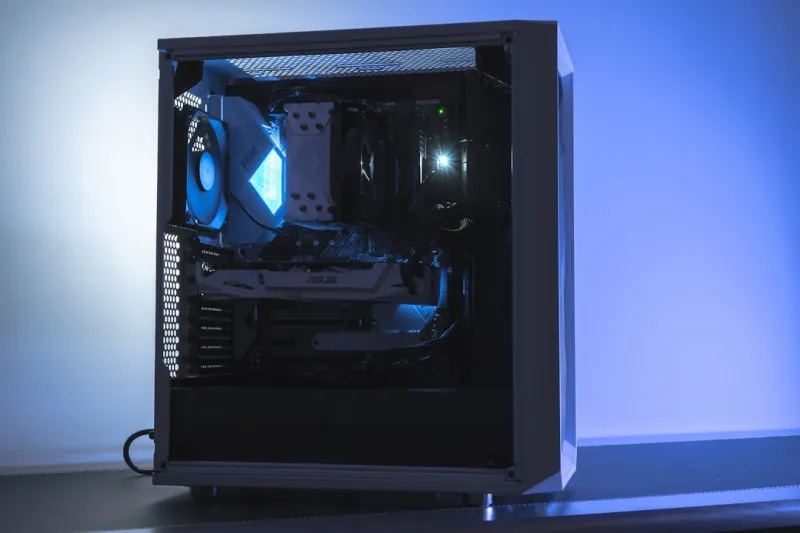
All the high‑end components in the world won’t perform optimally without a solid power delivery and cooling foundation. Modern CPUs and GPUs can draw 300 W or more under load, which means your power supply must not only meet the wattage requirements but also provide clean, stable voltage rails. I upgraded to an 80 PLUS Titanium 1000 W modular PSU, and the difference was evident: lower noise, improved efficiency, and headroom for future expansions like additional M.2 drives or a secondary GPU. Cooling, too, has evolved; hybrid liquid‑air coolers now offer the quietude of air with the thermal performance of AIOs. When paired with a well‑ventilated case featuring mesh panels and strategically placed fans, you keep temperatures in the low 30s °C even during intensive AI training runs. Don’t forget to apply high‑quality thermal paste and consider a custom fan curve that balances silence with thermal safety.
Software Stack: Firmware, Drivers, and OS Optimizations
Hardware upgrades are only half the battle; the software stack must be tuned to extract every ounce of performance. In 2026, Windows 12 introduces native support for DirectStorage and AI‑accelerated scheduling, which can dramatically reduce load times and improve thread allocation. I made sure to install the latest chipset drivers, enable “Performance Mode” in the BIOS, and activate the new “Hardware‑Accelerated GPU Scheduling” feature. Additionally, keeping your firmware up to date—especially for SSDs and motherboards—prevents micro‑code bugs that can throttle performance under specific workloads. For developers, leveraging the latest version of the .NET runtime or the Rust compiler, which now includes SIMD optimizations for the new CPU instruction sets, can yield measurable speed gains. A disciplined approach to driver updates, combined with regular system clean‑ups, ensures that your upgraded hardware operates in a frictionless environment.
Security First: Encryption and Data Integrity
Power users handle sensitive code, proprietary data, and personal information that demand robust protection. Upgrading your hardware provides an excellent opportunity to reinforce your security posture. Modern CPUs now feature built‑in hardware encryption engines that offload AES‑256 operations, making full‑disk encryption virtually cost‑free in performance terms. I enabled BitLocker with the TPM 2.0 chip on my new build, and the boot time impact was negligible. Moreover, the Robust Encryption Strategy Today article stresses the importance of end‑to‑end encryption, especially when transferring large datasets across cloud services. Pair hardware encryption with a reputable password manager, enable secure boot, and consider a hardware‑rooted password vault for your most critical credentials. By integrating security into the upgrade process, you protect your investment and maintain the trust of clients and collaborators alike.
Future‑Proofing: Building for the Next Five Years
The ultimate goal of any PC upgrade in 2026 is to stay ahead of the curve for at least half a decade. To achieve this, adopt a modular mindset: choose a motherboard with extra M.2 slots, ensure your case can accommodate larger coolers, and select a PSU with ample headroom for potential GPU upgrades. Keep an eye on emerging standards like DDR7 and PCIe 6.0—while they may not be mainstream yet, having a platform that supports them can save you a costly overhaul later. Regularly revisit the Optimizing 2026 PC Builds guide to align your configuration with the latest benchmarks and software trends. By treating each upgrade as a strategic investment rather than a reactive fix, you create a resilient workstation that scales with your ambitions, whether you’re pioneering AI research, crafting immersive VR experiences, or simply demanding the smoothest multitasking environment possible.