
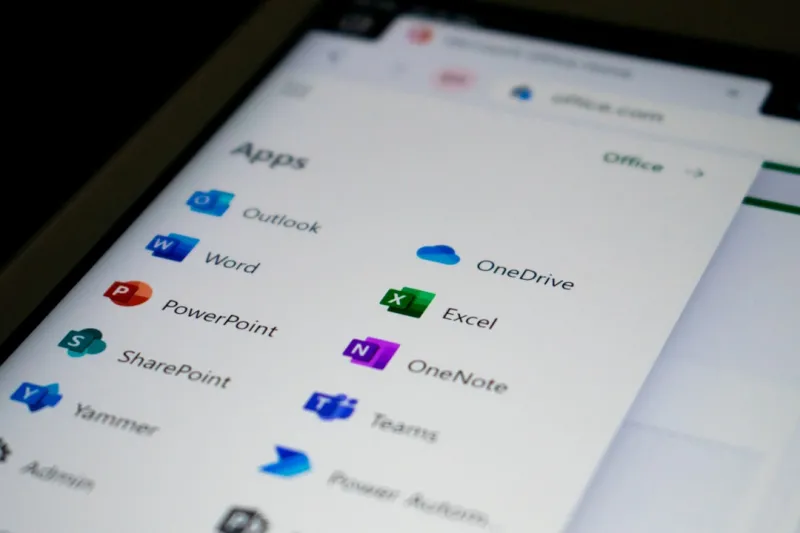
When I first opened Microsoft Office in the early 2000s, the idea of a cloud‑based, AI‑enhanced suite was pure science‑fiction. Fast‑forward to 2026, and the Office family has become a living, breathing productivity engine that learns your habits, anticipates your needs, and even whispers suggestions as you type. As a power‑user who lives at the intersection of tech and business, I’ve watched the evolution from static ribbons to dynamic, context‑aware sidebars. The new Copilot in Word and Excel isn’t just a gimmick; it’s a real‑time research assistant that pulls data from the web, generates draft content, and even creates complex formulas with natural‑language prompts. This shift changes how we approach document creation, turning repetitive drafting into a strategic activity. My workflow now starts with a quick “Summarize the last quarter’s sales” command, and within seconds I have a polished PowerPoint deck ready for refinement. The speed boost is undeniable, but the real magic lies in the confidence that the tool is consistently pulling the most relevant data while respecting organizational policies.
The Rise of Integrated Collaboration
Collaboration has always been a cornerstone of Office, but 2026 brings a seamless integration that blurs the lines between Teams, OneDrive, and the traditional Office apps. Imagine drafting a report in Word while a live chat window in Teams surfaces the exact stakeholder comments you need, all without leaving the document. This isn’t a future roadmap; it’s the default experience today. For power‑users, this means fewer context switches and a tighter feedback loop. I’ve started using the new “Co‑author Insight” pane, which aggregates real‑time suggestions from colleagues, automatically flags version conflicts, and even suggests the most recent compliance language for regulated industries. The result is a single source of truth that lives in the cloud, reducing the email overload that used to plague our inboxes. If you’re still relying on separate apps for chat, file storage, and document editing, you’re missing out on a productivity renaissance that can shave hours off weekly deliverables.
Security is No Longer an Afterthought
With AI handling more of our content, the attack surface expands, and Microsoft has responded by weaving security deep into the Office DNA. As a seasoned power‑user, I’m constantly reminded that every macro, every add‑in, and every shared link is a potential entry point for malicious actors. That’s why I regularly review the latest security guidelines, and I encourage my team to read Why Power Users Must Elevate Their Security Game in 2026. Microsoft’s Information Protection labels now auto‑apply based on content sensitivity, and the new Defender for Office 365 leverages machine learning to quarantine phishing attempts before they even hit your inbox. The integration of Secure Score directly into the Office admin center gives a real‑time health dashboard, letting us prioritize fixes before they become breaches. By treating security as a collaborative feature rather than a bolt‑on, Office is helping power‑users like us maintain trust while we push the boundaries of automation.
Performance Tweaks for the Heavy‑Lifting User
Power‑users often run massive Excel models, Power BI data pulls, and complex VBA scripts that can grind even high‑end machines to a halt. Microsoft has addressed this head‑on with a suite of performance optimizations that are easy to enable but deliver substantial gains. The new “Fast Compute” mode in Excel offloads heavy calculations to the Azure cloud, turning a local 4‑core CPU bottleneck into a virtually unlimited compute pool. Meanwhile, the Office cache has been re‑engineered to reduce latency when pulling large files from OneDrive for Business. I’ve also started leveraging the “Background Refresh” feature in PowerPoint, which pre‑loads media assets while I’m editing slides, eliminating those dreaded pauses. For anyone still wrestling with sluggishness, I recommend checking out Unlocking Windows 2026: Power‑User Tactics for AI, Security, and Performance for deeper OS‑level tweaks that complement Office’s own performance settings.
Custom Add‑Ins: Building Your Own Power‑User Toolkit
One of the most underrated aspects of Office in 2026 is the maturity of the add‑in ecosystem. Developers can now write JavaScript‑based extensions that run across Word, Excel, and Outlook with a single codebase, thanks to the unified Office JS API. I’ve built a custom add‑in that pulls live market data into Excel, automatically formats it, and then pushes key insights to a Teams channel. The real win is the ability to package these tools for internal distribution without requiring admin privileges, thanks to the new “Self‑Service Add‑in” model. This democratizes innovation across departments, letting analysts, marketers, and engineers tailor Office to their unique workflows. If you’re hesitant about diving into code, Microsoft provides a low‑code “Power Automate” connector that can glue together Office actions with third‑party services, turning repetitive tasks into one‑click flows. The flexibility of this ecosystem means the suite can evolve alongside your business, rather than the other way around.
AI‑Driven Data Governance and Compliance
Data governance has become a top priority for enterprises, especially with stringent regulations like GDPR and emerging AI‑specific statutes. Office 2026 tackles this head‑on by embedding compliance checks directly into the authoring experience. When you draft a contract in Word, the system can automatically flag clauses that may violate privacy policies, suggest alternative language, and even route the document to the legal team for review—all powered by AI. In Excel, the new “Compliance Lens” scans data sets for personally identifiable information (PII) and offers anonymization options with a single click. These features are not just theoretical; they’re actively reducing the workload of compliance officers and minimizing human error. I’ve seen teams cut review cycles in half by leveraging these built‑in tools, freeing up resources for more strategic initiatives. The key takeaway? Office is no longer just a productivity suite—it’s a compliance partner that works in tandem with your existing governance frameworks.
Future‑Proofing with Cloud‑First Architecture
The shift to a cloud‑first mindset is perhaps the most profound change in Office’s architecture. Every file you create is now a living document stored in OneDrive or SharePoint, with version history that spans the entire lifecycle of the project. This continuity means you can pick up a spreadsheet on a Windows laptop, edit it on a macOS device, and even make quick tweaks from a mobile phone, all while preserving the same AI‑enhanced features. For power‑users, this eliminates the “it works on my machine” syndrome and ensures that the latest updates—security patches, AI models, performance tweaks—are instantly available without manual installations. Moreover, the integration with Azure AD enables conditional access policies that adapt to the risk level of each session, further tightening security. By embracing this cloud paradigm, you future‑proof your workflow against hardware refresh cycles and keep your productivity engine humming no matter where you are.
Training Your Team to Harness AI
Technology adoption is only as good as the people using it. In 2026, the most successful organizations are those that invest in AI literacy for their staff. I’ve rolled out a series of micro‑learning sessions that focus on prompting techniques for Copilot, interpreting AI‑generated insights, and recognizing when a human review is still essential. These sessions are short—15 minutes each—but they dramatically improve confidence and reduce the “AI anxiety” that can slow down adoption. Pairing these trainings with real‑world use cases, like automating monthly reporting or generating client proposals, showcases immediate ROI and builds momentum. Remember, AI is a tool, not a replacement for critical thinking. By fostering a culture where staff see Office’s AI as an assistant rather than a threat, you unlock the full potential of the suite and empower your team to work smarter, not harder.
Looking Ahead: What’s Next for Office?
Even as we celebrate the strides made in 2026, the roadmap for Microsoft Office promises even more transformative features. Rumors suggest deeper integration with mixed reality, allowing users to visualize data in 3‑D spaces directly from Excel, and an expanded set of natural‑language commands that could one day let you build entire presentations just by describing the desired flow. For power‑users, the focus will remain on extensibility, security, and performance—areas where Microsoft continues to invest heavily. Keeping an eye on the official Microsoft 365 roadmap, participating in the Insider program, and staying engaged with the community will ensure you’re ready to adopt these innovations as soon as they drop. The future of Office isn’t just about smarter tools; it’s about a more connected, secure, and agile way of working that adapts to the fast‑paced demands of modern business.




