
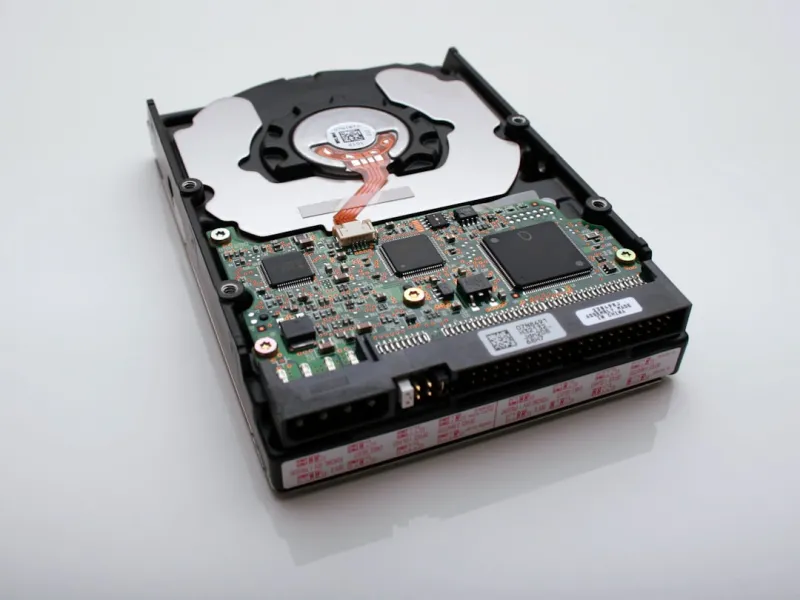
When I first cracked open a desktop tower back in the early 2010s, the hulking 3.5‑inch platter felt like the beating heart of a machine. Fast forward to 2026, and while SSDs dominate the headline‑grabbing conversations, the humble hard drive remains a workhorse for anyone serious about data depth, archival stability, and cost‑effective scaling. As a power‑user who still runs multiple VMs, edits 8‑K video archives, and curates terabytes of raw research, I’ve learned that the “right” hard drive is less about chasing the newest flash tech and more about matching capacity, reliability, and performance to a specific workflow. In this deep dive, I’ll walk you through the technical nuances, strategic buying tips, and future‑proofing tactics that keep my storage stack humming without breaking the bank. Whether you’re building a new workstation or bolstering an existing rig, understanding the modern hard drive landscape is essential for staying ahead of data bottlenecks.
The Technological Evolution: From PMR to SMR and Beyond
Hard‑drive engineering has been a relentless march of density gains. In 2026, most mainstream drives use Perpendicular Magnetic Recording (PMR) as a baseline, but the real game‑changer has been the rise of Shingled Magnetic Recording (SMR). SMR stacks tracks like roof shingles, squeezing more bits per square inch and driving areal density beyond 2 Tb/in². The trade‑off? Write performance can suffer under heavy random workloads because rewriting a shingled zone forces adjacent tracks to shift. That’s where Conventional Magnetic Recording (CMR) still shines—offering consistent random‑write speeds ideal for active databases or video editing caches. Understanding whether a drive is SMR or CMR is crucial; a mis‑match can turn a sleek upgrade into a frustrating lagfest. For power users who juggle both sequential archival backups and sporadic random writes, a mixed strategy—SMR for cold storage, CMR for active projects—often delivers the sweet spot between cost per gigabyte and real‑world performance.
Capacity Planning: How Much Is “Enough”?
One of the most common pitfalls I’ve seen is under‑estimating future data growth. In 2026, a 4 TB HDD still feels modest when you consider 8‑K video, AI model checkpoints, and high‑resolution photography pipelines. My rule of thumb is the “70‑percent rule”: allocate at least 30 percent of your total drive capacity as a buffer to maintain optimal write performance and to allow for wear‑leveling algorithms to operate efficiently. For example, a 12 TB SMR archive can comfortably hold 8–9 TB of static data, leaving space for incremental backups and occasional file migrations. If you’re a content creator or researcher, consider a tiered approach—primary working drives in the 4–6 TB range for fast access, paired with a 10–12 TB bulk repository for long‑term retention. Remember, hard‑drive prices have plateaued, making it economically sensible to over‑provision now rather than scramble for space in a few years.
Performance Metrics That Matter to Power Users
Speed is the name of the game, but not all metrics are created equal. Rotational speed (RPM) remains a quick shorthand: 7200 RPM drives deliver roughly 30‑40 MB/s sequential reads, while the newer 10 000 RPM models push past 50 MB/s, shaving seconds off large file transfers. However, cache size and interface matter just as much. A 256 MB DRAM cache can smooth out burst writes, especially on CMR drives, whereas SMR drives rely heavily on host‑managed cache strategies. The SATA III 6 Gb/s interface still caps most HDD throughput, but if you’re integrating a drive into a PCIe‑based storage enclosure, you can bypass that bottleneck with a SATA‑to‑NVMe bridge, unlocking higher sustained rates. As a power user, I monitor real‑world throughput with tools like CrystalDiskMark, focusing on 4K random read/write numbers because they reflect the mixed‑IO patterns typical of development environments and content creation pipelines.
Hybrid Solutions: When an SSHD Is the Right Choice
Solid‑State Hybrid Drives (SSHDs) blend a modest NAND flash cache with a traditional spinning platter, promising the best of both worlds: rapid boot times and high‑capacity storage. In practice, an SSHD can accelerate frequently accessed files—think OS binaries, popular games, or active project folders—by caching them on the flash tier, while relegating the bulk of data to the magnetic platter. For a power user who runs a handful of heavyweight applications daily, an 8 TB SSHD can act as a “fast‑lane” for the OS and core tools, leaving a separate 12 TB pure HDD for archival work. The key is to monitor the drive’s adaptive caching algorithm; some manufacturers expose SMART attributes that reveal cache hit rates, enabling you to tweak the balance via firmware updates. If you’re comfortable tweaking these settings, an SSHD can shave minutes off startup and load times without the expense of a full‑size NVMe array.
Reliability, Endurance, and Monitoring
When you’re entrusting a drive with irreplaceable research data or client deliverables, reliability isn’t optional—it’s a baseline requirement. Look for a high Mean Time Between Failures (MTBF) rating—ideally 1.2 million hours or more—and a low Uncorrectable Error Rate (UER), typically 1 × 10⁻¹⁴ for modern drives. But numbers on a spec sheet are only part of the story; real‑world endurance depends on operating temperature, vibration, and workload patterns. Tools like HDD Sentinel or the built‑in SMART suite can alert you to rising reallocation counts, spin‑up failures, or temperature spikes. I schedule weekly SMART health checks and set thresholds for alerts; a sudden jump in “Reallocated Sectors Count” triggers an immediate data migration plan. Pair this vigilance with a robust backup strategy—preferably a 3‑2‑1 rule: three copies, two different media, one off‑site—to safeguard against the inevitable drive failure that every power user eventually faces.
Strategic Upgrades: Integrating New Drives Without Disruption
Adding or swapping hard drives in a live workstation can feel like a high‑stakes operation, especially when you can’t afford downtime. My go‑to method is to mirror the existing drive to a new, larger unit using cloning software that respects partition alignment and boot flags. Once the clone validates, I boot from the new drive and repurpose the old one as a dedicated backup or scratch disk. This approach dovetails nicely with the concepts outlined in Future‑Proof PC Upgrades: Power‑User Strategies for 2026 Performance, where I advocate for staged rollouts—upgrade the primary storage first, then tackle graphics or CPU enhancements. By treating the storage layer as the foundation of any performance uplift, you avoid bottlenecks that can render a high‑end GPU or CPU underutilized. Plus, the incremental upgrade path means you can spread costs over multiple quarters, aligning with typical IT budgeting cycles.
Securing Your Data: Encryption and Threat Mitigation
Hard drives are no longer just passive storage; they’re a potential attack surface, especially as AI‑driven malware becomes more sophisticated. Full‑disk encryption (FDE) with hardware‑based TPM integration offers a robust line of defense, ensuring that even if a drive is physically removed, the data remains unreadable without the proper keys. I employ BitLocker on Windows workstations and FileVault on macOS, both of which leverage the TPM or Secure Enclave for seamless unlock at boot. However, encryption adds a layer of complexity to recovery scenarios, so I maintain unencrypted copies of critical boot files in a secure, air‑gapped vault. For deeper insights into defending against AI‑enhanced threats, see Power Users’ Playbook: Defending Against AI‑Driven Threats, which outlines best practices for hard‑drive hygiene, firmware verification, and anomaly detection.
Looking Ahead: HAMR, MAMR, and the Next Generation of HDDs
The horizon for hard‑drive technology is surprisingly exciting. Heat‑Assisted Magnetic Recording (HAMR) and Microwave‑Assisted Magnetic Recording (MAMR) are poised to break the 10‑Tb per platter barrier, promising unprecedented capacities without sacrificing reliability. Early 2026 prototypes already demonstrate 20‑Tb drives, making petabyte‑scale personal archives a realistic goal for power users with massive media libraries or scientific datasets. While these next‑gen drives will carry a premium price tag initially, the cost‑per‑gigabyte curve is expected to normalize within a few years. As an early adopter, I keep an eye on OEM roadmaps and plan incremental migrations—starting with a small 12‑Tb MAMR test unit before committing to a full‑scale overhaul. In the meantime, the principles covered in this article—capacity planning, performance awareness, and rigorous monitoring—remain the bedrock of a resilient storage strategy that can smoothly transition into the HAMR era when the time is right.




