
When I first opened my 2024 rig, the hum of the fans felt like a promise of raw potential. Fast‑forward to 2026, and that promise has turned into a full‑blown reality, thanks to a cascade of hardware breakthroughs that are reshaping what power users can achieve. From CPUs that juggle AI workloads as easily as spreadsheets to GPUs that double as neural‑network engines, the landscape is more dynamic than ever. Yet with great power comes great responsibility—choosing the right components isn’t just about raw specs, it’s about building a cohesive system that can adapt to tomorrow’s software demands. In this deep dive I’ll walk you through the most compelling trends, share the pitfalls I’ve learned to avoid, and give you a roadmap to future‑proof your workstation without breaking the bank. Buckle up, because the hardware revolution we’re living through right now is the kind that makes every upgrade feel like stepping onto a new planet.
CPU Evolution: From Core Counts to Intelligent Cores
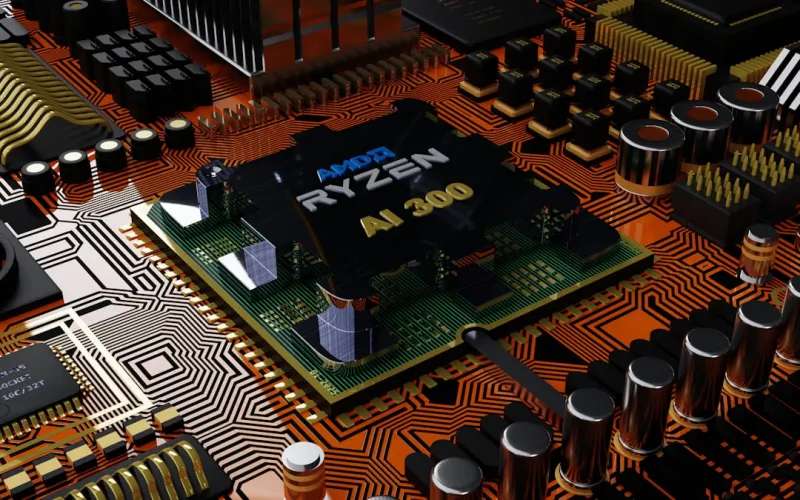
In 2026, the headline‑grabbing metric is no longer simply “number of cores,” but how intelligently those cores can allocate resources on the fly. The latest x86 and ARM designs incorporate dedicated AI accelerators that sit beside traditional execution units, allowing a single chip to handle both heavy‑duty rendering and real‑time inference without a performance hit. Dynamic frequency scaling has become more granular, reacting to workload changes within milliseconds, which translates to lower power draw during idle periods and sustained boost when you need it most. For power users who run virtual machines, container clusters, or AI‑enhanced creative suites, these hybrid architectures mean you can consolidate multiple workloads onto a single motherboard, reducing latency and simplifying cable management. My personal go‑to this year is the 16‑core “Titanium” series, which pairs a 5 GHz boost clock with a built‑in tensor core, delivering a sweet spot between gaming performance and AI compute power.
GPU Landscape: The Rise of AI‑Accelerated Graphics
Graphics cards have always been the crown jewels of a high‑performance build, but 2026 has ushered in a paradigm shift where AI acceleration is as integral as rasterization. The newest RTX‑7000 series cards embed massive tensor cores that not only power DLSS‑3 style upscaling but also accelerate machine‑learning pipelines for video editing, scientific simulations, and even code compilation. This convergence means you can run a render farm and train a neural network on the same board without swapping drivers. The real kicker is the improved memory bandwidth: GDDR7 is now standard, delivering up to 1.2 TB/s, which shaves seconds off massive data transfers. If you’re still on a legacy GPU, you’ll notice a stark performance gap, especially when leveraging the AI computing playbook for tasks like real‑time video denoising. Upgrading to a card with dedicated AI cores isn’t a luxury—it’s quickly becoming a baseline requirement for any serious power‑user workflow.
Memory Innovations and the Ongoing RAM Battle
DDR5 has finally settled into mainstream adoption, but the real excitement lies in the emergence of DDR6 modules that push bandwidth beyond 80 GB/s while trimming latency to sub‑10 ns levels. Coupled with the rise of high‑bandwidth memory (HBM) on GPUs and even CPUs, the bottleneck that once haunted complex simulations is fading. However, the transition isn’t seamless; many motherboards still ship with mixed‑speed slots, leading to instability if you pair legacy modules with new kits. This is where a solid RAM troubleshooting guide becomes indispensable. Keep an eye on JEDEC‑certified timings, and consider opting for modules with on‑die ECC if data integrity is mission‑critical. For me, a 64 GB dual‑channel DDR6 kit has become the sweet spot, offering enough headroom for multi‑instance AI models and massive Photoshop files without triggering the dreaded “out‑of‑memory” crashes that plagued my older builds.
Storage: NVMe’s Fast Lane and the PCIe 6.0 Frontier
SSD technology has raced ahead, and 2026 sees PCIe 5.0 NVMe drives delivering sustained write speeds north of 14 GB/s, while the upcoming PCIe 6.0 specification promises to double that figure within the next year. For power users, the practical impact is undeniable: massive 8K video projects load in seconds, large databases query instantly, and game worlds stream without stutter. The new “hyper‑NVMe” drives also feature advanced wear‑leveling algorithms and integrated encryption, addressing both longevity and security concerns that were once after‑thoughts. When selecting a drive, prioritize models with DRAM‑less caching only if you have a high‑capacity RAM buffer; otherwise, a DRAM‑backed SSD will give you consistent low‑latency performance under heavy workloads. My current setup pairs a 4 TB PCIe 5.0 SSD for the OS and applications with a secondary 8 TB PCIe 5.0 drive dedicated to media assets, a combination that balances speed, capacity, and cost effectively.
Thermal Management: From Air to Hybrid Liquid Solutions
As power draws climb past the 600‑watt mark per CPU‑GPU combo, traditional air cooling struggles to keep temperatures in the optimal 65‑75 °C range during sustained loads. This year, hybrid liquid coolers that combine a high‑efficiency pump with a vapor‑chamber base have become the go‑to solution for enthusiasts who refuse to compromise on silence or performance. These systems can dissipate upwards of 250 W of heat while maintaining sub‑30 dB noise levels, a boon for anyone working in a home office or recording environment. Additionally, manufacturers are now offering modular radiators that can be expanded as your rig grows, ensuring you won’t need to redo the cooling loop with every major upgrade. If you’re on a tighter budget, a well‑designed push‑pull fan configuration on a large 360 mm heatsink can still achieve respectable temps, especially when paired with high‑static‑pressure fans that move air efficiently through dense fin arrays.
Power Delivery: Meeting the Demands of High‑TDP Systems
Supplying clean, stable power to a system that now routinely consumes over 1200 W under peak load is no small feat. Modern 1000‑plus‑watt power supplies have embraced 80 PLUS Titanium certification as the new baseline, delivering up to 96 % efficiency across a wide load range. This not only reduces heat output but also lessens the strain on your electrical circuit, a critical consideration for home labs that run 24/7. Modular cabling has become smarter too, with integrated power monitoring that feeds real‑time data to motherboard BIOS and software dashboards, letting you spot voltage droops before they cause instability. When building a new rig, prioritize a PSU with a high‑current +12 V rail, as this is where the CPU and GPU draw the bulk of their power. My preferred choice this year is a fully modular 1300 W unit that supports both ATX12V 2.5 and the newer PCIe 5.0 power connector standard, ensuring compatibility with next‑gen graphics cards.
Peripheral Upgrades: The Hidden Boosters
It’s easy to focus on the core components, but the peripherals you choose can dramatically affect overall productivity. USB4 and Thunderbolt 5 ports now deliver up to 80 Gbps of bandwidth, making it feasible to connect multiple 8K monitors, external GPU enclosures, and high‑speed RAID arrays without a bottleneck. Speaking of displays, OLED panels with 144 Hz refresh rates and true‑color 10‑bit support are finally affordable for the power‑user market, providing smoother motion and more accurate color grading for video work. Meanwhile, ergonomic keyboards with per‑key RGB lighting and integrated macro wheels are becoming essential for developers who switch between code, CAD, and gaming. To round out the upgrade path, consider the must‑have PC upgrades guide, which outlines the peripherals that deliver the highest ROI in terms of workflow efficiency and long‑term reliability.
Future Outlook and Actionable Checklist
Looking ahead, the convergence of AI, edge computing, and ultra‑high‑speed interconnects will only accelerate. The key to staying ahead is a balanced approach: pair a forward‑looking CPU with a GPU that offers both rasterization and AI cores, invest in DDR6 or HBM memory to eliminate bottlenecks, and adopt storage that leverages the latest PCIe standards. Don’t overlook cooling and power delivery—these are the silent pillars that keep your system stable under the most demanding tasks. Finally, keep your peripheral ecosystem modern; a fast connection interface can be the difference between a seamless workflow and a frustrating choke point. By following this checklist—CPU with AI accelerator, DDR6 RAM, PCIe 5.0 NVMe SSD, hybrid liquid cooling, 80 PLUS Titanium PSU, and USB4/Thunderbolt 5 peripherals—you’ll have a rig that not only dominates today’s workloads but is also ready for the breakthroughs that 2027 and beyond will bring.




