
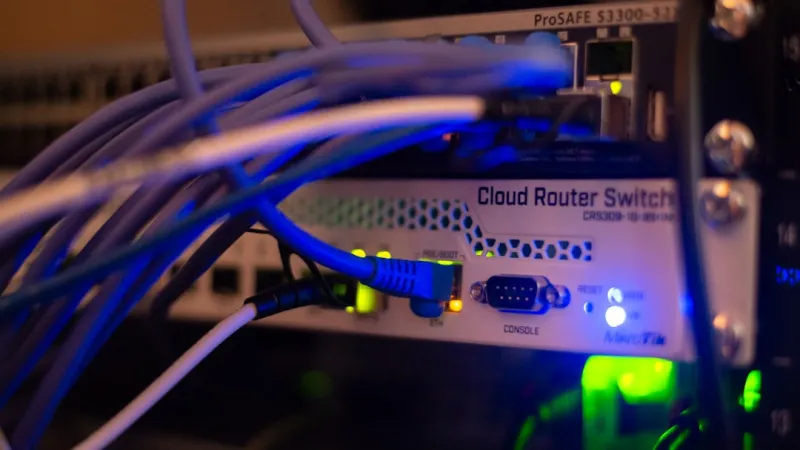
When you’ve been tinkering with routers, switches, and firmware since the dial‑up days, the pace of change in 2026 feels both exhilarating and overwhelming. The home office is no longer a single‑room sandbox; it’s a distributed ecosystem of laptops, IoT devices, gaming rigs, and even AI‑powered workstations all demanding gigabit‑plus bandwidth, sub‑millisecond latency, and iron‑clad security. As a power‑user, I’m constantly asked, “What should I upgrade next?” The answer isn’t a single component but a holistic strategy that blends cutting‑edge wireless standards, wired backbone upgrades, and intelligent monitoring. In this guide I’ll walk you through the networking trends that matter most, why they matter to a power‑user like you, and how to future‑proof your setup without breaking the bank.
Wi‑Fi 7: The New Baseline for Wireless Performance
Wi‑Fi 7 (802.11be) finally landed in mainstream routers this year, delivering up to 46 Gbps theoretical throughput and dramatically reduced latency thanks to Multi‑Link Operation (MLO). For power‑users who stream 8K video, run AI inference locally, or host multiplayer game servers, those numbers translate into smoother experiences and less jitter on congested networks. The technology also introduces wider 320 MHz channels and 4096‑QAM modulation, which means you can squeeze more data through the same spectrum—provided your client devices support it. When planning a refresh, look for routers that advertise “MLO‑ready” and have ample 6 GHz band support. Pairing a Wi‑Fi 7 access point with a high‑performance CPU and ample RAM (see my future‑proof power‑user PC guide) ensures your wireless backbone won’t become the bottleneck as your workstation evolves.
Mesh Networking and VLAN Segmentation for the Modern Home Lab
Even the most powerful router can’t magically cover a sprawling two‑story house or a converted loft with concrete walls. That’s where a well‑designed mesh system steps in, providing seamless handoffs and consistent signal strength throughout every corner. But a mesh isn’t just about coverage; it’s an opportunity to implement VLAN segmentation without a rack‑mount switch. By assigning separate VLANs to IoT devices, workstations, and guest networks, you isolate traffic, reduce broadcast storms, and bolster security. Modern mesh solutions now support 2.5 GbE uplinks and even 10 GbE ports for those who need fiber‑grade backhaul between nodes. If you’ve ever struggled to keep your smart thermostat from listening in on your video calls, VLANs are the silent guardian. For a deeper dive into configuring these networks, my mastering modern networking guide walks you through the exact steps, from setting up a dedicated DHCP server to troubleshooting inter‑VLAN routing.
Ethernet Evolution: From Cat 6 to 10 GbE and Beyond
While Wi‑Fi 7 dazzles with its raw speeds, wired Ethernet remains the gold standard for reliability and low latency, especially for data‑intensive workloads like video editing, large‑scale backups, or AI model training. In 2026, Cat 8 cabling is finally affordable for the average consumer, supporting 40 Gbps over 30 meters and making 10 GbE adapters a viable upgrade path for desktops and laptops. If you’re building a new workstation, opt for a motherboard with built‑in 2.5 GbE or 5 GbE ports; the extra cost is negligible compared to the performance gains during large file transfers or network‑attached storage (NAS) syncs. Don’t forget about Power over Ethernet (PoE) standards—PoE++ can deliver up to 90 W per port, which is perfect for powering high‑end access points or even small edge AI devices without additional power bricks. When wiring your space, run a dedicated conduit for future fiber‑to‑the‑home (FTTH) upgrades; the upfront effort pays dividends as service providers roll out higher‑speed offerings.
Zero‑Trust Security Layers Integrated with Power‑User Strategies
Network speed is meaningless if a single compromised device can pivot across your entire ecosystem. That’s why zero‑trust architecture is no longer a buzzword but a necessity for power‑users. Instead of relying solely on firewalls, you implement micro‑segmentation, continuous authentication, and strict least‑privilege policies at the network edge. Pair these measures with a robust endpoint security suite that goes beyond traditional antivirus; my power‑user security strategy outlines how to combine behavior‑based detection, sandboxing, and real‑time threat intelligence to neutralize ransomware before it spreads. Additionally, enable encrypted DNS (DoH) and enforce TLS‑only connections for internal services. By integrating security directly into your networking hardware—using routers that support VLAN‑based firewall rules and DPI—you create a layered defense that can adapt as threats evolve throughout the year.
SD‑WAN and Cloud Edge: Bridging Remote Workspaces with Seamless Performance
The pandemic may be behind us, but remote and hybrid work models are entrenched, and the network must adapt. Software‑Defined Wide Area Networking (SD‑WAN) gives you the agility to route traffic over multiple ISP links, automatically selecting the fastest path for each application. In practice, this means your video conference can hop onto a low‑latency 5G slice while large file backups use a more cost‑effective broadband line. Cloud edge services further reduce latency by caching frequently accessed data closer to the user, which is a game‑changer for AI inference workloads that require near‑real‑time responses. For power‑users who run containers locally and push images to the cloud, configuring an SD‑WAN appliance or a virtual router can shave seconds off build times—a tangible productivity boost. Look for solutions that integrate with your existing firewall and support API‑driven policy changes, so you can automate routing adjustments based on real‑time network analytics.
AI‑Driven Monitoring: Turning Data Into Actionable Insight
With the explosion of data points from Wi‑Fi 7, mesh nodes, and high‑speed Ethernet, manual monitoring is a pipe dream. Modern network monitoring platforms now embed AI engines that learn the normal behavior of each device and flag anomalies before they become outages. These tools can predict cable degradation, forecast bandwidth saturation, and even recommend firmware updates for routers that are vulnerable to newly disclosed exploits. By integrating such a platform into your workflow, you get a proactive view of your network health, allowing you to schedule maintenance during low‑usage windows. If you’re curious about leveraging AI for your compute tasks, check out the AI computing guide for tips on pairing network telemetry with on‑device inference models.
Future‑Proofing Checklist: What Every Power‑User Should Do Today
To wrap up, here’s a concise action plan that aligns with the trends discussed. First, audit your current wireless environment and upgrade to a Wi‑Fi 7 router with MLO support. Second, map out a mesh topology that incorporates VLANs for device isolation. Third, replace legacy Cat 5e runs with Cat 8 or fiber where feasible, and enable 10 GbE where your workloads demand it. Fourth, implement zero‑trust principles by segmenting traffic, enforcing MFA, and deploying an endpoint suite that goes beyond signature‑based detection. Fifth, evaluate SD‑WAN solutions to optimize multi‑link usage for remote work. Sixth, deploy an AI‑driven monitoring stack to gain predictive insights. Finally, document your network diagram and keep firmware up to date—automation tools can help schedule these updates. By following this checklist, you’ll ensure that your network not only meets today’s performance expectations but also remains resilient and adaptable as new standards emerge.




