
When I first built my rig back in the early 2020s, I thought I’d nailed the perfect balance of performance and future‑proofing. Fast forward to 2026, and the landscape has shifted so dramatically that even the most well‑planned builds can feel outdated after just a handful of software releases. That’s why I’m writing this guide from the trenches of my own upgrade journey, sharing the exact components and strategies that have kept my workstation humming at the edge of what’s possible. In this piece, you’ll discover why a strategic upgrade beats a wholesale rebuild, how to spot the sweet spots in GPU and CPU roadmaps, and which peripheral tweaks can unlock hidden performance reserves. Trust me—when you combine a few smart hardware swaps with a pinch of software finesse, you’ll notice a tangible boost in everything from gaming frame rates to AI‑assisted workflows. Let’s dive into the upgrades that matter most right now, all backed by hard‑won experience and a keen eye on where the industry is headed.
Why the GPU Remains the Crown Jewel in 2026
The graphics card market in 2026 is a bustling arena of ray‑tracing, AI‑upscaled textures, and massive VRAM pools that were once the realm of high‑end workstations. Today’s most compelling upgrades involve moving from a 12‑GB GDDR6 solution to a 24‑GB GDDR6X or even the emerging GDDR7 models, especially if you dabble in real‑time rendering or AI‑driven content creation. The extra VRAM isn’t just a luxury; it’s a necessity for handling 8K gaming textures, large neural network inference, and complex 3D simulations without choking the frame buffer. Pair that with a GPU that supports the latest DirectX 13 and DLSS 4.0 equivalents, and you’ll see smoother frame rates and lower latency across the board. Investing in a next‑gen GPU also future‑proofs your system against upcoming titles and software that leverage AI for upscaling, making your rig relevant for years to come. For a deeper dive into how intelligent hardware is reshaping performance, check out AI Computing Today.
CPU Choices: Balancing Core Count and Clock Speed
CPU evolution in 2026 has emphasized hybrid architectures that blend high‑performance cores with efficiency cores, a design philosophy popularized by the latest desktop processors from both Intel and AMD. When deciding on a CPU upgrade, focus on two metrics: total thread count and single‑core boost frequency. Content creators and streamers benefit from 24‑plus threads, while gamers still crave that high single‑core clock to squeeze out every frame. The sweet spot often lies in a processor that offers at least 8 performance cores with a boost clock north of 5 GHz, complemented by a robust cache hierarchy that reduces latency for data‑intensive tasks. Don’t overlook the importance of platform compatibility—new CPUs may require a chipset update, which could open the door to faster PCIe lanes and integrated USB‑4 support. By selecting a CPU that aligns with your primary workloads, you ensure that both legacy applications and cutting‑edge software run at optimal efficiency.
Memory Matters: Diagnosing and Expanding RAM
Memory is the silent workhorse that determines how fluid your multitasking feels, and in 2026 the standard has nudged toward 32 GB of DDR5 for power users. If you’re still cruising on 16 GB, you’ll likely notice slower load times in modern browsers, longer compile cycles in development environments, and choppy performance in heavy multitasking scenarios. Upgrading to 32 GB or even 64 GB of DDR5-7200 not only expands your headroom but also reduces the need for aggressive paging to the SSD, which can wear out your drive over time. Before you buy new sticks, run a quick diagnostic to ensure your current RAM isn’t already on the brink of failure—tools like Windows Memory Diagnostic or MemTest86 can flag errors before they cripple your workflow. Properly timed memory can also give you a modest performance bump, especially in applications that are sensitive to latency, such as video editing suites and virtual machines. If you suspect RAM issues, our guide on How to Diagnose and Fix RAM Problems walks you through the steps.
Storage Speed: Embracing PCIe 5.0 NVMe Drives
The storage arena has seen one of the most dramatic leaps in the last few years, with PCIe 5.0 NVMe SSDs now delivering sequential read speeds beyond 14 GB/s. For developers, artists, and gamers alike, this translates to near‑instantaneous load times, rapid project file access, and smoother game level streaming. If your current drive is still a SATA III or even a PCIe 3.0 NVMe, the performance delta you’ll experience by jumping to a PCIe 5.0 model is akin to moving from a commuter bike to a high‑performance motorcycle. Beyond raw speed, these drives also boast higher endurance ratings, meaning they can handle the massive write cycles generated by AI model training and 8K video editing. Pair your new SSD with a motherboard that fully supports the PCIe 5.0 lane configuration to avoid bottlenecks. Remember to enable the appropriate NVMe settings in your BIOS—such as “PCIe Link Speed” and “NVMe Power Management”—to extract every ounce of performance.
Motherboard Mastery: The Foundation of a Future‑Ready Build
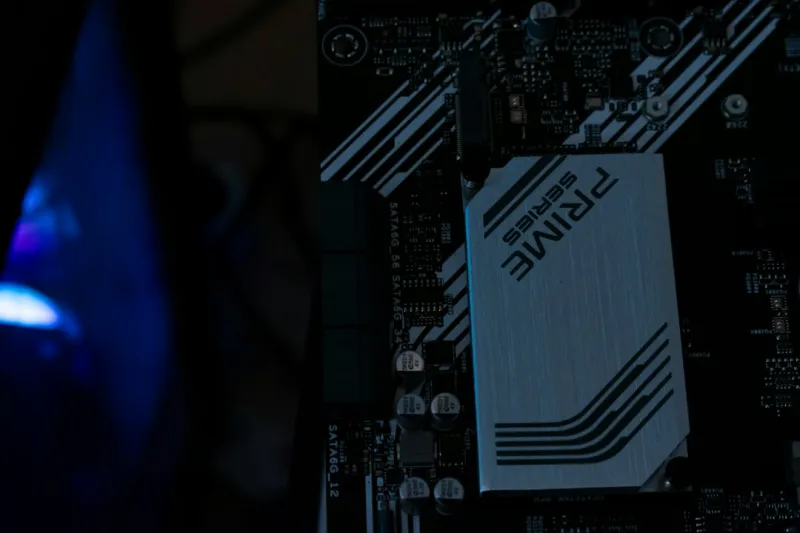
Your motherboard is more than just a circuit board; it’s the platform that determines upgrade paths for years to come. In 2026, the best boards feature robust VRM designs, ample M.2 slots with heat sinks, and native support for USB‑4, Thunderbolt 4, and Wi‑Fi 7. When selecting a new motherboard, prioritize a chipset that offers at least 20 PCIe 5.0 lanes—this ensures you can accommodate a high‑end GPU, a PCIe 5.0 SSD, and future expansion cards without sacrificing bandwidth. Look for boards with robust BIOS interfaces, as they simplify overclocking and allow you to fine‑tune memory timings—a small tweak that can yield noticeable performance gains in latency‑sensitive tasks. If you’re uncertain about which board suits your needs, my deep dive in Motherboard Mastery breaks down the decision‑making process, covering everything from form factor considerations to integrated audio quality.
Power Delivery and Cooling: Keeping the Beast Tamed
As you stack more powerful components, the demand for clean, reliable power and effective thermal management skyrockets. A 750‑W to 850‑W 80+ Gold or Platinum PSU offers a comfortable margin for a high‑end GPU, a power‑hungry CPU, and multiple storage drives, while also ensuring efficiency and lower heat output. Look for modular designs to simplify cable management—clean airflow translates directly into lower component temperatures and quieter operation. On the cooling front, a hybrid approach often works best: a high‑capacity AIO liquid cooler for the CPU paired with strategically placed case fans that create a positive pressure environment. This setup not only keeps temperatures in the optimal 30‑45 °C range under load but also reduces acoustic noise—a critical factor for anyone who spends long hours in front of the machine. Don’t forget to regularly clean dust filters and reapply thermal paste every 12‑18 months to maintain peak performance.
Software Optimizations: Let Windows Updates Do the Heavy Lifting
Hardware upgrades are only half the battle; the software ecosystem must be equally tuned. Windows updates in 2026 have become a silent powerhouse, delivering driver optimizations, security patches, and performance tweaks that can add up to 5‑10 % speed gains on a newly upgraded system. Enabling automatic updates ensures you’re always running the latest kernel and driver stack, which is especially vital when you’ve installed a brand‑new GPU or SSD that relies on the freshest firmware. Additionally, use built-in tools like “Storage Sense” to keep your drive uncluttered and “Power Plan” settings to prioritize performance over energy savings when you’re plugged in. For a deeper look at why these updates are so crucial, read Why Windows Updates Are the Unsung Heroes of PC Performance. A well‑maintained OS can make your hardware upgrades feel even more responsive.
Putting It All Together: A Strategic Upgrade Path
Now that we’ve covered the key components—GPU, CPU, RAM, storage, motherboard, power, cooling, and software—let’s talk strategy. The most cost‑effective approach is to prioritize upgrades that address your biggest performance bottlenecks first. For most power users in 2026, that means swapping out an older GPU for a 24‑GB GDDR6X model, followed by a CPU upgrade that supports the latest hybrid architecture. Next, expand your RAM to 32 GB or 64 GB, and finally, replace any legacy storage with a PCIe 5.0 NVMe SSD. Don’t overlook the importance of a solid motherboard and PSU to support these components; they act as the backbone that prevents future headaches. By following this phased plan, you’ll avoid unnecessary spending while ensuring each new piece integrates seamlessly. If you want a concise checklist and timeline for executing these upgrades, check out The Smart Way to Upgrade Your PC. With careful planning and a dash of curiosity, your rig will stay ahead of the curve, ready to tackle the next wave of games, AI workloads, and creative projects.