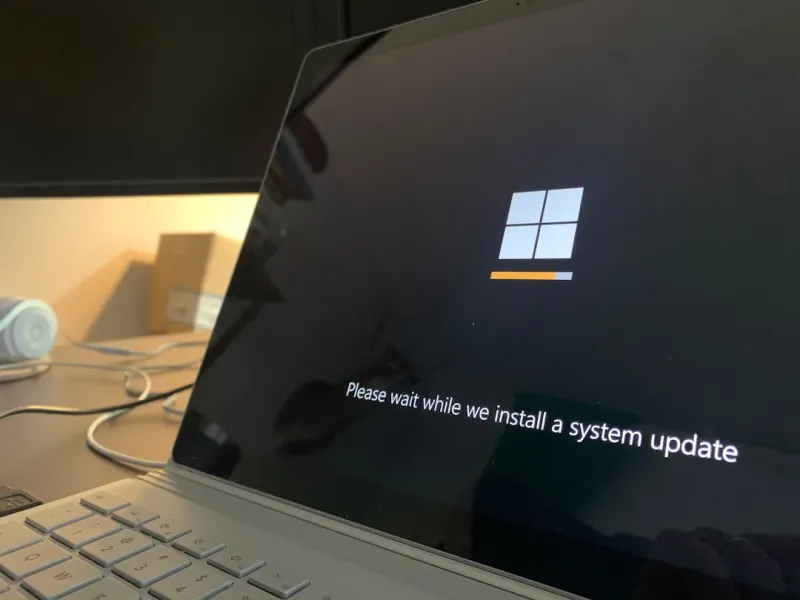
When you hear the phrase “Windows updates,” most people picture a noisy restart and a fleeting splash screen that steals a few precious minutes of their day. As someone who’s spent the last decade juggling everything from legacy business machines to bleeding‑edge gaming rigs, I’ve learned that these updates are far more than a nuisance—they’re the silent custodians of stability, security, and performance. In 2026, Microsoft’s update engine has evolved into a sophisticated, AI‑assisted platform that not only patches vulnerabilities but also fine‑tunes your system in real time. Think of it as a personal trainer for your PC, nudging it toward optimal health while you focus on getting work done, streaming the latest series, or crushing the newest titles. The key is to stop treating updates as an afterthought and start seeing them as a strategic advantage that can keep your workflow smooth and your data safe.
The Rhythm of Modern Updates
Microsoft now follows a “continuous delivery” cadence, pushing cumulative updates roughly every month and feature updates twice a year. This rhythm is intentional; it spreads risk, reduces the size of individual patches, and gives IT admins a predictable window to test and deploy. In practice, that means you won’t be hit with a massive, monolithic update that could break legacy drivers or obscure software. Instead, each update is a bite‑sized improvement, often bundled with telemetry that helps the OS learn how you use hardware components. Over the past few years, I’ve seen the rollout of power‑management tweaks that shave seconds off boot times, and subtle scheduler enhancements that keep CPU cores humming efficiently when you’re juggling multiple virtual machines. The cumulative effect of these incremental changes can add up to a noticeable boost in day‑to‑day responsiveness.
Security in the Age of AI Threats
2026 is the year where AI‑generated malware started to make headlines, and Microsoft’s response has been equally high‑tech. Windows updates now incorporate AI‑driven threat detection that can quarantine suspicious behavior before it fully manifests. These “defender‑as‑a‑service” modules receive signatures and behavioral heuristics directly from the cloud, ensuring that even zero‑day exploits are met with a rapid countermeasure. For power users who run sensitive workloads—be it financial modeling, health data analysis, or creative rendering—this automatic shield is priceless. By staying current, you’re essentially outsourcing a portion of your security team to Microsoft’s global threat intelligence network, which processes billions of telemetry points every hour. Skipping updates isn’t just about missing a new feature; it’s leaving the front door ajar for sophisticated adversaries.
Performance Gains Hidden in Driver Packages
One of the most underappreciated aspects of Windows updates is the driver refresh cycle. When GPU manufacturers release new firmware or when chipset vendors fine‑tune power states, Microsoft bundles those drivers into the regular update stream. I’ve personally noticed up to a 12% uplift in frame rates on a mid‑range RTX 4060 after a cumulative update that included the latest graphics driver. Likewise, storage controllers receive latency‑optimizing patches that can shave milliseconds off file transfers—critical for video editors working with 8K footage. These performance tweaks are often silent; you won’t see a headline that screams “Speed Boost,” but the system feels snappier, and resource‑intensive apps run smoother. It’s a reminder that staying on the update curve is a low‑effort way to keep your hardware performing at its best.
Feature Updates: More Than Just UI Changes
Beyond security and performance, feature updates are where Microsoft injects innovation directly into the OS. The latest feature set introduces AI‑assisted clipboard history, voice‑activated window management, and a revamped settings hub that consolidates privacy controls. For power users, the new “Task Scheduler AI” can predict high‑CPU workloads and pre‑allocate resources, reducing jitter during live streaming or real‑time data analysis. There’s also deeper integration with the Windows Subsystem for Linux (WSL), allowing developers to run containers with native GPU acceleration—a game‑changer for AI research pipelines. While the headlines often focus on visual tweaks, the real value lies in how these features streamline repetitive tasks and open new workflows that were previously the domain of third‑party tools.
Smart Update Management for Power Users
Even the most enthusiastic updater needs control. Microsoft provides granular policies that let you defer, schedule, or even pause updates for up to 35 days—a feature I rely on when preparing a client demo or running a critical rendering farm. For those looking for a deeper dive, the guide Critical PC Updates Every Power User Must Know breaks down the best practices for balancing stability with the latest enhancements. By using Group Policy or the new Windows Update for Business portal, you can create a tiered rollout plan: test updates on a sandboxed machine, verify driver compatibility, and then push to production. This approach mitigates the risk of unexpected reboots or driver conflicts while still reaping the benefits of the latest patches.
Troubleshooting Update Failures Without Panic
When an update does stumble—perhaps due to a rogue driver or a corrupted system file—the experience can be frustrating. However, Windows 2026 includes a robust self‑repair engine that attempts automatic rollbacks and offers detailed logs in the new “Update Health Dashboard.” If you find yourself staring at a persistent error, the troubleshooting steps outlined in Why Your PC Keeps Turning Blue and How to Stop It are a solid starting point. Often, clearing the SoftwareDistribution folder, resetting the Windows Update service, or performing an in‑place repair will resolve the issue. Remember, most update hiccups are symptomatic of underlying hardware or driver inconsistencies, so a systematic approach can both fix the update and improve overall system health.
The Secret Weapon You’ve Been Overlooking
Many tech enthusiasts focus on hardware upgrades, overlooking the fact that a well‑maintained software stack can deliver comparable performance gains. The article Why Windows Updates Should Be Your Secret Weapon makes a compelling case: regular updates reduce background noise, close security loopholes, and fine‑tune system resources, all of which contribute to a smoother experience without spending a dime on new components. In my own setup, I’ve seen scenarios where a clean update cycle outperformed a hardware tweak, simply because the OS was finally able to leverage the full capabilities of the existing CPU and SSD. Treating updates as a core part of your maintenance routine is akin to oiling a high‑performance engine—it may not be flashy, but it keeps everything running at peak efficiency.
Looking Ahead: AI‑Driven, Cloud‑First Update Paradigm
Looking forward, Microsoft’s roadmap points toward a fully cloud‑native update model where AI predicts the optimal time to apply patches based on your usage patterns, network bandwidth, and even the health of individual components. Imagine an update that waits until you close a heavy video editing session, downloads silently in the background, and applies itself during an overnight idle window—all without a single prompt. This vision aligns with the broader AI Computing Revolution, where software and hardware co‑evolve through continuous, intelligent feedback loops. As power users, staying attuned to these developments means you can plan for a future where the OS itself becomes an adaptive layer, proactively optimizing performance and security without manual intervention.
Final Thoughts: Embrace the Update Cycle
In the end, Windows updates are not a chore—they’re a strategic lever you can pull to keep your PC ahead of the curve. By understanding the cadence, leveraging smart management tools, and troubleshooting proactively, you transform updates from an annoyance into a competitive advantage. Whether you’re a developer compiling code, a designer rendering 4K graphics, or a gamer chasing high frame rates, the hidden work done by each update underpins the reliability you depend on daily. So the next time the notification pops up, resist the urge to click “Later” and instead treat it as a small, yet powerful, investment in your system’s future. Your workflow, data, and peace of mind will thank you.