
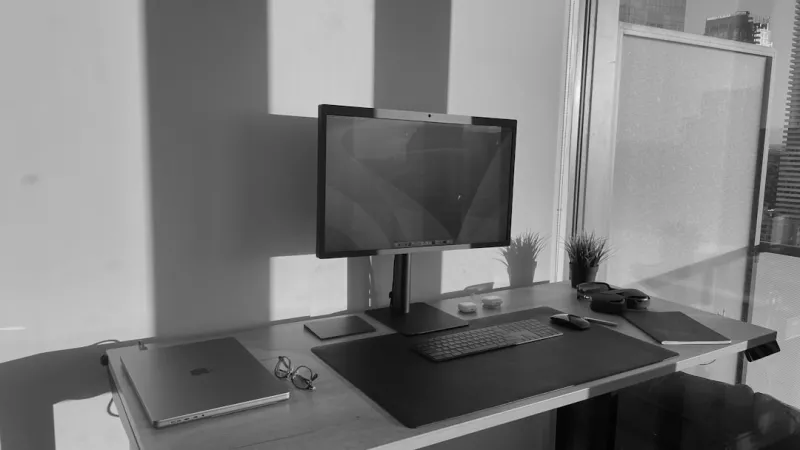
Why AI Computing Is No Longer a Niche
When I first started tinkering with machine‑learning models a decade ago, I could barely fit a tiny neural net into the RAM of a modest laptop. Fast‑forward to 2026, and the same hobbyist can now train multi‑billion‑parameter transformers on a desktop that fits under a desk. This seismic shift isn’t just about software breakthroughs; it’s driven by a convergence of affordable hardware, smarter compilers, and cloud‑edge hybridity that lets us run inference locally with millisecond latency. As a power‑user who lives at the intersection of hardware and AI, I see the landscape as a living organism that rewards those who stay ahead of the curve. The stakes are higher, too—AI is becoming the primary engine behind everything from content creation to real‑time analytics, and any bottleneck in your rig translates directly into lost opportunity. In this article, I’ll walk through the hardware philosophy, software tactics, and security habits that have helped me keep my AI pipeline humming in 2026, while also pointing you toward deeper resources that expand on each topic.
Hardware Foundations: GPUs, CPUs, and the Memory Hierarchy
The first rule of any AI‑centric workstation is to treat the GPU as the new CPU. Modern tensor cores now deliver teraflops of mixed‑precision performance while consuming a fraction of the power that older architectures required. In practice, this means selecting a GPU with ample VRAM—at least 24 GB for most large‑language‑model fine‑tuning tasks—and pairing it with a CPU that can feed data fast enough to avoid stalls. A high‑core‑count AMD Threadripper or Intel Xeon platform, coupled with DDR5 memory operating at 5600 MT/s, creates a balanced pipeline where data shuffles smoothly between host and device. Don’t overlook PCIe lane distribution; a 4‑lane configuration will choke a top‑tier GPU, while a full 16‑lane slot ensures you get the advertised bandwidth. Memory capacity matters just as much as speed; 128 GB of RAM is becoming the sweet spot for researchers who juggle multiple datasets and virtual environments. This hardware foundation is the canvas upon which every AI experiment is painted, and neglecting any one piece can degrade the entire workflow.
Building an AI‑Ready Power‑User Workstation
If you’re wondering where to start, my go‑to roadmap is the AI‑Ready Power‑User Workstation guide. The article walks through component selection, cable management, and BIOS tweaks that squeeze every ounce of performance from your platform. One tip I can’t stress enough is to enable “Resizable BAR” and “DirectStorage” in the firmware—features that were once optional now act as performance boosters for large model loading and dataset streaming. Additionally, I install a secondary NVMe drive dedicated to cache the most frequently accessed tensors; this isolates high‑throughput I/O from the OS drive, reducing latency spikes during training bursts. Don’t forget to set up a robust cooling loop; AI workloads can push GPU temperatures above 85 °C for hours, and thermal throttling will silently erode your training speed. With the right configuration, you’ll find that a single workstation can rival a modest cloud instance while keeping data in‑house, which is a massive win for privacy‑conscious developers.
Software Stack: From OS to Frameworks
Choosing the right operating system is as critical as picking the hardware. In 2026, Windows has become a first‑class citizen for AI thanks to the WSL 2 integration and native GPU drivers that expose DirectML alongside CUDA. My preferred setup leans on the Power‑User Strategies for Speed, Security, and AI guide, which outlines how to lock down the OS while still enabling rapid package installs via Chocolatey and winget. On the framework side, PyTorch and TensorFlow continue to dominate, but the rise of JAX and compiled‑graph runtimes is reshaping the performance landscape. I routinely containerize my environments with Docker, tagging each image with the exact driver and library versions to guarantee reproducibility. This practice also dovetails nicely with CI/CD pipelines that automatically benchmark new model iterations, ensuring you never ship a regression. By harmonizing OS tweaks, driver updates, and framework versions, you create a stable foundation that lets you focus on model innovation rather than debugging version mismatches.
Storage Strategies: SSDs, NVMe, and the Hard‑Drive Advantage
When it comes to data‑intensive AI workloads, storage speed is the silent multiplier that can make or break a training run. High‑end NVMe drives deliver sub‑microsecond read latencies, but they’re not the whole story. In many of my pipelines, I still rely on a traditional 4 TB hard drive as a cold‑storage archive for raw datasets that I rarely touch. The article hard‑drive advantage explains why spinning media still makes sense for power users: massive capacity at a fraction of the cost, and a reliability profile that has improved with newer SMR and PMR technologies. My workflow typically stages the most recent training snapshots onto a fast NVMe tier, while older checkpoints reside on the HDD. This tiered approach reduces wear on the SSD and keeps your budget in check. Moreover, enabling Windows’ Storage Spaces or Linux’s LVM caching can automatically promote hot data to the faster tier, giving you the best of both worlds without manual intervention.
Future‑Proofing: Upgrades That Keep Your Rig Relevant
The AI hardware market evolves at breakneck speed, but a well‑planned upgrade path can extend the life of your workstation for years. I keep a close eye on the roadmap for PCIe 5.0 and the emerging DDR6 memory standard, both of which promise significant bandwidth gains. The essential PC upgrades for AI article details the most impactful upgrades: moving to a 12‑lane PCIe 5.0 GPU, swapping to a 64‑GB DDR5 kit with higher CAS latency tolerance, and adding a secondary 8 TB NVMe drive for dataset sharding. Another underrated upgrade is the power supply; a modular 1000 W unit with an 80 PLUS Gold rating ensures stable delivery during long training sessions when the GPU draws sustained power. Finally, consider a BIOS that supports “Firmware TPM” and “Secure Boot”—these features will become mandatory as AI workloads integrate more tightly with trusted execution environments, protecting both model integrity and proprietary data.
Security Mindset: Zero‑Trust Strategies for AI Workflows
AI models are intellectual property, and in 2026 they’re increasingly targeted by nation‑state actors and ransomware groups. Adopting a zero‑trust approach isn’t optional; it’s a survival tactic. I start by segmenting the network: the GPU‑heavy workstation lives on a VLAN isolated from the corporate LAN, and only specific ports for SSH and remote desktop are whitelisted. Encryption at rest is enforced via BitLocker with TPM‑backed keys, while data in transit between the workstation and storage servers uses TLS 1.3. Regularly applying the Critical Update Playbook ensures that kernel patches, driver updates, and firmware flashes are rolled out before vulnerabilities can be exploited. I also employ container runtime security tools that scan images for known CVEs before they’re deployed, and I sign every model artifact with a cryptographic hash to detect tampering. This layered defense—hardware isolation, encryption, timely updates, and artifact integrity—creates an unbreakable shield around your AI research, letting you innovate without fearing data loss.
Power‑User Mindset: Balancing Speed, Stability, and Exploration
The final piece of the puzzle is a mental framework that treats every tweak as an experiment. I keep a detailed log of hardware changes, driver versions, and benchmark results, often using a simple markdown table synced to a private repo. When a new GPU architecture drops, I don’t rush to upgrade; instead, I prototype with a cloud instance to validate performance gains against my existing setup. This disciplined approach prevents “shiny‑object syndrome” and ensures that each investment yields measurable ROI. At the same time, I allocate “playtime” slots in my weekly schedule—30 minutes dedicated to testing emerging frameworks like DeepSpeed or FlashAttention. These sandbox sessions keep my skill set fresh and often surface optimizations that can be retrofitted into production pipelines. By blending rigorous documentation with a healthy appetite for exploration, power users can stay nimble, keep costs in check, and continue pushing the boundaries of what AI can achieve on a personal workstation.
Conclusion: Your AI Journey Starts With Intentional Choices
In 2026, the line between hobbyist and enterprise AI engineer has blurred, and the tools to cross it are more accessible than ever. Whether you’re assembling a brand‑new rig, fine‑tuning storage tiers, or hardening your environment against threats, the principles outlined here—balanced hardware, purposeful software, future‑proof upgrades, and a zero‑trust security posture—form a roadmap that any power user can follow. Remember, the most powerful AI systems are built on foundations of reliability and foresight; the flashier the GPU, the less impact it will have if the rest of the stack can’t keep up. Dive into the linked guides for deeper dives, experiment responsibly, and watch your models grow from modest experiments to production‑grade assets. The AI frontier is expanding daily—make sure your workstation is ready to explore it.




