
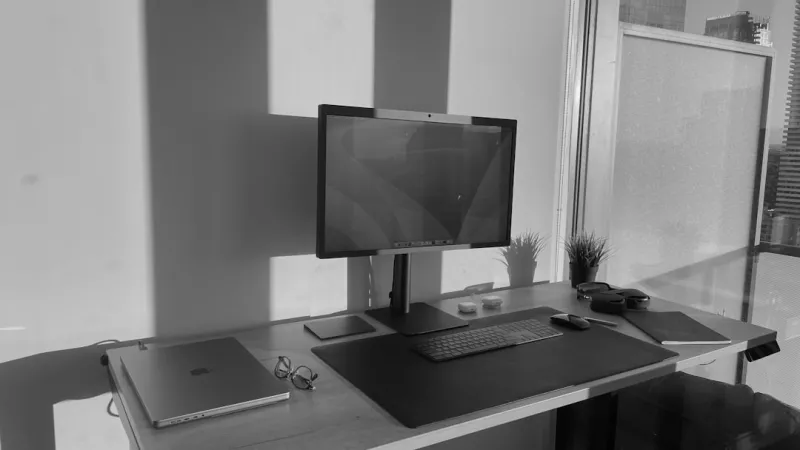
When I first dove into AI‑driven workloads back in the early 2020s, the idea of a “power‑user workstation” felt like a distant fantasy—an over‑engineered beast that only a handful of labs could afford. Fast‑forward to 2026, and that fantasy has become a reality for anyone willing to blend the right hardware, software, and a dash of disciplined tinkering. In this post I’ll walk you through the mindset shifts, component choices, and practical steps that let you harness AI computing without needing a PhD in electrical engineering. Expect a mix of hard‑won anecdotes, actionable recommendations, and a few links to deeper dives on our site. By the end you’ll have a clear blueprint for building a workstation that not only tackles today’s generative models but also stays adaptable for the next wave of breakthroughs. Let’s get our hands dirty and make AI computing feel as natural as opening a new spreadsheet.
Why AI Computing Is No Longer a Niche for Researchers
The explosion of generative AI, large language models, and real‑time inference services has turned AI computing into a mainstream productivity lever. Power users—developers, data scientists, creative professionals—are now demanding sub‑second latency for tasks ranging from code completion to image synthesis. This shift forces us to reconsider traditional PC design: a solid CPU alone won’t cut it, and the era of “just enough RAM” is over. In 2026 the market offers consumer‑grade GPUs with tensor cores that rival entry‑level server hardware, while software frameworks have become increasingly modular, letting you offload specific kernels to the most efficient processor. The real magic happens when you align your workflow with the hardware’s strengths, turning what used to be a “cloud‑only” problem into a locally accelerated experience. This democratization also means you can keep sensitive data on‑premise, reducing latency and compliance headaches—a win for anyone who values speed and security in equal measure.
Selecting the Right Hardware for AI‑Intensive Workloads
Choosing components for an AI‑focused rig starts with the GPU, the heart of most deep‑learning pipelines. Modern consumer GPUs in 2026 provide dedicated AI accelerators, but you still need to match the card to your power budget and thermals. I recommend a workstation‑class GPU with at least 24 GB of VRAM to comfortably fit most transformer models without constant swapping. Pair that with an 8‑core, 3.5 GHz Zen 4 or equivalent CPU to handle data preprocessing, orchestration, and any non‑GPU‑friendly tasks. Memory is another silent hero; 64 GB of DDR5 at 5600 MT/s gives you headroom for large batch sizes and multitasking. For those who crave future‑proofing, our Future‑Ready Hardware Strategies for Power Users guide breaks down why a balanced CPU‑GPU‑RAM ratio matters more than chasing the highest‑spec GPU alone. Don’t forget a reliable power supply—at least 1000 W with an 80+ Platinum rating—to keep voltage stable under sustained AI loads, and consider a dual‑rail design if you plan to run multiple GPUs down the line.
Storage Architecture: Balancing Speed and Capacity
When it comes to data, the storage layer can become a hidden bottleneck, especially when feeding terabytes of training data to the GPU. NVMe SSDs with PCIe 4.0 or PCIe 5.0 interfaces provide the raw throughput needed for rapid dataset shuffling, but they’re still pricier per gigabyte than traditional spinning media. That’s why I keep a hybrid approach: a 2 TB PCIe 5.0 SSD for OS, frameworks, and active project files, paired with a 10 TB 7200 RPM hard drive for long‑term archives and raw datasets. This mirrors the logic in our Why Hard Drives Remain a Power‑User Essential in 2026 piece, which explains why the reliability and cost‑effectiveness of HDDs still make them a smart backup layer. For maximum performance, enable a dedicated cache partition on the SSD, and use the HDD as a cold storage tier that you can spin down when idle, saving both energy and wear on your flash media.
Optimizing the Software Stack for AI Workflows
Hardware is only half the equation; the software stack must be tuned to extract every ounce of performance. Start with a clean, lightweight Linux distribution or a streamlined Windows 11 setup—our Unlocking Windows 2026 article walks through disabling unnecessary services, enabling high‑performance power plans, and configuring driver roll‑outs for AI‑centric GPUs. Next, install the latest CUDA or ROCm drivers, ensuring they match the version of your deep‑learning frameworks (PyTorch, TensorFlow, JAX). Use containerization tools like Docker or Podman to isolate environments, making it easy to switch between projects with differing library requirements. Don’t overlook the role of OS‑level scheduling: pin critical inference processes to dedicated CPU cores to avoid context‑switch thrashing. Finally, enable mixed‑precision training where possible—leveraging FP16 or BF16 can double throughput with negligible accuracy loss on modern architectures, a trick that turns even modest GPUs into serious contenders.
Security and Malware Defense in an AI‑Powered Environment
AI workloads often involve downloading large model checkpoints, open‑source libraries, and third‑party datasets, which expands the attack surface for malicious actors. In 2026, malware has become more sophisticated, leveraging AI to evade traditional signatures. That’s why power users must adopt a proactive defense strategy. Begin by sandboxing all external code—run new scripts inside a virtual machine or container with strict network egress rules. Keep your GPU drivers and AI frameworks up to date, as they frequently receive patches for newly discovered vulnerabilities. Our Why Modern Power Users Must Rethink Their Malware Defense Playbook guide highlights the importance of behavior‑based detection tools that can flag anomalous GPU usage patterns, a tell‑tale sign of cryptojacking or data exfiltration attempts. Additionally, employ endpoint detection and response (EDR) solutions that understand GPU‑accelerated processes, and regularly audit your system logs for unusual spikes in memory or compute usage.
Building a Future‑Ready AI Workstation: A Step‑by‑Step Blueprint
Putting theory into practice, let’s outline a concrete build that balances raw AI power with upgrade flexibility. Begin with a chassis that supports ATX‑E motherboards and has ample clearance for a 3‑slot GPU and custom liquid cooling loops—thermal headroom is essential when training models for hours on end. Choose a motherboard with PCIe 5.0 x16 slots, dual M.2 slots, and at least six SATA ports to accommodate both SSDs and HDDs. Install a 32 GB DDR5‑5600 RAM kit, leaving two slots free for future expansion. Add a 2 TB PCIe 5.0 NVMe SSD as primary storage, followed by a 12 TB 7200 RPM HDD for archives. For the GPU, a 24 GB RTX 5090‑Ti (or AMD equivalent) gives you the tensor cores and memory bandwidth needed for large language models. Finish with a 1000 W Platinum PSU, a high‑quality 140 mm case fan array, and a reliable UPS to guard against power spikes. This configuration aligns with the principles laid out in AI Computing for Power Users: Building a Future‑Ready Workstation, ensuring you can tackle today’s AI challenges while keeping the upgrade path clear for tomorrow’s breakthroughs.
Maintenance, Monitoring, and Troubleshooting GPU Performance
Even the best‑built machines can encounter hiccups—thermal throttling, driver crashes, or unexpected memory leaks are common culprits that can derail long training runs. Regular maintenance is key: clean dust filters monthly, reapply thermal paste on the GPU every 12‑18 months, and keep firmware up to date. For real‑time monitoring, tools like MSI Afterburner or NVIDIA‑SMI can alert you when temperatures exceed 85 °C or when power draw spikes unexpectedly. If you notice sudden performance drops, start with a “GPU sanity check”: run a short benchmark, verify driver versions, and inspect system logs for GPU‑related errors. Our When Your GPU Starts Acting Up playbook provides a detailed flowchart for isolating issues—from power supply checks to reseating the card. By treating your GPU as a critical component rather than a replace‑once‑broken part, you extend its lifespan and keep AI experiments running smoothly.
Looking Ahead: The Next Frontier for Power‑User AI Computing
As we stand in 2026, the trajectory of AI hardware points toward tighter integration between CPUs, GPUs, and dedicated AI accelerators. Emerging standards like Compute Express Link (CXL) promise to blur the line between system memory and accelerator memory, unlocking new performance tiers for power users. Meanwhile, software innovations—such as model quantization and on‑device inference optimizations—will further reduce the need for massive cloud resources. The key takeaway? Build a foundation that’s both powerful now and adaptable for these upcoming shifts. By staying informed, leveraging the right internal resources, and treating your workstation as an evolving platform, you’ll be ready to ride the next wave of AI breakthroughs without missing a beat. Keep experimenting, keep optimizing, and let your AI‑driven workstation become the ultimate catalyst for creativity and productivity.




