
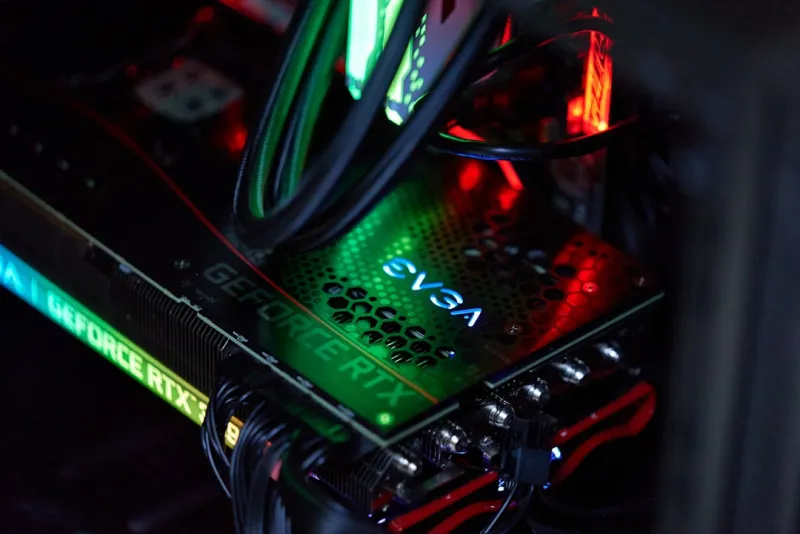
When I first tore down my 2019 build to upgrade the GPU, the motherboard was the silent workhorse that never got applause—until it started coughing under load. That moment sparked a fascination that’s only deepened in 2026. Motherboards have become the nexus where raw silicon, power delivery, and software converge, and for power users like us, they’re no longer just a platform; they’re the strategic backbone of any serious rig. In this post I’ll walk through the trends shaping today’s boards, why they matter to developers, content creators, and gamers alike, and how you can pick a board that won’t feel obsolete after the next major CPU release. Think of it as a roadmap that blends my hands‑on experiences with the hard data you need to make a confident decision before you hit “Buy Now.”
First, let’s talk chipsets. The jump from PCIe 5.0 to PCIe 6.0 this year isn’t just a marketing buzzword; it translates into double the bandwidth for next‑gen GPUs and ultra‑fast storage. Pair that with the widespread adoption of DDR5‑5600 modules and the early whispers of DDR6 prototypes, and you have a memory‑subsystem that can keep up with AI‑driven workloads without bottlenecking. Modern chipsets also integrate more sophisticated power management engines that can dynamically allocate resources based on real‑time demand, a feature that’s especially valuable when you’re pushing a multi‑GPU rig or running heavy virtualization workloads. The key takeaway? Choose a motherboard whose chipset is built for PCIe 6.0 and high‑speed DDR5—this ensures you’re not forced into a premature upgrade when the next wave of components hits the market.
The heart of any high‑performance board lies in its VRM (Voltage Regulator Module) design. A robust VRM with a high phase count and quality chokes means cleaner power delivery, lower temperatures, and more headroom for overclocking. In my recent build, I opted for a board with a 14‑phase VRM and a dedicated MOSFET cooling solution, which allowed me to push my 12‑core CPU to 5.3 GHz with a modest 30 W increase in power draw. That kind of stability is crucial for workloads that demand sustained performance, like 8K video rendering or large‑scale machine‑learning inference. While it’s tempting to chase the flashiest specs, remember that a well‑engineered VRM can extend the life of both your CPU and motherboard, saving you money in the long run.
Form factor choices have exploded beyond the classic ATX footprint. For those who need a compact yet powerful workstation—think portable CAD rigs or travel‑ready development stations—Mini‑ITX boards now offer full feature sets, including multiple M.2 slots, Wi‑Fi 7, and even a 12‑plus‑1 VRM design. On the other end of the spectrum, E‑ATX boards provide ample space for additional PCIe lanes, dual‑channel networking, and extensive SATA connectivity, perfect for content creators juggling multiple SSDs and capture cards. When selecting a form factor, align it with your case constraints, cooling strategy, and future expansion plans. A mismatch can lead to cramped airflow or insufficient space for a high‑end GPU, both of which compromise performance and reliability.
Modern UEFI BIOS interfaces have become almost as intuitive as a desktop OS, thanks to AI‑driven optimization profiles that auto‑tune memory timings and power curves. These “Smart Tuning” features can shave seconds off boot times and improve overall efficiency without manual tweaking. However, for the power‑user who likes to control every variable, a BIOS that offers granular access to CPU straps, LLC (Load‑Line Calibration), and advanced PCIe bifurcation settings is non‑negotiable. This level of control also ties directly into the operating system you choose; for instance, Windows 11’s new hardware‑aware scheduler can leverage these BIOS settings to better allocate threads across cores. If you want deeper insights, check out The Operating System Choices Power Users Must Make in 2026 for a guide on aligning OS features with motherboard capabilities.
Connectivity is where today’s motherboards truly differentiate themselves. USB4 and Thunderbolt 4 ports are now standard, offering up to 40 Gbps data rates and the flexibility to daisy‑chain high‑speed peripherals. Meanwhile, Wi‑Fi 7 is finally hitting the mainstream, delivering multi‑gigabit wireless speeds that can rival wired Ethernet for most tasks. For those who demand rock‑solid, low‑latency networking—especially in competitive gaming or real‑time data streaming—a 2.5 GbE or 10 GbE Ethernet port is a must. I recently integrated a board with dual‑mode 10 GbE that automatically falls back to 2.5 GbE when the network load drops, balancing performance with power efficiency. Designing a resilient network for a power‑user rig is covered in depth at Designing a Future‑Proof Network for the Modern Power‑User, which is a great resource for planning your connectivity roadmap.
Future‑proofing isn’t just about the latest specs; it’s about modularity and upgrade paths. Look for motherboards that support BIOS flashback, allowing you to update firmware without a CPU installed—handy when a new processor generation is released. Additionally, consider boards that expose spare PCIe slots, M.2 sockets, and even a secondary CPU socket for workstation‑grade scalability. These design choices can save you from a full system rebuild when you need to add a new GPU, NVMe drive, or even transition to a dual‑CPU configuration. For a broader view on building a system that stays relevant, see Future‑Proof Computer Hardware for Power Users, which outlines strategies for selecting components that age gracefully.
Security on the motherboard level has taken a leap forward with integrated TPM 2.2, hardware root of trust, and secure boot enhancements. In an era where firmware attacks are increasingly sophisticated, these built‑in safeguards can be the first line of defense. Coupled with a board that offers discrete BIOS passwords, encrypted flash storage, and support for hardware‑based intrusion detection, you can significantly reduce the attack surface. I’ve started deploying boards that lock down unused ports at the firmware level, a practice that aligns perfectly with the recommendations in Zero‑Day Defense: Power‑User Security Strategies. Integrating these features not only protects your data but also ensures compliance with corporate security policies if you’re building a workstation for a professional environment.
Wrapping up, the motherboard you choose in 2026 will define how far you can push the rest of your system. From chipset bandwidth and VRM robustness to form factor flexibility, BIOS intelligence, connectivity, upgradeability, and security, each element plays a pivotal role in the overall experience. Don’t treat the board as a mere afterthought; view it as the central nervous system of your rig. When you pair a thoughtfully selected motherboard with the right CPU, GPU, and storage, you set the stage for a machine that not only meets today’s demanding workloads but also adapts to tomorrow’s innovations. Ready to take the next step? Dive into Upgrade Your PC in 2026: The Power‑User’s Guide to Future‑Proof Performance for a comprehensive checklist that will help you assemble a system that stands the test of time.




