
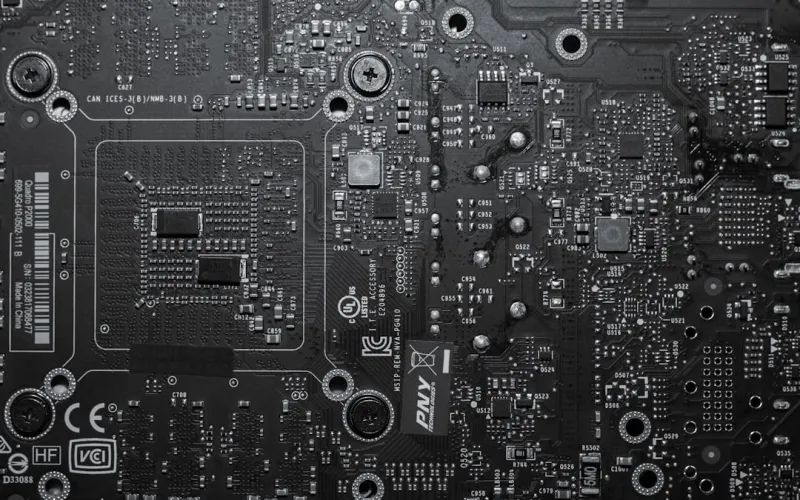
When I first tore apart a vintage workstation back in the day, the motherboard felt like the heart‑beat of the entire machine. Fast forward to 2026, and that metaphor still holds, but the heart has grown a lot more sophisticated. Modern power users demand more bandwidth, higher power efficiency, and airtight security—all from a single printed‑circuit board. This isn’t just about slapping a new CPU on an old board; it’s about building a platform that can handle AI workloads, massive data transfers, and the inevitable next‑gen graphics cards without breaking a sweat. In this deep dive, I’ll walk you through the trends that are reshaping motherboard design, share the criteria I use when vetting a board for my own rigs, and reveal how to future‑proof your build without over‑spending on components that will become obsolete in a year or two.
Chipset Evolution and the Rise of PCIe 6.0
The chipset is the silent orchestrator that determines how quickly data moves between your CPU, GPU, storage, and peripherals. In 2026, the majority of high‑end chipsets now support PCIe 6.0, offering up to 64 GT/s per lane—double the bandwidth of PCIe 5.0. This leap is crucial for workloads like real‑time ray tracing, AI inference, and high‑speed NVMe arrays that can saturate older lanes in seconds. While many users still run PCIe 4.0 devices, the forward‑looking board will expose a full complement of PCIe 6.0 slots, ensuring that today’s cutting‑edge GPUs and tomorrow’s accelerator cards won’t be bottlenecked. It also means paying attention to lane allocation: a well‑designed board will route sufficient lanes to both the primary GPU and secondary expansion cards, preserving performance headroom for future upgrades.
Power Delivery: VRM Design for the Overclocker
Power delivery has become a battlefield for enthusiasts who push CPUs to their limits. Modern motherboards now feature 14‑plus phases of VRM, using premium components like gallium‑nitride (GaN) MOSFETs that offer higher efficiency and lower heat generation. For power users, this translates to more stable overclocks, tighter voltage regulation, and a quieter system overall. Look for boards with robust heatsinks, active cooling options, and thorough thermal sensors that feed data back to the BIOS for dynamic adjustments. In my own builds, I prioritize boards that let me fine‑tune each phase’s voltage curve, because that granular control can shave off precious milliseconds in benchmark runs. Moreover, the industry is moving toward smarter power distribution that can adapt to AI workloads on the fly, delivering just the right amount of juice where it’s needed most.
Connectivity: USB 4, Thunderbolt 4, and Wi‑Fi 7
Connectivity is no longer a peripheral concern; it’s central to the motherboard’s value proposition. USB 4 and Thunderbolt 4 now share a unified port architecture, delivering up to 40 Gbps while supporting power delivery up to 100 W. This convergence means you can hook up external GPUs, high‑speed storage docks, or even a 4K‑60 monitor with a single cable. On the wireless side, Wi‑Fi 7 (802.11be) brings multi‑gigabit speeds, lower latency, and improved handling of dense network environments—essential for developers who rely on cloud‑based AI services. Boards that integrate a 2.5 GbE Ethernet port alongside Wi‑Fi 7 give you the flexibility to switch between wired reliability and wireless convenience without swapping adapters. As we continue to see more data‑intensive workflows moving to the cloud, having a motherboard that can keep up with both local and remote data streams is a non‑negotiable requirement.
Form Factors: Balancing Size, Expandability, and Cooling
Choosing the right form factor is a dance between space constraints and future‑proofing ambitions. ATX remains the workhorse, offering ample slots for multiple GPUs, PCIe 6.0 expansion, and extensive storage options. However, the rise of high‑density builds has propelled E‑ATX and even the new “Super‑ATX” boards, which provide extra VRM phases and more robust power delivery for extreme overclocking. On the smaller end, mini‑ITX has become surprisingly capable, with many models now supporting PCIe 6.0 x4 slots and dual M.2 drives. The key is to match the board’s dimensions to your case’s airflow design; a compact chassis can choke a high‑TDP CPU if the VRM heatsink can’t shed heat efficiently. In my experience, opting for an ATX board with modular VRM cooling gives the best compromise: room for upgrades, solid thermal performance, and the flexibility to migrate to a larger chassis if your workflow expands.
Integrated Features: Security, AI Accelerators, and Onboard Storage
Security is no longer an afterthought. Modern boards ship with hardware‑rooted TPM 2.0 modules, secure boot firmware, and even dedicated encryption accelerators that offload AES‑256 operations from the CPU. This is especially relevant if you follow my Encryption Mastery for Power Users guide, where I stress the importance of protecting data without sacrificing performance. Additionally, some flagship motherboards now embed tiny AI inference cores that accelerate tasks like image recognition or language modeling directly on the board, reducing latency for edge‑computing projects. Onboard storage options have also expanded; many boards now feature dual M.2 slots with PCIe 5.0 support, enabling blisteringly fast boot times and seamless handling of large datasets. These integrated capabilities mean you can achieve a tighter, more secure, and faster system without adding separate expansion cards.
Mastering Motherboard Selection for Power‑User Workstations in 2026
Selecting the right motherboard is akin to choosing a partner for a long‑term project—it must align with your current needs while remaining adaptable to future demands. Start by mapping your CPU roadmap; a board that supports both the latest 12‑core and upcoming 16‑core processors can save you a costly upgrade cycle. Next, evaluate the VRM topology: a higher phase count with quality components is essential for sustained overclocking and AI workloads that push power limits. Don’t overlook BIOS features—look for boards that offer advanced tweaking options, AI‑driven performance profiles, and robust firmware update support. Finally, check the expansion matrix: ensure you have enough PCIe 6.0 slots, M.2 drives, and USB 4 ports to accommodate the peripherals you plan to add. For a deeper dive into this decision‑making process, see my detailed Mastering Motherboard Selection article.
Future‑Proof Upgrades: A Blueprint for 2026
Even with the best motherboard, a workstation can become outdated if you neglect the upgrade path. In 2026, the most sensible strategy is to prioritize modular components: choose a board that supports PCIe 6.0 for both graphics and storage, and ensure you have spare M.2 slots for next‑gen NVMe drives. Memory is another critical axis; DDR5 is still dominant, but boards that are DDR5‑ready and have room for 128 GB or more will keep you ahead of the curve as applications demand larger RAM footprints. Power supplies should be sized with headroom—aim for at least 30% more wattage than your current draw to accommodate future GPUs or additional AI accelerators. For a comprehensive upgrade plan, check out Future‑Proof PC Upgrades, where I outline a step‑by‑step roadmap that aligns component lifecycles with emerging tech trends.
Putting It All Together: Your Next‑Gen Workstation
When you combine a chipset that supports PCIe 6.0, a robust VRM design, cutting‑edge connectivity, and integrated security features, you end up with a motherboard that can serve as the foundation for a truly future‑proof workstation. My personal workflow—spanning AI model training, 8K video editing, and real‑time simulation—relies on this holistic approach. By carefully matching the board to your CPU, GPU, and memory needs, and by planning for modular upgrades, you can extend the useful life of your system well beyond the typical two‑year refresh cycle. For those ready to dive deeper, my Ultimate Power‑User Guide walks you through the entire build process, from component selection to BIOS fine‑tuning, ensuring you get the most out of every ounce of performance your motherboard can deliver.




