
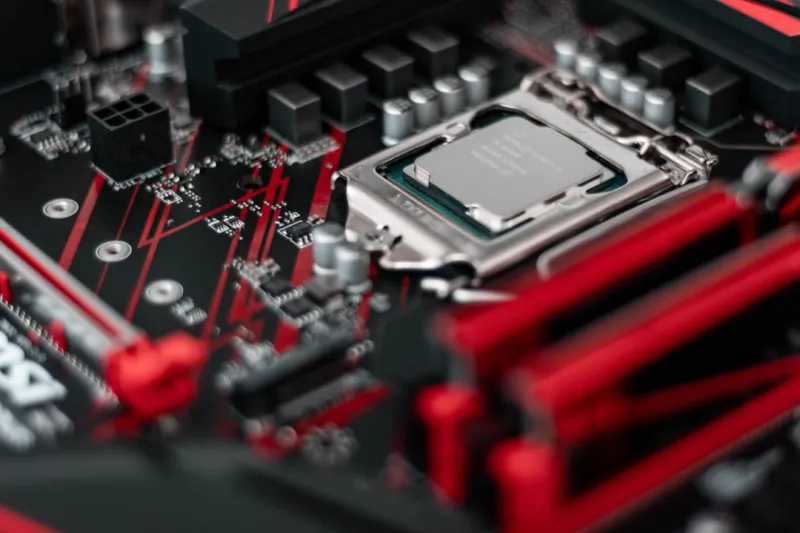
When I first opened a motherboard box back in the early 2020s, I felt like I was unwrapping a tiny city—each component a district with its own purpose, all connected by a network of copper traces. Fast‑forward to 2026, and that metaphor still holds, but the city has grown into a metropolis of bandwidth, AI acceleration, and security‑first design. As a power‑user who spends half the day wrangling data pipelines and the other half fine‑tuning render farms, the motherboard is the single most decisive factor in my workstation’s reliability and scalability. It isn’t just about fitting a CPU; it’s about ensuring that every PCIe lane, every SATA port, and every USB controller works in harmony with the software stack I rely on. In this deep dive, I’ll walk you through the trends that matter, the pitfalls to avoid, and the strategic choices that can turn a good build into a future‑proof powerhouse.
The Chipset Evolution: More Lanes, More Power
The chipset battle in 2026 has shifted from a simple Intel‑versus‑AMD showdown to a nuanced race for bandwidth, AI integration, and power efficiency. AMD’s X670E and Intel’s Z890 platforms both boast native PCIe 6.0 support, delivering up to 64 GT/s per lane—enough to keep multiple 48‑GB/s GPUs from throttling under heavy AI workloads. But the real differentiator lies in how each vendor allocates those lanes. AMD’s chipset typically offers a more generous split between CPU‑direct PCIe lanes and chipset‑handled lanes, which can be a boon for storage‑heavy rigs using NVMe‑over‑Fabric. Intel, meanwhile, has leaned into integrated AI accelerators that sit alongside the CPU, offloading inference tasks without demanding a dedicated GPU. As a power‑user, I gravitate toward motherboards that expose at least 16 PCIe 6.0 lanes for GPUs, while still providing ample 8‑lane slots for high‑speed networking cards. This balance ensures that my deep‑learning models and real‑time video pipelines run without a bottleneck.
Form Factor Realities: Choosing the Right Canvas
The classic ATX layout still dominates the workstation market, but the rise of E‑ATX and the resurgence of mini‑ITX for niche builds have forced us to reconsider our chassis choices. An E‑ATX board gives you the luxury of dual‑M.2 slots, additional VRM phases, and often a more robust power delivery network—essential for overclocking both the CPU and multiple GPUs. However, the larger footprint demands a case with superior airflow and a PSU that can handle the extra draw. On the other hand, a well‑designed mini‑ITX motherboard can pack a full suite of features, including PCIe 6.0, Wi‑Fi 7, and even a built‑in 2.5 GbE port, all within a compact chassis that fits neatly on a desk. For my portable workstation, I chose a mini‑ITX board with a high‑efficiency 80 Plus Gold PSU, which let me maintain a 20‑inch footprint without sacrificing performance. The key takeaway? Match the form factor to your workflow’s mobility requirements, not just the raw specs.
AI‑Ready Motherboards: The Backbone of Modern Compute
If you’re building a workstation for AI or heavy GPU compute, the motherboard’s ability to support multiple high‑bandwidth GPUs becomes non‑negotiable. Look for boards that feature reinforced PCIe slots with metal reinforcements and ample spacing to prevent thermal throttling when you stack two or three RTX 7000‑series cards. Additionally, check for dedicated power connectors for each GPU slot—some high‑end boards now include 12 VHPWR connectors directly on the slot, reducing the reliance on external power adapters. To help you navigate this maze, I recommend reading Choosing the Perfect Motherboard for 2026 Power‑User Workstations, which breaks down the specific features you need when your workloads demand more than 250 GFLOPS per GPU. Pairing a motherboard with a robust VRM design and an advanced BIOS that supports automatic GPU power scaling will keep your AI pipelines humming, even during extended training sessions that push hardware to its limits.
Future‑Proofing: BIOS, Security, and Upgrade Paths
One of the biggest regrets I’ve seen among power‑users is buying a board with a great feature set today, only to discover that it can’t keep pace with tomorrow’s software demands. In 2026, BIOS updates are more than just bug fixes; they’re essential for unlocking new CPU generations, expanding PCIe lane configurations, and tightening security protocols. Look for motherboards that support seamless firmware updates via a secure, network‑based solution—some manufacturers now offer encrypted OTA updates that protect against rogue firmware. Security features such as TPM 2.0, Secure Boot, and hardware‑based memory encryption have become standard, but the implementation can vary. A board with a dedicated security chip and customizable firmware policies can shield you from the latest supply‑chain attacks. For a step‑by‑step approach to building a resilient system, dive into Upgrade Strategies for Power Users: Building a Future‑Proof PC in 2026, which outlines how to choose a motherboard that won’t become an obsolete bottleneck in the next three years.
Connectivity: From USB4 to Wi‑Fi 7
Connectivity has exploded beyond the humble USB‑A port, and a modern motherboard must act as a hub for a myriad of high‑speed interfaces. USB4, now standardized across most premium boards, consolidates data, video, and power delivery into a single Type‑C connector that can handle up to 40 Gbps—perfect for plugging in external SSD arrays or 8K monitors without additional adapters. Meanwhile, Wi‑Fi 7 is finally mainstream, offering multi‑gigabit wireless speeds that rival 2.5 GbE Ethernet, which is crucial for remote rendering farms or cloud‑backed AI inference. Speaking of Ethernet, many high‑end boards now ship with 10 GbE ports, making them ideal for low‑latency data transfer in a multi‑node workstation cluster. When I upgraded my home lab, I prioritized a motherboard with dual 10 GbE NICs and a built‑in Thunderbolt 4 controller, allowing me to daisy‑chain external GPU enclosures while maintaining a rock‑solid wired backbone.
Power Delivery and Thermal Management: The Unsung Heroes
While most users focus on CPU clocks and GPU cores, the motherboard’s VRM (Voltage Regulator Module) architecture dictates how cleanly power is fed to those components. In 2026, we see a shift toward 14‑plus‑phase VRM designs, using high‑efficiency GaN (Gallium Nitride) MOSFETs that reduce heat and improve transient response. This matters when you’re pushing a 12‑core Ryzen 9 or an 18‑core Xeon to the limit while simultaneously running multiple GPUs at full load. Look for boards that feature large heatsinks with heat‑pipe or vapor‑chamber cooling, and consider models that include active VRM fans for sustained overclocking. Thermal throttling isn’t just a CPU issue; VRM overheating can cause erratic system behavior and even damage components. I’ve learned the hard way that a well‑cooled VRM can shave off a few degrees Celsius, translating to a measurable boost in sustained performance during long rendering sessions.
Software Integration: BIOS, OS, and the Power‑User Stack
The motherboard is the bridge between hardware and the software ecosystem you rely on daily. Modern BIOSes now expose granular controls for memory timings, PCIe lane bifurcation, and even AI‑accelerator power states. Pairing these options with an OS that can fully utilize them—like the latest builds of Windows 11 Pro for Workstations or a tuned Linux kernel—creates a symbiotic relationship that maximizes throughput. For instance, enabling “Resizable BAR” in the BIOS can unlock additional bandwidth for GPU memory, a feature that many game‑centric users overlook but power‑users leverage for massive data sets. Additionally, many motherboards now ship with integrated tools that monitor VRM temperatures, power draw, and fan curves directly from the OS, reducing the need for third‑party utilities. In my experience, aligning the motherboard’s firmware with an OS that supports advanced scheduling and memory management has been the secret sauce for achieving near‑linear scaling when adding extra GPUs to a workstation.
Conclusion: Building a Motherboard Strategy That Grows With You
Choosing a motherboard in 2026 is no longer a checkbox exercise; it’s a strategic decision that influences everything from AI training speeds to long‑term security posture. By prioritizing a chipset with ample PCIe 6.0 lanes, a robust VRM design, and future‑ready connectivity options, you set the foundation for a workstation that can adapt to emerging workloads and evolving software ecosystems. Remember to evaluate the BIOS update pathway and security features, ensuring your platform remains resilient against tomorrow’s threats. Whether you’re a mobile power‑user craving a mini‑ITX marvel or a stationary AI engineer building a multi‑GPU behemoth, the right motherboard can be the difference between a system that merely works and one that truly empowers your creative and analytical pursuits. Dive deeper into the nuances of motherboard selection by exploring the linked resources, and start crafting a build that feels as forward‑looking as the technology it supports.




