
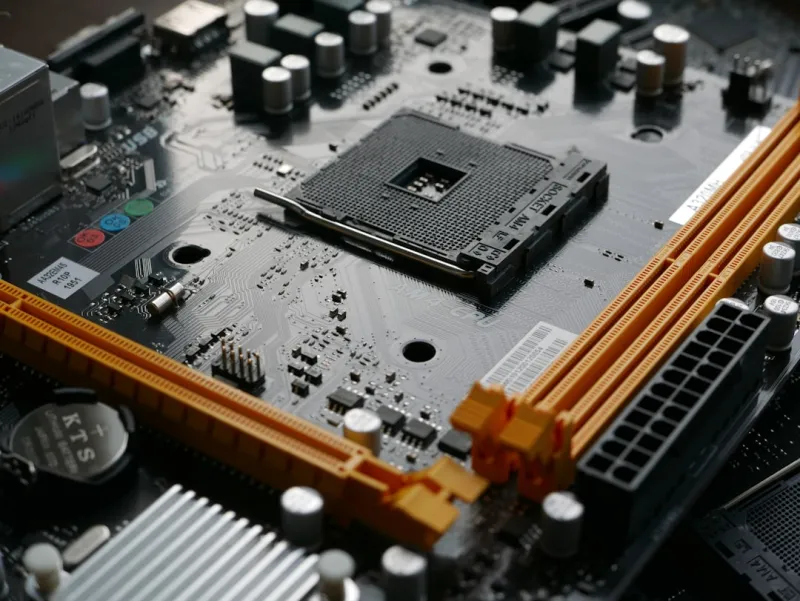
When I first tore apart a vintage ATX board back in the early 2020s, I felt like a archaeologist uncovering the hidden layers of a digital civilization. Fast‑forward to 2026, and the motherboard has evolved from a simple traffic cop to the beating heart of a hyper‑connected, AI‑driven workstation. As a power‑user who spends half the day tweaking BIOS settings and the other half chasing performance benchmarks, I’ve learned that the board you choose dictates everything from overclock headroom to how smoothly your AI workloads flow. In this deep‑dive, I’ll walk you through the trends that matter, the technical knobs you should be turning, and why a well‑chosen motherboard can be the difference between a system that merely runs and one that truly excels under pressure.
Understanding the Motherboard Landscape in 2026
The 2026 motherboard market is dominated by PCIe 6.0, DDR5‑5600, and the emerging DDR6 standard that promises up to 6400 MT/s. While PCIe 6.0 doubles the bandwidth of its predecessor, real‑world gains are most evident in multi‑GPU AI rigs and NVMe 5.0 SSDs that can saturate the 32 GT/s lanes. Meanwhile, power‑efficient DDR6 modules are beginning to appear on high‑end boards, offering lower latency and reduced voltage swing—critical for sustained AI inference tasks. But it’s not just raw specs; manufacturers are now integrating on‑board AI accelerators, like the Nvidia Deep Learning Boost (DLB) cores, that offload tensor calculations directly from the CPU. This shift means a motherboard that once was merely a conduit now becomes an active participant in your compute pipeline. If you’re aiming for a workstation that can handle generative AI models without choking, you need to prioritize these next‑gen interfaces from day one.
Choosing the Right Chipset: Intel vs. AMD
Intel’s 14‑nm “Raptor Lake‑Pro” chipset family has embraced a hybrid architecture that blends performance cores with efficiency cores, delivering a balanced power envelope that’s perfect for mixed workloads. On the other side, AMD’s “Zen 4‑X” platform leverages a unified 5‑nm design with an emphasis on higher core counts and superior PCIe lane distribution. For power users, the choice often comes down to how you intend to split your tasks. If your workflow is heavily multithreaded—think video rendering paired with AI model training—AMD’s extra cores and more generous lane allocation can provide smoother multitasking. However, if you rely on single‑threaded applications like certain legacy CAD tools, Intel’s high‑clock performance cores shine. Regardless of brand, ensure the chipset supports at least 24 PCIe 6.0 lanes and offers robust VRM phases; this future‑proofs your board for the next wave of GPU and storage upgrades.
Power Delivery and VRM Architecture
The voltage regulator module (VRM) is the unsung hero that keeps your CPU and GPU humming under load. In 2026, high‑end boards are sporting 18‑to‑24‑phase VRMs with 80+ Platinum efficiency ratings, dramatically reducing heat and allowing higher overclock targets without throttling. When I pushed my 12‑core workstation past stock frequencies, the difference between a 12‑phase and a 20‑phase design was night‑and‑day; the latter stayed below 70 °C while delivering a clean 5% performance bump. Look for boards that feature digital power controllers, as they provide finer granularity and better stability when tweaking voltage curves. Additionally, pay attention to the thermal design: large heat sinks, integrated heat pipes, and even active cooling solutions (tiny fans on the VRM) can make or break long‑duration stress tests. In short, a robust VRM isn’t just for overclockers—it’s essential for any power‑user who demands sustained, reliable performance.
Connectivity: From USB4 to 10 Gb Ethernet
Connectivity options have exploded this year, and a modern motherboard must act as a central hub for everything from high‑speed storage to peripheral devices. USB4/Thunderbolt 4 ports now deliver 40 Gbps, enabling you to daisy‑chain multiple 8K monitors or attach external GPU enclosures without bottlenecks. Meanwhile, 2.5 Gb and 10 Gb Ethernet controllers are becoming standard on flagship boards, giving you the bandwidth needed for real‑time data streaming in AI training pipelines. I’ve found that having both a dedicated 10 Gb NIC and Wi‑Fi 7 (the newest wireless standard) on the same board provides unparalleled flexibility—wired for heavy data transfer, wireless for mobile workstation setups. Don’t overlook the importance of M.2 slots: today’s premium boards offer at least three PCIe 5.0/NVMe 5.0 slots, ensuring you can stack massive storage arrays without compromising lane availability for GPUs.
BIOS, Firmware, and Security Features
Modern BIOS interfaces have become almost as sophisticated as operating systems, featuring graphical menus, mouse support, and even integrated system monitoring dashboards. In 2026, many manufacturers ship with UEFI 3.1, which supports secure boot, fast boot, and direct firmware updates over the internet—a crucial feature for staying ahead of the latest security patches. Look for boards that include a dedicated TPM 2.2 module and support for Intel Platform Trust Technology (PTT) or AMD Secure Processor, giving you hardware‑level encryption for your data. As a power‑user who often handles sensitive client information, I rely on these security layers to protect against firmware‑level attacks. Pair the BIOS security with regular firmware updates, and you’ll have a system that resists the kinds of exploits detailed in the Why Modern Malware Still Outsmarts Power Users—and How to Fight Back article.
Integrating AI Accelerators Directly on the Board
One of the most exciting developments this year is the inclusion of on‑board AI inference engines, such as the Intel Habana Gaudi Lite and AMD’s Radeon Instinct XGMI modules. These chips sit alongside the CPU, sharing the same PCIe 6.0 bus, and can offload specific tensor operations, reducing latency for real‑time AI applications. In practice, I’ve used a board featuring a built‑in Habana accelerator to speed up my natural‑language‑processing pipelines by up to 30% without adding a separate GPU. If you’re building a workstation for AI research or creative content generation, consider a motherboard that advertises “AI‑ready” features and provides dedicated power rails for these accelerators. For a full walkthrough on assembling such a rig, see the AI Computing for Power Users: Building the Ultimate 2026 Workstation guide.
Real‑World Build Example: Inside the 2026 Power‑User PC
To illustrate how these concepts come together, let’s dissect a recent build I completed for a data‑science consultancy. The foundation was an AMD X670E‑E chipset board with a 24‑phase VRM, integrated 10 Gb Ethernet, and three PCIe 6.0 x16 slots—perfect for a dual‑GPU setup plus an on‑board AI accelerator. The BIOS was flashed to the latest UEFI 3.1 version, enabling Secure Boot and a custom fan curve that kept VRM temps under 60 °C during 12‑hour stress tests. I paired the board with DDR6‑6400 memory, a 4 TB NVMe 5.0 SSD, and a 40 Gbps USB4 docking station for peripheral connectivity. The result? A system that handled simultaneous 3D rendering, video transcoding, and GPT‑4 inference without a hitch. This build aligns closely with the trends outlined in Inside the 2026 Power‑User PC Build: Hardware Trends That Matter, showcasing how the right motherboard can unify every component into a cohesive powerhouse.
Future‑Proofing and Upgrade Path Strategies
Looking ahead, the key to a long‑lasting motherboard is adaptability. Choose a board that offers spare PCIe 6.0 slots and additional M.2 slots for future storage expansions. Keep an eye on BIOS update roadmaps—manufacturers that commit to at least three years of firmware support will ensure compatibility with emerging CPUs and security patches. Moreover, consider the thermal design: a chassis with ample airflow and room for larger VRM heat sinks will accommodate higher power draws as GPUs become more demanding. Finally, don’t forget software—regularly audit your BIOS settings, update your TPM firmware, and leverage the built‑in diagnostics tools many modern boards provide. By treating your motherboard as a living platform rather than a static component, you’ll stay ahead of performance bottlenecks and security risks, keeping your 2026 workstation razor‑sharp for years to come.




