
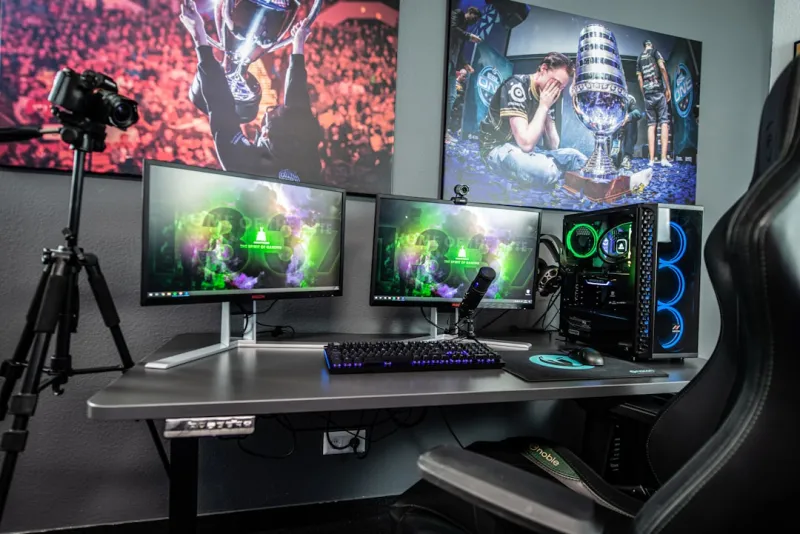
When I first built a high‑end rig back in the early 2020s, I thought buying the fastest CPU and the flashiest GPU would keep me ahead of the curve forever. Fast forward to 2026, and the lesson is crystal clear: hardware alone isn’t enough; you need a strategy that anticipates the next wave of software, AI workloads, and even the subtle shifts in power‑efficiency standards. A future‑proof system isn’t a luxury—it’s a necessity for anyone who refuses to let their machine become a relic after a single major OS update or a new game release. By planning around modularity, upgrade paths, and balanced bottleneck avoidance, you protect your investment and stay ready for the next breakthrough, whether it’s a quantum‑accelerated rendering engine or a machine‑learning‑enhanced workflow that suddenly becomes industry standard. In this guide, I’ll walk you through each decision point, sharing the exact thought process I use when I’m at the desk, coffee in hand, mapping out the ultimate 2026 gaming and productivity powerhouse.
Why Future‑Proofing Matters More Than Raw Benchmarks
Benchmarks are seductive; they give you a single number that feels definitive. Yet a system that tops the charts today can become a performance dead‑end tomorrow if its architecture can’t adapt. In 2026, software ecosystems are converging around AI‑first APIs, real‑time ray tracing, and increasingly demanding virtual‑reality pipelines. This means that a CPU with strong single‑core performance might still lag when a game leverages massive parallel AI inference across hundreds of cores. Likewise, a GPU that shines in rasterization could choke under the next generation of DLSS‑like upscaling if its tensor cores are under‑powered. By focusing on scalable architectures—think AMD’s Threadripper‑style multi‑core designs or NVIDIA’s RTX 6000 series with ample RT and Tensor cores—you ensure that your machine can absorb new workloads without a full rebuild. Pair that with a motherboard that supports next‑gen PCIe 6.0 and DDR5‑6000 memory, and you’ve laid a foundation that lets you upgrade individual pieces instead of swapping the whole chassis every year.
Choosing the Right CPU and GPU for an AI‑Heavy Future
The CPU debate in 2026 has settled into two clear camps: the high‑core‑count workhorse and the efficiency‑focused single‑core champion. For a power user who mixes gaming, video editing, and AI model training, the sweet spot lies in a 24‑to‑32‑core processor that still delivers respectable single‑core speeds—something like the latest Ryzen 9 or Intel Xeon‑class silicon. The real game‑changer, however, is the GPU. Modern titles are no longer just graphics pipelines; they’re AI pipelines. Features like DLSS‑3, AI‑driven physics, and real‑time voice synthesis all piggy‑back on the GPU’s tensor cores. When I’m selecting a card, I look for a high CUDA core count, ample VRAM (24 GB is becoming the new baseline for 4K‑plus gaming), and robust support for PCIe 6.0 to eliminate bandwidth throttling. If you want to stay ahead of the curve, dive into the AI Computing Playbook to see how emerging AI workloads will stress your graphics stack in the coming years.
Storage: SSDs, NVMe, and the Underrated Hard Drive
Speed has become a non‑negotiable expectation; loading screens that linger for more than a few seconds feel unacceptable. NVMe SSDs, especially those leveraging PCIe 5.0, deliver read/write speeds that dwarf older SATA drives, making them the ideal primary drive for the OS and your most demanding applications. However, let’s not discount the humble hard drive. In 2026, large media libraries—think 8K video footage or expansive game mods—still benefit from the cost‑per‑gigabyte advantage of 12 TB and larger HDDs. Pair a lightning‑fast NVMe boot drive with a high‑capacity 10‑plus TB hard drive, and you get the best of both worlds: instant responsiveness and massive archival space. Use the SSD for your OS, games, and active projects, and offload raw footage or seldom‑used titles to the HDD. This hybrid approach also eases the financial pressure of filling a multi‑terabyte NVMe with everything, keeping your budget in line while still delivering top‑tier performance where it matters most.
Motherboard Selection: Growth and Compatibility
Choosing a motherboard is akin to picking a real estate plot for your future home—you want room to expand, solid foundations, and a location that won’t become obsolete. In 2026, look for boards that support PCIe 6.0, multiple M.2 slots with heatsinks, and at least four DIMM slots that can handle DDR5‑6000 or faster memory. A robust VRM design is crucial for feeding power-hungry CPUs and GPUs without throttling under load. I also prioritize boards with integrated Wi‑Fi 7 and 10 GbE Ethernet, ensuring your connectivity stays ahead of the next wave of cloud‑gaming and streaming services. To truly future‑proof, consider a motherboard that offers a flexible BIOS with advanced overclocking and AI‑driven performance tuning. For deeper insights into picking a board that scales with your needs, check out Choosing a Motherboard That Grows With You—it breaks down the trade‑offs between chipset generations and the real‑world impact on upgrade paths.
Power Delivery, Cooling, and Noise Management
Power supplies are the silent heroes of any build. In 2026, 80+ Platinum efficiency units are no longer a premium—they’re the baseline for anyone serious about longevity and thermal performance. A 1000‑Watt PSU gives you headroom for dual‑GPU setups, overclocked CPUs, and the occasional future add‑on without worrying about rail stability. Cooling has evolved beyond simple air solutions; hybrid liquid coolers that combine a 360‑mm radiator with a pump‑controlled fan curve deliver quiet, sub‑30°C temps even under sustained AI workloads. Noise is often the hidden cost of high performance; a well‑tuned fan profile can keep the system whisper‑quiet while still pushing peak performance. Don’t overlook cable management—tidy cables improve airflow, reduce hotspots, and make future upgrades less of a chore. Investing in quality fans with PWM control and a PSU that can handle transient spikes ensures that your rig stays cool, quiet, and reliable for years to come.
Testing, Tuning, and the Importance of Benchmarks
After you’ve assembled the beast, the real work begins: testing and fine‑tuning. Run a suite of synthetic benchmarks like 3DMark Time Spy Ultra and real‑world workloads such as 8K video rendering in DaVinci Resolve to identify bottlenecks. Pay close attention to CPU utilization graphs; if your cores are idling while the GPU is maxed out, you might need to tweak BIOS settings or consider a more balanced CPU‑GPU pairing. Memory timings can also make a noticeable difference—tightening the CAS latency on DDR5 can shave off a few milliseconds in latency‑sensitive tasks. For GPU‑centric AI workloads, use tools like NVIDIA’s Nsight Systems to profile tensor core usage and ensure you’re not leaving performance on the table. This iterative process of benchmarking, adjusting BIOS curves, and retesting is where the power‑user truly separates a good build from an exceptional one.
Future‑Proofing with Software: Keeping the OS and Drivers Fresh
Hardware is only half the equation; software ecosystems evolve just as rapidly. In 2026, Windows 12 is already rolling out advanced AI assistants built into the OS, demanding updated drivers that can communicate with new kernel extensions. Stay ahead by subscribing to the Ultimate 2026 PC Upgrade Playbook, which outlines a schedule for BIOS updates, driver refreshes, and OS feature rollouts. Regularly check the manufacturer’s portal for firmware patches that address security vulnerabilities and performance improvements—especially for SSDs, where firmware can unlock higher speeds as standards mature. Additionally, consider using a lightweight, rolling‑release Linux distribution on a secondary drive for testing new kernel features without jeopardizing your primary Windows environment. This dual‑OS setup ensures you can experiment with bleeding‑edge software while keeping your main workflow stable and secure.
Modular Upgrades: Planning Your Next Move
Even the most meticulously planned build will eventually need a component swap. By designing your system with modularity in mind, you minimize downtime and expense. For example, opt for a case that supports both 280‑mm and 360‑mm radiators, giving you flexibility when you upgrade to a higher‑TDP CPU or GPU. Keep spare M.2 slots free for future NVMe expansions; you’ll thank yourself when a 4 TB PCIe 5.0 SSD becomes the price of a 2 TB drive. Use a power supply with modular cables, allowing you to add or remove connections without clutter. And don’t forget to document your BIOS settings and cable routing—this makes reinstalling or swapping parts far less intimidating. When you eventually upgrade, you’ll find that the transition is more of a “tweak” than a full rebuild, preserving the core of your investment while embracing the next generation of technology.
Final Thoughts: The Power‑User’s Commitment to Longevity
Building a future‑proof rig is a marathon, not a sprint. It demands a blend of foresight, technical know‑how, and a willingness to stay engaged with the ever‑shifting hardware landscape. By focusing on scalable architectures, balanced component selection, and disciplined software maintenance, you create a platform that can handle the next wave of AI‑infused games, massive 8K content creation, and the inevitable surprises that 2026 will throw at us. Remember, the true power of a power‑user lies not just in raw numbers, but in the ability to adapt and evolve without starting from scratch. Keep iterating, stay curious, and let your machine grow with you—because in the world of computer hardware, the only constant is change.




