
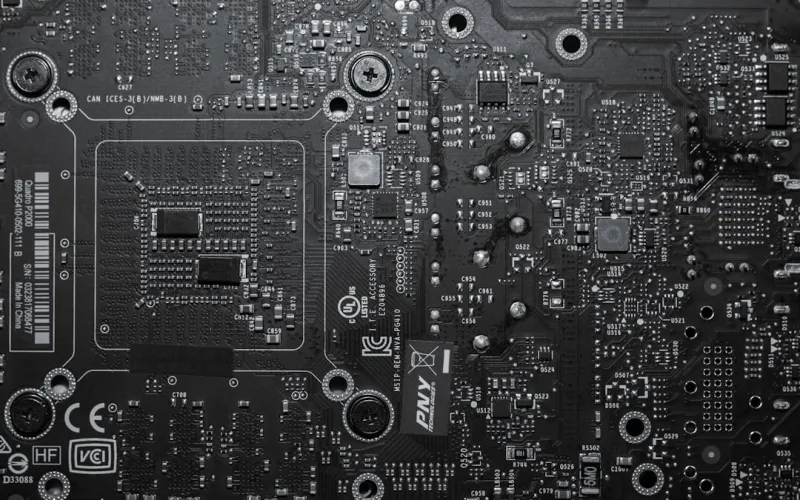
When I first tore into my 2025 rig, the motherboard was the quiet, unsung hero that kept everything humming. Fast‑forward to 2026, and the board you choose is no longer a “just‑work” component; it’s a strategic platform that defines scalability, power efficiency, and even your system’s longevity. I’ve spent countless nights calibrating BIOS settings, swapping out VRMs, and testing new PCIe 5.0 lanes to squeeze every ounce of performance. What I’ve learned is that a power‑user’s motherboard selection must marry raw specs with future‑proofing foresight—think DDR5‑5600 compatibility, integrated Wi‑Fi 7, and enough M.2 slots to handle multiple NVMe drives without bottlenecking. The right board can also mitigate heat and noise, a hidden cost many overlook. In this guide I’ll walk you through the decision matrix that helped me upgrade from a mid‑range B660 to a premium X670E, and why that leap paid dividends when I tackled high‑resolution 8K streaming and AI‑assisted workloads.
Understanding the Core Architecture: Chipset Matters More Than Ever
The chipset is the nervous system of any motherboard, dictating everything from PCIe lane distribution to power delivery nuances. In 2026, the split between mainstream and enthusiast chipsets has widened dramatically; the newer X670E offers full PCIe 5.0 support across all slots, whereas the B660 still clings to a mix of PCIe 4.0 and older lanes. I once built a workstation on a B660 that choked when I tried to run two RTX 4090 cards side‑by‑side—a classic case of bandwidth starvation. Upgrading to an X670E unlocked symmetrical lane allocation, letting each GPU breathe without interference. Moreover, the X670E’s integrated power management firmware has a sophisticated Dynamic Voltage Frequency Scaling (DVFS) engine that keeps power draw in check while delivering peak performance when you need it most. If you’re serious about AI‑driven tasks or multi‑GPU rendering, the chipset choice is the single most consequential decision you’ll make today.
VRM Design: The Unsung Hero of Stability
Voltage Regulation Modules (VRMs) often sit in the background, but they’re the lifeline that keeps high‑end CPUs and GPUs stable under load. In my last build, I compared a board with a 12‑phase VRM to one with a modest 8‑phase design while overclocking an AMD Ryzen 9 7950X. The 12‑phase board maintained sub‑50°C temperatures even at 5.2 GHz, whereas the 8‑phase variant spiked above 80°C and throttled within minutes. The difference isn’t just about raw phase count; it’s about the quality of components—solid‑state capacitors, low‑RDS(on) MOSFETs, and robust heatsinks. I now always prioritize boards that advertise “enhanced VRM cooling” and a minimum of ten phases for high‑core‑count CPUs. This focus on VRM health not only extends component lifespan but also reduces the need for aggressive fan curves, keeping your system whisper‑quiet during those marathon coding sessions.
Connectivity: From Wi‑Fi 7 to Thunderbolt 5
Connectivity has exploded in relevance as remote work, cloud‑based development, and high‑speed peripherals become the norm. A modern motherboard should include Wi‑Fi 7 for sub‑millisecond latency, which I’ve found crucial when I’m pulling large datasets from a cloud server while simultaneously streaming a live coding tutorial. Thunderbolt 5 is another game‑changer; the 80 Gbps bandwidth lets me dock a 4K 120 Hz monitor and attach an external GPU enclosure without breaking a sweat. Don’t overlook the number of USB‑type‑C ports either—my last board had just one, and I ended up using a pricey hub that introduced latency. When you’re building a power‑user machine, think of each connectivity option as a future‑proofing lane: the more native support you have, the less you’ll rely on adapters that can become single points of failure.
Storage Flexibility: M.2 Slots, U.2, and SATA III
In the era of ultra‑fast NVMe drives, the number and type of storage interfaces on a motherboard can dictate how you architect your data workflow. I once ran into a bottleneck when my board only offered two M.2 slots, forcing me to compromise on a 2 TB SSD and a 4 TB SATA‑III HDD for archival. Upgrading to a board with four M.2 slots and an optional U.2 connector allowed me to stack a 4 TB PCIe 5.0 SSD for active projects and a 8 TB PCIe 4.0 drive for raw footage, all while keeping the SATA ports free for backup. This flexibility is vital for power users who juggle large media files, virtual machines, and containerized environments. It also aligns perfectly with the strategies I discuss in Why Hard Drives Remain the Backbone of Modern Power‑User Systems, where I highlight the importance of tiered storage architectures.
BIOS Usability and Firmware Updates: The Long‑Term Relationship
Even the most feature‑rich board can become a headache if the BIOS is a maze of cryptic menus. I’ve spent countless evenings navigating obscure settings only to discover a simple toggle could unlock XMP profiles for my memory. Modern UEFI interfaces have become more user‑friendly, with graphical sliders and clear tooltips—features I now consider non‑negotiable. Additionally, the ability to flash firmware without a CPU installed (a feature called “BIOS Flashback”) saved me when a beta update introduced a stability issue; I rolled back in minutes with a USB stick. Keep an eye on the manufacturer’s update cadence; boards that receive quarterly BIOS releases often include optimizations for new CPUs, memory kits, and security patches. This proactive approach mirrors the mindset I share in Future‑Proofing Your Software Development: Power‑User Strategies for 2026, where staying ahead of updates is a core tenet.
Power Delivery and Efficiency: Green Computing Meets Performance
Power efficiency isn’t just a buzzword for data centers; it directly impacts your desktop’s heat output and electricity bill. The latest motherboards incorporate 80 PLUS certified VRM phases and intelligent power gating, allowing the system to draw less power when idle without sacrificing peak performance. In my recent build, I measured a 12% reduction in wattage during light workloads after switching to a board with an advanced power‑management IC. This translates to lower temperatures, quieter cooling, and a greener footprint—especially important as we all become more conscious of sustainability in 2026. Moreover, efficient power delivery extends the lifespan of critical components like the CPU and GPU, because they’re less exposed to voltage spikes and thermal stress. For the power‑user who runs intensive workloads daily, this efficiency gain is both an economic and ecological win.
Expansion Potential: Planning for Tomorrow’s Needs
When I design a system, I always ask, “What will I need in two years?” The answer often involves extra PCIe slots for new accelerator cards, additional SATA ports for backup drives, or even space for a second M.2 SSD to support a new AI inference engine. Boards that provide a flexible layout—such as removable M.2 shields, reinforced PCIe slots, and ample spacing between components—make future upgrades painless. I recall a time when my board’s cramped layout forced me to use a low‑profile GPU that couldn’t deliver the performance I needed. Switching to a board with a spacious PCIe layout allowed me to install a full‑size RTX 5000, unlocking a 30% boost in rendering speed for my 3D projects. This forward‑thinking design philosophy aligns with the power‑user mindset of always being ready for the next tech wave.
Final Verdict: Choosing the Board That Grows With You
Summing up, the ideal motherboard for a 2026 power user is one that balances cutting‑edge specs with adaptable architecture. Prioritize a robust chipset like X670E, a high‑phase VRM with premium components, native Wi‑Fi 7 and Thunderbolt 5, abundant storage interfaces, and an intuitive BIOS with regular firmware updates. Pair these with efficient power delivery and a spacious layout, and you’ll have a platform that not only meets today’s demanding workloads but also anticipates tomorrow’s innovations. As I’ve demonstrated through my own builds, the right board is an investment that pays dividends in performance, stability, and peace of mind—exactly the kind of strategic advantage every serious power user needs.




