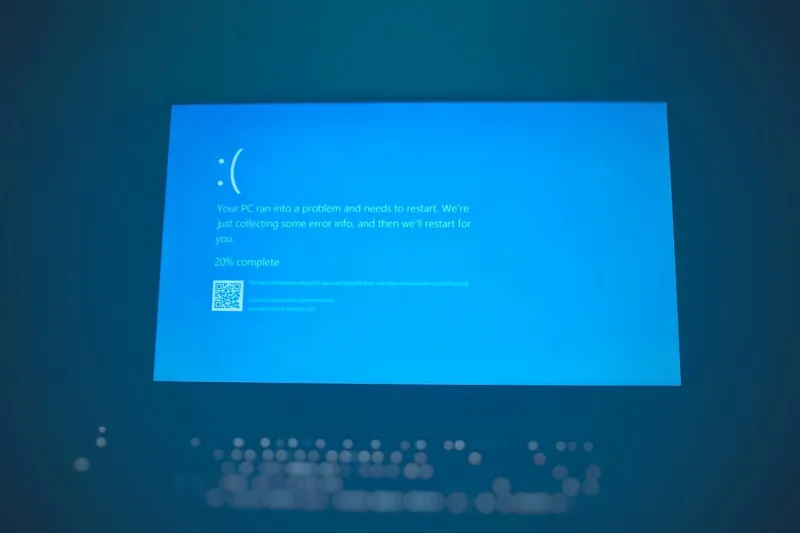
The infamous Blue Screen of Death (BSOD) - a sight that can strike fear into the hearts of computer users everywhere. As someone who's spent years troubleshooting and repairing computers, I've seen my fair share of BSODs. But what causes them, and more importantly, how can you prevent them from happening in the first place?
Understanding the Blue Screen of Death
The Blue Screen of Death is a critical error screen displayed by Windows when it encounters a fatal system crash. It's a safeguard to prevent further damage to your system, but it can be frustrating and worrisome to encounter. The BSOD typically displays an error message, along with a cryptic code that can be difficult to decipher. But don't worry, I'm here to help you break it down.
There are many reasons why a BSOD might occur. Sometimes, it's due to a hardware failure, such as a faulty RAM stick or a failing hard drive. Other times, it's caused by a software issue, like a buggy driver or a malware infection. In some cases, it might even be related to a system configuration problem, such as a misconfigured registry setting. The good news is that most BSODs can be fixed with some basic troubleshooting and maintenance.
The Role of Malware and Viruses
Malware and viruses are a major threat to computer security, and they can often cause a BSOD. Staying ahead of the curve when it comes to malware and viruses is crucial to preventing BSODs. This means keeping your antivirus software up to date, running regular scans, and avoiding suspicious downloads or emails. It's also essential to practice good computer hygiene, such as regularly backing up your data and using strong passwords.
Some common types of malware that can cause a BSOD include rootkits, spyware, and ransomware. These malicious programs can infiltrate your system, cause chaos, and lead to a BSOD. But don't worry, there are many tools and techniques available to help you detect and remove malware.
The Importance of Driver Updates
Outdated drivers can cause a wide range of problems, including BSODs. When a driver is outdated or corrupted, it can cause conflicts with other system components, leading to a system crash. Regularly updating your drivers is essential to ensuring that your system runs smoothly and efficiently. You can usually find driver updates on the manufacturer's website or through Windows Update.
Some common culprits when it comes to driver-related BSODs include graphics drivers, sound drivers, and network drivers. These drivers are often updated frequently, so it's essential to stay on top of updates to prevent issues.
The Impact of Hardware Failure
Hardware failure is another common cause of BSODs. A failing hard drive, for example, can cause a BSOD if it's no longer able to read or write data correctly. Similarly, a faulty RAM stick can cause a system crash if it's not functioning properly. Regularly monitoring your system's hardware health can help you identify potential issues before they become major problems.
In some cases, hardware failure can be caused by overheating or physical damage. For example, if your computer's CPU or GPU is overheating, it can cause a BSOD. Similarly, if your computer's hard drive is physically damaged, it can cause data loss and system crashes.
Troubleshooting and Prevention
So, how can you troubleshoot and prevent BSODs? The first step is to run a system file check to identify any corrupted system files. You can also run a disk check to identify any issues with your hard drive. Additionally, checking for driver updates and running a malware scan can help you identify and fix potential issues.
Some other tips for preventing BSODs include regularly backing up your data, using a surge protector, and avoiding overclocking your system. By taking these precautions, you can help ensure that your system runs smoothly and efficiently.
The Future of Computer Security
As computer technology continues to evolve, so too will the threats to computer security. Navigating emerging threats and solutions will be crucial to staying ahead of the curve. This includes staying informed about the latest security threats, using up-to-date security software, and practicing good computer hygiene.
Some emerging trends in computer security include artificial intelligence and machine learning. These technologies have the potential to revolutionize computer security, but they also raise new challenges and concerns.
Conclusion
In conclusion, the Blue Screen of Death can be a frustrating and worrisome experience, but it's not necessarily a cause for panic. By understanding the causes of BSODs and taking steps to prevent them, you can help ensure that your system runs smoothly and efficiently. Remember to stay vigilant, practice good computer hygiene, and stay informed about the latest security threats.
And if you do encounter a BSOD, don't worry - there are many resources available to help you troubleshoot and fix the issue. Troubleshooting memory (RAM) issues is just one example of the many guides and tutorials available online.