
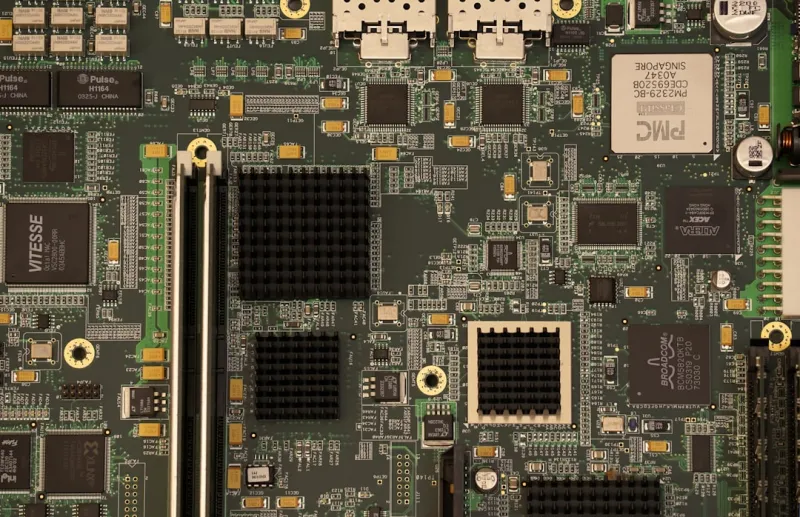
When I first tore into a freshly‑boxed ATX board back in the early 2020s, I was chasing raw performance, but today the conversation has shifted. In 2026, the motherboard is less a passive platform and more a dynamic hub that orchestrates power, data, and even intelligence across a power‑user’s rig. I’ve spent countless nights tweaking VRM curves, experimenting with BIOS AI assistants, and watching how the latest chipsets handle everything from DDR5‑5600 RAM to PCIe 6.0 storage. What strikes me most is that the board you choose now can either future‑proof your setup for the next five years or become an early retirement candidate. That’s why I’m diving deep into the trends that matter most to people who demand more than just a “good enough” machine, and why I think the modern motherboard is the real game‑changer for power users.
The Motherboard Landscape in 2026
First, let’s talk about the sheer breadth of options on the market. In 2026, we’ve moved beyond the classic ATX, Micro‑ATX, and Mini‑ITX form factors to see hybrid designs that blend the compactness of mini‑boards with the expandability of full‑size platforms. Manufacturers are integrating up to 12‑lane PCIe 6.0 slots, dual‑M.2 arrays that support up to 8 TB of NVMe storage, and even built‑in Wi‑Fi 7 with 30 Gbps theoretical speeds. But the most subtle—and arguably most impactful—change is the integration of a dedicated system‑level controller that handles power budgeting, thermal management, and firmware updates in real time. This controller talks directly to the CPU’s power management unit, allowing for more granular tuning of VRM phases and dynamic voltage scaling that was impossible just a few years ago. The result is a board that can adapt on the fly, keeping high‑performance workloads stable while staying efficient enough for silent‑mode builds.
Key Technologies Power Users Can’t Ignore
One of the biggest buzzwords this year is PCIe 6.0, and for good reason. The new standard doubles the bandwidth of PCIe 5.0, delivering up to 64 GT/s per lane. That translates to near‑instant data transfers for high‑end GPUs, AI accelerators, and even next‑gen NVMe SSDs that push past 20 GB/s sequential reads. If you’re running workloads like 3D rendering or machine‑learning inference, those extra lanes can shave minutes off rendering times. Equally important is the evolution of the power delivery architecture. Modern boards now ship with up to 20+ VRM phases, each powered by GaN (gallium nitride) MOSFETs that provide higher efficiency and lower thermal output than traditional silicon counterparts. This means you can push an overclocked 13th‑gen Intel Core or a Ryzen 9 7950X3D well beyond stock frequencies without worrying about throttling. I’ve personally seen stability at 5.5 GHz core clocks with modest cooling when using a board equipped with a robust GaN‑based VRM design.
Another trend that’s reshaping our builds is the rise of AI‑assisted BIOS interfaces. Gone are the days of scrolling through endless text menus; today’s UEFI firmware incorporates a small machine‑learning model that can suggest optimal memory timings, voltage curves, and even fan profiles based on your specific hardware configuration. These assistants learn from the collective data of thousands of builds, offering recommendations that rival those of seasoned overclockers. While you should still validate any changes, this AI layer can dramatically reduce the trial‑and‑error phase, especially for users transitioning from a pre‑built environment to a custom rig. If you want to see a concrete example of how AI is being baked into the power‑user workflow, check out AI‑Assisted Development: The Power User’s Blueprint for 2026 for a deep dive.
Connectivity has also leaped forward. With Wi‑Fi 7 finally mainstream, the latency and throughput improvements are noticeable even in a typical home network. The new 6 GHz band reduces interference, while 4×4 MU‑MIMO support ensures multiple devices can communicate simultaneously without bottlenecks. Coupled with 10 GbE Ethernet ports that now come standard on high‑end boards, you’re looking at a motherboard that can serve as the central hub for a future‑proof home network. This is particularly crucial for content creators who stream 8K video or game developers who need low‑latency access to remote servers. I often reference my own setup in Designing a Future‑Proof Home Network for Power Users to illustrate how I blend wired and wireless capabilities for seamless performance.
Putting It All Together: Building for the Future
When you’re ready to assemble a power‑user PC in 2026, the motherboard should be the cornerstone of your component selection. Start by matching the board’s chipset to your CPU’s capabilities; Intel’s Z790 and AMD’s X670E both support the full suite of PCIe 6.0 lanes and DDR5‑5600 memory, but the X670E often offers more SATA ports for legacy storage, a factor you might overlook if you still rely on high‑capacity hard drives. Speaking of storage, modern hard drives remain a power‑user essential for archival purposes, as explained in Why Hard Drives Still Matter for Power Users in 2026. Pair those with blazing‑fast NVMe drives, and you’ll have a tiered storage solution that satisfies both capacity and speed.
Don’t forget the importance of a solid cooling strategy that complements the board’s VRM design. High‑end VRMs generate significant heat under load, and a well‑planned airflow or liquid‑cool loop can keep temperatures in the optimal range for both performance and component longevity. Many newer boards feature integrated thermal sensors that feed data back to the BIOS AI, allowing it to adjust fan curves dynamically. This synergy between hardware and firmware is a hallmark of the most forward‑thinking motherboards today. If you’re still unsure which board to choose, my recent piece Why Modern Motherboards Are the Real Game‑Changer for Power Users breaks down the top models and what makes each stand out.
Finally, consider the ecosystem of future upgrades. With PCIe 6.0 and USB4 now standard, you won’t need to replace your board when next‑gen GPUs or storage devices hit the market. The modular nature of modern VRM designs also means you can swap out heatsinks or add supplemental cooling without a complete redesign. This flexibility is the true measure of a future‑ready platform. By choosing a motherboard that embraces these standards today, you protect your investment against the rapid pace of tech evolution, letting you focus on the work you love—whether that’s rendering, coding, or pushing the limits of what’s possible in a home lab.
In the end, the motherboard is no longer just a “circuit board” you slap into a case and call it a day. It’s the brain, heart, and nervous system of a power‑user machine, orchestrating a symphony of data, power, and intelligent control. As we navigate 2026 and beyond, the boards that blend robust power delivery, cutting‑edge connectivity, and AI‑driven firmware will be the ones that let us stay ahead of the curve. So next time you plan a build, spend the time researching the chipset, VRM architecture, and built‑in AI features—your future self will thank you when you’re still hitting peak performance years from now.




