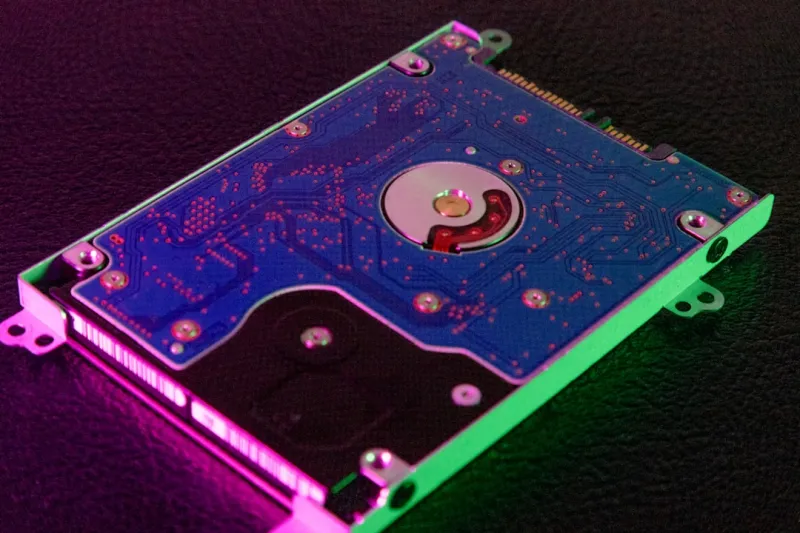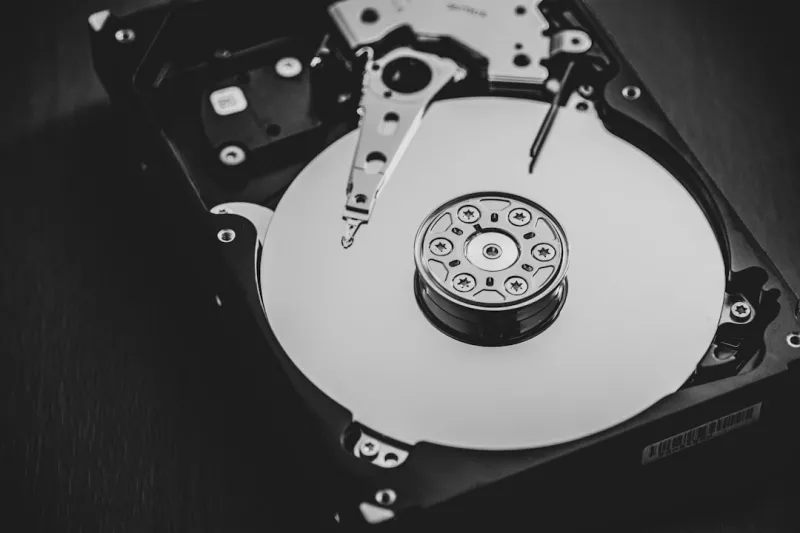
When I first tore apart my 2018 workstation, the humming 4‑TB platter drive was the quiet workhorse that kept my massive video archives alive while my flashy NVMe lived on the OS. Fast forward to 2026, and the storage landscape feels like a neon-lit highway of PCIe‑4 SSDs, yet the good‑old hard drive still sits in the corner of my build, unassuming but indispensable. I’ve spent countless late‑night sessions swapping drives, benchmarking spin‑up times, and listening to the soft whir that signals a trusted backup is in progress. That sound, for me, is the soundtrack of data resilience. In this post I’ll walk through why, as a power‑user, you should keep the hard drive in your arsenal, how to weave it into a modern storage strategy, and which emerging HDD tech you should watch to stay ahead of the curve.
Capacity Over Speed: The Hard Drive’s Core Advantage
Speed is the headline act of SSDs, but capacity is the hard drive’s enduring claim to fame. A single 18‑TB SMR (Shingled Magnetic Recording) drive can store entire 4K film libraries, massive raw datasets, or years of high‑resolution photography without breaking the bank. While a top‑tier PCIe‑5 SSD might deliver sub‑microsecond latency, its cost per gigabyte still dwarfs that of a high‑density HDD. For power users juggling multi‑terabyte workloads—think AI model checkpoints or massive GIS datasets—the raw storage budget often dictates architecture choices. Choosing the right balance means leveraging the SSD for latency‑critical tasks and assigning the HDD to bulk, sequential workloads where throughput, not latency, reigns. This tiered approach maximizes performance while keeping the bill reasonable, a strategy I’ve refined over a decade of building workstations that never run out of room.
Data Longevity: Why HDDs Remain the Archive Champion
One of the less‑talked‑about strengths of magnetic storage is its longevity. Unlike NAND flash, which suffers from write‑cycle fatigue, a well‑maintained hard drive can retain data for 10‑15 years without power, provided it’s stored in a stable environment. In my own practice, I keep a “cold‑storage” rack of enterprise‑grade 12‑TB CMR (Conventional Magnetic Recording) drives for archival copies of client deliverables. When a new project launches, I mirror the data onto the SSD for immediate access, while the HDD remains untouched, preserving its integrity. This dichotomy is essential for compliance‑heavy fields such as medical imaging or legal document retention, where data loss isn’t an option. The inherent stability of magnetic platters offers a safety net that no amount of RAM caching can replicate, making HDDs the unsung heroes of long‑term data stewardship.
Budget‑Driven Scaling: Getting More Bang for Your Buck
Every power user runs into the budget ceiling at some point, and that’s where hard drives truly shine. A 16‑TB SATA HDD can be purchased for under $250 in 2026, delivering a cost per terabyte that’s a fraction of what premium SSDs command. If you’re assembling a multi‑drive array for video editing, AI training, or massive database operations, the savings compound quickly. For a concrete example, see The Hard Drive Playbook Every Power User Needs in 2026, which breaks down how to allocate funds across storage tiers without sacrificing performance. By front‑loading your budget on high‑capacity HDDs for archival and bulk data, you free up capital to invest in faster CPUs, GPUs, or networking gear—components that can have an outsized impact on overall workflow efficiency.
Designing a Tiered Storage Strategy
When I map out a new workstation, the first line on my blueprint reads: “SSD for OS & apps, HDD for bulk.” This simple mantra is the foundation of the storage strategy detailed in Hard Drive Mastery: Building a Power‑User Storage Strategy for 2026. By placing the operating system and frequently accessed software on a PCIe‑4 NVMe drive, you guarantee sub‑second boot times and snappy application launches. Meanwhile, a pair of 10‑TB SMR drives can be set up in a mirrored configuration for media libraries, ensuring data redundancy without sacrificing capacity. The key is to align each drive’s role with its performance profile—sequential reads thrive on HDDs, while random access workloads demand SSD speed. This approach not only streamlines workflow but also simplifies troubleshooting: if a slowdown occurs, you know exactly which tier to examine.
Emerging HDD Technologies: SMR vs. CMR vs. QLC
The hard drive market isn’t stagnant; it’s quietly evolving with three primary recording technologies. SMR drives, with their overlapping tracks, squeeze maximum density at the cost of write performance—ideal for write‑once, read‑many scenarios like media archives. CMR drives keep tracks distinct, offering better random‑write performance, making them suitable for active project files or database snapshots. Then there’s QLC (Quad‑Level Cell) HDDs, a newer hybrid that layers additional error‑correction to push capacities beyond 20 TB while maintaining SATA compatibility. My recommendation? Pair a CMR drive for any dataset that sees frequent updates and an SMR or QLC drive for static archives. By understanding each technology’s trade‑offs, you can tailor your storage pool to match the exact I/O patterns of your workloads, ensuring you don’t over‑engineer or under‑perform.
Backup Fundamentals: The 3‑2‑1 Rule Revisited
Even the most robust storage tier can fall prey to power spikes, firmware glitches, or user error. That’s why I swear by the 3‑2‑1 backup rule: three copies of your data, on two different media, with one off‑site. Hard drives excel as the second media type, offering a reliable, offline backup that can be rotated weekly. In the context of modern threats—ransomware, firmware corruption, and even the “hidden threats” highlighted in The Hidden Threats Power Users Must Outsmart—having a physically disconnected HDD backup can be the difference between a quick restore and a catastrophic loss. I keep a portable 8‑TB external HDD in a fire‑rated safe, rotating it with a cloud snapshot every month. This hybrid approach balances speed, cost, and resilience, ensuring that my data remains both accessible and secure.
Performance Tweaks: Caching and RAID Configurations
Hard drives can still surprise you with performance gains when you leverage caching and RAID. By enabling an SSD cache—either through a dedicated NVMe cache drive or the motherboard’s built‑in cache controller—you can dramatically accelerate read‑heavy operations on large HDD arrays. For power users needing higher throughput, RAID 0 (striping) spreads data across two or more drives, effectively multiplying sequential read/write speeds, though at the expense of redundancy. Conversely, RAID 5 or 6 offers a balance of performance and fault tolerance, using parity to protect against a single drive failure. I’ve built a RAID 5 array of four 14‑TB CMR drives for my AI training datasets, achieving ~1.5 GB/s sustained throughput while maintaining data safety. The key is to match the RAID level with your risk tolerance and performance needs—don’t sacrifice data integrity for a modest speed bump unless you have a solid backup plan in place.
Future‑Proofing Your Workstation: Modular Bays and Hot‑Swap
Looking ahead, the most adaptable workstations in 2026 are those that treat storage as a modular subsystem. I favor chassis with hot‑swap bays that support both 2.5‑inch SSDs and 3.5‑inch HDDs, allowing me to swap drives on the fly without powering down. This is especially valuable for field engineers who need to pull an archive drive for on‑site analysis while keeping the primary workstation online. Additionally, investing in a quality SATA‑III controller with multiple ports can future‑proof your build for the next generation of high‑capacity drives, which are expected to breach the 30‑TB barrier by year‑end. By designing with expansion in mind—spare drive bays, ample power connectors, and robust cooling—you ensure that your hard drive ecosystem can scale alongside your evolving workflow, protecting your investment for years to come.
Wrapping It All Up: Embrace the Hard Drive as a Strategic Asset
In the era of blinding SSD speeds, it’s easy to overlook the humble hard drive. Yet, as we’ve explored, its capacity, cost efficiency, longevity, and adaptability make it a strategic cornerstone for any power‑user build. By integrating HDDs into a tiered storage plan, leveraging emerging SMR/CMR technologies, and employing robust backup and RAID strategies, you can construct a resilient, high‑performance workstation that stands the test of time. I encourage you to dive deeper into the related guides—especially the Hard Drive Playbook and the Hard Drive Mastery posts—to fine‑tune your setup. Keep the spin alive, and let your data flow freely across the best of both worlds.