
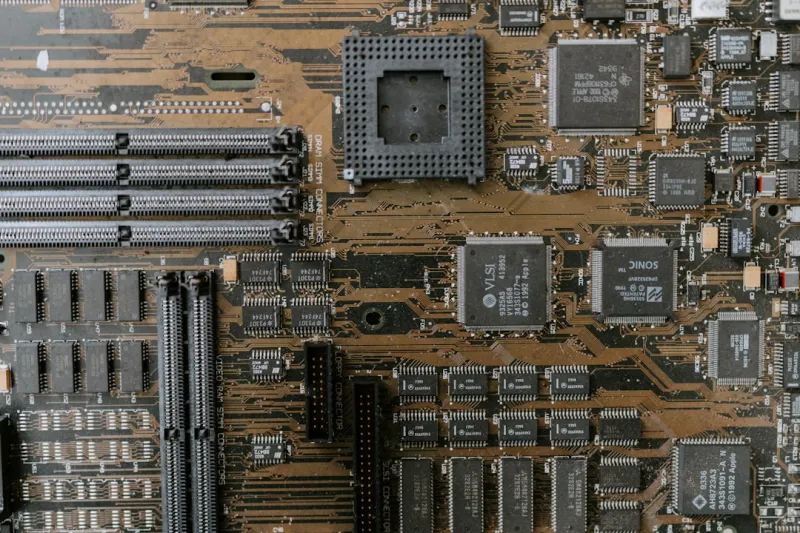
When I first cracked open a motherboard back in the early 2010s, the whole thing felt like a miniature city—traces winding like streets, capacitors standing like streetlights, and a BIOS chip that was the city hall. Fast‑forward to 2026, and that city has become a hyper‑connected metropolis, with AI‑assisted power delivery, ultra‑dense VRM banks, and a connectivity suite that would make a data‑center blush. As a long‑time power‑user, I’ve learned that the motherboard is no longer just a passive platform; it’s the command center that dictates how fast, stable, and future‑proof my entire rig can be. In this post I’ll walk you through the trends that matter, the pitfalls to avoid, and the strategic choices that can keep your build ahead of the curve for years to come.
The Evolution of PCB Materials and Layer Count
One of the quiet revolutions in motherboard design has been the shift to higher‑grade PCB materials. In 2026 most high‑end boards are built on FR‑4 with a 0.8 mm prepreg thickness, but the real game‑changer is the increase in layer count—from the typical 8‑layer designs of a few years ago to 12‑ or even 14‑layer stacks. More layers mean tighter impedance control, better signal integrity for high‑speed lanes, and a cleaner separation between power and ground planes. This translates directly into lower latency for PCIe 5.0 devices and more reliable overclocking headroom. As someone who pushes CPUs and GPUs to their limits, I can attest that the added layers reduce the dreaded “butterfly” effect where one noisy signal can cascade into system instability. If you’re building a workstation that will run AI inference workloads or heavy video rendering, opting for a board with a robust multi‑layer design is worth the premium.
Chipset and Socket Trends: Matching the CPU’s Ambitions
The chipset is the motherboard’s nervous system, handling everything from PCIe lane allocation to storage controller integration. In 2026 we’ve seen the mainstream AMD “Zen 5” and Intel “Raptor Lake 2” platforms converge on a common set of features: PCIe 5.0 x16, DDR5‑5600 support, and integrated Thunderbolt 4/USB4 controllers. However, the devil is in the details. Some chipsets still limit the number of PCIe lanes available for GPUs, forcing you to choose between multiple expansion cards or a single, high‑bandwidth GPU. Meanwhile, socket longevity matters—if you’re buying a board today, you’ll want a socket that will support at least two future CPU generations. That future‑proofing reduces the need for a full board swap when you upgrade your processor, a consideration that aligns with my own philosophy of incremental upgrades rather than wholesale rebuilds.
Power Delivery and VRM Design: The Backbone of Overclocking
Power delivery has become a science of its own. Modern VRM designs in 2026 feature 14‑phase or even 18‑phase configurations, often built with gallium nitride (GaN) MOSFETs for higher efficiency and lower heat. The result is a cleaner, more stable voltage rail that can sustain high boost clocks without the dreaded “VRM droop.” For power users who love to push CPUs beyond stock frequencies, the quality of the VRM can be the difference between a stable 5.3 GHz run and a system that crashes under load. I always look for boards with ample heatsink coverage and active cooling for the VRM—many premium models now include a small fan or liquid‑cooling block. The extra thermal headroom not only improves performance but also prolongs the lifespan of the power circuitry, which is a critical consideration for anyone who runs their machine 24/7 for rendering farms or AI training.
Connectivity Explosion: PCIe 5.0, USB4, and 10 GbE Ethernet
Connectivity is where motherboards truly differentiate themselves in 2026. PCIe 5.0 x16 provides up to 64 GT/s, enough bandwidth for dual‑GPU setups, high‑speed NVMe RAID arrays, and even upcoming accelerator cards. USB4, built on the Thunderbolt 3 spec, delivers 40 Gbps and supports power delivery up to 100 W, meaning you can connect external GPUs or fast storage docks without a separate hub. Meanwhile, the rise of 10 GbE Ethernet on consumer boards reflects the growing need for low‑latency networking in content creation pipelines and collaborative workflows. I personally use a board with a dedicated 10 GbE port for my home studio, allowing seamless file transfers to my NAS without choking the LAN. When choosing a motherboard, make sure the layout places these high‑speed ports in a way that minimizes cable clutter and maximizes airflow—poor placement can become a hidden bottleneck.
Storage Integration: M.2, U.2, and the Future of SATA
While NVMe has dominated the high‑performance storage market, SATA is far from dead. In 2026, many power‑user motherboards still ship with at least two SATA III ports, mainly for backup drives and large‑capacity HDDs that provide a cost‑effective storage tier. More exciting, however, is the proliferation of M.2 slots—most premium boards now feature three or four, with at least two supporting PCIe 5.0 x4. This enables you to populate ultra‑fast 8 TB NVMe drives that can keep up with AI data sets. For those who need even higher endurance, U.2 connectors are making a modest comeback, offering hot‑swap capabilities in server‑grade SSDs. I recently paired a PCIe 5.0 NVMe with a U.2 enterprise SSD on a single board, creating a tiered storage solution where the NVMe handles active workloads and the U.2 acts as a fast cache for less frequently accessed data. Understanding how these storage options interplay is essential for building a balanced system.
BIOS/UEFI and Firmware Security: The First Line of Defense
Security isn’t just about antivirus software; the firmware layer is the first line of defense. In 2026, most motherboards ship with a UEFI that supports Secure Boot, TPM 2.0 integration, and even hardware‑based root of trust. Firmware updates have become more frequent, addressing vulnerabilities like the notorious “Plundervolt” that can affect voltage regulation. As a power user, I make it a habit to check the manufacturer’s update portal monthly, ensuring my board runs the latest microcode. The Critical Updates Every Power User Must Know guide is a great resource for staying on top of these patches. Additionally, many modern BIOSes now feature an “Advanced Power Management” section where you can fine‑tune sleep states and C‑states, which not only improves power efficiency but also reduces the attack surface for firmware exploits.
Why Motherboards Matter More Than Ever for Power Users
It’s easy to overlook the motherboard when you’re dazzled by the latest GPU or CPU, but the board is the glue that holds everything together. A well‑designed motherboard provides clean power, robust cooling, and a feature set that matches your workflow. In my experience, a board with solid VRMs, ample PCIe lanes, and forward‑looking connectivity can extend the usable life of a system by three to five years. That longevity translates directly into cost savings and less electronic waste. For a deeper dive into the strategic importance of choosing the right board, check out Why Motherboards Matter More Than Ever for Power Users. The article outlines how motherboard selection influences everything from overclocking potential to peripheral compatibility, reinforcing why this component deserves your full attention.
Designing a Future‑Ready Power‑User PC in 2026
Putting together a future‑ready build is like planning a long road trip—you need to anticipate the stops you’ll make along the way. The Designing a 2026 Power‑User PC That Stays Ahead of the Curve article walks through a systematic approach: start with a motherboard that supports the next two CPU generations, choose a power supply with enough headroom for GPU upgrades, and allocate space for additional M.2 drives. I always reserve at least one M.2 slot for a future PCIe 5.0 SSD, even if I don’t need that capacity today. Additionally, consider the chassis airflow; a well‑ventilated case can accommodate larger VRM heatsinks and keep temperatures low, which is crucial for sustained high‑performance workloads. By thinking several steps ahead, you avoid the costly “board swap” that can derail a project timeline.
Critical Tech Shifts Power Users Must Watch Now
The tech landscape shifts faster than a GPU’s boost clock, and staying informed is part of the power‑user ethos. In 2026, three trends are reshaping how we choose motherboards: the rise of AI‑accelerated workloads, the mainstream adoption of DDR5‑6000+ memory, and the emergence of PCIe 6.0 on the horizon. While PCIe 6.0 isn’t widely available yet, many high‑end boards already include a “future‑lane” that can be unlocked via BIOS updates, offering a pathway to the next generation of bandwidth. Memory speed is another hot topic; pairing a DDR5‑6000 kit with a board that supports tight memory timings can yield measurable gains in simulation and rendering tasks. Finally, AI accelerators—often in the form of dedicated PCIe cards—require robust power delivery and sufficient PCIe lanes. The Critical Tech Shifts Power Users Must Watch Now piece dives into these emerging technologies and offers practical advice on how to future‑proof your motherboard choice today.
In summary, the motherboard in 2026 is a sophisticated platform that demands as much attention as any other high‑end component. By focusing on PCB quality, VRM robustness, connectivity, and firmware security, you can build a system that not only meets today’s performance demands but also remains adaptable to tomorrow’s innovations. Whether you’re a content creator, a data scientist, or a gamer who refuses to settle, the right board is the foundation of a resilient, high‑performance machine. Happy building, and may your lanes always stay full.




