
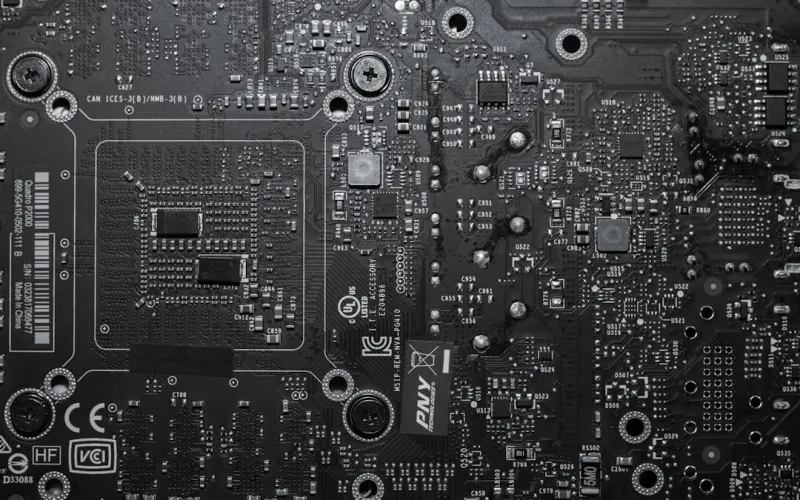
Why the Motherboard Still Rules the Roost in 2026
When I first cracked open my inaugural ATX board back in the early 2010s, I never imagined the motherboard would evolve into the sophisticated, AI‑aware platform it is today. As a power‑user, I’ve learned that every component in a build ultimately reports back to this silent workhorse, dictating everything from raw bandwidth to long‑term stability. In 2026, motherboards are no longer just a collection of sockets and phases; they’re the central nervous system that integrates PCIe 6.0 lanes, DDR6 memory, and built‑in security silicon while still keeping an eye on power efficiency. The decisions you make now will echo for years, especially if you plan on dabbling in AI inference, high‑resolution content creation, or massive data crunching. This article is my deep‑dive into the current landscape, blending hands‑on experience with the latest industry specs, so you can select a board that not only meets today’s demands but also anticipates tomorrow’s breakthroughs.
Chipset Evolution: From Incremental to Transformative
The heart of any motherboard is its chipset, and 2026 has finally delivered a generational leap. Intel’s 14‑nanometer “Aether” series and AMD’s “Zenith” 5 nm platforms both support the new PCIe 6.0 specification, doubling theoretical bandwidth to a staggering 64 GT/s per lane. This isn’t just marketing fluff; it enables seamless multi‑GPU scaling, real‑time ray tracing at 8K, and the bandwidth‑hungry data pipelines required for large language models on the edge. Meanwhile, memory controllers now natively support DDR6‑3200 with sub‑nanosecond latency, a crucial upgrade for workloads that thrash caches. When evaluating a board, check that the chipset exposes the full lane count and that the BIOS is already optimized for these speeds. Manufacturers that have shipped early‑access firmware updates demonstrate a commitment to future‑proofing—something I look for before I even glance at the price tag.
Form Factor Realities: Choosing the Right Size for Your Build
Form factor selection used to be a simple matter of “do I need ATX or micro‑ATX?” In 2026, the conversation has broadened. The resurgence of mini‑ITX for compact AI rigs is driven by high‑density VRM designs that pack eight‑phase power delivery into a 6‑inch board, while still offering multiple M.2 slots and a full suite of USB 4 ports. Conversely, E‑ATX boards are making a comeback among workstation enthusiasts who demand four‑slot PCIe expansion and robust cooling solutions. The key is to align the board’s dimensions with your case, cooling strategy, and expansion plans. A well‑designed ATX motherboard can still provide ample room for future add‑ons without the bulk of an E‑ATX, especially when it features modular VRM heatsinks and removable M.2 shields. Remember, a tighter footprint can improve airflow, but don’t sacrifice essential lanes and ports just to save a few inches.
Power Delivery and VRM Architecture: The Unsung Hero of Stability
For power users, the voltage regulator module (VRM) is the silent guardian of performance. In 2026, high‑end boards are moving beyond the classic 8‑phase design to 12‑ and even 16‑phase configurations, using gallium nitride (GaN) transistors for superior efficiency and lower heat output. This matters when you push your CPU to 5.5 GHz on an overclock or run multiple GPUs at full load for AI training. Look for features like digital PWM controllers, which enable finer granularity in voltage tuning and can dynamically adapt to workload spikes. Additionally, many manufacturers now bundle dedicated VRM cooling—heat pipes or even miniature liquid loops—directly onto the board, ensuring stable power delivery under sustained stress. As a rule of thumb, aim for a board where the total power budget exceeds your CPU’s TDP by at least 30 %, giving you headroom for future, more power‑hungry silicon.
Connectivity That Keeps You Ahead of the Curve
Modern motherboards are communication hubs, and 2026’s connectivity suite is nothing short of impressive. USB 4.0 has become the default, offering 40 Gbps throughput and compatibility with Thunderbolt 4, meaning you can daisy‑chain high‑speed peripherals without a hitch. Wi‑Fi 7 is now standard on premium boards, delivering multi‑gigabit wireless speeds and lower latency for cloud‑based rendering farms. On the wired side, 10 GbE Ethernet ports are increasingly integrated, often with support for port teaming and QoS prioritization—essential for data‑intensive tasks. I always cross‑reference my networking strategy with the Future‑Ready Home Networking Strategies for Power Users guide to ensure my motherboard’s ports align with my broader infrastructure. When you select a board with a mix of these options, you future‑proof your system against the inevitable march of faster standards.
Storage Integration: From M.2 to the Next‑Gen NVMe 2.0
Storage is where the motherboard’s real flexibility shines. In 2026, most high‑end boards offer at least three full‑length M.2 slots, each supporting PCIe 6.0 x4, and a dedicated U.2 connector for enterprise‑grade SSDs. This configuration lets you create a tiered storage array—ultra‑fast NVMe 2.0 drives for OS and cache, paired with larger SATA or QLC drives for archival. The importance of a solid storage strategy cannot be overstated, which is why I often reference the Strategic Hard‑Drive Choices for Power Users in 2026 article when planning my builds. Look for boards that include BIOS options for RAID‑0/1/10 across M.2 slots, as well as thermal pads or heatsinks that keep those high‑performance drives cool under sustained writes. A well‑designed storage layout not only boosts speed but also enhances longevity—a win‑win for any power user.
BIOS, Firmware, and Security: Guarding the Gateways
Security is no longer an afterthought; it’s baked into the motherboard’s firmware. TPM 2.2 modules are now standard, providing hardware‑rooted attestation for Windows 12 and Linux‑based secure boot. Moreover, AI‑assisted BIOS tuning utilities can automatically adjust memory timings and power curves based on your specific silicon, a feature that saves hours of manual tweaking. However, the rise of sophisticated malware means you must stay vigilant. The Why Modern Malware Is Evolving Faster Than Ever—and What Power Users Must Do piece outlines how firmware attacks can compromise even the most secure systems, underscoring the need for regular BIOS updates and signed firmware. When shopping for a board, check that the manufacturer provides a clear update roadmap and offers a secure boot key management interface.
Future‑Proofing Your Platform: A Blueprint for Longevity
Ultimately, selecting a motherboard is about building a platform that can evolve with you. Look for boards that support socket upgrades, modular VRM designs, and have ample PCIe lane availability for future GPUs or accelerator cards. The Mastering Motherboard Selection: A Power‑User’s Blueprint for Future‑Ready Builds guide emphasizes the importance of a robust power delivery system and flexible I/O layout, ensuring that today’s investment remains relevant as new standards emerge. Pair your board with a quality power supply and a cooling solution that can handle higher thermal loads, and you’ll have a system ready for AI workloads, high‑resolution content creation, and next‑gen gaming for years to come. In my experience, a thoughtfully chosen motherboard is the single most impactful decision you’ll make when future‑proofing a high‑performance rig.




