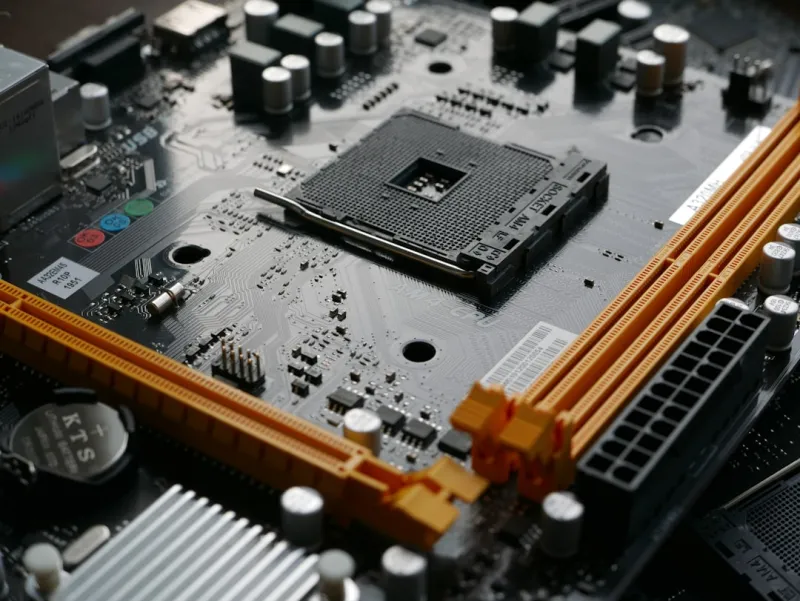
When you think about building a powerhouse PC in 2026, the motherboard is the silent conductor that keeps every component in perfect harmony. It’s where the CPU, RAM, storage, and graphics cards meet, and its design dictates how well they can communicate. Over the past few years, I’ve watched motherboards transform from simple printed circuit boards into sophisticated platforms that blend AI‑driven optimization, next‑gen connectivity, and iron‑clad security. As a longtime power‑user, I’ve learned that the right board can be the difference between a system that feels like a race car and one that drags like an old sedan. In this deep‑dive, I’ll unpack the trends shaping motherboards today, share how to match a board to your specific workflow, and give you the roadmap to future‑proof your rig for the next wave of software and hardware advances.
The Rise of AI‑Aware Chipsets
One of the most exciting developments on modern motherboards is the integration of AI‑aware chipsets. In 2026, chipset manufacturers are embedding machine‑learning co‑processors directly onto the board, allowing the BIOS to make real‑time adjustments to power delivery, fan curves, and memory timings based on workload patterns. This means that whether you’re crunching massive datasets for a deep‑learning model or streaming a high‑FPS game, the board can dynamically optimize performance without you lifting a finger. The AI layer also extends to security, with on‑board anomaly detection that flags unusual traffic before it becomes a threat. For power users who demand both speed and safety, these AI‑enhanced chipsets are a game‑changer, turning a static piece of hardware into an adaptive, intelligent platform.
PCIe 6.0 and the Bandwidth Arms Race
PCIe 6.0 finally hit the mainstream in 2026, delivering up to 64 GT/s per lane—double the bandwidth of PCIe 5.0. This leap is crucial for next‑generation GPUs, high‑speed NVMe SSDs, and emerging accelerator cards. Motherboard manufacturers are now offering full x16 slots that run at PCIe 6.0 speeds, meaning you can saturate the bandwidth of a 48‑lane GPU without bottleneck. Even for storage, the new “PCIe 6.0 M.2” form factor enables sequential reads and writes beyond 30 GB/s, shaving precious seconds off massive file transfers. If you’re building a workstation that will handle AI training, 8K video editing, or massive simulation data, you’ll want a board that fully embraces PCIe 6.0 now rather than waiting for a firmware update that may never come. The payoff is immediate—faster rendering, smoother gameplay, and reduced latency across the board.
Power Delivery: The Unsung Hero
Power delivery has always been a critical factor, but the demands of modern CPUs and GPUs have pushed VRM design into a new era. High‑end motherboards in 2026 now sport 18‑ to 20‑phase power stages with digital PWM controllers that can react in microseconds. This precision reduces voltage ripple, improves efficiency, and extends the life of both the board and your CPU. Many boards also feature “Smart Power Zones” that allocate power based on the active workload, ensuring your silicon gets the juice it needs when you need it most. For overclockers, the ability to fine‑tune each phase via an intuitive BIOS or companion app is a huge advantage. And for the eco‑conscious, the increased efficiency translates to lower electricity bills—an often‑overlooked benefit of a well‑engineered VRM.
Connectivity: USB4, Thunderbolt 4, and Wi‑Fi 7
In 2026, connectivity isn’t just about having enough ports; it’s about having the right kind of ports. USB4 has become the de‑facto standard on high‑end boards, offering up to 40 Gbps speeds and universal compatibility with Thunderbolt devices. Meanwhile, Wi‑Fi 7 is finally making its way onto mainstream motherboards, delivering multi‑gigabit wireless speeds that rival wired Ethernet in many scenarios. Integrated Bluetooth 5.3 also brings lower latency for peripherals. For content creators, the ability to hook up a 4K/8K monitor via a single USB‑C cable that carries video, data, and power is a massive workflow simplifier. Gamers appreciate the low‑latency, high‑throughput connection for external GPUs and fast storage docks. If you’re still using legacy USB‑A ports, you’ll find them on the board’s rear I/O, but the trend is clear: the future belongs to high‑speed, versatile connections.
Form Factor Evolution: Flexibility Meets Performance
The classic ATX layout still dominates, but we’re seeing a surge in hybrid form factors that blend the compactness of Mini‑ITX with the expansion capabilities of ATX. “Flex‑ITX” boards, for example, fit into small cases but provide extra PCIe slots and robust VRMs, thanks to innovative multi‑layer PCB designs. This evolution is driven by the growing demand for portable yet powerful workstations—think on‑the‑go AI development rigs that still need multiple GPUs and ample storage. Meanwhile, the resurgence of the E‑ATX form factor caters to enthusiasts building massive dual‑GPU setups or integrating multiple M.2 drives. When selecting a board, consider not just the current case size but also future upgrades; a flexible form factor can save you from a costly case swap down the line.
Security at the Firmware Level
Security is no longer an afterthought. Modern motherboards embed hardware root of trust modules, TPM 2.2, and secure boot mechanisms directly into the firmware. Some vendors even offer a dedicated “Security Hub” that isolates the BIOS from the OS, creating a hardened environment against firmware attacks—a growing concern in the AI‑driven threat landscape. Features like “Self‑Encrypting Drives” support are now toggled directly from the BIOS, allowing you to enable full‑disk encryption without third‑party tools. For power users who handle sensitive data, these built‑in safeguards are essential. They also simplify compliance with industry regulations, as you can demonstrate hardware‑level encryption and secure boot compliance with minimal configuration.
Choosing the Right Board for Your Use‑Case
Not all motherboards are created equal, and the “best” board depends heavily on your primary workload. Gamers should prioritize high‑refresh‑rate support, low‑latency networking, and robust VRM cooling for overclocked CPUs. Creators working with 8K video or 3D rendering need abundant PCIe lanes, multiple M.2 slots, and top‑tier audio codecs for accurate monitoring. AI researchers and data scientists should look for boards that support PCIe 6.0 for accelerator cards, have ample power phases, and include AI‑aware chipsets to streamline performance tuning. For the budget‑conscious builder, a solid B‑series chipset with decent VRM and USB4 support can deliver excellent value without compromising future upgrade paths. The key is aligning the board’s feature set with the tasks you’ll be pushing it to perform.
Future‑Proofing: Planning for the Next Five Years
One of the biggest regrets I hear from power users is buying a board that becomes obsolete within a year. To avoid that, focus on three pillars: expansion, upgradeability, and standards compliance. Look for boards with multiple PCIe x16 slots that run at the highest version available (PCIe 6.0 in 2026) and enough M.2 slots to accommodate future storage upgrades. Ensure the BIOS can be updated without a Windows environment—most vendors now support USB‑based flashing. Finally, consider boards that have a clear roadmap, as indicated in resources like Power Users’ 2026 Blueprint and Why 2026 Is the Year Power Users Must Upgrade Their Hardware Game. By choosing a platform that embraces emerging standards, you’ll keep your system relevant and performant for years to come.
Putting It All Together: Your Upgrade Playbook
Now that you understand the landscape, it’s time to act. Start by mapping your current needs against the features we’ve discussed: do you need AI‑aware chipsets, PCIe 6.0, or Wi‑Fi 7? Next, cross‑reference with reputable reviews and community forums to gauge real‑world reliability. Finally, use a strategic guide like Maximize Your PC’s Performance: A Power‑User’s Upgrade Playbook to prioritize components, plan your budget, and schedule your build. Remember, a motherboard is an investment in the longevity of your entire system—choose wisely, and you’ll reap the benefits of speed, stability, and security for the foreseeable future.