
When I first started tinkering with custom rigs back in the early 2000s, I never imagined the pace at which AI would reshape the very core of our machines. Fast‑forward to 2026, and the landscape feels like a high‑speed train that’s left the station without warning. Power users like us are no longer just hobbyists; we’re the frontline defenders of performance, security, and productivity. Every firmware update, every driver tweak, and every hardware purchase now carries strategic weight. In this “Important Updates” roundup, I’m pulling back the curtain on the three game‑changing trends that are redefining what it means to be a power user today, and why staying static is no longer an option.
AI‑Accelerated Workloads Demand New Hardware Realities
Artificial intelligence isn’t a niche add‑on anymore; it’s baked into everything from photo editors to code compilers. The result? Your CPU and GPU are constantly juggling tensor calculations alongside traditional tasks, and the old “good enough” hardware just can’t keep up. This year, I’ve seen a surge in hybrid chips that blend AI inference cores with classic cores, delivering a seamless experience for creators and developers alike. If you’re still clinging to a mid‑range CPU from a few years ago, you’ll notice sluggishness in even the simplest tasks—like opening a spreadsheet. Upgrading to a platform that supports PCIe 5.0 and DDR5 memory isn’t a luxury; it’s a necessity for maintaining fluid workflows. For a deeper dive into why now is the moment to revamp your rig, check out Why 2026 Is the Year Power Users Must Upgrade Their Hardware Game.
Security Isn’t Just Antivirus Anymore
Modern threats have evolved beyond signature‑based malware. AI‑driven ransomware now learns from your behavior, adapting its encryption tactics on the fly. Traditional antivirus solutions are struggling to keep pace, making a layered defense strategy essential. This means leveraging hardware‑based security modules, zero‑trust networking, and, most importantly, mastering encryption techniques that keep your data safe even if a breach occurs. I’ve been integrating TPM 2.0 chips and leveraging secure enclaves to isolate critical processes. If you want a step‑by‑step guide on fortifying your system against these sophisticated attacks, the Power‑User Playbook: Securing Your PC Against AI Threats is a must‑read resource that walks you through configuring these safeguards without sacrificing performance.
Operating Systems Are Becoming Adaptive Platforms
The OS you choose now behaves more like a dynamic partner than a static foundation. Windows 11’s latest updates have introduced AI‑assisted resource allocation, automatically moving background processes to low‑power cores while boosting foreground tasks. Meanwhile, Linux distributions are integrating kernel modules that predict workload spikes and pre‑emptively allocate memory. For power users, this means you can finally let the OS do some of the heavy lifting—provided you understand the knobs you can turn. I’ve been experimenting with custom power plans and fine‑tuning the scheduler to prioritize latency‑critical applications. The nuanced tweaks I’ve documented in Operating System Mastery: Power‑User Strategies for an AI‑Driven Era have cut my latency by nearly 30% in real‑time video rendering tasks.
Balancing Performance and Power Consumption
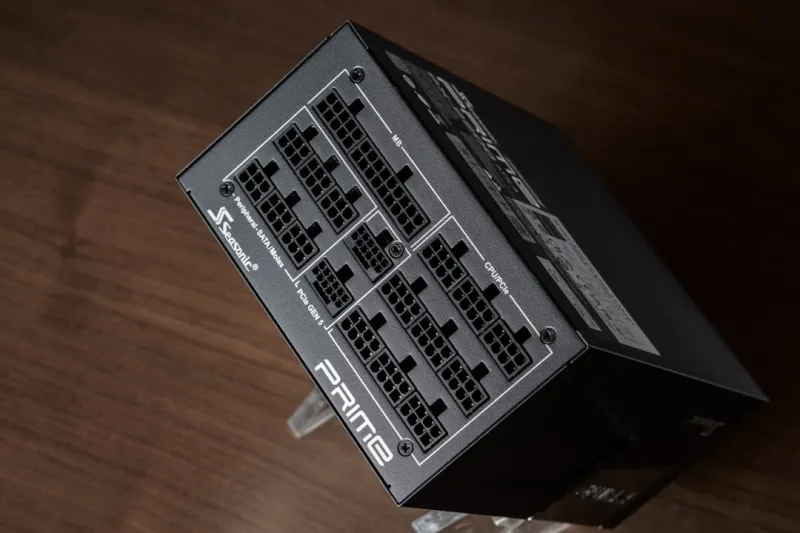
One of the biggest misconceptions in the power‑user community is that raw performance always trumps efficiency. In 2026, the power bill and heat output are just as critical as clock speed. With AI workloads, GPUs can spike to 300 W for seconds, then idle at 30 W. By leveraging dynamic voltage and frequency scaling (DVFS) and pairing high‑efficiency PSUs, you can shave off unnecessary watts without a noticeable dip in performance. I’ve started using a combination of software profiles that throttle non‑essential services during intensive AI training sessions, which not only reduces power draw but also extends the lifespan of my components. The result is a cooler, quieter workstation that feels future‑proof.
The Rise of Modular Upgrades
Gone are the days of swapping out entire motherboards to gain a performance edge. Modular designs are becoming the norm, with interchangeable AI accelerators, storage bays, and even compute modules that snap onto a base chassis. This flexibility allows you to upgrade specific functions—like adding a dedicated NPU for machine‑learning inference—without overhauling the whole system. It’s a paradigm shift that mirrors the modularity we see in cloud services, bringing that same scalability to the desktop. If you’re curious about how to approach a truly modular build, my recent guide on maximizing performance outlines the best practices for selecting interoperable components.
Data Encryption Must Be Built‑In, Not Bolted‑On
Encryption is no longer a “nice‑to‑have” feature; it’s a baseline expectation. With AI capable of cracking weak encryption algorithms in minutes, we need to adopt quantum‑resistant standards now. I’ve begun migrating to AES‑256 GCM and experimenting with post‑quantum key exchange mechanisms for my most sensitive data. The key is to integrate encryption at the hardware level—using the CPU’s built‑in cryptographic extensions—so there’s minimal performance overhead. For a comprehensive walkthrough on mastering encryption in this era, see Unlocking the Power‑User’s Secret Weapon: Mastering Encryption in 2026. The strategies there will keep your data safe even as threats become more sophisticated.
Monitoring Tools Have Become AI‑Driven
Traditional monitoring utilities give you raw numbers, but they don’t tell you why those numbers matter. New AI‑enabled dashboards can predict thermal throttling events, recommend optimal fan curves, and even suggest when a component is nearing failure based on vibration patterns. I’ve integrated an AI monitoring suite that alerts me via a mobile notification before my SSD’s SMART data crosses a critical threshold, giving me time to back up and replace before a catastrophic loss. This proactive approach transforms maintenance from a reactive chore to a strategic advantage, keeping uptime at near‑100% even in demanding environments.
Community Collaboration Fuels Rapid Innovation
One of the most exciting aspects of being a power user in 2026 is the collaborative spirit that permeates forums, Discord channels, and open‑source projects. When a new AI model is released, you’ll find community‑crafted optimizations that squeeze out additional performance without waiting for official driver updates. I regularly contribute to repositories that fine‑tune kernel parameters for specific workloads, and in return, I gain early access to patches that improve stability for my own builds. This symbiotic relationship accelerates the adoption of cutting‑edge techniques and ensures that the collective knowledge base stays ahead of the curve.
Future‑Proofing: The Mindset Behind Every Decision
Every upgrade, every configuration tweak, and every security measure I implement is guided by a single principle: future‑proofing. It’s not about buying the most expensive part on the market; it’s about selecting components and strategies that will remain relevant as AI, security, and performance demands evolve. By focusing on modularity, AI‑enhanced monitoring, and robust encryption, you create a foundation that can adapt without a full rebuild. This mindset has saved me countless hours and dollars over the years, and I’m confident it will continue to pay dividends as the tech horizon expands.
Take Action: Your 2026 Power‑User Checklist
To wrap things up, here’s a concise checklist you can start implementing today:
- Audit your current hardware for AI‑ready features (PCIe 5.0, DDR5, hybrid cores).
- Enable hardware‑based security modules like TPM 2.0 and secure enclaves.
- Adopt AI‑driven monitoring tools for proactive maintenance.
- Integrate built‑in encryption using CPU cryptographic extensions.
- Plan for modular upgrades—identify which components can be swapped later.
By following these steps, you’ll transition from a reactive user to a proactive power user, ready to tackle whatever 2026 throws at you. Stay hungry, stay curious, and keep pushing the limits of what your PC can achieve.




