
When it comes to squeezing every last ounce of performance out of a desktop, most people think “buy a new machine.” As a longtime power‑user who’s swapped out countless GPUs, CPUs, and even motherboards, I’ve learned that a well‑planned upgrade can feel like a brand‑new PC without the sticker shock. In 2026, the hardware landscape is richer than ever, but it’s also more nuanced. You’re no longer just chasing higher clock speeds; you’re balancing efficiency, thermals, and future‑proofing. This article walks you through the strategic decisions that make an upgrade worthwhile, from choosing a processor that scales with AI workloads to ensuring your power supply can handle the next‑generation graphics card. I’ll also sprinkle in a few security‑focused tips that most upgrade guides ignore, because a fast machine is only as good as the data it protects. So, roll up your sleeves, grab a cup of coffee, and let’s dive into the upgrade playbook that’s been honed on real‑world rigs and tested across the latest benchmarks.
Why Upgrade in 2026? The Landscape Has Shifted
The most compelling reason to upgrade this year isn’t just raw performance; it’s the convergence of several technology trends that make older platforms feel obsolete. First, the rise of AI‑accelerated workloads—from real‑time video upscaling to machine‑learning‑driven development tools—means CPUs with high core counts and integrated neural engines are no longer a luxury but a necessity. Second, the proliferation of PCIe 5.0 and DDR5 memory has widened the bandwidth gap, leaving legacy boards struggling to keep up. Third, power efficiency has taken center stage as renewable energy and low‑noise rigs become the norm in home offices and small studios. By upgrading now, you avoid the steep price premium that will hit the market once early‑adopter stock runs out, and you position yourself to adopt emerging standards like DDR6 and even faster SSD interfaces without a complete rebuild. In short, a timely upgrade safeguards both performance and resale value in a fast‑moving ecosystem.
Choosing the Right CPU: Core Count vs. Clock Speed
Modern CPUs are a balancing act between core count, clock speed, and architectural efficiency. In 2026, Intel’s 14th‑gen “Meteor” series and AMD’s “Zen 5” line both offer compelling options, but the decision hinges on your workload profile. If you spend most of your day compiling code, running containers, or editing 8K video, a chip with 16‑20 cores and strong multi‑thread scaling—like the AMD 7950X—will shave minutes off tasks that used to take hours. Conversely, gamers and creators who rely on high single‑thread performance may gravitate toward Intel’s 5.2 GHz “Meteor” i9‑14900K, which shines in latency‑sensitive scenarios. Don’t overlook the integrated AI accelerators; they can offload tasks such as image denoising in real time, freeing up GPU resources. Pair your chosen CPU with a robust motherboard that supports PCIe 5.0, DDR5‑6000, and has ample VRM phases to handle power spikes—otherwise you’ll bottleneck the very processor you’ve invested in.
GPU Upgrades: From Gaming to Compute
Graphics cards have become the Swiss army knives of modern PCs, handling everything from rasterization to tensor calculations. Nvidia’s RTX 6090 and AMD’s Radeon X9 Ultra both push the envelope with 48 GB of GDDR6X memory and dedicated ray‑tracing cores, but their sweet spots differ. If your primary focus is 4K gaming with ray tracing, the RTX 6090’s DLSS 3.5 engine provides smoother frame rates while keeping power draw under control. For creators who need raw compute—think 3D rendering, scientific simulations, or AI model training—the Radeon X9 Ultra’s higher tensor throughput can translate into noticeable time savings. Remember to verify that your case can accommodate the card’s length and that your power supply delivers at least 850 W with the appropriate 12‑V rail headroom. A well‑matched GPU not only revitalizes your gaming experience but also unlocks new productivity pathways that were previously out of reach.
Memory and Storage: The Silent Performance Boosters
While CPUs and GPUs get most of the hype, RAM and storage are the unsung heroes that determine system responsiveness. DDR5 has become the baseline in 2026, but not all modules are created equal. Look for kits rated at 5600 MT/s or higher, with low latency timings (CL‑30 or better) to reduce bottlenecks in memory‑intensive applications like virtual machines. As for storage, the shift from SATA SSDs to NVMe 2.0 drives is now mainstream. A 4 TB PCIe 5.0 NVMe drive can deliver sequential read speeds exceeding 14 GB/s, shaving seconds off large file transfers and game load times. If you’re on a tighter budget, consider a tiered approach: a fast NVMe boot drive paired with a larger, cost‑effective SATA SSD for archives. Don’t forget to enable the motherboard’s XMP profile in BIOS to ensure your memory runs at its advertised speeds—this simple tweak can unlock a noticeable performance bump without any additional hardware cost.
Power Supply and Cooling: Keeping the Beast Stable
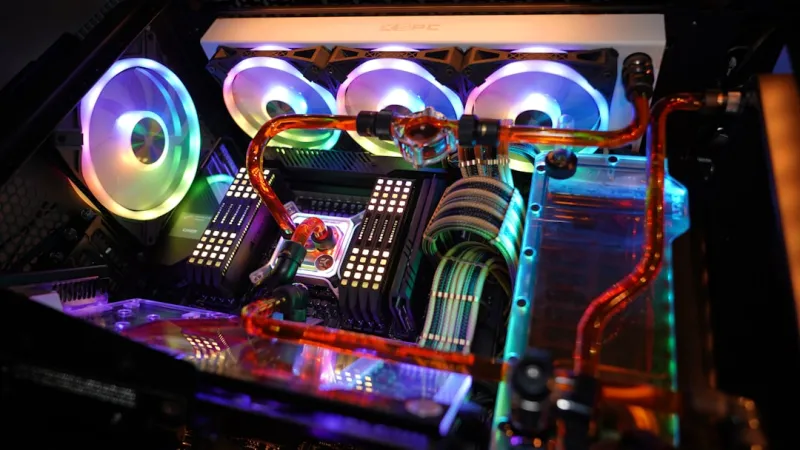
Upgrading high‑end components without revisiting your power delivery and thermal solution is a recipe for instability. Modern GPUs and CPUs can draw 300 W or more under load, so a quality 850‑1000 W 80+ Gold or Platinum PSU is advisable. Modular designs simplify cable management, reducing airflow obstruction and making future upgrades cleaner. On the cooling front, the debate between air and liquid persists, but the pendulum is swinging toward hybrid solutions. High‑static‑pressure fans combined with a 240 mm AIO (all‑in‑one) liquid cooler can keep temperatures sub‑70 °C even during sustained workloads, extending component lifespan. For those who demand silence, consider a custom loop with low‑RPM pumps and larger radiators; the upfront cost is higher, but the performance‑to‑noise ratio is unmatched. Always monitor PSU health with tools like HWInfo, and keep an eye on VRM temperatures—overheating VRMs can cause throttling that negates the gains from your new CPU.
Software Tweaks: Unlocking the Full Potential of Your OS
Hardware upgrades only tell half the story; a finely tuned operating system extracts every ounce of performance you’ve paid for. In 2026, Windows 11 Pro offers a suite of power‑user features—such as the new “Performance Mode” that prioritizes foreground apps and optimizes background services. For those who prefer a Linux environment, the latest kernels include improved scheduler algorithms for high‑core‑count CPUs. Regardless of your OS, enable fast startup, disable unnecessary startup programs, and keep drivers updated. If you need a deeper dive, check out Operating System Mastery for Power Users, which walks through registry tweaks, power plan customizations, and advanced virtualization settings that can turn a standard workstation into a high‑efficiency workstation.
Security Considerations: Encryption and Malware Defense
Every upgrade cycle is an ideal moment to reinforce your security posture. Modern CPUs now feature built‑in hardware encryption engines, but you still need to configure them correctly. Enabling BitLocker with TPM 2.0, or using Linux’s LUKS with the new XTS‑AES‑256 mode, ensures that your data stays protected even if the hardware is stolen. Additionally, the increased performance of your system can tempt users to install unverified software—an opening for sophisticated malware. Strengthen your defenses by adopting a layered approach: keep your OS patched, use reputable antimalware solutions, and apply the principles from The Power‑User Playbook: Mastering Computer Security in 2026. For a deeper understanding of why encryption matters, read Why Encryption Is the Power User’s Most Critical Weapon Today, which explains how modern threats bypass traditional defenses and why a robust encryption strategy is your best line of defense.
Future‑Proofing and the Upgrade Roadmap
Looking ahead, the goal of any upgrade should be to stay relevant for at least the next three to five years. This means selecting components with headroom for upcoming standards—PCIe 5.0 is here, but PCIe 6.0‑ready motherboards are already in early adoption, and DDR5‑7200 kits are on the horizon. Plan your upgrade path in stages: start with the CPU and motherboard, then add a GPU that can be swapped later as new generations arrive. Keep spare PCIe slots and extra M.2 slots free for future expansion, and choose a case with modular drive bays to accommodate larger storage arrays. Finally, document your configuration, maintain a regular backup schedule, and revisit your security settings after each hardware change. By treating upgrades as a strategic, phased process rather than a one‑off purchase, you’ll enjoy sustained performance gains, lower total cost of ownership, and the peace of mind that comes from knowing your rig is ready for whatever 2026 and beyond throws at it.




