
When I first booted a fresh install of an operating system back in 2026, I felt the same thrill I get every time I tinker with a new piece of silicon. The OS isn’t just a backdrop; it’s the living, breathing nervous system that decides whether my workflow feels like a seamless sprint or a clunky crawl. Over the past few years, the OS arena has shifted from static, monolithic releases to dynamic, AI‑infused ecosystems that learn my habits and pre‑emptively allocate resources. This transformation is especially evident in the rise of AI‑driven kernels that monitor process patterns, predict bottlenecks, and even rewrite low‑level code on the fly to keep latency at a whisper. As a power user, I’m constantly asking: how can I harness these intelligent layers without surrendering control? The answer lies in staying informed, customizing the knobs that matter, and refusing to let the OS become a black box that decides my productivity for me.
The AI‑Driven Kernel Revolution
The most palpable change in modern operating systems is the integration of machine‑learning models directly into the kernel. These models ingest telemetry—CPU cycles, memory paging, I/O bursts—and adjust scheduler priorities in real time. In practice, this means my video editing suite can claim more cores during a render while my background downloads quietly throttle. The key advantage is predictive resource management, which eliminates the traditional trial‑and‑error tuning I used to spend hours on. However, this power comes with a trade‑off: you must trust that the AI respects privacy and doesn’t over‑optimize for a narrow set of tasks. To stay in the driver’s seat, I regularly audit the kernel’s learning logs via built‑in diagnostics, ensuring that any “self‑optimizing” behavior aligns with my actual workflows rather than a generic benchmark. The result is an OS that feels alive, adapting to my needs while still offering the granular control I crave.
Security in a Hyper‑Connected World
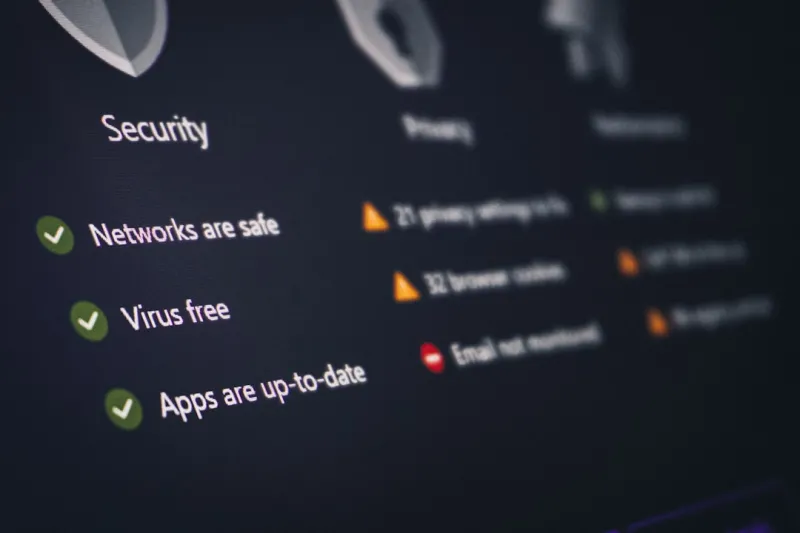
Security has always been a top‑of‑mind concern for power users, but 2026 has raised the stakes dramatically. With AI‑enhanced kernels come new attack surfaces, especially when kernel‑level heuristics can be poisoned by malicious data. Modern operating systems now embed hardware‑rooted attestation that verifies the integrity of both firmware and AI models before they execute. This creates a chain of trust that starts at the silicon level and extends up to the userland. I’ve also seen a surge in zero‑trust networking baked directly into the OS, where every inter‑process communication is authenticated, reducing the risk of privilege escalation. For those of us who run hybrid cloud workloads on local machines, these features are a godsend, as they protect sensitive data whether it lives on‑prem or in the cloud. Yet the best defense still starts with vigilance: regular patch cycles, sandboxing untrusted apps, and leveraging the OS’s built‑in threat‑hunting tools to stay ahead of the curve.
Hybrid Cloud Integration Made Seamless
One of the most exciting developments for power users is the native blending of local OS environments with hybrid cloud resources. In 2026, operating systems now ship with unified APIs that let you spin up a remote compute node with a single command, as if you were launching a local VM. This “cloud‑first” mindset reduces the need for third‑party orchestration tools, streamlining everything from AI model training to massive batch renders. The OS’s scheduler can offload heavy, non‑interactive tasks to a cloud instance, freeing up local cores for latency‑critical work. What’s more, the OS now manages secure tunnels automatically, encrypting traffic end‑to‑end without user intervention. For a power user juggling multiple projects, this integration feels like having a personal data center at my fingertips, with the OS intelligently balancing cost, performance, and security based on real‑time analytics.
User Interface Evolution: From Clicks to Gestures
Beyond the kernel and security layers, the user interface has undergone a subtle but profound shift. Modern operating systems in 2026 emphasize context‑aware gestures and voice commands that adapt to the user’s environment. For example, when I’m wearing AR glasses, the OS surfaces floating panels that I can manipulate with hand motions, eliminating the need to switch between keyboard shortcuts and mouse clicks. On a traditional desktop, the OS now offers a “dynamic command bar” that predicts the next tool I’ll need based on my current activity, presenting it with a single keystroke. These UI enhancements are not gimmicks; they are designed to reduce friction for power users who spend hours navigating complex toolchains. By learning my patterns, the OS minimizes the cognitive load, allowing me to focus on creative problem solving instead of wrestling with menus.
Hardware‑Software Co‑Design: Building the Perfect Platform
In the power‑user community, there’s a growing consensus that the future of operating systems is inseparable from the hardware they run on. The latest CPUs and GPUs expose granular telemetry that the OS can consume to fine‑tune performance on the fly. This synergy is why I always start a new build by consulting the guide on building a future‑ready PC. Selecting a motherboard with robust firmware support and ample PCIe lanes ensures the OS can leverage advanced features like direct memory access for AI accelerators. Moreover, many modern boards now include dedicated AI inference chips that the OS can schedule as first‑class compute resources, dramatically speeding up tasks like video transcoding or real‑time language translation. When the hardware and OS speak the same language, you get a system that feels cohesive, responsive, and ready for the next wave of software innovation.
Automation and Scripting: The Power‑User’s Secret Weapon
Automation remains the lifeblood of any power user’s workflow, and 2026 has taken scripting to new heights. The OS now ships with a unified scripting engine that can orchestrate tasks across local processes, cloud services, and even containerized workloads without needing external glue code. By leveraging built‑in AI assistants, I can describe a complex workflow in natural language, and the OS translates it into a series of shell commands, API calls, and background jobs. This capability reduces the barrier to entry for sophisticated automation, letting me focus on higher‑level logic rather than boilerplate scripting. Additionally, the OS’s event bus now supports custom triggers based on system health metrics, allowing scripts to react to CPU temperature spikes or network latency spikes instantly. The result is a living, breathing automation layer that scales with my ambitions, turning repetitive chores into invisible background processes.
Why Windows Remains the Power‑User’s Playground
While many power users gravitate toward open‑source ecosystems, Windows continues to dominate the power‑user arena, and for good reason. Its extensive driver support, mature development tools, and deep integration with enterprise services make it a versatile platform for everything from gaming to data science. The OS’s latest release embraces the AI‑driven kernel model while preserving the classic registry and PowerShell environment that seasoned users rely on. In my experience, the combination of Windows’ robust ecosystem and its commitment to backward compatibility means I can run legacy tools alongside cutting‑edge AI workloads without a hitch. Moreover, the Windows Subsystem for Linux (WSL) now runs a full Linux kernel, blurring the lines between the two worlds and giving power users the best of both. This hybrid approach ensures that Windows remains a fertile playground for innovation, experimentation, and high‑performance computing.
Linux, BSD, and the Rise of Container‑First OSes
On the other side of the spectrum, Linux and BSD distributions have embraced a container‑first philosophy, positioning the OS itself as a lightweight orchestrator. Modern distributions ship with minimal base layers, encouraging users to pull in only the components they need via immutable containers. This design reduces attack surface, improves boot times, and aligns perfectly with the hybrid cloud model discussed earlier. For power users who demand transparency, the open‑source nature of these kernels allows deep customization—from swapping out the default scheduler to integrating experimental AI modules. I often deploy a minimal Linux host as a “sandbox” environment, using it to test kernel patches before rolling them out to my primary workstation. This workflow highlights the flexibility of the open ecosystem, where the OS becomes a modular platform rather than a monolithic product.
Looking Ahead: The OS as an Intelligent Companion
As we forge deeper into 2026, the operating system is evolving from a passive platform into an intelligent companion that anticipates needs, safeguards data, and seamlessly bridges local and cloud resources. For power users, this shift unlocks unprecedented levels of efficiency, but it also demands a proactive mindset: regular audits, strategic hardware choices, and a willingness to experiment with new AI‑driven features. By staying curious and leveraging the rich ecosystem of tools—whether it’s the native automation engine, AI‑enhanced kernels, or hybrid cloud APIs—we can turn the OS into a true extension of our intellect. The future will likely bring even tighter integration with quantum‑grade processors and deeper personalization, but the core principle remains the same: an operating system that works for you, not the other way around. Embrace the change, keep your toolkit sharp, and let the OS amplify your power‑user potential.




