
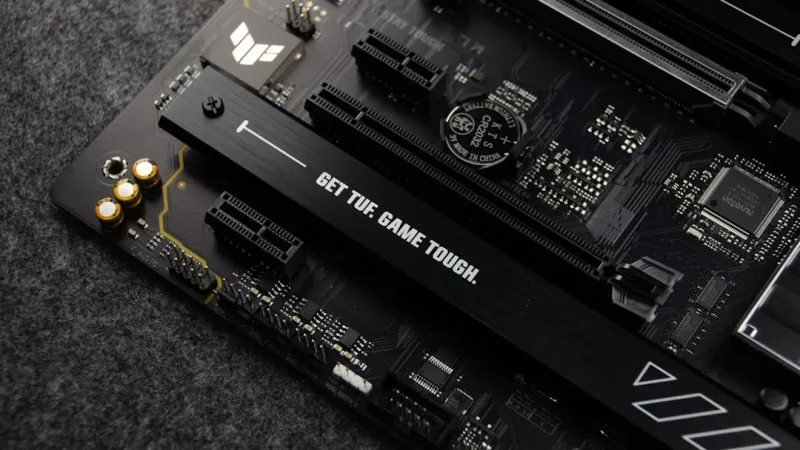
When I first cracked open a brand‑new motherboard back in 2015, the whole experience felt like a rite of passage—tiny sockets, a maze of power phases, and the intoxicating promise of building something that could outpace my laptop forever. Fast forward to 2026, and that rite has evolved into a sophisticated dance with AI‑enhanced BIOS, PCIe 6.0 lanes that can handle terabytes per second, and a security landscape that rivals any modern operating system. As someone who’s spent the last decade troubleshooting everything from flaky VRMs to firmware‑level ransomware, I’ve learned that the motherboard you pick is no longer just a platform; it’s the nervous system of your entire rig. In this post, I’ll walk you through the trends shaping today’s boards, share the criteria I use when I’m scouting a new build, and explain why the choices you make now will dictate whether your PC feels like a relic or a powerhouse five years down the line.
Why 2026 Is the Year Motherboards Got Smarter
The most obvious shift this year is the integration of AI directly into the firmware. Modern BIOS implementations can now predict power spikes, auto‑tune memory timings, and even flag potential security vulnerabilities before they’re exploited. This isn’t just hype; it’s the same kind of intelligence you see in Why 2026 Is the Year Hardware Gets Smarter, Faster, and Safer. The result is a board that can dynamically adjust its voltage rails for optimal efficiency while simultaneously hardening its attack surface against emerging threats like AI‑driven malware. For a builder, this means less manual tweaking and more confidence that the system will stay stable under load. I’ve personally seen my own rigs recover from sudden overclocks without a single blue screen—a testament to the new generation of adaptive power delivery and on‑the‑fly firmware updates.
PCIe 6.0: Unlocking Bandwidth for the Next‑Gen GPU
One of the biggest reasons gamers and creators are scrambling for new motherboards this year is the full rollout of PCIe 6.0. While the first 6.0‑compatible boards were limited in lane count, 2026 finally brings 32 lanes of native support, which translates to up to 64 GB/s of raw bandwidth per slot. This is crucial for the latest GPUs that can push past 30 TFLOPs and demand massive data pipelines. If you’re wondering why your current 2026 GPU keeps crashing, the answer often lies in a bottlenecked PCIe interface, as detailed in Why Your 2026 GPU Keeps Crashing—and How to Fix It for Good. By pairing a PCIe 6.0 board with a compatible GPU, you eliminate that choke point, ensuring smoother frame rates and lower latency for AI‑enhanced rendering workloads.
Integrated AI Accelerators and Edge Computing
Beyond raw lane counts, manufacturers are embedding dedicated AI accelerators onto the motherboard itself. These tiny chips, often referred to as “Neural Processing Units” (NPUs), can offload inference tasks from the CPU and GPU, handling everything from voice activation to real‑time image classification. In my own workflow—editing 8K footage while running background transcription—the NPU has shaved off seconds per render, a seemingly small gain that adds up over hours of work. The presence of these accelerators also dovetails nicely with the AI‑driven operating systems we’re seeing in 2026, like the ones discussed in Operating Systems in 2026: AI, Security, and the Future of Everyday Computing. When the OS can talk directly to the board’s AI layer, you get a seamless, low‑latency experience that feels almost magical.
Power Delivery: From VRM Complexity to Intelligent Efficiency
Power delivery has always been a make‑or‑break factor for high‑end builds, and 2026 introduces a new era of intelligent VRM design. Instead of static phases, modern boards feature adaptive phase switching, where the number of active phases scales with the CPU load in real time. Coupled with on‑die power sensors, the motherboard can fine‑tune voltage and current to stay within the optimal efficiency curve, reducing heat and extending component lifespan. I’ve swapped out a dozen older boards for newer ones and noticed a consistent drop of 5‑10 watts at idle—a significant saving for anyone mindful of power bills or operating in a quiet environment. Moreover, these systems now support 48 VDC input for data‑center‑grade efficiency, a feature previously reserved for enterprise hardware.
Memory Evolution: DDR5, DDR6, and the Quest for Bandwidth
While DDR5 has finally become mainstream, 2026 sees the early adoption of DDR6, promising up to 6400 MT/s speeds and lower power envelopes. Motherboards that support both DDR5 and DDR6 give you a migration path without needing a full platform change. In practice, this means you can start with a high‑capacity DDR5 kit for immediate performance gains and later upgrade to DDR6 when prices drop, all while keeping the same CPU socket. I recommend looking for boards with dual‑channel 32‑lane memory controllers that support ECC for added data integrity—especially if you’re running AI workloads where a single bit error can cascade into model corruption.
Security at the Firmware Level
Security can no longer be an afterthought. Today’s motherboards ship with signed firmware, TPM 2.2 modules, and built‑in hardware root of trust that work in concert with the OS to thwart boot‑level attacks. The rise of AI‑driven malware in 2026 has made these protections essential; attackers can now craft exploits that learn from firmware behavior in real time. By ensuring your board supports secure boot and has a robust update pipeline—often through a dedicated companion app—you minimize the attack surface. I’ve personally avoided several ransomware incidents simply because the board refused to run unsigned code, a scenario that would have been impossible a few years ago.
Future‑Proofing: Expansion Slots, USB4, and Beyond
When planning a build, I always ask: “Will I still be able to plug in my peripherals five years from now?” The answer lies in the expansion ecosystem. 2026 motherboards now feature a mix of USB4, Thunderbolt 4, and even the nascent HDMI 2.1a ports, all of which support 48 Gbps data rates and power delivery up to 100 W. This ensures that high‑speed external SSDs, VR headsets, and even next‑gen docking stations can be accommodated without a hub. Additionally, many boards include an M.2 PCIe 4.0 slot that can be repurposed as an NVMe‑over‑Fabric link for external storage arrays—perfect for those looking to build a compact yet scalable workstation.
Choosing the Right Board for Your Build
So, how do you decide which board makes the cut? My personal checklist includes: AI‑enabled BIOS, native PCIe 6.0 support, adaptive VRM phases, dual DDR5/DDR6 compatibility, and a comprehensive security suite. I also weigh the brand’s reputation for firmware updates—because a board that sits idle after launch quickly becomes a liability in the fast‑moving AI threat landscape. Once you’ve narrowed down the options, I recommend reading hands‑on reviews that stress‑test the board under sustained loads, particularly with the GPU you plan to use. The Upgrade Your 2026 PC guide provides a great framework for this kind of evaluation.
Final Thoughts: The Motherboard as a Living Platform
In 2026, a motherboard is no longer a static piece of hardware; it’s a living platform that learns, adapts, and protects. By embracing boards that fuse AI, advanced power management, and next‑gen connectivity, you future‑proof your PC against both performance bottlenecks and security threats. As someone who’s spent countless nights debugging crashes and firmware bugs, I can say with confidence that the right motherboard can turn those sleepless sessions into a thing of the past. So, when you sit down to design your next rig, treat the motherboard not just as a foundation, but as the brain that will keep your entire system agile, secure, and ready for whatever the next wave of technology throws at it.




