
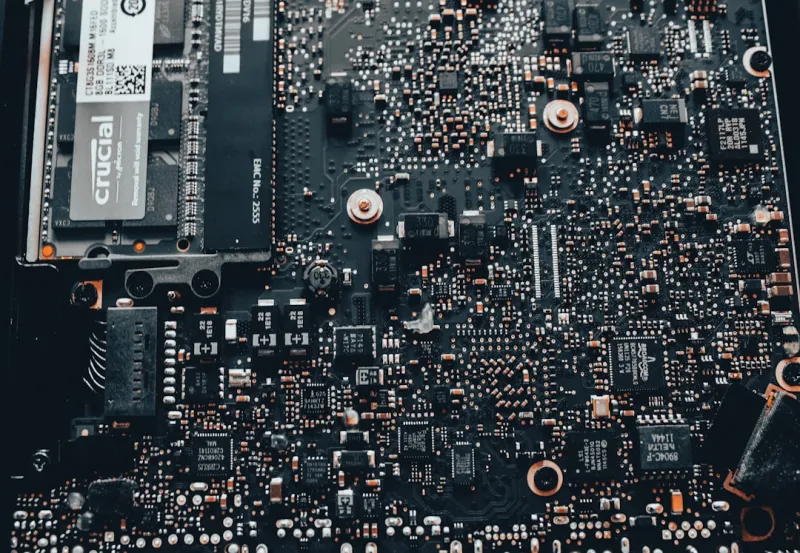
When I first tore apart a 2020 gaming rig, the motherboard was a silent workhorse—nothing flashy, just a slab of copper and silicon that kept everything humming. Fast forward to 2026, and that same slab has become a sophisticated, AI‑ready platform that can predict thermal spikes, allocate PCIe lanes on the fly, and even negotiate network traffic before you load a browser tab. As someone who’s built everything from budget office boxes to high‑end workstation monsters, I can tell you that the motherboard is no longer an afterthought; it’s the brain, the circulatory system, and the immune system of a modern PC. In this deep‑dive, I’ll walk you through the trends reshaping motherboards this year, why you should care, and how to choose a board that won’t feel ancient by the time the next AI wave hits.
The Chipset Revolution: From Passive to Predictive
Chipsets have always been the glue between the CPU, memory, and peripheral devices, but 2026’s offerings have taken on a predictive personality. Thanks to integrated machine‑learning cores, modern chipsets can analyze workload patterns in real time and dynamically re‑route data to the most efficient pathways. This means less latency for heavy‑duty tasks like 8K video rendering or AI model inference, and smoother frame rates when you’re grinding a 144‑fps esports title. The latest Intel “Alder‑Lake‑X” and AMD “Zen 4‑E” platforms ship with firmware that continuously learns from your usage, adjusting voltage curves and PCIe bandwidth without a manual BIOS tweak. It’s the kind of hands‑off optimization that used to belong to premium overclocking rigs, now standard across mid‑range boards. If you’ve ever spent hours tweaking V‑core settings, you’ll appreciate how the chipset now does that heavy lifting for you, letting you focus on creating, not calibrating.
PCIe 6.0, DDR6, and the Bandwidth Arms Race
The jump to PCIe 6.0 has been the most tangible performance boost for gamers and creators alike. With a theoretical 64 GT/s per lane, the newest boards can feed multiple graphics cards, high‑speed storage, and AI accelerators simultaneously without bottlenecking. Pair that with the arrival of DDR6 memory, which tops out at 6400 MT/s and offers lower latency than its DDR5 predecessor, and you have a data pipeline that feels almost telepathic. In practical terms, loading massive game worlds now takes a fraction of a second, and AI‑driven photo‑enhancement tools crunch images in real time. Manufacturers are also bundling more M.2 slots—up to five on enthusiast boards—so you can spread NVMe drives across the PCIe 6.0 lanes for blistering sequential reads. The sweet spot for most builders is a board that balances these lanes without over‑committing to niche expansions that you’ll never use.
Built‑In AI Accelerators: The Motherboard’s New Secret Weapon
One of the most exciting developments is the integration of dedicated AI accelerators directly onto the motherboard. These low‑power tensor cores offload inference tasks from the CPU, handling everything from voice assistants to real‑time image upscaling. Brands like ASUS and MSI now advertise “AI‑Ready” boards that come with a small, yet capable, NPU (Neural Processing Unit) soldered onto the PCB. This isn’t just marketing fluff; it translates to tangible benefits like smoother AI‑enhanced game streaming and faster background transcription for video editors. If you’re curious about why 2026 is the year AI‑ready hardware takes over PC builds, check out Why 2026 Is the Year AI‑Ready Hardware Takes Over PC Builds for a deeper look at how these NPUs are changing the design philosophy of motherboards.
Power Delivery: From Traditional Phases to GaN‑Infused Efficiency
Power delivery has always been a critical factor, but the conversation has shifted from sheer wattage to efficiency and heat management. Modern boards now sport 12‑plus phase VRM designs that leverage Gallium Nitride (GaN) components, offering higher switching frequencies with lower thermal output. This means your CPU can stay within its boost clock longer without throttling, and the overall system runs quieter. GaN‑based VRMs also provide better voltage regulation under heavy loads, which is essential when you’re pushing a 13th‑gen Intel CPU or a Ryzen 9 7950X to their limits. If you’ve ever been frustrated by a board that overheats during long rendering sessions, you’ll notice a marked difference with these newer designs—your cooling solution doesn’t have to work overtime, and your system’s lifespan improves as a result.
Form Factor Evolution: Flexibility Meets Modularity
While the classic ATX form factor remains dominant, 2026 has seen a surge in modular designs that cater to both space‑constrained builds and massive workstation rigs. Mini‑ITX boards are no longer limited to entry‑level CPUs; many now support high‑end processors, full‑size VRMs, and multiple M.2 slots, making them perfect for compact yet powerful machines. On the opposite end, E‑ATX and the emerging “Ultra‑ATX” platforms provide extra PCIe lanes, additional power phases, and even dedicated slots for dual AI accelerators. Some manufacturers are experimenting with a “mix‑and‑match” approach, offering detachable I/O shields and interchangeable VRM modules that let you upgrade power delivery without swapping the entire board. This modularity not only extends the usable life of your hardware but also aligns with the sustainability push many of us are championing in our tech communities.
BIOS/UEFI Gets Smarter: AI‑Driven Firmware Updates
The BIOS is evolving from a static configuration menu into a dynamic, AI‑assisted manager. New UEFI firmware can now scan your hardware configuration, benchmark performance, and apply micro‑code updates automatically—often before you even know a new CPU has been released. Some boards integrate cloud‑based profiles that adapt to the latest security patches, a feature especially relevant as Windows 2026 introduces AI‑infused security layers. For those interested in how operating systems are intertwining with firmware, the article Windows 2026: How AI, Security, and Performance Are Redefining the PC Experience offers a comprehensive look at this symbiosis. With these intelligent BIOS features, you spend less time tinkering and more time enjoying a stable, optimized system.
Security at the Silicon Level: TPM 2.2 and Beyond
Security has never been more critical, and motherboards are stepping up with hardware‑rooted solutions that complement the AI‑driven threat landscape. The latest TPM 2.2 modules provide stronger cryptographic keys and faster attestation, making it harder for malicious actors to tamper with boot processes. Coupled with built‑in firmware encryption and secure boot enhancements, these boards create a layered defense that works even before the OS loads. If you’re curious about the broader security context, take a look at Why AI‑Powered Threats Are Redefining Computer Security in 2026. By integrating robust hardware security directly onto the motherboard, manufacturers are giving us the tools to protect sensitive data without sacrificing performance.
Future‑Proofing: Slots, Connectivity, and the Road Ahead
When planning a build, it’s tempting to focus on today’s needs, but a forward‑thinking motherboard anticipates tomorrow’s standards. Look for boards that offer at least three PCIe 6.0 x16 slots, a handful of M.2 2280 sockets with heatsinks, and integrated Wi‑Fi 7 alongside 2.5 GbE Ethernet. These features ensure that when 8K gaming, real‑time ray tracing, or AI‑heavy workloads become mainstream, your system won’t be left scrambling for upgrades. Additionally, some high‑end boards now include USB4/Thunderbolt 4 ports capable of 40 Gbps data transfer, which is crucial for external GPU enclosures or fast NAS connections. By choosing a motherboard with abundant lanes and modern connectivity, you essentially future‑proof your rig for the next wave of software innovation.
Buying Guide: Matching Your Needs with the Right Board
So, how do you pick the perfect motherboard in 2026? Start by defining your primary use case: gaming, content creation, AI development, or a hybrid workload. For gamers, prioritize low latency BIOS, robust VRMs, and high‑speed PCIe 6.0 lanes for GPUs. Content creators should look for multiple M.2 slots, integrated AI accelerators, and strong USB4 support. If you’re dabbling in AI or machine learning, a board with a built‑in NPU and ample power phases will save you from buying a separate expansion card. Budget‑conscious builders can still find value in mid‑range ATX boards that offer a decent VRM, DDR6 support, and Wi‑Fi 7. Finally, don’t forget to check the manufacturer’s update policy—regular BIOS updates are essential for maintaining compatibility with future CPUs and security patches. In the end, a well‑chosen motherboard is an investment that pays off in stability, performance, and longevity, letting you ride the 2026 tech wave with confidence.




