
Why Upgrading Your PC in 2026 Is No Longer Optional
When I first built my rig back in the early 2020s, I could get away with a modest GPU and a 16‑GB memory kit for most tasks. Fast forward to 2026, and the landscape has shifted dramatically—AI‑accelerated workloads, real‑time ray tracing, and massive multi‑threaded applications are the new normal. As a power user, you’re not just watching videos; you’re training models, streaming ultra‑high‑definition content, and running complex simulations that demand every ounce of horsepower your machine can deliver. Staying stagnant means watching your productivity stall while the competition races ahead. This is why a strategic upgrade plan is essential: it protects your investment, extends the life of your platform, and ensures you can tackle tomorrow’s challenges today. In this post, I’ll walk you through the components that deserve the most attention, how to prioritize them based on your workload, and the practical steps you can take right now to future‑proof your setup without breaking the bank.
GPU: The Heartbeat of Modern Computing
If you’ve ever tried to render a complex 3D scene or run a large language model locally, you know that the GPU is the bottleneck that can make or break your workflow. The latest 2026 GPU families push the envelope with massive tensor cores, dedicated AI accelerators, and up to 48 GB of GDDR7 memory. Not only do they deliver smoother frame rates in games, but they also cut inference times for AI tasks by half compared to last year’s top cards. When selecting a new GPU, look for features like PCIe 5.0 support, ray‑tracing cores, and power efficiency—these will keep you competitive as software continues to leverage hardware acceleration. Don’t forget to verify that your case can accommodate the new card’s dimensions and that your power supply can handle the increased wattage. Pairing a high‑end GPU with a solid cooling solution, such as an all‑in‑one liquid cooler, will prevent thermal throttling and preserve performance under sustained loads.
CPU: More Cores, Smarter Architecture
The CPU still reigns supreme for single‑threaded tasks, operating system responsiveness, and the orchestration of multi‑core workloads. In 2026, we’re seeing processors with up to 32 high‑efficiency cores and advanced hybrid architectures that intelligently shift tasks between performance and efficiency cores. This design dramatically improves power consumption while delivering the raw horsepower needed for compiling code, running virtual machines, and handling background services. When planning a CPU upgrade, focus on socket compatibility, cache size, and support for the latest instruction sets like AVX‑512. A newer processor also brings forward compatibility with faster DDR5 memory and PCIe 5.0 lanes, which directly benefits GPU and storage performance. If you’re on an older platform, consider the total cost of the upgrade—including a new motherboard and cooler—because the performance delta can be worth the investment for heavy multitaskers and developers.
Memory: DDR5 Is No Longer a Luxury
Memory capacity and speed have a surprisingly large impact on both gaming and productivity workloads. While 16 GB of DDR4 was once considered ample, modern applications—especially AI inference and large data sets—can easily saturate that limit. DDR5 modules now start at 4800 MHz and can be found in 32 GB kits for a reasonable price, offering lower latency and higher bandwidth. When upgrading, aim for at least 32 GB of DDR5 to keep your system responsive during heavy multitasking. Pay attention to the motherboard’s supported speeds and the CAS latency rating; lower latency translates to quicker data access, which is critical for real‑time rendering and complex simulations. Additionally, enabling XMP profiles in the BIOS can automatically configure your memory to run at its advertised speeds, unlocking the full potential of your new sticks.
Storage: Embrace PCIe 5.0 NVMe for Lightning‑Fast Access
Boot times, file transfers, and application load speeds have become a major differentiator in overall system feel. PCIe 5.0 NVMe SSDs now deliver sequential read/write speeds exceeding 14 GB/s, dwarfing the older PCIe 4.0 drives that peaked around 7 GB/s. If your workflow involves large datasets—think 4K video editing, massive game libraries, or AI model training—upgrading to a PCIe 5.0 SSD can shave minutes off tasks that previously took hours. Look for drives with high endurance ratings (TBW) and a DRAM cache to maintain consistent performance under sustained writes. For many users, a dual‑drive setup—an ultra‑fast NVMe for OS and applications, paired with a larger SATA or secondary NVMe for bulk storage—offers the best balance of speed and capacity. Remember to verify that your motherboard’s M.2 slots support the newer standard to fully reap the benefits.
Power Delivery and Cooling: The Unsung Heroes
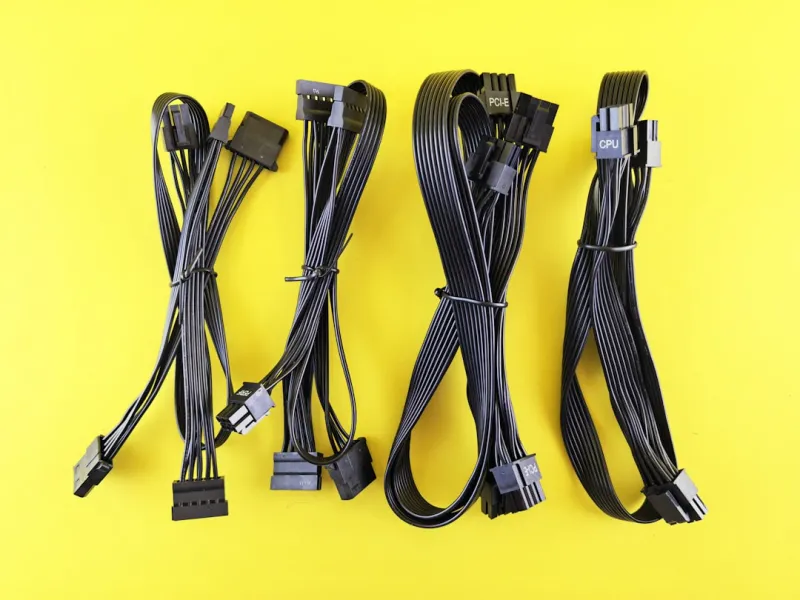
All the high‑end components we’ve discussed demand clean, reliable power and efficient heat dissipation. An underrated upgrade is a high‑quality 80+ Gold or Platinum PSU that can comfortably handle a 600–850 W load, providing headroom for future expansions and ensuring stable voltage under peak usage. Coupled with a robust cooling strategy—whether it’s a premium air cooler with a large heatsink and multiple heat pipes or a closed‑loop liquid cooler—you’ll keep temperatures low, which translates to longer component lifespans and sustained performance. Don’t overlook case airflow; adding intake fans at the front and exhaust fans at the rear or top can dramatically improve thermal dynamics. Proper cable management also aids airflow and makes troubleshooting easier, a habit I’ve cultivated over years of power‑user tinkering.
Strategic Planning: Future‑Proofing Without Overspending
Balancing performance gains against budget constraints is a delicate dance. I always start by identifying the bottleneck that hurts me most—be it GPU for AI workloads or storage for large file handling—and allocate funds accordingly. Leveraging resources like Future‑Proofing Your Rig can guide you through a systematic upgrade path that maximizes ROI. Prioritize components that unlock new features (e.g., PCIe 5.0 support) and avoid the temptation to replace parts that still meet your needs. A well‑timed upgrade—such as moving to a new CPU generation just before a major software release—can yield outsized benefits. Keep an eye on upcoming product roadmaps; manufacturers often hint at next‑gen releases that can inform whether to buy now or wait a few months for a price drop or performance jump.
Maintaining a Secure, High‑Performance Rig
Upgrades aren’t just about raw speed; they also play a crucial role in your system’s security posture. Newer hardware often includes built‑in mitigations against firmware attacks and supports the latest TPM standards, which are essential for secure boot and encrypted storage. Pairing a fresh hardware stack with proactive software practices—like regular driver updates and the insights from Power‑User Essentials—creates a resilient environment that can withstand evolving threats. In 2026, where AI‑driven malware is on the rise, a robust hardware foundation is your first line of defense. So, as you embark on your upgrade journey, remember that each new component is not only a performance booster but also a security upgrade that safeguards your data, privacy, and peace of mind.




