
2026 feels like the moment Windows finally stepped out of the incremental update cycle and embraced a true paradigm shift. As someone who has been tinkering with every major release since Windows 95, I can tell you that the buzz isn’t just about a new visual refresh—it's about an operating system that’s learning from you, defending you, and squeezing out performance you never thought possible on a consumer PC. Microsoft’s latest rollout, often dubbed “Windows 2026,” marries AI‑driven assistance with a hardened security kernel, all while keeping the classic desktop feel that power users love. In this post I’ll break down why the changes matter, how they impact everyday tasks, and what you can do right now to stay ahead of the curve. Trust me, if you’re still running a legacy build, you’ll want to read every line before you decide whether to upgrade or hold fast to your current setup.
The AI Revolution Is Now Built Into the Core
What used to be an optional “Cortana” assistant has morphed into a pervasive AI layer that lives in the OS kernel itself. Every time you open a document, launch a game, or even type a URL, the system is subtly analyzing context to predict your next move and pre‑load resources. This isn’t the cloud‑only model of the past—Microsoft has pushed a lightweight inference engine straight onto the CPU, meaning you get instant responsiveness even when you’re offline. The AI can also auto‑tune power profiles, adjusting clock speeds on the fly to balance battery life against performance spikes, a feature that feels like having a personal technician in your PC. For developers, the new Windows AI SDK offers hooks to embed smart suggestions directly into apps, turning mundane workflows into proactive experiences.
AI‑Infused Operating Systems: What 2026 Means for Everyday Users
If you’ve ever felt overwhelmed by the sheer number of settings in Windows, you’ll appreciate the new AI‑Infused Operating Systems: What 2026 Means for Everyday Users guide that walks through the most impactful changes. The AI layer can now auto‑resolve driver conflicts, suggest optimal privacy configurations, and even recommend backup schedules based on how you work. One of the most noticeable shifts is the “Smart Update” system, which rolls out patches in micro‑chunks tailored to your hardware profile, drastically reducing the dreaded “update night” downtime. In practice, you’ll see fewer pop‑ups asking for reboot permission; the OS quietly applies non‑critical fixes in the background and only nudges you when a reboot is truly needed for stability.
Security: From Reactive to Proactive
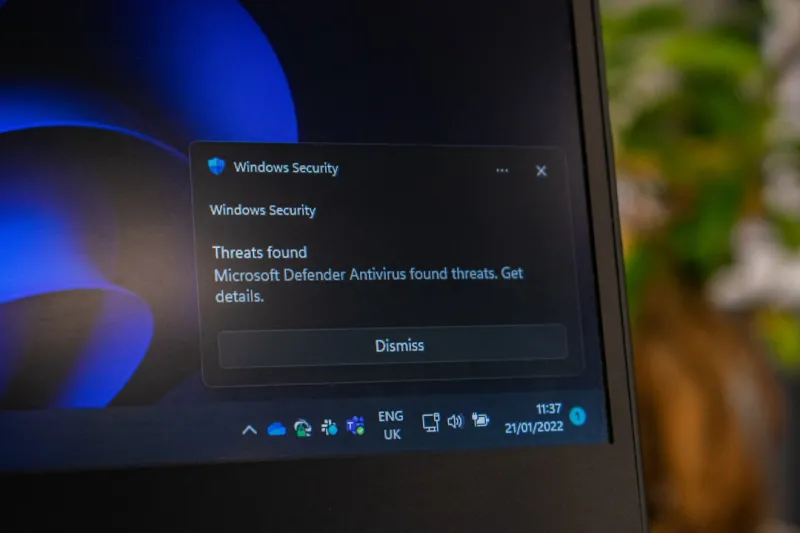
The security architecture in Windows 2026 has taken a quantum leap, moving from signature‑based defenses to AI‑driven threat prediction. The operating system continuously scans system calls and network traffic, looking for anomalous patterns that indicate an emerging exploit. When a suspicious activity is detected, the OS can quarantine the offending process before any code is executed—a capability that feels like having a digital bouncer at every door. This proactive stance is especially crucial given the rise of AI‑powered malware that can adapt on the fly. Microsoft’s “Threat Intelligence Hub” now aggregates data from billions of devices worldwide, feeding the local AI model with real‑time signatures that evolve faster than traditional antivirus solutions can keep up.
Why AI‑Powered Threats Are Redefining Computer Security in 2026
Speaking of AI‑driven attacks, the landscape has changed dramatically. Malicious actors are now deploying bots that can generate polymorphic code on demand, making each infection unique. To stay ahead, you’ll need to understand the tactics described in Why AI‑Powered Threats Are Redefining Computer Security in 2026. The key takeaway is that traditional signature updates are no longer sufficient; you need behavior‑based defenses that learn and adapt. Windows 2026 includes a built‑in “Behavior Guard” that leverages the same AI engine used for performance optimization, flagging suspicious actions such as unexpected registry edits or abnormal file writes. Pair this with regular system backups and a multi‑factor authentication routine, and you’ll have a layered defense that can outmaneuver even the cleverest AI‑infused malware.
Performance Gains That Feel Like a Hardware Upgrade
Even without buying a new GPU, many users report performance boosts that rival a modest hardware refresh. This is largely thanks to the AI‑augmented scheduler, which predicts which cores will be most efficient for a given workload and reallocates threads in real time. In gaming scenarios, the OS can pre‑emptively load texture assets into RAM based on your play style, cutting down stutter and frame drops. For content creators, background rendering tasks now run on idle cores with zero impact on foreground applications. Microsoft also introduced a “Dynamic Storage Tier” that intelligently moves frequently accessed files to the fastest NVMe segment of your drive while relegating cold data to slower SATA pools, all without user intervention.
Hardware Foundations: The AI‑Ready Motherboard
All this AI magic would be impossible without hardware that’s designed to cooperate. Modern motherboards released in 2026 come equipped with dedicated AI accelerators—tiny ASICs that offload inference work from the main CPU, preserving power and reducing latency. If you’re building a new rig, look for boards that advertise “AI‑Ready” features, such as on‑board TPM 2.2 and built‑in secure enclave for AI model storage. The Motherboards in 2026: The AI‑Ready, High‑Performance Foundations Shaping Modern PCs article dives deep into chipset specifics, but the short version is: a board with an AI accelerator can shave off up to 30 % of the time spent on AI‑driven background tasks, translating into smoother multitasking and longer battery life on laptops.
Practical Steps for the Everyday User
So, how do you make the most of Windows 2026 today? First, ensure you’re on the latest Insider build; the AI features are rolled out incrementally, and staying current guarantees you get the newest optimizations. Second, enable “Smart Update” in Settings → Windows Update → Advanced, which lets the OS handle patches with minimal disruption. Third, activate “Behavior Guard” under Security → Threat Protection and pair it with a reputable third‑party antivirus that supports AI integration. Finally, if you notice any odd system behavior, consult the Why Your PC Keeps Throwing a Blue Screen in 2026—and How to Stop It guide for troubleshooting steps that specifically address AI‑related crashes.
Looking Ahead: The Future of Windows
Looking forward, Microsoft has hinted at even deeper AI integration for 2027, including voice‑first system controls and predictive UI layouts that adapt to your workflow without you lifting a finger. The roadmap suggests a move toward a “Living OS” that constantly evolves, learning from each user’s habits and the broader threat environment. While some may worry about privacy, Microsoft promises transparent data handling and on‑device processing wherever possible. As we navigate this AI‑centric era, the best strategy is to stay informed, keep your system updated, and embrace the tools Windows 2026 offers to make computing feel effortless. The future is already here—don’t let your PC be left behind.




