
When I boot my Windows machine in 2026, the first thing I notice isn’t a splash screen or a nostalgic start‑up sound—it’s the whisper of an AI assistant already anticipating my next move. This isn’t a gimmick; it’s a fundamental shift in how the OS thinks, learns, and reacts to me as a power user. Over the past year, I’ve watched Windows evolve from a reliable workhorse into a living platform that tailors performance, security, and even UI layout to the patterns it observes. The integration feels seamless, but beneath the surface lies a massive architecture overhaul that leverages machine‑learning models directly in the kernel. In this post I’ll peel back the layers, share the quirks that only a seasoned tech‑enthusiast like myself notices, and explain why the changes matter to anyone who still runs a PC in 2026.
AI‑Infused Features Are No Longer Optional
Microsoft’s biggest promise for Windows 2026 was to embed AI deep into the operating system, and they delivered. The new “Smart Core” module monitors my workflow, predicts which apps I’ll need next, and pre‑loads critical resources—all without a noticeable lag. For example, when I open Visual Studio to debug code, Windows quietly boosts CPU priority for the debugger while throttling background telemetry. This adaptive behavior is powered by a local inference engine, meaning none of my data leaves the machine, a reassuring detail for privacy‑conscious users. The UI also adapts: start‑menu tiles rearrange based on usage frequency, and the taskbar suggests shortcuts for files I’ve opened repeatedly. It’s a subtle, personalized experience that feels like the OS finally learned to listen without being intrusive.
Security Gets a Quantum Leap with AI
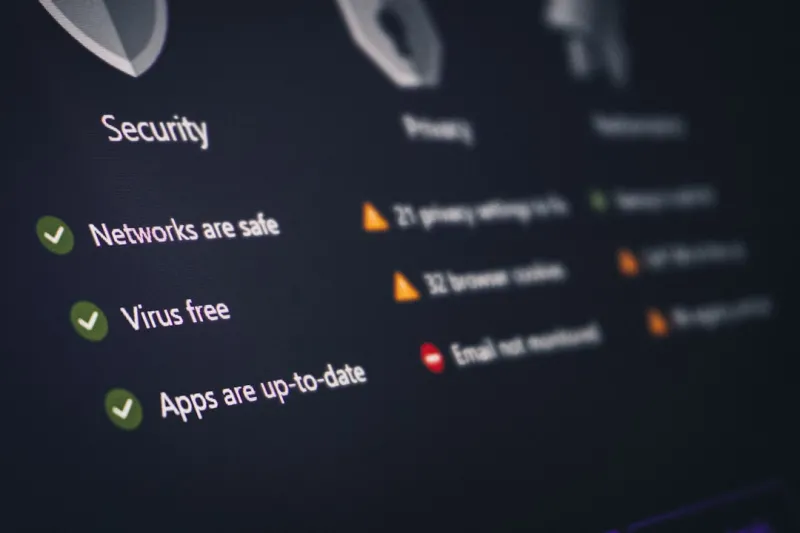
Security in 2026 has become a game of cat and mouse, but the cat now has AI claws. Microsoft’s Defender has been upgraded to an autonomous threat‑hunting system that scans for anomalies in real time, leveraging the same models that power the “Smart Core.” When a suspicious process tries to inject code into a trusted binary, the AI evaluates its behavior against a massive, continuously updated threat graph. If it flags a match, it isolates the process in a secure container before it can act. This proactive stance is crucial as we confront the rise of AI‑Powered Malware in 2026, which can morph its code on the fly to evade traditional signatures. By the time the malware even thinks about executing, Windows has already neutralized it, turning a potential breach into a harmless alert.
Performance Is No Longer a Trade‑Off
One of the biggest myths I’ve heard from long‑time Windows users is that AI features must sacrifice raw performance. In 2026, that myth is finally busted. Microsoft has introduced a “Dynamic Performance Engine” that collaborates with modern hardware to allocate power and thermal headroom intelligently. When I’m gaming, the OS detects the GPU’s boost thresholds and nudges the CPU to a higher clock, all while keeping the system cool enough to avoid throttling. Conversely, during a document‑editing session, the engine scales everything down to conserve energy. Pair this with the advice from Upgrade Your PC in 2026: The Ultimate Guide to Future‑Proof Performance, and you have a roadmap for building a machine that not only runs Windows’s AI layers smoothly but also stays relevant for years to come.
Taming the Blue Screen: A Modern Perspective
Even with AI’s watchful eye, the dreaded Blue Screen of Death (BSOD) still makes occasional appearances—especially when experimental drivers clash with the new kernel extensions. In my experience, the most common culprits are outdated firmware on motherboards that haven’t been patched for the AI‑ready architecture. The good news is Windows now logs detailed telemetry for each crash, linking the fault to the exact driver version and even suggesting a rollback. If you find yourself staring at a blue canvas, open the “Recovery Hub” from the lock screen; it will walk you through a safe‑mode boot and present a one‑click driver update. For a deeper dive, see my guide on Why Your PC Keeps Throwing a Blue Screen in 2026—and How to Stop It, which walks you through the most effective fixes.
Networking Finally Gets Smart
Another area where Windows 2026 shines is networking. The OS now supports AI‑driven traffic shaping that learns which applications need low latency (like video calls) and automatically prioritizes them over background downloads. This is especially useful for remote workers who juggle multiple VPNs and cloud services. The system also detects suspicious patterns—such as an unexpected surge in outbound traffic from a rarely used port—and can quarantine the offending device on the local network without user intervention. If you’re curious about how this fits into the broader tech landscape, check out Why 2026 Is the Year Networking Finally Gets Smart. The integration feels like having a network engineer sitting beside your PC, constantly optimizing the flow.
Hardware Foundations: AI‑Ready Motherboards
The synergy between Windows and hardware has never been tighter. Modern motherboards now ship with dedicated AI accelerators that offload inference tasks from the CPU, freeing up cores for user workloads. This hardware‑level support is why the OS can offer real‑time predictive loading without noticeable power draw. When you pair such a board with DDR5X RAM and a PCIe 5.0 SSD, Windows’s “Dynamic Performance Engine” can orchestrate resources with surgical precision. For those building a new rig, I recommend reading the Motherboards in 2026: The AI‑Ready, High‑Performance Foundations Shaping Modern PCs article, which breaks down the most important specs—like the number of AI cores, power delivery stability, and firmware support—for a future‑proof Windows experience.
Encryption and Privacy: No Longer Optional
Security isn’t just about blocking malware; it’s also about ensuring data stays encrypted end‑to‑end. Windows 2026 has baked in mandatory hardware‑based encryption for all drives that support the new “Secure Compute” standard. This means any data written to disk is automatically encrypted with a key that never leaves the TPM, and the OS can verify integrity on every boot. Combined with the AI‑driven threat detection, this creates a layered defense that’s practically impenetrable for the average attacker. If you’re still on a legacy system, upgrading to a drive that supports Secure Compute should be a priority—otherwise you’ll miss out on the full suite of privacy enhancements.
Practical Tips to Stay Ahead in the AI Era
So, what can you do right now to get the most out of Windows 2026? First, enable “Smart Updates” in Settings; this lets Windows roll out AI model patches automatically, ensuring your defenses are always current. Second, audit your startup programs—Windows now highlights apps that consume disproportionate resources, and you can disable them with a single click. Third, invest in a motherboard that includes an AI accelerator, as discussed earlier; the performance gains are tangible, especially in content‑creation workflows. Finally, keep an eye on the “Security Dashboard” for real‑time alerts about emerging threats. By treating Windows as an evolving partner rather than a static tool, you’ll enjoy smoother performance, tighter security, and a more intuitive daily experience.
Looking Forward: The Next Chapter for Windows
Reflecting on the past twelve months, it’s clear that Windows 2026 is more than an operating system—it’s a platform that learns, adapts, and protects. The AI‑infused core has set a new baseline for what users can expect from a PC: instantaneous responsiveness, proactive security, and a UI that molds itself to individual habits. As we look toward 2027, I anticipate even deeper integration with cloud‑based AI services, more granular privacy controls, and perhaps a shift toward a fully modular OS where you can swap out AI components like plugins. Until then, my advice is simple: stay curious, keep your system updated, and embrace the AI that’s already working behind the scenes. The future of Windows isn’t coming—it’s already here, and it’s smarter than ever.




