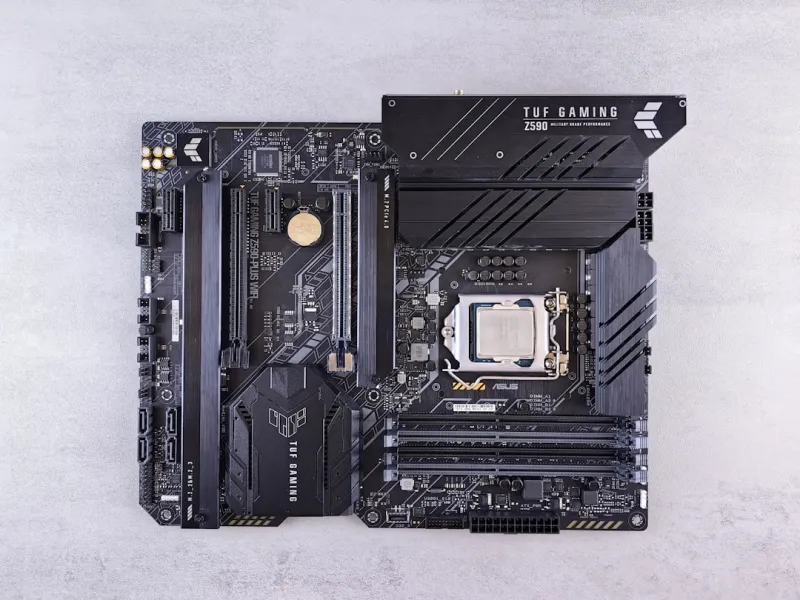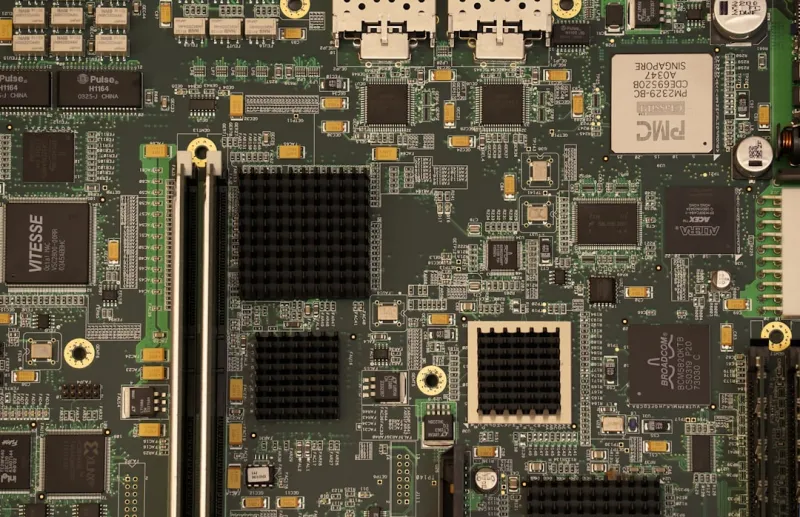
When you think about the beating heart of a modern PC, the motherboard is the organ that rarely gets the applause it deserves. In 2026, it’s no longer just a passive circuit board; it’s an intelligent platform that orchestrates power, data, and security in ways that were science‑fiction a few years ago. I’ve spent countless hours tearing apart rigs, swapping out chips, and watching BIOS screens flicker to life, and I can tell you that the evolution we’re witnessing is seismic. From the rise of AI‑assisted overclocking to the integration of next‑gen connectivity like PCIe 6.0, today’s boards are built to handle workloads that were once the domain of servers. This shift isn’t just for hardcore enthusiasts—content creators, remote workers, and even casual gamers are feeling the impact as their systems become more responsive, efficient, and secure. In the sections that follow, I’ll walk you through the most compelling innovations, explain why they matter to your daily workflow, and show you how to leverage them without breaking the bank.
The New Heartbeat of PCs
One of the most visible changes in 2026’s motherboards is the convergence of chipset and socket design that blurs the line between desktop and workstation platforms. Intel’s 14‑nm “Raptor Lake” successors have adopted a unified LGA 1700 socket that now supports both high‑performance and power‑efficient cores, while AMD’s AM5 platform has matured to a point where its X670E and B650E chipsets deliver native support for DDR5‑5600 memory and PCIe 6.0 without the need for a separate controller. What this means for you is less hassle when upgrading; you can keep the same socket for several generations, swapping only the CPU and a few key components. Moreover, manufacturers are embedding AI accelerators directly onto the board, allowing on‑the‑fly optimizations for workloads like video encoding and real‑time ray tracing. This AI‑in‑silicon approach not only trims latency but also reduces the reliance on external GPUs for certain tasks, freeing up bandwidth for other peripherals. For anyone who’s ever felt constrained by the “bottleneck” narrative, these advances are a reminder that the motherboard is finally stepping into the spotlight as the true performance catalyst.
Power delivery has become an art form, and modern VRM designs are the masterpiece. Gone are the days of a modest 6‑phase setup; today’s enthusiast boards sport 48‑phase, 120‑amp VRMs built with gallium‑nitride (GaN) power stages that dramatically improve efficiency and reduce heat. This translates to higher stable overclocks, lower power draw at idle, and quieter cooling solutions—something I’ve personally appreciated when building a silent workstation for 3D rendering. The integration of digital power controllers also means tighter regulation and real‑time monitoring, which is crucial for maintaining component longevity. In addition, many manufacturers now offer onboard power‑sensing chips that communicate directly with Windows and Linux power‑management utilities, allowing the OS to fine‑tune energy consumption on the fly. For builders concerned about sustainability, these advances make it possible to squeeze more performance out of the same wattage budget, aligning high‑end computing with greener practices.
Connectivity is where the motherboard truly feels futuristic. PCIe 6.0, with its 64 GT/s bandwidth, is now standard on premium boards, opening the door to ultra‑fast NVMe SSDs that can saturate 8 TB/s read speeds—perfect for AI model training or massive video file pipelines. Meanwhile, USB4/Thunderbolt 4 ports have become ubiquitous, offering 40 Gbps data rates and power delivery up to 100 W, which means you can daisy‑chain monitors, external GPUs, and high‑speed storage without reaching for a hub. Wireless capabilities have also leaped forward; integrated Wi‑Fi 7 modules now provide multi‑gigabit throughput with lower latency, while Bluetooth 5.3 ensures seamless peripheral connections. I love that these wireless upgrades dovetail with the broader network evolution discussed in the Network Evolution in 2026 article, where AI‑driven zero‑trust architectures are reshaping how devices talk to each other. The bottom line? Your motherboard is now a one‑stop hub that can handle the data deluge of today’s AI‑centric workflows without a hitch.
Power, Connectivity, and Security
The BIOS has shed its old‑school, text‑only persona and embraced a sleek, user‑friendly interface powered by AI. Modern firmware now offers predictive overclocking: the board analyzes your CPU’s silicon lottery results during POST, then suggests optimal multiplier and voltage settings before you even touch a knob. This AI‑assisted tuning isn’t just a gimmick; it’s a practical tool that saves time and reduces the risk of instability. For those who prefer hands‑on control, the advanced UEFI still provides granular tweaks, but now with real‑time telemetry graphs that display temperature, power draw, and clock speeds side‑by‑side. I’ve found these visualizations invaluable when diagnosing sporadic crashes in a dual‑GPU rig, as they pinpoint whether the issue stems from VRM droop or thermal throttling. To dive deeper into how firmware is evolving, check out the Motherboard Mastery guide, which breaks down the latest BIOS features and why they matter to everyday users.
Security can no longer be an afterthought, especially as ransomware attacks become more sophisticated. Today’s boards come equipped with TPM 2.2 modules, hardware‑rooted trust, and dedicated secure enclaves that isolate cryptographic keys from the OS. Some manufacturers are even integrating AI‑based intrusion detection that monitors firmware integrity and can quarantine malicious code before it executes. This is a game‑changer for professionals handling sensitive data, because it adds a hardware layer that software updates alone can’t replicate. If you’re curious about how modern threats are reshaping security strategies, the Why Modern Threats Demand a New Security Playbook article offers an in‑depth look at the evolving threat landscape and what you can do to stay protected. By choosing a motherboard with these built‑in defenses, you’re not just buying a platform for performance—you’re investing in peace of mind.
Thermal management, often overlooked, has received a sophisticated makeover. Hybrid cooling solutions that combine passive heatsinks with active fan‑less VRM cooling are becoming common, especially on boards that target silent builds. Moreover, the integration of temperature sensors throughout the PCB enables dynamic fan curves that react instantly to load spikes, keeping components cool without unnecessary noise. Manufacturers are also experimenting with graphene‑based thermal pads that offer superior heat transfer while being thinner and more flexible than traditional ceramic pads. These innovations not only prolong the lifespan of high‑end components but also free up motherboard real estate for additional ports and slots, giving you more flexibility when planning future expansions.
Future‑Proofing Your Motherboard Investment
So, how do you future‑proof a build in a world where standards shift almost yearly? The answer lies in a balanced upgrade path that prioritizes modularity and scalability. Start by selecting a motherboard that supports the latest CPU socket and offers a generous number of PCIe 6.0 lanes—this ensures you can add new graphics cards, storage, or even AI accelerators without a complete redesign. Next, look for boards that provide ample M.2 slots with heatsink coverage; NVMe technology is advancing rapidly, and having extra slots means you can adopt faster drives as they become affordable. Finally, consider the power delivery headroom; a robust VRM will accommodate future CPUs that may demand higher wattage, sparing you from a costly board swap down the line. For a step‑by‑step roadmap, the Future‑Proof Your Rig article outlines exactly which components to prioritize now versus later.
Budget‑conscious builders can still reap the benefits of these high‑end features by targeting mid‑tier boards that incorporate flagship technologies without the premium price tag. Many manufacturers release “B‑series” chipsets that include PCIe 6.0 and solid VRMs, but with fewer SATA ports or slightly fewer USB lanes—trade‑offs that are often negligible for most users. Pairing such a board with a high‑capacity DDR5‑5600 kit and a reliable 80+ Gold PSU can deliver performance close to top‑tier rigs, especially when combined with the strategic software optimizations discussed in the Strategic PC Upgrades for 2026 guide. By focusing on the most impactful upgrades—CPU, memory, storage, and power—you can keep your system competitive for the next three to five years without chasing every new release.
In closing, the motherboard landscape in 2026 is a testament to how far the industry has come: smarter, faster, and more secure than ever before. Whether you’re building a compact mini‑ITX workstation, a sprawling E‑ATX beast for AI research, or a balanced gaming rig, the choices you make at the board level will define the ceiling of your system’s potential. Embrace the AI‑enhanced BIOS, leverage the massive bandwidth of PCIe 6.0, and prioritize built‑in security to ensure your PC stands the test of time. As always, stay curious, keep an eye on emerging standards, and remember that a well‑chosen motherboard is the foundation that turns a collection of parts into a cohesive, future‑ready machine.